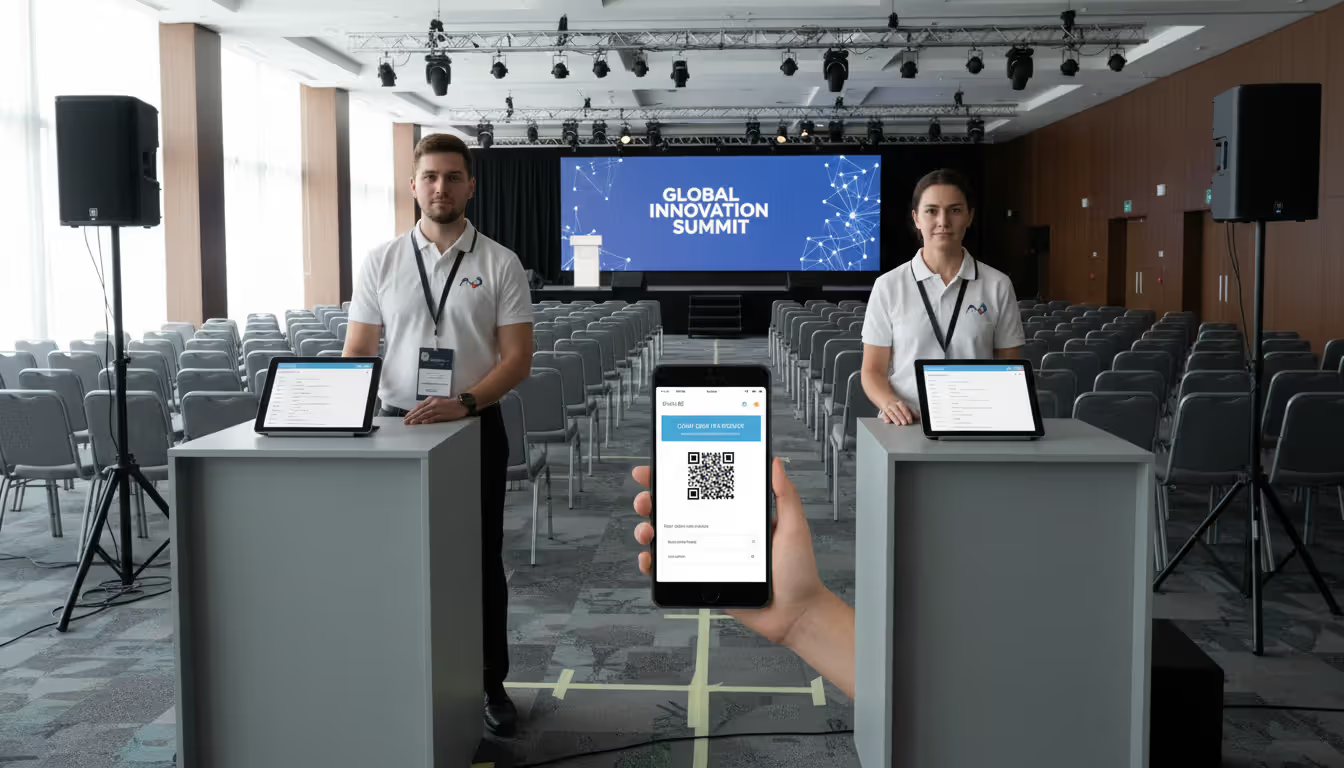
Large modern conference venue with hundreds of attendees passing through digital check-in stations equipped with tablets and badge scanners at the registration area
Modern events generate thousands of data points that organizers rarely capture. A corporate conference might host 800 attendees across 12 sessions, but without proper systems, planners never know which sessions drew crowds, when people actually arrived, or whether VIP guests showed up. Event attendance tracking software solves this problem by automating the collection, analysis, and reporting of who attends what—and when.
What Is Event Attendance Tracking Software?
Event attendance tracking software is a digital platform that records, monitors, and analyzes attendee presence at events in real time. Unlike basic registration tools that simply collect sign-ups before an event, attendance tracking systems verify actual arrival, monitor movement between sessions, track dwell time, and generate analytics on participation patterns.
The core distinction matters: registration software answers "who said they'd come," while attendance tracking answers "who actually showed up." This difference becomes critical when you're measuring event ROI, paying speakers based on audience size, or managing fire-code capacity limits.
Most modern solutions combine both functions—handling registration upfront and tracking attendance during the event—but the tracking component requires different technology. Registration needs forms and payment processing; tracking needs real-time data capture through scanning devices, mobile apps, or sensor networks.
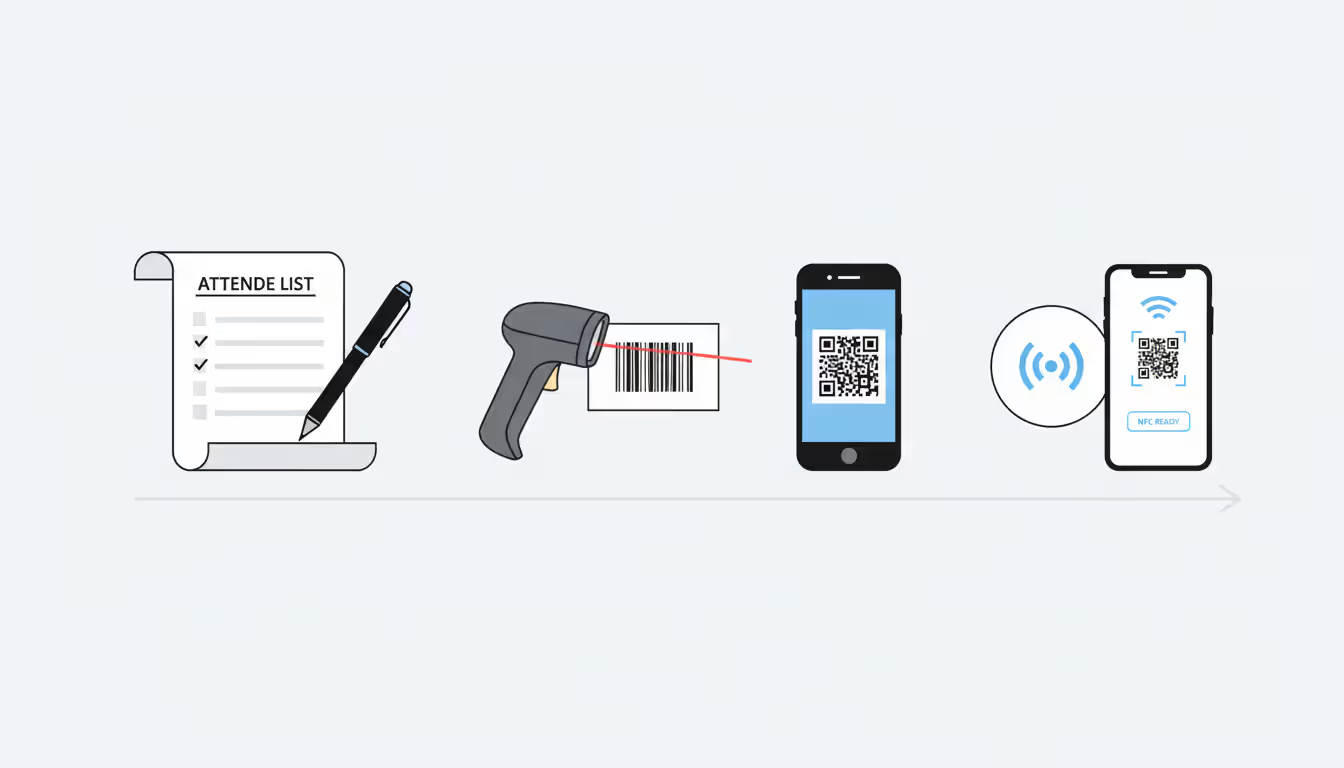
Event participant tracking has evolved significantly. Early systems relied on manual check-off lists. By the mid-2010s, barcode scanners became standard. Today's platforms use QR codes, NFC badges, facial recognition, and Bluetooth beacons to automate the entire process. The software layer sits behind these hardware options, aggregating data and presenting it through dashboards that update every few seconds during live events.
Attendee management extends beyond simple headcounts. Advanced platforms track individual journeys: which sessions someone attended, how long they stayed at each, which exhibitor booths they visited, and whether they participated in networking activities. This granular data feeds into post-event analysis, future planning, and personalized follow-up campaigns.
Author: Liam Crestwood;
Source: musiconmainstreet.com
How Event Attendance Tracking Works
The technical workflow spans three distinct phases, each with specific data requirements and failure points.
Registration and Data Collection
The process begins when someone registers. The system creates a unique attendee record containing name, email, ticket type, session selections, and any custom fields (company, dietary restrictions, accessibility needs). This record gets assigned a unique identifier—typically a confirmation code or ticket number.
Event registration data flows into the attendance database, where it sits waiting for the person to arrive. Better systems sync this data across multiple endpoints: the check-in app on iPads at the entrance, the session scanner app used by room monitors, and the central dashboard viewed by event managers.
A common mistake: treating registration as a one-time data dump. Attendees change their plans, upgrade tickets, or add session selections after initial registration. Your tracking system needs to handle these updates without creating duplicate records or orphaned data. Look for platforms that timestamp every data change and maintain version history.
The registration phase also determines what you'll be able to track later. If you don't collect company information upfront, you can't segment attendance analytics by organization type afterward. If you don't ask attendees to select specific breakout sessions during registration, you can't measure the gap between intended and actual attendance for those sessions.
Real-Time Check-In Methods
When attendees arrive, the attendee check in system verifies their identity and marks them present. The method varies by event size and budget.
For small events (under 100 people), staff might use a tablet app that displays the registration list. They search for the attendee's name, tap it, and the system records a timestamp. This works but creates bottlenecks—searching takes time, and misspelled names cause confusion.
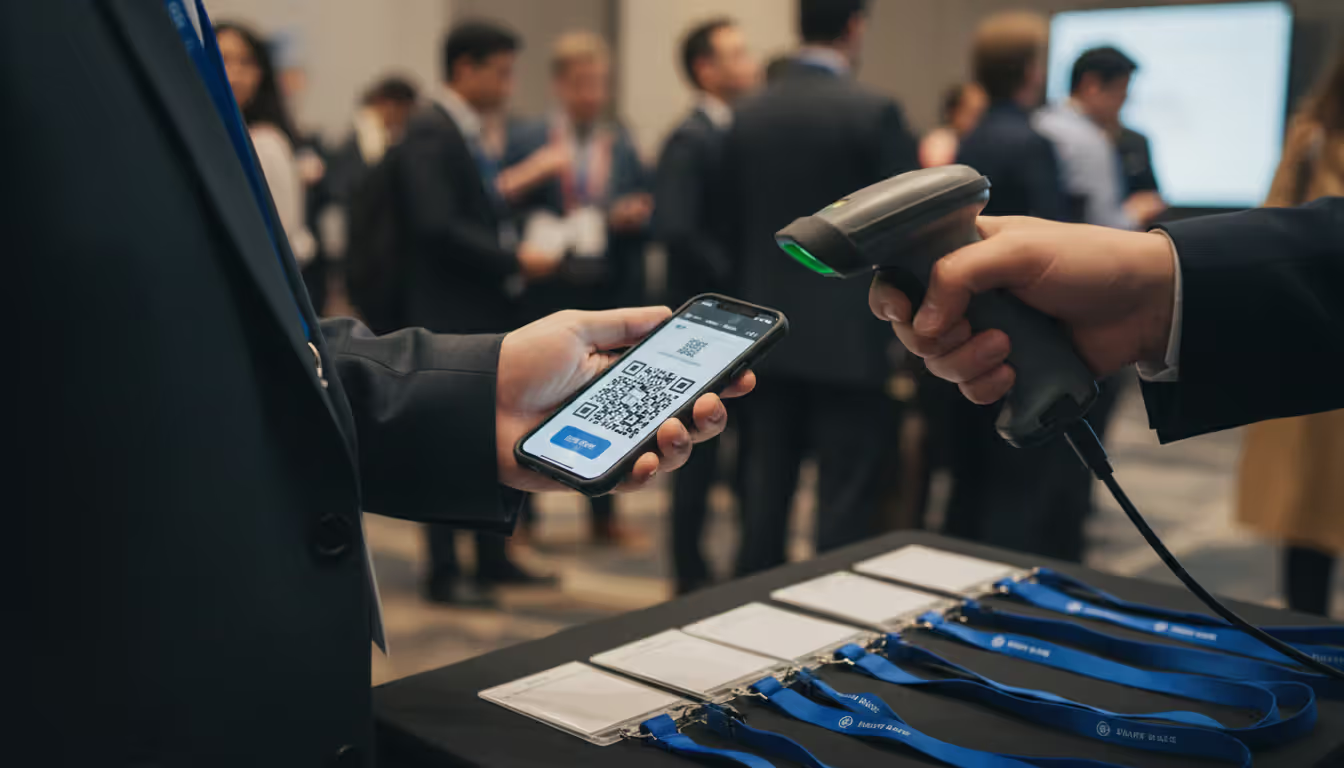
Medium-sized events typically use QR code scanning. The attendee receives a QR code via email or in a mobile app. At check-in, staff scan it with a smartphone or dedicated scanner, instantly pulling up the registration record and marking attendance. Scanning takes 2-3 seconds per person, allowing one station to process 600-800 attendees per hour.
Large events and trade shows often deploy RFID or NFC badges. Attendees receive a credential embedded with a chip. When they pass through a reader gate or tap their badge at a session entrance, the system logs their presence automatically. No staff interaction required. This scales to thousands of attendees but requires hardware investment—readers cost $300-$2,000 each, and programmable badges run $2-$8 per unit.
Event entry management software handles the logic behind these methods: validating that the scanned code matches a registered attendee, checking that the ticket type grants access to this session, flagging duplicates if someone tries to check in twice, and updating capacity counts in real time.
Speed matters more than organizers realize. At a 1,000-person conference with a 9 AM start, if check-in averages 30 seconds per person and you have four stations, you need 125 minutes to process everyone—meaning you'd have to open check-in by 6:55 AM to avoid a line at 9:00. Faster systems reduce staffing needs and improve attendee experience.
Author: Liam Crestwood;
Source: musiconmainstreet.com
Analytics and Reporting
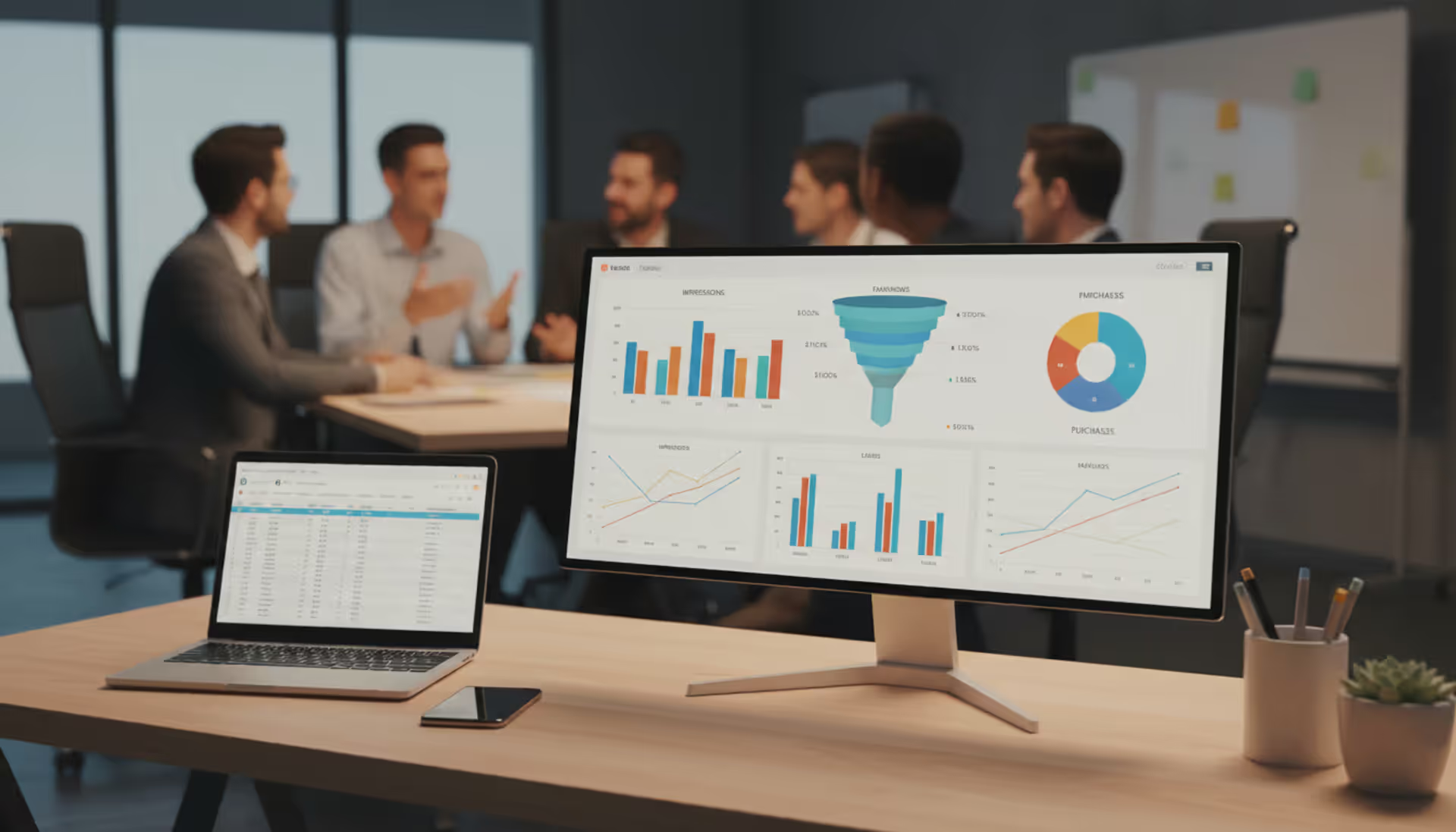
After (or during) the event, the platform processes raw check-in timestamps into meaningful metrics. Basic event attendance analytics include total attendance, attendance by session, arrival time distribution, and no-show rates.
Advanced systems calculate session popularity scores, attendee engagement indexes (based on how many sessions someone attended versus registered for), and traffic flow patterns. Some platforms overlay this data with external factors—weather, local events, transportation delays—to explain anomalies.
Real-time reporting changes operational decisions. If a breakout session fills to 95% capacity 10 minutes before start time, staff can open overflow seating or direct latecomers to a livestream room. If lunch check-in shows only 60% of expected attendees have arrived by 12:30 PM, catering can hold back food service to avoid waste.
Post-event reports feed into strategic planning. Comparing registration counts to actual attendance reveals which marketing channels attract people who actually show up versus those who register but don't attend. Session-level data shows which topics resonate, which speakers draw crowds, and which time slots see drop-off.
Export capabilities matter. You'll want to push attendance data into your CRM for lead scoring, into your marketing automation platform for follow-up campaigns, or into financial systems for revenue recognition if you're tracking continuing education credits or billable training hours.
Key Features to Look For
Not all platforms offer the same capabilities. Prioritize based on your specific event model.
Multi-session tracking is essential for conferences and multi-day events. The attendee tracking system should allow unlimited sessions per event and track attendance at each independently. Some budget tools only track main event check-in, forcing you to manually manage breakout sessions.
Event capacity tracking prevents overcrowding and ensures fire code compliance. The system should display real-time capacity for each room, send alerts when approaching limits, and optionally block check-in once capacity is reached. This matters for venues with strict occupancy rules or sessions with limited seating.
Offline mode keeps check-in running when WiFi fails. The app should cache registration data locally and sync attendance records once connectivity returns. Events in convention centers, hotels, or outdoor venues frequently face network issues. A system that requires constant internet connection will fail exactly when you need it most.
Event headcount tracking with granular filters lets you answer questions like "how many VIP ticket holders attended the keynote" or "how many first-time attendees came to the networking session." Look for platforms that let you create custom attendee segments and track them separately.
Badge printing integration matters if you're producing credentials on-site. The system should send attendee data directly to badge printers without manual export/import steps. This eliminates errors and speeds up check-in for walk-up registrations.
Access control rules become important for tiered events. Your attendee tracking system should enforce which ticket types can access which sessions, automatically denying entry to attendees trying to access premium content without the right credentials.
Mobile app check-in for attendees shifts the burden from staff to participants. Attendees use their phones to self-check-in via QR code or geofencing. This works well for casual events but requires attendees to download an app, which creates friction.
API access enables custom integrations. If you're running events as part of a larger business process—member meetings, training programs, sales events—you'll need to connect attendance data to other systems. Closed platforms without APIs create data silos.
Data export flexibility should include CSV, Excel, and direct database connections. You'll want raw timestamped check-in logs, not just summary reports, so you can perform custom analysis.
Common Use Cases by Event Type
Different event formats stress different aspects of attendance tracking.
Corporate conferences (500-5,000 attendees, multi-day, multi-track) need robust session-level tracking, capacity management, and detailed analytics. Organizers track attendance by job title, company size, and geographic region to prove value to sponsors and justify future budgets. The challenge: managing 20-50 concurrent sessions across multiple venues with accurate real-time data.
Trade shows and expos focus on exhibitor booth traffic alongside general attendance. Advanced event attendance management systems use beacon technology to track which booths attendees visit and for how long, providing valuable lead intelligence to exhibitors. The primary use case: demonstrating ROI to exhibitors through qualified traffic metrics.
Workshops and training sessions (20-200 attendees) require attendance verification for certification or continuing education credits. The system must capture exact arrival and departure times, calculate total hours attended, and generate compliant attendance certificates. Many industries require auditable attendance records—a screenshot won't suffice.
Hybrid events combine in-person and virtual attendance. The platform must track both physical check-ins and virtual session logins, ideally presenting unified analytics that show total reach regardless of attendance mode. The complication: virtual attendees might "attend" by leaving a browser tab open, inflating metrics without genuine engagement.
Recurring meetings (weekly team meetings, monthly member gatherings, quarterly board meetings) benefit from longitudinal tracking. The system should identify attendance trends over time, flag members with declining participation, and maintain historical records. Use case: membership organizations tracking engagement to identify at-risk members.
Festivals and public events face unique challenges with open access areas and ticketed zones. Tracking systems use geofencing or beacon grids to estimate attendance in open areas while using traditional check-in for paid zones. Accuracy requirements differ—rough estimates suffice for public areas, but revenue zones need precise counts.
Author: Liam Crestwood;
Source: musiconmainstreet.com
Pricing Models and Cost Factors
Event attendance tracking software pricing varies widely based on features, scale, and business model.
Per-event pricing charges a flat fee for each event, typically ranging from $200-$2,000 depending on attendee count and features. This model works for organizations running occasional events. Expect to pay $0.50-$3.00 per attendee, with volume discounts kicking in above 500 attendees. The break-even point: if you run more than 4-6 events annually, subscription models usually cost less.
Monthly or annual subscriptions run $50-$500 per month for small-event plans (up to 500 attendees per event, unlimited events) or $500-$5,000+ monthly for enterprise plans supporting large events and advanced features. This model favors frequent event organizers.
Attendee-tier pricing charges based on cumulative attendees across all events in a period. For example: $99/month for up to 2,000 attendees annually, $299/month for up to 10,000. This works well for organizations with variable event sizes.
Hardware costs add significant expense for RFID or NFC implementations. Budget $5,000-$25,000 for reader infrastructure at a large venue, plus $2-$8 per badge. QR code systems avoid hardware costs if you use staff smartphones, but dedicated scanners ($200-$800 each) improve speed and reliability.
Integration costs emerge when connecting to existing systems. Enterprise platforms charge $2,000-$10,000 for custom integrations with proprietary CRMs, membership databases, or financial systems. Standard integrations (Salesforce, HubSpot, Marketo) are typically included in higher-tier plans.
Support and training might be bundled or charged separately. Enterprise contracts include dedicated support and onboarding; budget plans offer email support only. If your team lacks technical experience, factor in $1,000-$5,000 for professional setup and training.
Hidden costs include data storage fees for retaining historical records beyond 12-24 months, overage charges when you exceed attendee limits, and premium support fees for weekend or 24/7 assistance during events.
How to Choose the Right Solution
Author: Liam Crestwood;
Source: musiconmainstreet.com
Start with event frequency and size. If you run 1-2 events yearly with under 200 attendees, simple tools with per-event pricing make sense. For monthly events or anything over 500 attendees, invest in a robust platform with subscription pricing.
Technical requirements drive platform selection. If you need offline mode, not all vendors deliver reliable sync. If you require API access for custom integrations, eliminate platforms without developer documentation. If accessibility compliance matters (screen reader support, ADA-compliant badge printing), verify this explicitly—it's not standard.
Team technical skill determines how much hand-holding you'll need. Some platforms require database knowledge to set up custom fields or build reports. Others offer drag-and-drop configuration. Be honest about your team's capabilities; a powerful platform you can't configure properly delivers less value than a simpler tool you can fully utilize.
Data security and privacy requirements vary by industry. Healthcare events need HIPAA-compliant systems. European attendees trigger GDPR requirements. Government events might require US-based data storage. Ask vendors for compliance documentation and data processing agreements before committing.
Scalability matters if your events are growing. A platform that works for 300 attendees might collapse at 3,000. Check vendor case studies for events similar to your largest planned event, and ask about performance benchmarks.
Trial the check-in experience with real staff before committing. Set up a mock event, register test attendees, and run through the complete check-in workflow. Many platforms demo beautifully but prove clunky in real-world use with rushed staff and impatient attendees.
Vendor stability deserves consideration. Event tech startups launch constantly; many disappear within three years. Check how long the vendor has operated, read recent reviews, and verify they're actively developing the platform. A stagnant product won't keep pace with changing event formats.
Implementation and Best Practices
Organizations that implement proper attendance tracking see an average 23% improvement in event ROI within two event cycles.The data lets you cut underperforming sessions, double down on popular content, and prove concrete value to sponsors and stakeholders. But the bigger win is operational—reducing staff needs through automation and eliminating the chaos of manual tracking. We tracked one client who cut check-in staff from 12 people to 4 while simultaneously reducing average check-in time from 8 minutes to 90 seconds. That's not just cost savings; it's a dramatically better attendee experience
— Sarah Chen
Plan 4-8 weeks for proper implementation, even with "quick setup" platforms. Rushing leads to configuration errors that surface during your event when it's too late to fix them.
Week 1-2: Configuration and customization. Set up your account, configure ticket types, create custom fields for the data you need to capture, and design your badge template. Test registration flow from an attendee perspective to catch confusing form fields or broken payment processing.
Week 3-4: Integration and data migration. Connect the attendance platform to your CRM, email marketing tool, and any other systems. If you're migrating from another platform, clean your data before importing—duplicate records and formatting inconsistencies cause check-in failures.
Week 5-6: Staff training. Train everyone who'll use the system: registration desk staff, session monitors, event managers viewing dashboards. Create simple quick-reference guides with screenshots. Run a mock event where staff practice check-in procedures, troubleshoot common issues, and become comfortable with the interface.
Week 7-8: Testing and contingency planning. Conduct a full dress rehearsal with volunteer attendees. Test every check-in method you'll use, verify that data flows correctly to reports, and confirm integrations work. Prepare contingency plans: backup devices, printed registration lists in case of total system failure, and clear escalation procedures if problems arise.
Data security considerations include role-based access (registration staff shouldn't access financial reports), encryption for data in transit and at rest, and regular backups. Establish a data retention policy—how long you'll keep attendance records and how you'll securely delete them afterward.
Post-event procedures should include data backup, report generation and distribution, and a debrief session where staff share what worked and what didn't. Document any workarounds you had to use; these highlight gaps to address before your next event.
Common mistakes to avoid: underestimating check-in time (always test your throughput rate), failing to communicate check-in procedures to attendees in advance (send an email explaining the process), and neglecting to charge devices overnight (dead iPads at 8 AM ruin your morning).
Comparison of Attendance Tracking Methods
Method
Accuracy
Speed (per attendee)
Setup Cost
Data Quality
Best For
Manual sign-in sheets
Low (70-85%)
45-90 seconds
$0-50
Poor (handwriting errors, incomplete)
Very small events (<50), informal gatherings
QR code scanning
High (95-98%)
2-4 seconds
$0-800
Excellent (automated, timestamped)
Most events (50-5,000 attendees)
RFID/NFC badges
Very high (98-99%)
1-2 seconds
$5,000-25,000
Excellent (automated, continuous tracking)
Large events (1,000+ attendees), trade shows
Mobile app check-in
Medium (80-90%)
5-15 seconds
$0-3,000
Good (requires attendee action)
Tech-savvy audiences, casual events
Frequently Asked Questions
What's the difference between event registration and attendance tracking?
Registration captures who plans to attend and collects information before the event. Attendance tracking verifies who actually showed up and records their presence in real time. Registration answers "who said yes"; tracking answers "who came." Many platforms combine both functions, but they serve different purposes and require different technology. You can register without tracking, but you can't track without some form of registration or pre-event data collection.
Can attendance tracking software work for virtual and hybrid events?
Yes, modern platforms track both physical and virtual attendance, though the methods differ. Physical tracking uses check-in apps or badge scanning; virtual tracking monitors login times, session viewing duration, and interaction metrics like chat participation or poll responses. The challenge with virtual tracking is distinguishing genuine engagement from passive browser tabs. Better platforms use engagement signals (mouse movement, video player interaction) rather than simple login status to measure actual attendance.
How accurate are automated check-in systems?
QR code and RFID systems achieve 95-99% accuracy when properly implemented. Errors typically stem from configuration issues (duplicate attendee records, incorrect ticket type mappings) rather than scanning failures. Manual systems using paper lists or name searches average 70-85% accuracy due to handwriting errors, missed signatures, and staff forgetting to mark attendees. The accuracy gap widens as event size increases—manual tracking becomes unreliable above 200 attendees.
Do I need special hardware for attendee check-in?
It depends on your chosen method and event size. QR code scanning works with standard smartphones or tablets running the check-in app—no special hardware required, though dedicated barcode scanners ($200-$800) improve speed and reliability. RFID/NFC systems require reader hardware ($300-$2,000 per reader) and programmable badges. For events under 500 attendees, consumer devices usually suffice. Larger events benefit from dedicated hardware that won't run out of battery or get slowed down by other apps.
How long should I keep event attendance data?
Legal and business requirements vary. For general corporate events, retain data for 1-3 years to support trend analysis and historical comparison. Training events with continuing education credits require 5-7 years of records for audit purposes. Healthcare and financial services events may face longer retention requirements. Balance retention needs against privacy obligations—GDPR and similar regulations require you to delete personal data when you no longer have a legitimate business need for it. Establish a clear retention policy and stick to it.
What integrations should I look for in attendance tracking software?
Prioritize CRM integration (Salesforce, HubSpot, Microsoft Dynamics) to sync attendee data and track event participation in contact records. Email marketing platform integration (Mailchimp, Constant Contact, Marketo) enables automated follow-up based on attendance behavior. Calendar integrations (Google Calendar, Outlook) simplify session scheduling. Payment processor integration (Stripe, PayPal) streamlines registration if you charge for attendance. For enterprise users, look for SSO (single sign-on) support and API access for custom integrations with proprietary systems.
Event attendance tracking software transforms events from logistical exercises into data-generating engines. The right platform eliminates manual headcounts, provides real-time visibility into session popularity and capacity, and generates analytics that improve future events. Implementation requires careful planning—from selecting a platform that matches your event model to training staff and testing workflows—but the operational efficiency and strategic insights justify the investment for any organization running regular events. Start with your specific requirements around event size, frequency, and data needs, then choose a solution that scales with your ambitions rather than one you'll outgrow in a year.
Security information and event management (SIEM) combines security information management and security event management to collect, analyze, and correlate security data across IT infrastructure, enabling real-time threat detection and incident respons
Event tracking software captures attendee behavior and event performance metrics throughout the entire event lifecycle. This guide covers how these platforms work, key features to prioritize, common selection mistakes, and how to measure event success with data-driven insights
Setting up a smooth registration system can mean the difference between a packed venue and empty seats. This comprehensive guide walks through everything you need to build an event registration process that converts interest into confirmed attendance, from choosing the right platform to avoiding common mistakes
Event marketing tools handle promotion, analytics, and automation for modern events. Learn which platforms streamline workflows, track ROI, and boost attendance—from email marketing and social media to paid ads and attribution modeling
The content on this website is provided for general informational and educational purposes only. It is intended to explain concepts related to event management software, ticketing systems, hybrid event platforms, and operational tools for event organisers.
All information on this website, including articles, guides, and examples, is presented for general educational purposes. Outcomes may vary depending on event size, technology choices, and organisational needs.
This website does not provide professional legal, financial, or software advice, and the information presented should not be used as a substitute for consultation with qualified event tech or IT professionals.
The website and its authors are not responsible for any errors or omissions, or for any outcomes resulting from decisions made based on the information provided on this website.