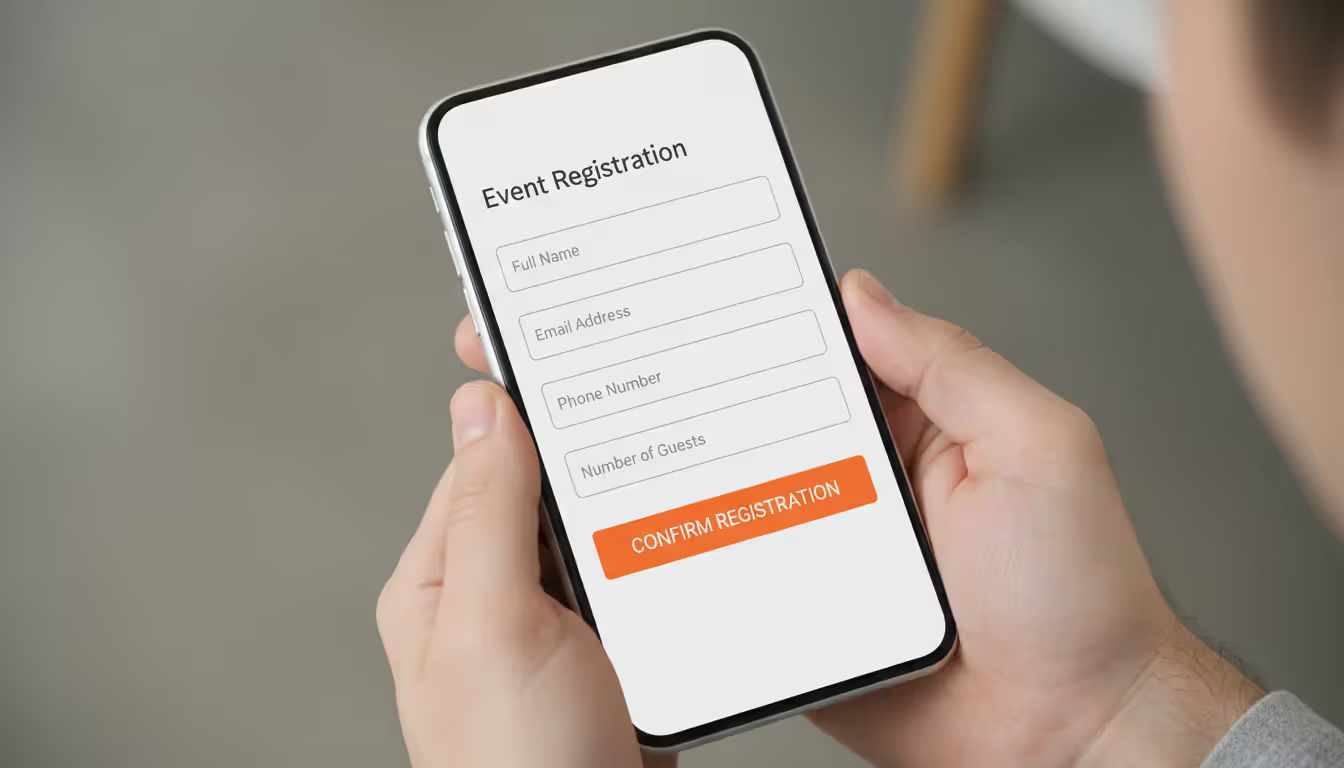
A registration system can make or break your event turnout. I've seen conferences with incredible speakers draw disappointing crowds because their sign-up process frustrated potential attendees. Conversely, a local pottery workshop with a simple, frictionless registration form regularly fills every seat.
Your registration system does heavy lifting beyond just collecting contact information. It creates the first real interaction someone has with your event. A registration page that loads slowly, asks for unnecessary details, or leaves people wondering whether their submission worked plants seeds of doubt. They start questioning whether the event itself will be equally disorganized.
When someone clicks "register" and completes the process smoothly, they've made a psychological commitment. They're more likely to actually show up, tell colleagues about the event, and arrive with positive expectations. When they abandon a broken form halfway through, they've associated your event with frustration—and they probably won't try again.
This guide breaks down how to build registration systems that actually work.
What Is Event Registration and Why It Matters
Event registration means collecting commitments from people who plan to attend. They share their details—minimally a name and email—and often complete a payment transaction. You gain certainty about headcount and the ability to communicate directly with confirmed attendees.
Think of event registration management as your central nervous system for planning. You can't make smart decisions without knowing who's coming. A financial services company learned this the hard way when they planned a client appreciation dinner based on "maybes" from phone conversations. They reserved space for 80 people. Only 43 showed up, leaving them with wasted catering costs and an awkwardly empty room. The next year, they required registration and had exact numbers two weeks ahead.
Here's what proper registration systems deliver:
You can plan accurately. Ordering lunch for "probably around 150 people" leads to either hungry attendees or trash cans full of uneaten sandwiches. Knowing you have 147 registered attendees means you order 160 meals (accounting for a few walk-ins) and avoid both problems.
You can communicate strategically. Registration data lets you segment your audience. People attending your product demo track need different pre-event information than those attending your leadership panels. First-timers benefit from "what to expect" emails that would bore your regulars.
You can predict revenue. For ticketed events, registration patterns reveal whether you're hitting financial targets. Sluggish sales in week two mean you can adjust your marketing budget or extend early-bird pricing. Without registration, you're flying blind until the day of the event.
You meet legal requirements. Liability waivers, photo release forms, and emergency contact collection happen during registration. Many insurance policies require documented attendee lists. Venues often need final headcounts for fire code compliance.
A regional tech meetup switched from "just show up" to required registration. Their no-show problem went from 40% of expected attendees to under 15%. That predictability let them rent appropriate venues instead of either cramming people into too-small spaces or paying for half-empty rooms.
Author: Chloe Winslow;
Source: musiconmainstreet.com
Key Components of an Effective Event Registration Process
Three elements separate registration systems that work from those that frustrate everyone involved.
Registration Forms That Convert
Every question you ask costs you some registrations. Someone looking at a long form thinks "I'll do this later" and never returns. A nonprofit tested this directly: their volunteer event form originally had 18 fields. Completion rate sat at 64%. They cut it to seven required fields. Completion jumped to 89%.
What you actually need for most events: - First and last name (two separate fields prevent "John" showing up on name badges) - Email address where they actually check messages - Which ticket type they're purchasing or which sessions they're attending - Payment details for paid events
Information worth collecting conditionally: - Phone numbers let you send day-of text reminders - Company names matter for B2B networking events - Meal preferences only matter when you're serving food - Shirt sizes only matter when you're giving shirts
Conditional logic prevents irrelevant questions from cluttering everyone's experience. Someone who selects "Virtual Attendance" shouldn't see questions about parking preferences. Someone registering for general admission doesn't need VIP lounge questions.
Mobile matters more each year. Recent data shows 60% of event registrations happen on phones. Forms designed for desktop often fail on mobile—tiny text, buttons too small to tap accurately, fields that require zooming. Each friction point loses registrants.
Confirmation and Communication Workflows
The seconds after someone clicks "submit" determine whether they feel confident or anxious. Immediate event registration confirmation tells them their spot is secure and provides reference information they'll need later.
Your confirmation needs these elements: - Crystal-clear statement: "You're registered for the Annual Marketing Summit" - Date, time, and complete address with a calendar file they can download - Their unique confirmation number or ticket barcode - Next steps: "We'll email venue details on June 15" - How to reach you if they have questions
Communication cadence prevents your event from slipping off their mental radar. A conference organizer shared their sequence: - Instant confirmation (automatic) - 30 days before: Agenda published, hotel block reminder - 14 days before: Speaker bios, networking app invitation - 7 days before: Parking details, what to bring, weather considerations - Day before: Final reminder with any last-minute schedule changes - Morning of: "See you in a few hours!" message - Day after: Thank you and feedback survey
They found the 7-day and morning-of reminders had the biggest impact on attendance. The 7-day message gave people time to rearrange conflicts. The morning message caught people who'd genuinely forgotten despite earlier reminders.
Data Collection and Attendee Management
Registration creates a database that drives dozens of planning decisions. How you organize and access this information determines whether the week before your event feels manageable or chaotic.
Track these data points: - Registration timestamp shows you momentum patterns - Ticket categories help allocate room sizes for breakout sessions - Dietary restrictions and accessibility requests ensure proper accommodations - Registration source reveals which marketing channels work - Check-in status shows who actually attended versus who registered
Export capabilities sound boring until you desperately need them. The week before your event, you'll pull lists for badge printing, send session-specific reminders, share attendee counts with your catering vendor, and generate reports for sponsors. Platforms that make exporting difficult create late-night panic.
Integration with other tools eliminates manual data transfer. When your registration platform talks to your email marketing software, new registrants automatically join your reminder sequence. Integration with your CRM means sales teams can follow up with prospects who registered. Payment processor integration keeps financial records synchronized without manual reconciliation.
How to Choose the Right Event Sign-Up Platform
Your ideal event online registration platform depends on event size, complexity, and budget. A neighborhood block party needs something different than a three-day industry conference with paid workshops.
Evaluate platforms on these criteria:
Ease of use determines whether you can launch on time. Can someone without technical skills build a functional registration form in an afternoon? How many clicks does it take to generate an attendee list? Powerful features don't help if you can't figure them out before registration opens.
Payment processing fees add up fast. Some platforms advertise "free" but take 3.5% plus $1.50 per ticket. Others charge monthly fees but take smaller percentages. Calculate total costs using your expected ticket sales. A 300-person event with $75 tickets generates $22,500 in revenue. At 3.5% plus fees, you're paying roughly $1,000 to the platform.
Customization affects brand perception. Can you use your own domain and branding? Some platforms force their logo prominently on registration pages. For casual events, that's fine. For high-end corporate events or fundraising galas, generic platform branding looks unprofessional.
Customer support matters most when things break. Registration typically launches during evenings or weekends when you're racing against deadlines. Can you reach support when you need help? Is it email-only, or can you call someone?
Reporting capabilities impact real-time decisions. Dashboards showing registration pace help you decide whether to extend early-bird pricing or increase ad spend. Historical data from previous events improves future planning.
Platform
Key Features
Pricing Structure
Best For
Integrations
Eventbrite
Customizable event pages, mobile check-in app, automated reminders, social media promotion tools, waitlist automation
No charge for free events; paid events incur 3.7% + $1.79 per transaction
Public-facing events, ticketed concerts, community workshops, anything requiring broad discovery
Free platforms work well when you're organizing small community events or when a few percentage points won't matter financially. Once you're selling hundreds of tickets at meaningful prices, those percentage fees become substantial enough to justify alternatives.
Event registration tools with marketing features built in can simplify your technology stack. If your platform includes email automation, you might eliminate a separate email service, reducing both complexity and total costs.
Step-by-Step Event Registration Setup Guide
This event registration guide takes you from initial planning through launch.
Step 1: Define what you actually need to know
Start here: What information is essential for executing this specific event successfully? A breakfast networking session needs names and companies. A hands-on workshop needs accurate headcount three weeks out for materials ordering. A fundraising dinner needs meal selections and table preferences.
Write two lists: "Must have" and "Nice to have." Be ruthless. The information goes on the "must have" list only if lacking it would prevent you from executing the event properly.
Step 2: Select and set up your platform
Pick a platform based on your earlier evaluation. Create your event, filling in basic details: event name, date, venue, and description.
Pay attention to your registration URL. A clean link like yourconferencename.com/register works better for marketing than eventplatform.com/e/12345/register-for-annual-summit-2024-hosted-by-your-organization.
Step 3: Create your registration form
Add only fields from your "must have" list. Write clear labels. "Full Name" works better than "Name" (which might prompt first name only). "Work Email Address" prevents confusion when people have multiple emails.
Make ticket type differences obvious. "Early Bird - $99 (available through March 15)" beats vague labels like "Option A" or just "$99 Ticket."
Add brief helper text for anything potentially confusing. Next to "Organization" you might add "(Leave blank if attending as individual)" to prevent people from abandoning the form because they're uncertain how to answer.
Step 4: Write confirmation messages
Draft your confirmation email now, while you're thinking clearly about what attendees need to know. Include everything they might reference later: complete event details, what to bring, parking information, and who to contact with questions.
Create the confirmation page they see immediately after registering. Echo the email content and make it completely clear that they're successfully registered.
Step 5: Test everything thoroughly
Register yourself using a personal email. Complete every step exactly as an attendee would. Verify: - Forms work properly on both phones and tablets - Confirmation emails arrive within 60 seconds - Payment processing completes successfully - Calendar files download and open correctly - Every link in your confirmation materials actually works
Ask someone unfamiliar with the project to test it. They'll catch confusing elements you've stopped noticing after seeing them repeatedly.
Author: Chloe Winslow;
Source: musiconmainstreet.com
Step 6: Set up tracking
Add analytics tracking if you're running paid ads or want to know which marketing channels drive registrations. Most platforms integrate easily with Google Analytics.
Build a simple dashboard (even just a spreadsheet) to monitor: daily registration count, cumulative total, revenue if applicable, and days remaining until the event.
Step 7: Launch and monitor closely
Open registration and immediately test it again as if you're a new registrant. Technology breaks at inconvenient moments.
Check your dashboard daily for at least the first week. Early registration patterns reveal whether your marketing messages resonate and your pricing makes sense. Slow early uptake gives you time to adjust before it's too late.
Event Registration Best Practices to Maximize Attendance
These event registration best practices come from watching what separates packed events from disappointing turnout.
Timing your registration launch requires balancing competing factors. Open too early and people forget by the time your event happens. Open too late and their calendars fill up with competing commitments. For local events, launching 6-8 weeks ahead works well. Destination events requiring flights and hotels need 3-4 months lead time.
Early bird pricing rewards decisive action. A tiered structure creates natural urgency: early bird pricing at 20-30% off (available 3-4 weeks), standard pricing (continuing until one week before), and walk-up pricing (small premium for last-minute registrants). This encourages early commitment while still capturing procrastinators.
Mobile optimization goes deeper than responsive design. Rethink the entire experience for thumbs on small screens. Make buttons large enough to tap accurately without zooming. Minimize typing by using dropdown menus and checkboxes. Enable browser autofill for name, email, and payment fields. A form taking 90 seconds on desktop but 4 frustrating minutes on mobile loses registrations.
Event RSVP management strategies differ dramatically between free and paid events. Free events typically see 20-40% no-shows, leading many organizers to overbook deliberately. Paid events get better attendance—typically 5-15% no-shows—but still need reminder sequences. The 7-day and same-day reminders matter most.
Accessibility shouldn't be an afterthought. Your registration form needs to work with screen readers. Include fields where attendees can request accommodations—wheelchair access, ASL interpretation, dietary needs. Making these requests easy and normalized encourages people to share their needs instead of struggling silently or skipping your event entirely.
Social proof significantly boosts registrations. Display a live counter: "Join 247 other developers already registered." Show testimonials from previous attendees. A monthly meetup added "387 people registered so far" to their page and saw conversions increase 23%.
Reduce payment friction wherever possible. Accept credit cards, PayPal, and digital wallets like Apple Pay and Google Pay. Each additional payment method captures registrants who would have abandoned otherwise.
Reminder strategies need to balance keeping your event top-of-mind against becoming annoying. Email works for most reminders. SMS for day-of reminders cuts through inbox clutter effectively. A text saying "Innovation Summit starts in 2 hours! Your confirmation: #12345" gets read even by people ignoring emails.
Create genuine urgency without manipulation. "Only 15 seats remaining" works when it's true and backfires when it's fake scarcity. Real deadlines—early bird pricing ends Friday, registration closes at capacity—motivate action without damaging trust.
Author: Chloe Winslow;
Source: musiconmainstreet.com
Common Event Registration Mistakes and How to Avoid Them
Even experienced planners make these errors that hurt attendance and create operational headaches.
Overly complex forms kill completion rates. A corporate training program required 22 fields including three separate phone numbers, emergency contact details, supervisor approval, and a multi-paragraph essay explaining attendance goals. Their completion rate languished at 41%. After streamlining to eight fields, it jumped to 78%. Apply this test to every field: "Would this event fail without this information?" If the answer is no, delete it.
Poor mobile experience particularly hurts because many people browse events during commutes or lunch breaks—prime decision-making windows. When your form doesn't work smoothly on phones, you lose registrations from people who won't remember to circle back on desktop later.
Lack of immediate confirmation or delays sending it creates anxiety. People wonder whether it worked, whether they should try again, whether they'll get charged twice. One platform's email system failed for three hours during a major registration launch. The organizer received 47 panicked support tickets from people convinced their sign-ups hadn't worked.
Inadequate follow-up communication after initial confirmation wastes the main benefit of advance registration. People register months ahead. Without reminders, your event slips off their radar. They schedule something else, forget they registered, or don't prioritize attending because they haven't thought about it in weeks.
Ignoring registration data until the week before wastes valuable early signals. Tracking registrations daily lets you spot problems early enough to fix them. Sluggish pace in week two means you can adjust marketing, extend early-bird pricing, or add incentives. Checking your dashboard only when you need final headcount means missing opportunities to course-correct.
No backup plan for technical failures causes disasters. Registration systems crash, payment processors go offline, and websites break. Have a backup method ready—even just a Google Form collecting basic information so people can register when your primary system fails. A music festival lost an estimated 200 registrations when their platform crashed the day they announced their headline act. Without a backup, they spent hours manually collecting information through Instagram DMs.
Unclear cancellation policies create disputes and negative reviews that haunt future events. Decide upfront: Can people get refunds? Until when? What's the process? Communicate this clearly during registration. Ambiguity leads to arguments with frustrated registrants.
The registration experience sets your first impression and establishes attendee expectations before they ever walk through your door. Someone who struggles through a malfunctioning form or receives no confirmation shows up—if they bother showing up at all—already disappointed with your event. Smooth registration isn't just operational efficiency. It's the foundation of everything that follows
— Marcus Chen
FAQ
How far in advance should I open event registration?
Six to eight weeks works well for local events. This window gives people adequate planning time without being so far out that they forget or their circumstances change. Conferences requiring travel need 3-4 months so attendees can book flights when prices are reasonable and hotels before they sell out. Fundraising galas typically open 8-12 weeks ahead to accommodate table sales and sponsorship coordination. If you sell out quickly, open earlier next time. If registration stays sluggish until the final week, you might be opening too early.
What information should I collect in my registration form?
Collect only details you genuinely need for successful event execution. Start with first name, last name (separately), email address, and ticket category. Add phone numbers only if you'll send day-of text messages. Collect dietary restrictions only when you're serving food. Ask about accessibility needs only when you can actually provide accommodations. Request company information only for networking-focused professional events. Research shows each additional field reduces completion rates by roughly 3-5%, meaning unnecessary questions cost you actual registrations.
How do I handle registration cancellations?
Write a clear cancellation policy before registration opens and display it prominently during sign-up. Common structures include full refunds until 30 days before the event, 50% refunds until 14 days out, and no refunds within two weeks of the event date. For free events, allow cancellations anytime but consider requiring the cancellation step to free spots for waitlisted people. Make cancelling simple—ideally a link in the confirmation email that processes requests automatically rather than making people email you and wait for manual processing.
What's the difference between RSVP and paid registration?
RSVP typically means free events where attendees commit without financial obligation. This creates weaker commitment and higher no-show rates—often 20-40% of people who RSVP don't attend. Paid registration involves a financial transaction creating stronger psychological commitment. No-show rates for paid events typically run 5-15%. Some events use a hybrid approach: free registration requiring a small deposit ($10-25) refunded at check-in. This reduces no-shows while maintaining accessibility for people who couldn't afford non-refundable tickets.
How can I reduce no-shows after registration?
Send strategic reminders at seven days before, three days before, and the morning of your event. The week-before reminder gives people time to adjust schedules if conflicts arose. The morning-of reminder catches people who forgot despite earlier messages. For free events, maintain an active waitlist that automatically promotes people when others cancel—this creates social pressure to cancel properly rather than ghosting. Make cancellation easy so people don't avoid it out of awkwardness about backing out. For paid events, emphasize the value they purchased in reminders to reinforce their commitment.
Should I close registration before the event or allow day-of sign-ups?
This depends entirely on your event logistics. Events requiring printed name badges, catered meals calculated per person, or printed materials need registration closed 3-7 days ahead. Workshops with strict capacity limits should close when you hit the limit. Open-house style events or large conferences with flexible capacity can often accommodate day-of registration smoothly. If you allow late registration, charge a premium—both to offset operational complexity and reward people who registered early. Many organizers close online registration 48 hours before the event but offer on-site registration at 20% higher pricing.
Event registration bridges the gap between someone's initial interest and their actual attendance. It provides the foundation for accurate planning and creates the first real touchpoint in your attendee experience. The gap between well-executed registration and poorly designed processes shows up in completion rates, no-show percentages, and how stressed you feel the week before your event.
Begin with clear thinking about what information you genuinely need. Select a platform matching your event's complexity and your technical comfort level. Build forms respecting people's time by asking only essential questions. Communicate clearly and consistently from registration through event day.
The best registration systems feel effortless to attendees—they complete sign-up in under two minutes, receive immediate confirmation, get helpful reminders at appropriate intervals, and arrive knowing exactly what to expect. Behind that apparent simplicity sits thoughtful planning, careful platform selection, and attention to details most organizers overlook until problems emerge.
Success for your next event begins the moment someone decides to register. Make that experience smooth, and everything else gets easier.
Security information and event management (SIEM) combines security information management and security event management to collect, analyze, and correlate security data across IT infrastructure, enabling real-time threat detection and incident respons
Event tracking software captures attendee behavior and event performance metrics throughout the entire event lifecycle. This guide covers how these platforms work, key features to prioritize, common selection mistakes, and how to measure event success with data-driven insights
Event marketing tools handle promotion, analytics, and automation for modern events. Learn which platforms streamline workflows, track ROI, and boost attendance—from email marketing and social media to paid ads and attribution modeling
Event marketing platforms centralize campaign creation, multichannel distribution, and analytics. This guide covers core features, platform types, selection criteria, common mistakes, and ROI measurement to help you choose the right solution for your events
The content on this website is provided for general informational and educational purposes only. It is intended to explain concepts related to event management software, ticketing systems, hybrid event platforms, and operational tools for event organisers.
All information on this website, including articles, guides, and examples, is presented for general educational purposes. Outcomes may vary depending on event size, technology choices, and organisational needs.
This website does not provide professional legal, financial, or software advice, and the information presented should not be used as a substitute for consultation with qualified event tech or IT professionals.
The website and its authors are not responsible for any errors or omissions, or for any outcomes resulting from decisions made based on the information provided on this website.