Most event organizers find themselves in this frustrating position: their boss asks "Was the conference worth it?" and they respond with vague statements about positive feedback and good turnout. Without concrete numbers, you're stuck defending budgets with anecdotes while competitors use hard data to refine their approach and pull ahead.
That's where specialized tracking platforms come in. They capture what actually happens at your events—not what you hoped would happen—turning attendee actions into numbers you can analyze, compare, and improve upon for next time.
What Is Event Tracking Software?
These platforms do one thing really well: they monitor everything attendees do before, during, and after your events, then organize that information so you can spot patterns and make smarter decisions.
Think of it as surveillance, but the useful kind. Registration timestamps. Which sessions people actually showed up for (versus which ones they claimed they'd attend). How long someone lingered at a sponsor booth. Whether virtual attendees kept their cameras on or multitasked through your keynote. All those little behavioral breadcrumbs get collected and sorted.
Who needs this? Pretty much anyone running events larger than a backyard barbecue. Marketing directors launching product conferences. HR teams coordinating annual sales kickoffs. Association managers planning member summits. Trade show coordinators juggling hundreds of exhibitors. They're all asking similar questions: "Did we reach the right people? Did they engage with our content? Should we do this again?"
Here's why generic measurement falls short. You might have registration data in Eventbrite, attendance records from badge scanners, engagement metrics from your mobile app, and survey responses in SurveyMonkey. That's four different spreadsheets telling four different stories. Event measurement tools pull everything together so you can see the complete picture—like when your data reveals that attendees who visited the demo area were 3.2 times more likely to request sales calls afterward.
A pharmaceutical company we know runs continuing education conferences for doctors. They discovered something interesting: physicians who attended at least three breakout sessions submitted 47% more prior authorization requests for their drug in the following quarter. That's the kind of insight you'd never spot without connecting the dots across multiple data sources.
Author: Liam Crestwood;
Source: musiconmainstreet.com
Corporate teams get particular value for internal gatherings. Imagine you run quarterly training sessions for 200 sales reps. You can now track which workshops each person attended, then cross-reference that against their Q3 performance numbers. Suddenly you're not guessing which training topics work—you're proving it.
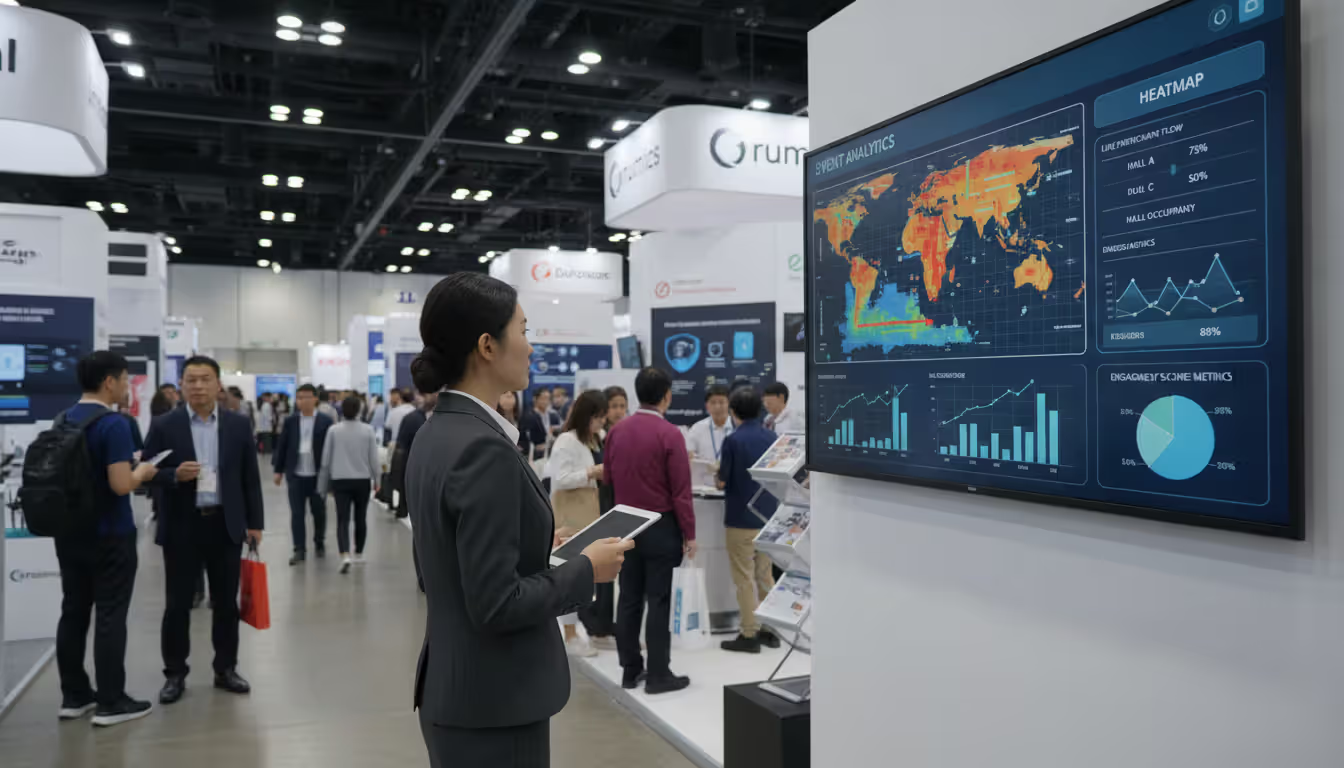
The scalability range is huge. A 50-person workshop needs different capabilities than a 15,000-person industry expo. Small events might only track check-ins and post-event satisfaction scores. Massive conferences require session-by-session analytics, heat mapping of exhibit halls, and multi-channel attribution that connects a LinkedIn ad click in February to a closed deal in September.
How Event Tracking Software Works
Let's walk through the data journey from start to finish.
Everything begins when someone lands on your registration page. The moment they click "Register," you're capturing more than just their email address. What time did they sign up—early bird or last-minute? Which marketing email brought them there? Did they hesitate and abandon the cart twice before completing registration? For paid events, what ticket tier did they choose? If you're offering session selection during registration, which topics caught their attention?
The technical side relies on API connections between your ticketing platform and the tracking software. Let's say you sell tickets through Eventbrite. Your tracking platform pings Eventbrite's database every hour (or in real-time for sophisticated setups) and imports new registrations automatically. Some teams embed tracking pixels directly on registration pages to capture even more behavioral data—scroll depth, time spent reviewing the agenda, which speaker bios they clicked.
Physical events get interesting with badge technology. You've probably been to a conference where they scan your badge at session entrances. Those scanners aren't just counting heads—they're logging specific data points. Attendee ID 7842 entered the "AI Marketing Strategies" session at 2:03pm and left at 2:47pm (probably left early to grab coffee). At a trade show, exhibitors scan badges when someone stops by their booth, creating a log of which vendors each person visited and how much time they spent there.
Some advanced setups use RFID or beacon technology. Attendees carry badges with tiny radio transmitters that ping receivers throughout the venue. No scanning required—the system automatically tracks movement patterns. This gets expensive but provides granular data like: "67% of attendees who visited the coffee station between sessions also passed by Booth 14, but only 23% stopped."
Virtual and hybrid events work differently because everything's digital. Your webinar platform already knows when someone logged in, how long they stayed, whether they turned on their camera, what they typed in the chat, which polls they answered, and what resources they downloaded. The tracking software integrates with platforms like Zoom or Hopin to pull all that activity data into one place.
Here's a typical workflow timeline. Six weeks before your event, you connect the tracking platform to your registration system and define what you want to measure—let's say registration pace, ticket source attribution, and session preferences. During the pre-event period, you monitor which marketing channels drive signups (turns out your podcast ads convert better than LinkedIn sponsored posts—good to know for next year).
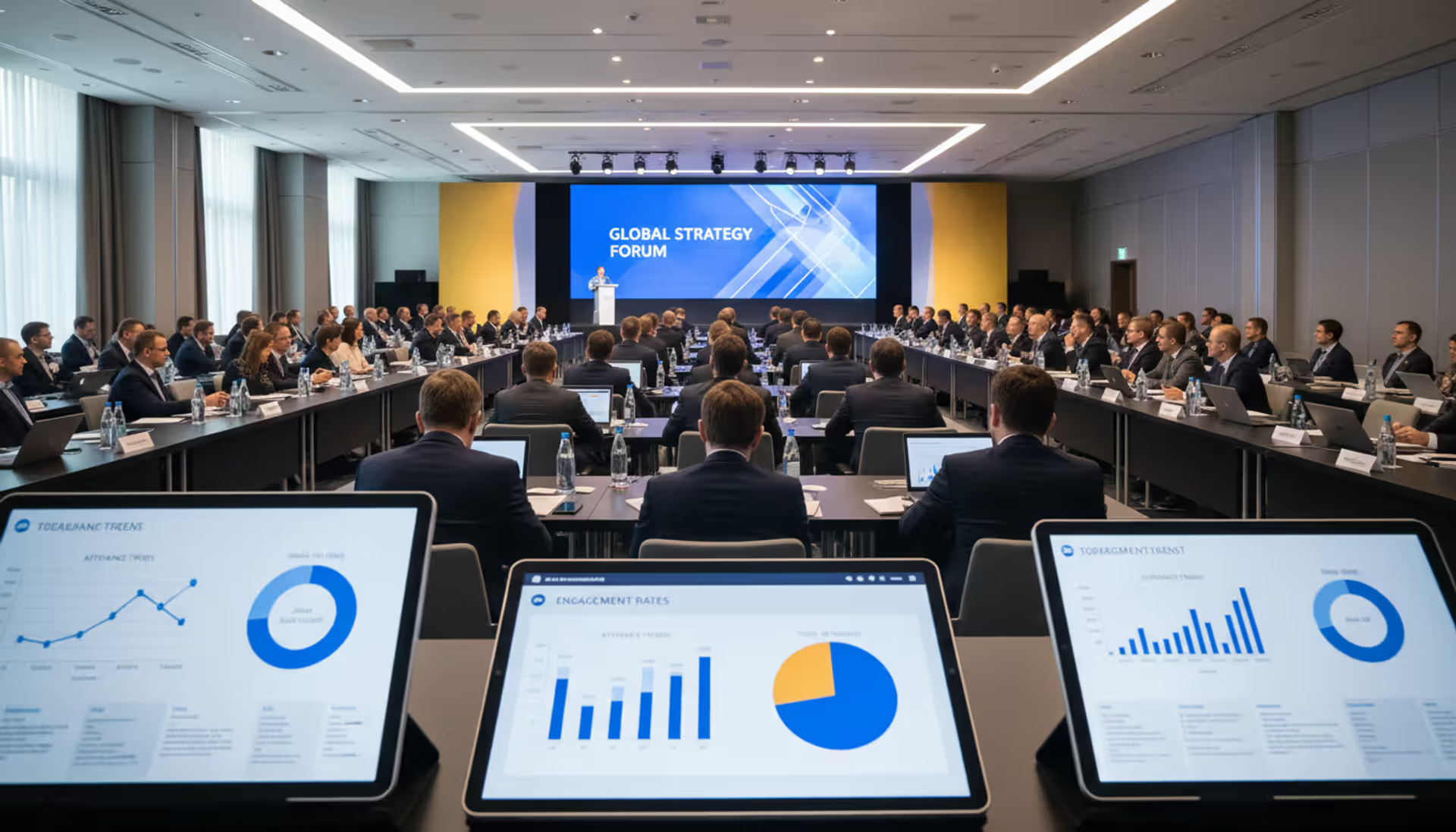
Event week arrives and your real-time dashboard becomes mission control. You notice the "Advanced Analytics" workshop filled up 90 minutes before start time, so you text the speaker and move it to a larger room. You see that Booth 23's traffic is half the event average, so you alert the sponsor they might want to relocate or refresh their approach. Your virtual keynote's engagement score drops sharply at the 32-minute mark, telling you exactly where you lost the audience (turned out to be a overly technical segment that bombed).
Author: Liam Crestwood;
Source: musiconmainstreet.com
After the event wraps, the platform aggregates everything. Jane Smith registered on March 3rd via the email campaign, attended four of seven sessions she'd selected, spent 12 minutes at three different sponsor booths, submitted two questions during Q&A, downloaded three whitepapers, and gave you a Net Promoter Score of 9. Six weeks later, she appears in your CRM as a closed deal worth $47,000. The tracking software connects all those dots into an attribution chain showing that your event directly influenced that revenue.
UTM parameters and unique identifiers make this possible. Each attendee gets a persistent ID that follows them across every touchpoint. The software maintains continuity even when data comes from different sources—registration platform, badge scanner, mobile app, survey tool, CRM. It's all the same person, even though five different systems captured the information.
Key Features to Look For
Real-Time Analytics and Dashboards
You can't fix problems you don't know exist. Real-time visibility means you catch issues while there's still time to respond.
Picture this: It's 9:30am and your 10:00am keynote session shows 847 people already checked in for a room that holds 650. Your dashboard alerts you 30 minutes before disaster, giving you time to open the overflow room and set up a video feed. That's the difference between a logistics nightmare and a smooth recovery.
Or consider the sponsor who paid $15,000 for a premium booth. By lunch on Day 1, your heat map shows their location got 80% less foot traffic than other premium spots. You can't change the past, but you can offer them a better location on Day 2 or comp them into next year's event. Without real-time data, they'd just simmer in frustration and not renew.
Effective dashboards surface information that demands action. Current room capacity percentages. Registration velocity by hour (are last-minute signups trending 40% below last year?). Engagement scores for virtual sessions (if the number drops below 65%, something's wrong). Mobile app usage rates (only 31% of attendees downloaded it—that's a problem).
The best event analytics platforms customize views by role. Your CEO doesn't want to see badge scanner throughput rates—she wants high-level ROI projections and attendee satisfaction trends. Session moderators need attendance counts and engagement metrics for their specific rooms. Sponsors want booth traffic data and lead capture numbers. Marketing needs source attribution showing which campaigns delivered quality registrants versus tire-kickers.
Smart alerts prevent you from drowning in dashboards. Set thresholds that trigger notifications. Registration pace drops 25% below projections? Get an email. Keynote engagement falls below 70%? Alert the AV team to check if there's a technical issue. Login failures spike above 5%? Your virtual platform might be melting down.
Attendee Behavior Tracking
What people actually do matters more than what they say they'll do.
Someone registers for your "Advanced Data Science" workshop but skips it to attend "Intro to Analytics" instead. That's not flakiness—that's valuable signal. Their self-reported expertise level doesn't match reality. Multiply that pattern across 200 attendees and you realize your session descriptions are confusing or your audience isn't as advanced as they think.
Comprehensive tracking follows the complete journey. Registration source and timestamp. Email engagement rates for pre-event announcements (40% open rate is decent, 12% is terrible). Session check-ins with precise entry and exit times. Chat messages and questions during sessions. Mobile app activity like favoriting sessions or messaging other attendees. Booth visit duration (someone who spends 90 seconds grabbed swag and left; someone who stays 8 minutes is having a real conversation). Networking connections made through your event app. Survey responses and satisfaction scores. Post-event behavior like watching recorded sessions or downloading resources.
Many platforms use behavioral scoring models that assign point values to different actions. Attending a product demo: 50 points. Visiting an informational booth: 10 points. Downloading a technical case study: 30 points. Asking a question during Q&A: 20 points. Event reporting tools add up these scores to generate lead quality ratings that sales teams actually trust for prioritizing follow-up.
Privacy matters more every year. Attendees increasingly expect transparency about data collection practices. Quality platforms offer granular consent management—someone might opt out of location tracking but still participate in surveys. Aggregate reporting can show useful patterns without exposing individual identities. "63% of CMO-level attendees visited the AI demo booth" tells you something valuable without revealing that Jane Smith from Acme Corp spent 15 minutes there.
Author: Liam Crestwood;
Source: musiconmainstreet.com
Integration Capabilities
Event data locked in a silo loses most of its value. Connected data becomes exponentially more useful.
CRM integration changes everything for B2B events. Your sales rep opens a prospect's record in Salesforce and sees their complete event history automatically synced: which sessions they attended, what questions they asked, which products interested them, how engaged they were compared to other attendees. Now that sales call transforms from generic outreach into a targeted conversation: "I noticed you attended our session on cloud migration—are you currently evaluating solutions?"
Marketing automation platforms use event data to trigger intelligent follow-up sequences. Someone who attended your "Getting Started with AI" workshop automatically enters a nurture track focused on beginner content. Someone who skipped sessions but visited the pricing booth gets different messaging than someone who engaged deeply with technical content. This behavioral segmentation destroys generic "thanks for attending" emails.
Email platform integrations enable surgical precision. Send session recordings only to people who registered but didn't show up. Survey attendees about the specific sessions they actually attended, not generic questions about the event. Thank high-traffic exhibitors differently than struggling sponsors.
Calendar syncing improves attendee experience. When someone builds their personal agenda in your mobile app, those sessions can automatically appear in their Outlook or Google Calendar with room locations, speaker names, and session descriptions. One less friction point.
Financial system connections tell the complete story. When your tracking platform talks to your accounting software, you can calculate true cost-per-attendee by dividing total spend (venue + catering + AV + staff time + marketing) by actual attendees rather than registrations. Track sponsorship revenue against sponsor satisfaction scores to identify which packages deliver mutual value versus which ones underdeliver.
Custom Reporting Options
Standard reports handle common questions, but every organization has unique needs.
Drag-and-drop report builders let non-technical team members create specific views without bugging IT. Want to break down session attendance by company size? Done. Compare engagement scores across industries? Easy. Analyze which geographic regions show the strongest registration patterns? Two minutes. Filter everything to just C-level attendees who registered in the last 30 days? Sure.
Scheduled reports automate routine distribution so stakeholders get updates without asking. Every Monday morning, executives receive the updated ROI dashboard. Weekly during registration season, marketing gets source attribution breakdowns. Immediately post-event, sponsors automatically receive booth traffic reports and captured lead lists.
Export flexibility accommodates different workflows. Marketing lives in Excel? CSV export. Data team wants to pull metrics into Tableau? API access. Finance needs a PDF for the board meeting? One click. IT wants to warehouse event data with everything else? Webhook triggers push real-time data to your data lake as things happen.
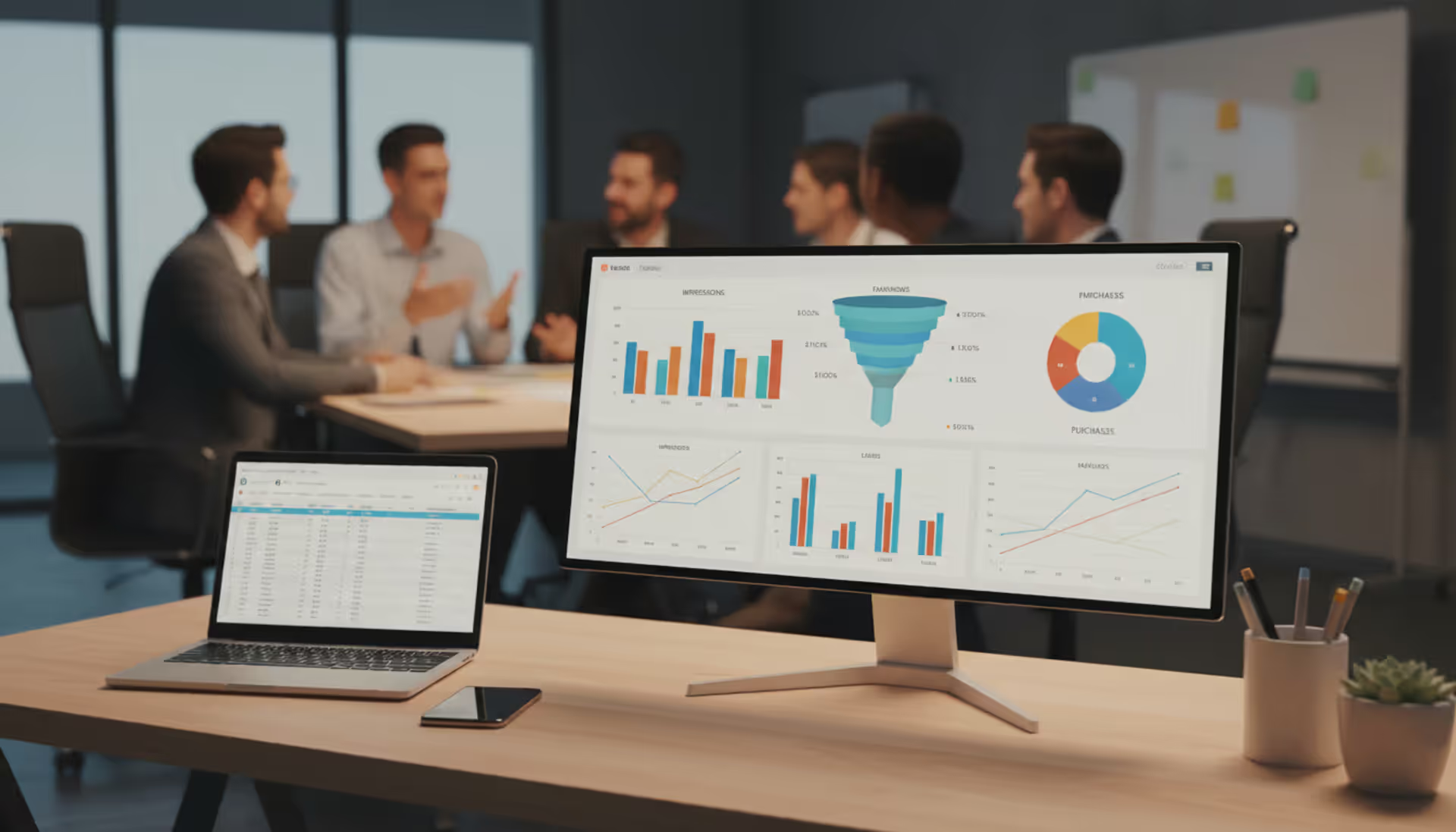
Visualization options help different audiences absorb information. Executives prefer trend lines and high-level charts. Analysts want detailed tables with raw numbers. Sponsors appreciate visual comparisons showing their performance against event averages. Multi-format exports (PDF for distribution, Excel for manipulation, PowerPoint for presentations) save hours of manual reformatting.
Common Mistakes When Choosing Event Tracking Software
Teams frequently fall in love with feature lists without asking whether those features match their actual workflow.
You run quarterly customer appreciation dinners for your top 50 accounts. Someone sells you on enterprise-grade software designed for 10,000-person conferences with 47 simultaneous tracks. You're paying for session management complexity you'll never use. Meanwhile, the trade show organizer who chooses a basic $79/month tool to save money discovers six months later it can't handle sponsor analytics, booth lead retrieval, or multi-event reporting—the three things they actually needed.
Integration blindness causes preventable pain. An event team selects tracking software with gorgeous dashboards, then discovers two weeks before their conference that it doesn't connect to HubSpot. Now someone manually exports CSV files weekly and uploads them into the CRM, introducing delays, errors, and data gaps that undermine the entire value proposition. Before you evaluate features, map your existing technology stack and verify the platform integrates with your core systems—not through "we have an API" handwaving, but through documented native integrations or verified Zapier connections.
Author: Liam Crestwood;
Source: musiconmainstreet.com
Scalability neglect creates expensive migrations later. Your inaugural event hosts 200 people, so you choose an affordable platform with a 500-attendee ceiling. Three years later, your flagship conference draws 3,200 attendees. Now you're frantically switching platforms, migrating historical data, retraining staff, and losing year-over-year comparison capability. Evaluate platforms based on your three-year roadmap, not just next quarter's needs.
Price-obsessed decisions usually backfire. The $50/month basic tracker seems economical until you realize you need a separate survey tool ($40/month), manual badge printing ($300/event), and a contractor spending 10 hours per event building sponsor reports ($1,200). Total ownership cost just hit $1,590 per event—more than the $1,200 comprehensive platform you rejected for being "too expensive."
Choosing software before defining KPIs guarantees misalignment. If your primary goal involves measuring event marketing analytics and attributing pipeline to event participation, you need robust CRM integration and multi-touch attribution modeling. If you mainly want to improve attendee satisfaction through feedback, prioritize survey capabilities and sentiment analysis. A platform that excels at lead generation might be terrible at experience optimization.
Complexity mismatch kills adoption. Enterprise platforms with 400 features intimidate five-person teams who only need basic event kpi tracking. Staff find the system confusing, default to familiar spreadsheets, and you've paid for software nobody uses. Match platform sophistication to team capabilities—a small event department needs different tools than a 50-person global events organization with dedicated data analysts.
Mobile blindness becomes obvious on event day. A platform with excellent desktop dashboards but clunky mobile interfaces forces organizers to drag laptops around the venue to check attendance. Look for genuinely responsive designs or native mobile apps that let staff scan badges, check metrics, and update information from phones.
Event Tracking Software vs. General Analytics Platforms
Follows complete experience from first registration click through six-month post-event engagement with event-specific touchpoints captured
Tracks general user flows but requires extensive custom tagging; typically can't connect offline interactions to online behavior
Session engagement
Built-in monitoring of session attendance duration, Q&A participation, poll responses, and content downloads
Technically possible through custom implementation and complex API connections to event platforms
ROI attribution
Purpose-designed models connect event participation to influenced pipeline and revenue using event-appropriate attribution windows
Standard attribution models don't account for event timelines; building custom event attribution requires significant analytics expertise
Ease of setup
Template-driven configuration for common event types; event managers can deploy without technical background
Substantial learning curve; successful event tracking demands analytics specialists and developer time for implementation
Cost
Usually $100–$500 monthly for smaller events; $1,000–$5,000+ monthly for enterprise deployments using per-event or per-attendee pricing models
Free basic tier available (Google Analytics); enterprise analytics platforms run $50,000+ yearly but aren't optimized for event measurement
Tools like Google Analytics were built for ongoing website monitoring and marketing funnel optimization. They track page views, traffic sources, and conversion paths for always-on digital properties. Event analytics platforms focus on time-bound experiences with substantial offline components, attendee-relationship metrics, and business outcomes that don't fit standard e-commerce tracking models.
Attribution creates the clearest distinction. Google Analytics might tell you someone visited your event landing page, but connecting that visit to which breakout sessions they attended three weeks later, or whether they converted to customer status eight months post-event, requires custom development work most teams can't pull off. Purpose-built event data analytics tools maintain those connections through persistent attendee identifiers that survive across every touchpoint.
Some organizations run both in parallel. General analytics monitor event website performance and optimize registration funnel conversion rates. Event-specific platforms handle everything from badge scanning through six-month post-event nurturing. This dual approach works when you have resources to manage multiple systems and genuinely need the specialized capabilities each provides.
How to Measure Event Success with Tracking Software
Meaningful measurement starts before you send the first invitation. Define success criteria tied to actual business outcomes.
A lead generation conference has completely different objectives than an employee training program or customer appreciation event. Set specific, measurable targets: generate 500 qualified leads scoring 70+ on our scale, achieve 85% attendee satisfaction, convert 15% of attendees to product trials within 60 days, or reduce support ticket volume by 20% through better user education.
Registration-to-attendance ratios reveal both marketing effectiveness and attendee commitment levels. Industry benchmarks suggest 60–70% of free event registrants actually show up, while paid events typically see 75–85% attendance. Significant deviations signal problems worth investigating. A 40% attendance rate for a paid conference suggests either registration friction (people couldn't figure out how to get their tickets) or poor pre-event communication (they forgot about it). Tracking this metric by source identifies which channels attract serious attendees versus people who register impulsively but never commit.
Engagement metrics quantify whether you held attention or bored people senseless. Session attendance rates show which topics resonated. Average session duration reveals content-expectation alignment—when people leave after 10 minutes of your 45-minute workshop, something didn't match the description. Q&A participation, poll response rates, and chat activity separate active engagement from passive viewing. Resource download rates indicate perceived value (if only 8% downloaded your session slides, maybe they weren't that useful).
Event roi measurement demands connecting event participation to business outcomes that matter. B2B events track how many attendees entered the sales pipeline, average deal size for event-influenced opportunities, and conversion rates compared to other lead sources. Customer events measure retention improvements, upsell success rates, and support ticket reductions among attendees. Employee events correlate training completion with subsequent performance metrics or safety incident rates.
Attribution gets messy when sales cycles span months or years. Someone attends your March conference but doesn't purchase until October after touching seven other marketing interactions. Multi-touch attribution models assign fractional credit to the event alongside webinars, email campaigns, and sales calls. Event attribution tracking platforms use unique identifiers to preserve these connections even when attendees change jobs, switch email addresses, or interact with your brand across multiple channels.
Post-event surveys add qualitative context that pure numbers miss. Standard NPS questioning gauges overall satisfaction and recommendation likelihood. Session-specific feedback separates your strongest content from your weakest. Open-ended questions capture insights that metrics never reveal—an attendee might rate a session 9/10 but suggest presenting it earlier in the day when energy levels are higher, or extending it from 45 minutes to 90 to allow deeper discussion.
Calculate comprehensive ROI by comparing total event investment against attributed value. Include everything: venue rental, catering, AV production, staff time (not just event day—planning counts too), marketing spend, speaker fees, travel expenses, and platform costs. For revenue-generating events, track closed deals with event attribution. For awareness campaigns, assign value to media coverage, social media amplification, and measurable brand lift. For internal events, quantify productivity improvements, turnover reduction, or compliance gains.
Benchmark against your own historical performance rather than obsessing over industry averages. Your third annual conference should outperform your first on most dimensions as you refine what works. Track year-over-year trends in registration efficiency, attendance patterns, engagement scores, and ROI to measure program maturity over time.
The gap between average events and exceptional event programs comes down to measurement discipline. Teams that apply the same analytical rigor to event performance that they apply to digital marketing campaigns consistently outperform competitors who rely on post-event hallway conversations and gut feelings. Data transforms 'I think it went well' into 'Here's precisely what worked, what flopped, and what we're changing for next time
— Marcus Chen
FAQ
How much does event tracking software cost?
Pricing varies dramatically depending on event size, required features, and deployment complexity. Entry-level platforms serving small events start around $50–$200 monthly with caps on attendee counts and limited features. Mid-tier solutions supporting events with 500–2,000 attendees typically run $300–$1,500 per month or $2,000–$5,000 per individual event. Enterprise platforms handling large conferences with extensive integrations and advanced analytics capabilities range from $2,000–$10,000+ monthly or $10,000–$50,000+ annually. Pricing models vary—some vendors charge per attendee ($2–$10 per registrant), while others offer unlimited attendees within pricing tiers. Factor in implementation fees, training costs, and premium support which typically add 10–30% to base pricing. Free trials and freemium tiers exist for very small events but strip out features most organizations actually need.
How long does it take to implement event tracking software?
Timeline depends heavily on complexity and how many systems you're connecting. Basic implementations with minimal customization take 1–2 weeks: account creation, registration field configuration, ticketing platform connection, and standard report setup. Mid-complexity deployments requiring CRM integration, custom branding, multi-session tracking, and team training need 3–6 weeks. Enterprise implementations involving extensive integrations, custom development, legacy data migration, and organization-wide training can consume 2–3 months. Most vendors recommend beginning setup 6–8 weeks before your event to allow adequate time for testing, staff training, and troubleshooting unexpected issues. Virtual event tracking typically deploys faster than in-person events since you're avoiding physical badge printing and scanner hardware configuration.
Can event tracking software work for virtual and hybrid events?
Modern event measurement tools support virtual, in-person, and hybrid formats equally well. Virtual event tracking captures login timestamps, viewing duration, camera activation, chat participation, poll submissions, Q&A questions, virtual booth visits, and resource downloads through direct integration with webinar and virtual event platforms. Hybrid events demand platforms capable of unifying data from online and offline touchpoints—imagine an attendee who watches the keynote virtually, visits the physical expo hall, then watches breakout sessions on-demand three days later. Leading platforms create unified attendee profiles regardless of participation mode, enabling accurate engagement scoring across all formats. Look for documented native integrations with your specific virtual event platform (Zoom, Hopin, ON24, etc.) and verify the system handles simultaneous in-person and virtual tracking without creating duplicate attendee records or fragmented data.
How does event tracking software handle attendee privacy?
Reputable platforms maintain compliance with GDPR, CCPA, and similar privacy regulations through consent management, data minimization principles, and secure storage practices. Attendees should encounter clear privacy notices during registration explaining exactly what data gets collected and how it gets used. Opt-in and opt-out controls let attendees choose their comfort level—some platforms allow full event participation with minimal tracking for privacy-conscious individuals. Encryption protects data both in transit and at rest to prevent breaches. Retention policies automatically purge attendee data after defined periods unless specific business needs and explicit consent justify longer storage. Anonymization features enable aggregate behavioral reporting without exposing individual identities for general analytics. Vendor contracts should explicitly specify data ownership (you own attendee data, the platform doesn't), data processing terms, and breach notification procedures. Always examine a platform's security certifications and compliance documentation before making commitments.
What integrations are essential for event tracking software?
Priority integrations vary based on your existing technology infrastructure and event objectives. CRM connectivity (Salesforce, HubSpot, Microsoft Dynamics) ranks highest for B2B events focused on lead generation, ensuring attendee data and behavioral metrics flow seamlessly into sales workflows without manual exports. Email marketing platforms (Mailchimp, Marketo, Pardot) power sophisticated audience segmentation and personalized follow-up campaigns. Registration and ticketing systems (Eventbrite, Cvent, Bizzabo) provide the data foundation—documented native integrations work far better than manual CSV imports. Calendar application syncing (Google Calendar, Outlook) dramatically improves attendee experience through automatic session scheduling. Survey platforms (SurveyMonkey, Typeform) capture structured feedback without requiring manual data entry. Payment processors (Stripe, PayPal) connect financial transactions to attendance metrics for accurate cost analysis. For virtual events, webinar platform integration (Zoom, WebEx, Teams) becomes absolutely non-negotiable. Marketing automation, accounting software, and business intelligence tools deliver additional value for mature event programs with dedicated resources.
How do I track ROI for corporate events?
Corporate event ROI measurement requires connecting event participation to business outcomes relevant to your specific objectives. For sales enablement events, monitor how many attendees achieved quota in subsequent quarters compared to non-attendees, or measure shifts in average deal size. Customer events should track retention percentages, renewal rates, upsell success, and support ticket volume among attendees versus non-attendees. Training events benefit from correlating completion and engagement levels with downstream performance metrics, safety incidents, compliance violations, or certification achievement rates. Employee engagement events track retention improvements, internal mobility patterns, and satisfaction scores. Assign concrete monetary value to each outcome: retained customer lifetime value, cost savings from reduced employee turnover, or incremental revenue from quota attainment. Compare total calculated value against all-in event costs including often-forgotten staff time investments. Most corporate events demonstrate ROI over 6–12 month windows rather than immediately, so configure attribution timeframes matching your actual business cycles.
Specialized tracking platforms transform unmeasured experiences into data-driven programs that systematically improve with each iteration. Organizations that consistently capture attendee behavior, quantify engagement levels, and connect event participation to business outcomes make demonstrably smarter decisions about content selection, format choices, marketing investments, and budget allocation.
Start by defining what success actually looks like for your specific event types. A trade show focused on lead generation demands different capabilities than a user conference building community or a training program developing employee skills. Document your current technology infrastructure to identify critical integration requirements. Evaluate platforms against three-year growth projections rather than just your immediate next event. Test rigorously during trial periods—run a small pilot event or import historical data to verify promised functionality actually works.
Remember that technology enables measurement, but humans drive actual improvement. The most sophisticated event analytics platform delivers zero value if your team lacks dedicated time to review reports and act on insights. Build regular data review sessions into your event planning rhythm. Compare actual performance against initial projections. Identify recurring patterns across multiple events. Test specific hypotheses about what drives engagement and ROI. This continuous improvement cycle separates event programs that plateau after a few years from those that consistently deliver increasing value to both attendees and organizations.
Security information and event management (SIEM) combines security information management and security event management to collect, analyze, and correlate security data across IT infrastructure, enabling real-time threat detection and incident respons
Setting up a smooth registration system can mean the difference between a packed venue and empty seats. This comprehensive guide walks through everything you need to build an event registration process that converts interest into confirmed attendance, from choosing the right platform to avoiding common mistakes
Event marketing tools handle promotion, analytics, and automation for modern events. Learn which platforms streamline workflows, track ROI, and boost attendance—from email marketing and social media to paid ads and attribution modeling
Event marketing platforms centralize campaign creation, multichannel distribution, and analytics. This guide covers core features, platform types, selection criteria, common mistakes, and ROI measurement to help you choose the right solution for your events
The content on this website is provided for general informational and educational purposes only. It is intended to explain concepts related to event management software, ticketing systems, hybrid event platforms, and operational tools for event organisers.
All information on this website, including articles, guides, and examples, is presented for general educational purposes. Outcomes may vary depending on event size, technology choices, and organisational needs.
This website does not provide professional legal, financial, or software advice, and the information presented should not be used as a substitute for consultation with qualified event tech or IT professionals.
The website and its authors are not responsible for any errors or omissions, or for any outcomes resulting from decisions made based on the information provided on this website.