Event marketing has evolved from printed flyers and cold calls into a sophisticated ecosystem of digital platforms. Organizers now juggle registration pages, email sequences, social media campaigns, and real-time analytics—often across multiple events simultaneously. Without the right infrastructure, even well-planned events can suffer from poor attendance, low engagement, or invisible ROI.
Event marketing tools serve as the operational backbone for modern event professionals. These platforms handle everything from automating reminder emails to tracking which LinkedIn ad drove the most registrations. For a mid-sized conference, a coordinated tool stack can replace dozens of manual tasks and provide visibility into metrics that were previously guesswork.
What Are Event Marketing Tools and Why They Matter
Event marketing tools are specialized software platforms designed to plan, promote, execute, and measure events. Unlike general project management apps, these tools understand the unique workflows of event professionals: registration funnels, attendee segmentation, session tracking, and post-event follow-up sequences.
The core value proposition centers on three pillars: efficiency, reach, and measurement. A marketing manager promoting a three-day trade show might use automation to send personalized emails to 5,000 prospects, schedule social posts across four platforms, and generate attendance forecasts—all without hiring additional staff. The alternative—spreadsheets, manual emails, and disconnected tools—creates bottlenecks and data silos.
Event marketing software has become essential as event formats diversify. Hybrid events demand tools that manage both in-person check-ins and virtual streaming analytics. Product launches require tight integration between paid ads, landing pages, and CRM records. Even small networking events benefit from automated reminders that reduce no-show rates by 30–40%.
The organizations seeing the highest event ROI in 2026 are those treating marketing tools as strategic infrastructure, not administrative conveniences.When your tools talk to each other—when a webinar registration triggers a nurture sequence and updates your CRM—you're not just saving time. You're creating a data foundation that informs every future event decision
— Marcus Chen
The shift toward data-driven event planning has accelerated adoption. Organizers now expect to answer questions like: Which promotional channel delivered the highest-value attendees? What session topics correlated with post-event conversions? How did engagement differ between virtual and in-person participants? Event marketing tools make these analyses possible without hiring a data science team.
Types of Event Marketing Tools by Function
The event marketing technology landscape breaks down into five functional categories. Most successful event programs combine tools from multiple categories rather than relying on a single all-in-one platform.
Event Promotion and Social Media Tools
Social media event marketing platforms help organizers build awareness and drive registrations across Facebook, LinkedIn, Instagram, and emerging channels. These tools typically offer event-specific features like countdown posts, speaker highlight carousels, and registration link tracking.
Advanced platforms provide audience segmentation—targeting C-suite executives with different creative than individual contributors, for example. Scheduling features let you queue a month of promotional content in an afternoon, with automatic adjustments for time zones and optimal posting windows.
Hashtag tracking and social listening capabilities monitor brand mentions and event buzz. If a keynote speaker shares your event with their 50,000 followers, your dashboard flags the spike and suggests engaging with new commenters. Some platforms can even identify influencers discussing topics related to your event theme, creating outreach opportunities.
Email Marketing Platforms for Events
Email marketing for events extends beyond basic newsletters. Specialized platforms segment audiences by registration status, past event attendance, engagement level, and dozens of other attributes. A registrant who clicked your agenda link but hasn't registered might receive a "reserve your spot" message, while someone who attended last year's event gets early-bird pricing.
Drip campaigns automate the entire attendee journey: confirmation emails, pre-event preparation sequences, day-of logistics reminders, and post-event follow-up. Behavioral triggers respond to actions—if someone registers for a workshop, they automatically receive relevant resource downloads and speaker bios.
Template libraries speed up campaign creation with event-specific designs: save-the-date announcements, speaker spotlights, last-chance registration alerts. A/B testing features let you experiment with subject lines, send times, and call-to-action placement. One organizer increased webinar attendance by 18% simply by testing send times and discovering their audience responded better to Tuesday morning emails than Thursday afternoons.
Event Analytics and Tracking Software
Event analytics platforms transform raw data into strategic insights. These tools track the complete attendee journey: which marketing channel they came from, which sessions they attended, how long they stayed, what content they downloaded, and whether they converted into customers.
Attribution modeling answers the expensive question: which marketing activities actually drove registrations? You might discover that LinkedIn ads generate high registration volume but low attendance rates, while email campaigns produce fewer registrations but better-qualified attendees who stay for the full program.
Real-time dashboards display live metrics during your event. For virtual events, this means monitoring concurrent viewers, engagement rates, and technical issues as they happen. If attendance drops 40% during a particular session, you can investigate whether it's a content problem, technical glitch, or scheduling conflict.
Integration with business intelligence tools lets you connect event data to revenue outcomes. Track which event attendees became customers, their lifetime value, and their purchase timeline. This closed-loop reporting proves event ROI in financial terms executives understand.
Event Automation and Workflow Tools
Event automation tools eliminate repetitive tasks that consume marketing teams' time. Workflow builders use if-then logic: if someone registers for the VIP tier, assign them to the premium attendee list, send a welcome email, create a CRM contact record, and notify the customer success team.
Registration workflows can automatically route different attendee types through customized experiences. Corporate buyers might receive pricing information and sales team introductions, while individual attendees get networking tips and mobile app downloads.
Task management features coordinate team responsibilities. When someone completes their assignment—uploading speaker headshots, for instance—the system notifies the next person in the workflow and updates project timelines. This prevents the "I thought you were handling that" scenarios that plague event teams two days before launch.
Calendar synchronization ensures promotional activities happen on schedule. Your social media posts, email sends, and paid ad campaigns launch according to a master timeline, with automatic adjustments if you postpone the event.
Author: Ethan Marlowe;
Source: musiconmainstreet.com
Paid Advertising and Digital Marketing Tools
Event paid advertising platforms manage campaigns across Google Ads, Facebook, LinkedIn, and programmatic display networks. Event-specific features include registration tracking pixels, lookalike audience generation from past attendees, and conversion optimization for registration completion rather than generic clicks.
Budget allocation algorithms shift spending toward top-performing channels automatically. If LinkedIn ads are delivering registrations at $12 each while Google ads cost $45 per registration, the system reallocates budget accordingly—though smart marketers still monitor for audience quality differences.
Retargeting capabilities re-engage people who visited your event page but didn't register. Someone who viewed your agenda might see ads highlighting specific sessions relevant to their industry. Cart abandonment sequences target people who started registration but didn't complete payment.
Event digital marketing tools often include landing page builders optimized for conversion. Templates follow best practices: clear value propositions above the fold, social proof elements, minimal form fields, and mobile-responsive designs. Multivariate testing identifies which combinations of headlines, images, and calls-to-action generate the most registrations.
How Event Marketing Software Streamlines Your Workflow
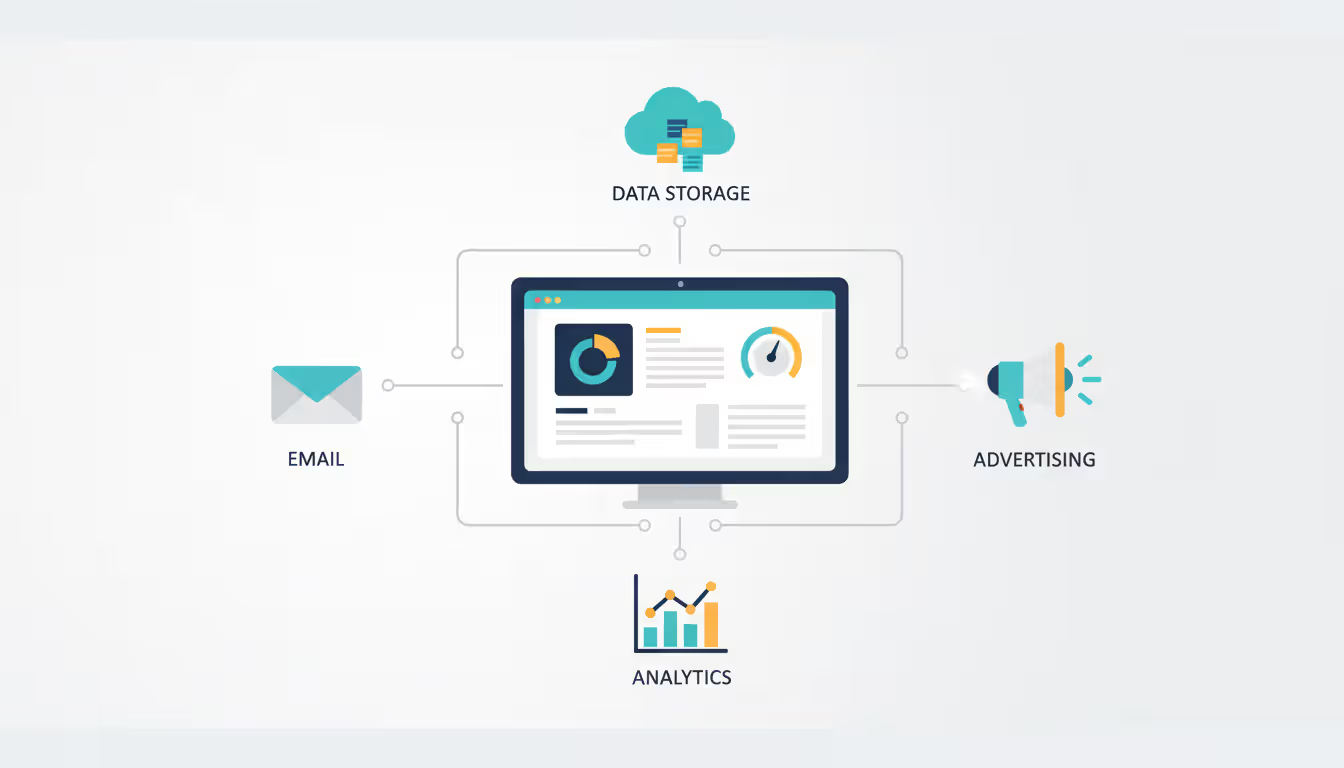
The real power of event marketing software emerges when individual tools connect into an integrated system. Modern platforms offer API connections, native integrations, and middleware solutions that synchronize data across your technology stack.
Centralized dashboards provide a single view of all marketing activities. Instead of logging into six different platforms to check email performance, social media engagement, and registration numbers, you see key metrics in one place. This unified view reveals patterns invisible when data sits in silos—like discovering that social media engagement peaks correlate with registration spikes 48 hours later.
Automated task execution eliminates manual data entry and repetitive actions. When someone registers for your conference, the system might: add them to your CRM with appropriate tags, enroll them in a pre-event email sequence, send their information to the badge printing system, and update your attendance forecast. Without automation, each step requires manual work and introduces error opportunities.
Cross-platform reporting connects marketing activities to business outcomes. You can trace the path from initial ad impression through registration, attendance, session participation, and eventual product purchase. This attribution visibility helps justify event budgets and optimize future marketing spend.
Template and asset libraries speed up campaign creation. Instead of building each email or social post from scratch, teams customize proven templates. Brand guidelines and approved messaging stay consistent across channels, while individual campaigns maintain unique positioning.
The time savings compound across multiple events. An organization running 20 webinars annually might spend 40 hours per event on marketing tasks without automation. Event marketing automation reduces this to 15 hours—a 500-hour annual savings that teams can redirect toward strategy and content quality.
Author: Ethan Marlowe;
Source: musiconmainstreet.com
Key Event Marketing Metrics to Track
Event marketing metrics transform subjective impressions into objective performance data. The specific metrics you prioritize depend on event type, business goals, and audience characteristics.
Registration conversion rate measures how many landing page visitors complete registration. A 25% conversion rate means one in four visitors registers—industry benchmarks range from 15% for cold traffic to 40% for warm audiences. Low conversion rates might indicate unclear value propositions, complicated forms, or technical issues.
Attendance rate compares actual attendees to registrations. Virtual events typically see 40–50% attendance rates, while in-person events range from 60–80%. Weather, competing events, and reminder communication frequency all impact this metric. Tracking attendance by registration source reveals whether certain channels attract more committed participants.
Engagement metrics vary by format. Virtual events track session duration, poll participation, Q&A activity, and content downloads. In-person events measure session attendance, booth visits, and networking activity. High engagement correlates with better post-event outcomes—attendees who participate actively are more likely to convert into customers or return for future events.
Cost per registration divides total marketing spend by registration volume. A $5,000 campaign generating 250 registrations costs $20 per registration. This metric helps allocate budgets and compare channel efficiency, though smart marketers also consider attendee quality and lifetime value.
Return on investment calculates revenue generated against event costs. For revenue-focused events, this might be direct ticket sales. For lead generation events, ROI includes pipeline value from attendee conversions. A conference costing $100,000 that generates $400,000 in closed revenue delivers 4:1 ROI.
50+ media placements, 20% demo request rate, 10:1 pipeline ROI
Social reach and amplification track how attendees and followers share event content. Mentions, hashtag usage, and share counts indicate brand awareness expansion. A product launch generating 2,000 social mentions reaches audiences far beyond the 300 in-person attendees.
Email engagement metrics—open rates, click rates, and unsubscribe rates—assess communication effectiveness. Pre-event emails typically see 25–35% open rates and 5–8% click rates. Declining engagement might signal message fatigue or irrelevant content.
How to Choose the Right Event Marketing Tools
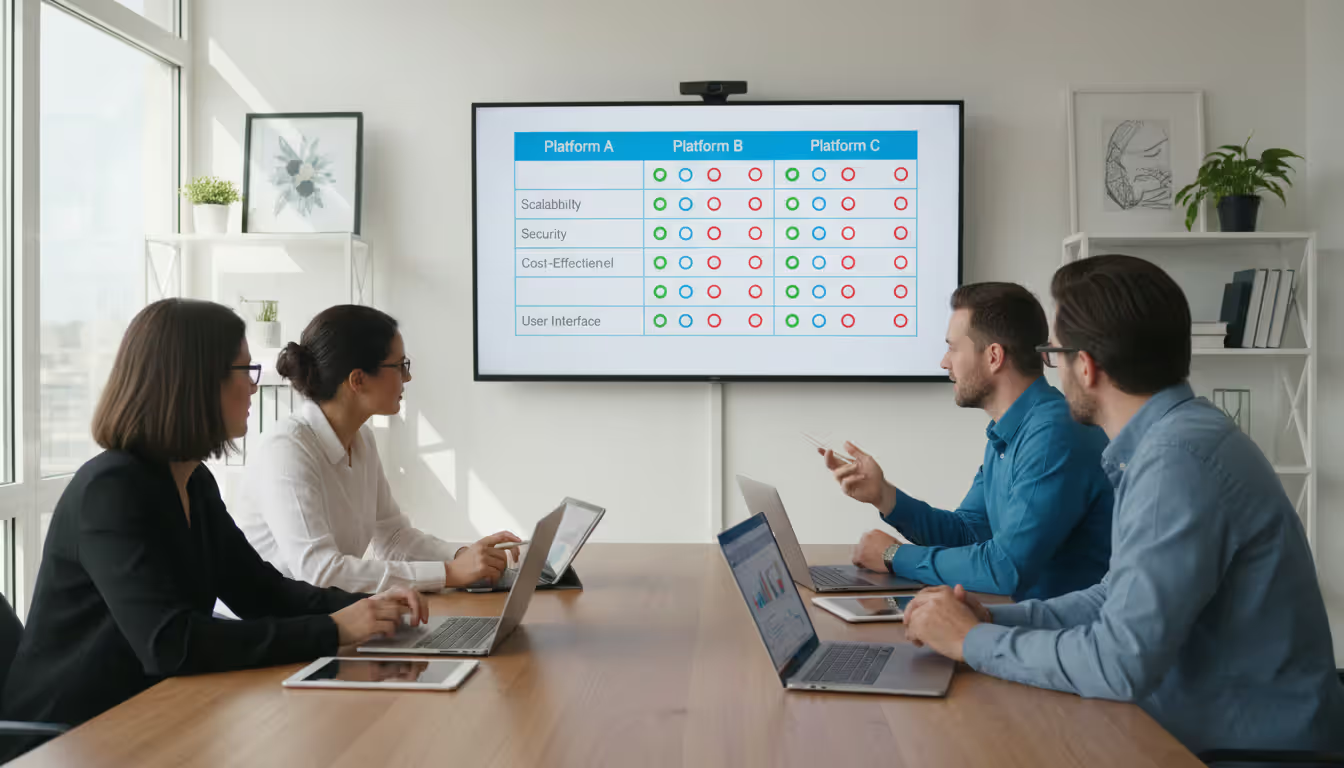
Selecting event marketing tools requires balancing functionality, budget, and organizational capacity. The most feature-rich platform delivers zero value if your team can't implement it effectively.
Budget considerations extend beyond subscription costs. Factor in implementation time, training requirements, and integration expenses. A $500/month platform that requires 80 hours of setup and ongoing management might cost more than a $1,200/month solution with faster deployment and better support.
Event size and type determine necessary features. A company running monthly 50-person webinars needs different capabilities than an organization producing annual 5,000-person conferences. Virtual event platforms require streaming infrastructure and engagement tools, while in-person events need badge printing and on-site check-in features.
Author: Ethan Marlowe;
Source: musiconmainstreet.com
Integration requirements often prove decisive. If your CRM, marketing automation platform, and event tools don't communicate, you'll spend hours manually transferring data. Prioritize tools with pre-built integrations to your existing stack, or verify that robust API documentation supports custom connections.
Ease of use impacts adoption and effectiveness. Powerful platforms with steep learning curves might sit unused while teams revert to familiar spreadsheets. Request trial periods to test interfaces with actual team members who'll use the tools daily—not just technical administrators.
Vendor support and community resources matter more than feature lists suggest. Responsive customer service, comprehensive documentation, and active user communities help teams overcome obstacles quickly. A platform with slightly fewer features but excellent support often outperforms feature-rich tools with poor customer service.
Scalability prevents painful migrations as programs grow. A tool perfect for 10 annual events might buckle under 50. Understand pricing tiers, attendee limits, and performance thresholds before committing to multi-year contracts.
Common Event Marketing Tool Mistakes to Avoid
Over-complicating your technology stack creates more problems than it solves. Some organizers adopt eight specialized tools when three integrated platforms would suffice. Each additional tool introduces learning curves, integration points, and potential failure modes. Start with core functionality and add specialized tools only when clear needs emerge.
Ignoring data privacy and compliance regulations exposes organizations to legal and reputational risk. Event marketing automation tools collect sensitive attendee information—names, emails, job titles, behavioral data. Ensure platforms comply with relevant regulations (GDPR, CCPA, industry-specific requirements) and understand data processing locations, retention policies, and deletion procedures.
Neglecting integration testing before major events leads to preventable disasters. An email platform that worked perfectly for your 200-person webinar might crash when sending to 5,000 conference registrants. Test integrations under realistic conditions, including peak load scenarios, and maintain backup communication methods.
Skipping mobile optimization alienates significant audience segments. Sixty percent of event registrations now happen on mobile devices. Registration forms, landing pages, and email templates must render correctly on small screens. Test your entire attendee experience on actual phones and tablets, not just desktop browsers.
Failing to establish baseline metrics before implementing new tools makes ROI assessment impossible. If you don't know your current registration conversion rate, you can't measure whether new event digital marketing tools improved performance. Document existing metrics before changing your tech stack.
Choosing tools based on features rather than workflows causes adoption problems. A platform might offer 50 capabilities, but if it doesn't match how your team actually works, those features go unused. Map your current processes first, then identify tools that enhance existing workflows rather than forcing new ones.
Author: Ethan Marlowe;
Source: musiconmainstreet.com
Frequently Asked Questions
What is the difference between event marketing tools and event management platforms?
Event marketing tools focus specifically on promotion, attendee acquisition, and marketing performance measurement. They handle email campaigns, social media scheduling, paid advertising, and analytics. Event management platforms address the full event lifecycle: registration, agenda building, speaker coordination, venue logistics, and on-site operations. Many organizations use both—a management platform for operational execution and specialized marketing tools for promotional activities. Some enterprise platforms combine both functions, though specialized tools often provide deeper marketing capabilities.
How much do event marketing tools typically cost?
Pricing varies dramatically based on features, attendee volume, and event frequency. Basic email marketing platforms start around $20–50 monthly for small lists. Mid-tier event marketing software ranges from $200–800 monthly, typically including email automation, basic analytics, and social media tools. Enterprise solutions with advanced automation, attribution modeling, and unlimited attendees cost $1,500–5,000+ monthly. Many platforms charge per-event or per-attendee fees rather than flat subscriptions. Budget 10–15% of total event marketing spend for tools, though this percentage decreases as program scale increases.
Can event marketing tools integrate with my CRM?
Most modern event marketing tools offer CRM integrations, though depth varies considerably. Popular platforms like Salesforce, HubSpot, and Microsoft Dynamics typically have pre-built connectors that sync contact records, track event attendance, and update lead scores automatically. Less common CRMs might require custom API integrations or middleware platforms like Zapier. Before purchasing, verify that specific data fields you need—registration status, session attendance, engagement scores—sync bidirectionally. Request a technical integration guide and test the connection during trial periods to confirm it meets your requirements.
Do I need separate tools for virtual and in-person events?
Not necessarily, though format-specific features matter. Many event marketing tools handle both formats since promotional activities—email campaigns, social media, paid ads—remain similar regardless of event type. The differences emerge in execution: virtual events need streaming platform integrations and digital engagement tracking, while in-person events require badge printing and on-site check-in capabilities. Hybrid event tools that manage both formats simultaneously have become standard in 2026. If you run exclusively virtual or in-person events, specialized platforms might offer better functionality than general-purpose tools.
What metrics should I prioritize when measuring event success?
Prioritize metrics aligned with your primary event goal. Lead generation events should focus on cost per qualified lead, lead-to-opportunity conversion rates, and pipeline value. Brand awareness events emphasize reach, social amplification, and media coverage. Revenue events track ticket sales, upsell rates, and profit margins. Regardless of goal, monitor registration-to-attendance conversion—it reveals promotional effectiveness and audience commitment. Track at least one engagement metric (session participation, content downloads, networking activity) since engaged attendees deliver better business outcomes. Avoid vanity metrics like total impressions unless they connect to meaningful business results.
Are event marketing automation tools suitable for small events?
Absolutely, though feature requirements differ from large events. Small events benefit enormously from automation—a 30-person workshop still needs registration confirmations, reminders, and follow-up sequences. The difference lies in tool selection: small events rarely need enterprise attribution modeling or advanced segmentation. Many platforms offer tiered pricing where basic automation features cost $50–100 monthly, making them accessible for small event budgets. The time savings from automated reminders alone often justifies the investment—even modest automation can reduce no-show rates by 20–30%, directly impacting small event success.
Event marketing tools have transformed from optional conveniences into operational necessities. Organizations running successful event programs in 2026 treat their marketing technology stack as strategic infrastructure that enables better decisions, efficient execution, and measurable results.
The key to success lies not in adopting every available tool, but in building an integrated system matched to your specific needs. A startup running monthly webinars needs different capabilities than an enterprise managing dozens of conferences annually. Start with core functions—email automation, basic analytics, and social scheduling—then expand as clear needs emerge.
Remember that tools amplify strategy but don't replace it. The best event marketing software in the world won't save a poorly conceived event or compensate for unclear value propositions. Use these platforms to execute good ideas more efficiently, measure results more accurately, and improve continuously based on data rather than assumptions.
As event formats continue evolving and attendee expectations rise, the organizations that invest in robust marketing tools—and the skills to use them effectively—will consistently outperform competitors relying on manual processes and disconnected systems.
Security information and event management (SIEM) combines security information management and security event management to collect, analyze, and correlate security data across IT infrastructure, enabling real-time threat detection and incident respons
Event tracking software captures attendee behavior and event performance metrics throughout the entire event lifecycle. This guide covers how these platforms work, key features to prioritize, common selection mistakes, and how to measure event success with data-driven insights
Setting up a smooth registration system can mean the difference between a packed venue and empty seats. This comprehensive guide walks through everything you need to build an event registration process that converts interest into confirmed attendance, from choosing the right platform to avoiding common mistakes
Event marketing platforms centralize campaign creation, multichannel distribution, and analytics. This guide covers core features, platform types, selection criteria, common mistakes, and ROI measurement to help you choose the right solution for your events
The content on this website is provided for general informational and educational purposes only. It is intended to explain concepts related to event management software, ticketing systems, hybrid event platforms, and operational tools for event organisers.
All information on this website, including articles, guides, and examples, is presented for general educational purposes. Outcomes may vary depending on event size, technology choices, and organisational needs.
This website does not provide professional legal, financial, or software advice, and the information presented should not be used as a substitute for consultation with qualified event tech or IT professionals.
The website and its authors are not responsible for any errors or omissions, or for any outcomes resulting from decisions made based on the information provided on this website.