Think of event automation as your behind-the-scenes coordinator—software that tackles the mundane, repetitive stuff while you handle what actually requires a human touch. It's technology doing the grunt work: firing off emails when someone registers, syncing data between platforms, sending calendar invites, updating attendee counts. You set the rules once, and the system executes them every single time.
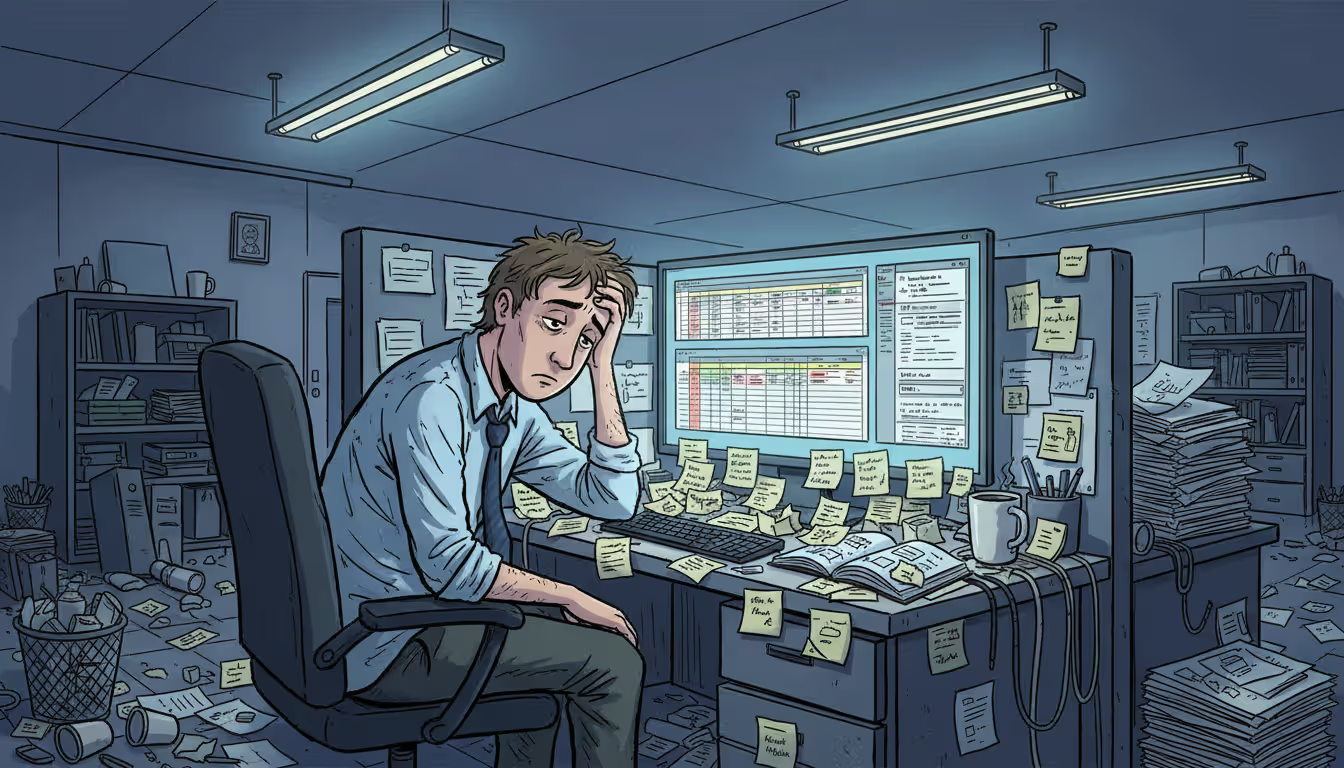
Here's what manual event planning really looks like: You're running a 250-person conference. That means individually confirming registrations, cross-checking payment receipts against your spreadsheet, copying contact details into Salesforce, emailing speakers about their time slots, tracking who paid versus who didn't across three different platforms. One person on your team spends Tuesday afternoon just updating lists.
Every manual step? That's where mistakes creep in. Someone's email gets typed wrong. A payment goes unchecked. A speaker doesn't get their reminder because you forgot to add them to the list. Meanwhile, you've burned six hours on data entry when you could've been solving actual problems—like why the venue's AV setup doesn't match what you ordered.
Automation wires your systems together. Someone hits "submit" on your registration form, and here's what happens without you lifting a finger: confirmation email goes out, their info lands in your CRM with the right tags, a reminder gets scheduled for the day before the event, your dashboard updates its count, and if that registration filled the last spot, the system starts offering openings to waitlisted people.
You get more than saved time. Consistency improves—everyone gets the same polished experience. Data accuracy goes up because you're not retyping information across platforms. You can actually see what's happening in real-time instead of compiling reports manually.
This shift matters more now because you're probably juggling in-person, virtual, and hybrid formats simultaneously. Coordinating all three manually at scale? Nearly impossible. Automation gives you the infrastructure to deliver consistent quality across every format while keeping your data centralized and your reporting clean.
Key Event Processes You Can Automate
Teams that automate comprehensively? They're cutting admin work by 40-60% while attendees report better experiences. The software handles the repetitive tasks, which frees planners to tackle the complicated stuff and create moments people remember
— Sarah Chen
Registration and Attendee Management
Automated event registration takes the entire sign-up process off your plate. Someone fills out your form, the system validates everything's complete, processes payment, and delivers their confirmation with a calendar file—instantly. No waiting for you to manually send it.
Here's where it gets better: waitlist handling. Picture this scenario. Someone cancels their spot Thursday morning. Your system immediately notifies the next waitlisted person, gives them 24 hours to claim it, processes their registration if they accept, and updates your capacity tracker. You find out about it when you check your dashboard, not because you're manually monitoring cancellations.
For events with multiple session tracks or ticket tiers, automation manages the complexity. It prevents double-bookings, enforces room capacity limits, and handles conditional logic (like "if they select the VIP dinner, show them the meal preference options").
Badge printing connects directly to registration data. Some sophisticated setups print badges on-demand when attendees check in through a mobile app, which means no pre-printed badges for no-shows and zero manual entry mistakes on name spellings.
Author: Liam Crestwood;
Source: musiconmainstreet.com
Email Communication and Follow-Ups
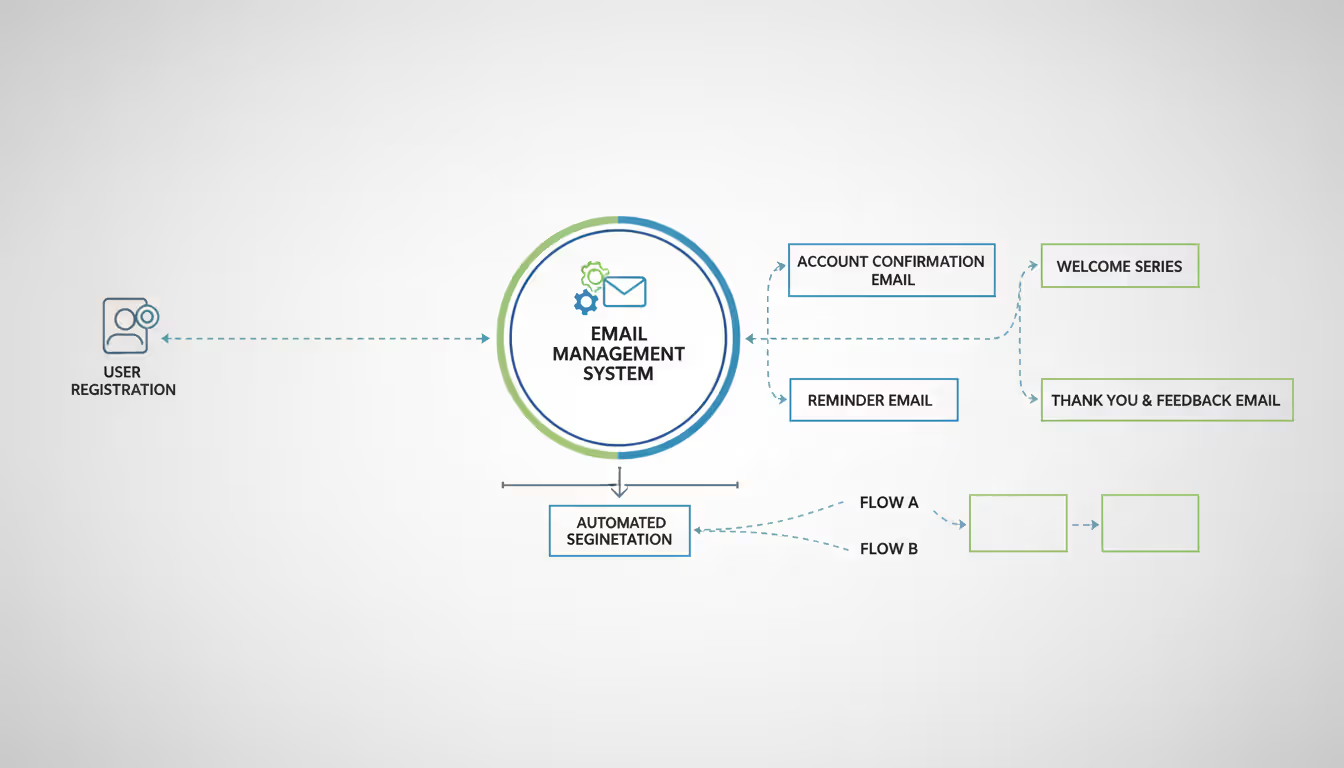
Event email automation handles your entire communication timeline through triggered sequences. A standard flow might work like this: instant confirmation when they register, welcome message three days out with the agenda and parking info, 24-hour reminder with their personalized schedule, morning-of check-in instructions, and next-day thank-you with your feedback survey.
Segmentation takes this further. Your VIP sponsors receive different messaging than regular attendees. First-timers get orientation details that veterans skip. Speakers get a separate track with load-in times and tech specs.
Behavioral triggers respond to individual actions. Someone registers but doesn't complete payment within 24 hours? Automated reminder with a direct payment link. An attendee clicks on a specific workshop in your agenda email? They might receive additional resources about that topic or speaker bio information. The system watches and responds without requiring you to monitor every interaction.
Scheduling and Calendar Coordination
Event scheduling automation handles the nightmare of coordinating calendars, time zones, and availability across dozens or hundreds of people. For events with networking sessions or one-on-one meetings, attendees pick time slots from real-time availability, the system blocks booked times instantly, and both parties receive calendar invitations automatically.
Speaker and vendor coordination gets dramatically simpler. The system sends availability requests, collects responses, flags scheduling conflicts, and suggests alternatives—work that would otherwise consume dozens of back-and-forth emails. Once schedules lock in, automated reminders keep everyone on track.
Time zone management alone justifies automation for global events. The system displays session times in each person's local timezone and adjusts reminder emails accordingly. No more "wait, is that 2 PM Eastern or Pacific?" confusion that leads to missed sessions.
Author: Liam Crestwood;
Source: musiconmainstreet.com
CRM Integration and Data Sync
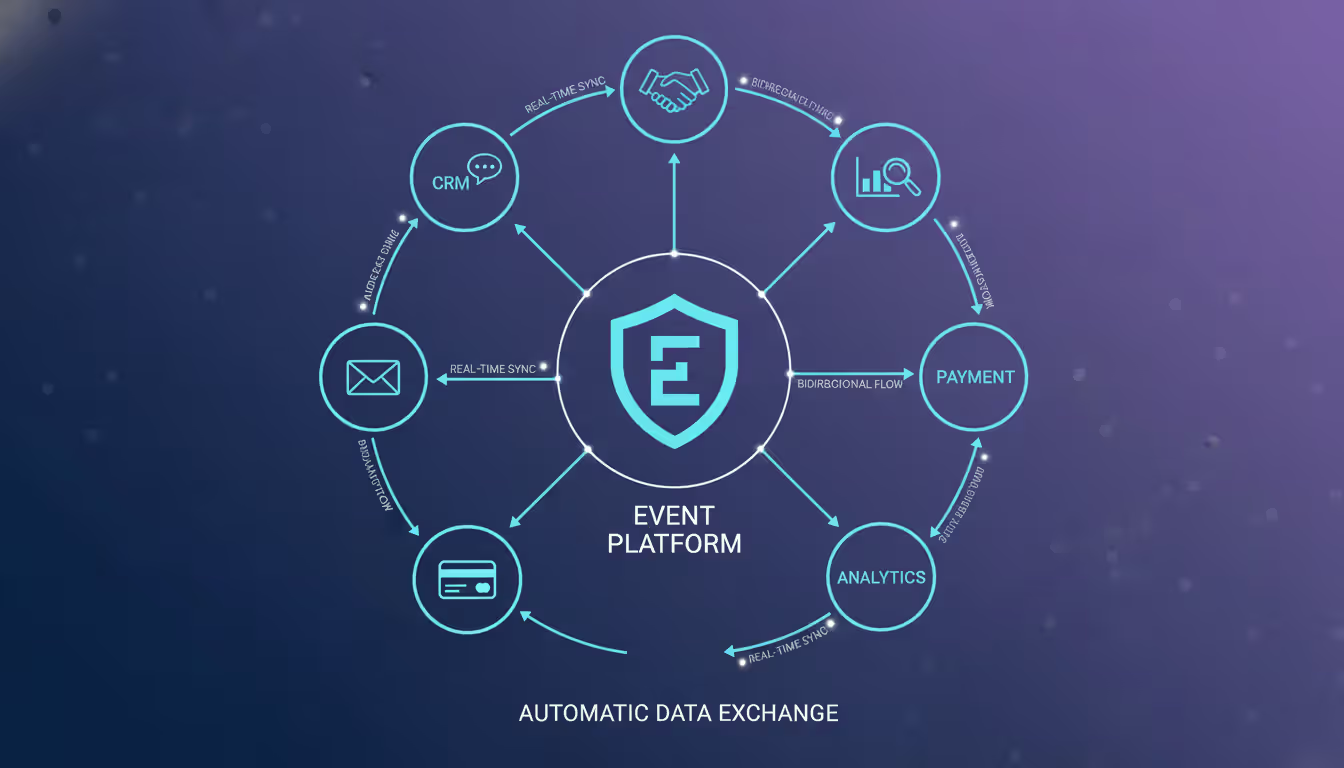
Event CRM automation makes attendee data flow seamlessly between your event platform and relationship management system. Registration happens, and their contact details, preferences, and engagement data automatically sync to your CRM with appropriate tags and activity records already attached.
This eliminates duplicate data entry entirely. Your sales and marketing teams get immediate access to event engagement data. When a prospect attends three webinars about your enterprise features, that behavior shows up in their CRM profile automatically. Sales knows exactly what topics interested them before making contact.
Post-event, automation updates CRM records with attendance status, which sessions they joined, survey responses, and calculated engagement scores. Sales can build targeted follow-up lists based on specific behaviors—everyone who attended your product demo but hasn't scheduled a consultation, for instance.
Types of Event Automation Technology
Event technology tools split into several categories. Each handles different automation needs depending on your event type and complexity level.
Standalone registration platforms specialize in the sign-up and ticketing process exclusively. They excel at custom registration forms, payment processing, capacity management, and confirmation communications. Integration with other systems happens through APIs or webhooks, but these platforms don't try to manage your entire event—just the front door.
All-in-one event management systems automate across your complete event lifecycle. These platforms bundle registration, email marketing, agenda building, mobile apps, check-in tools, and reporting into one system. The integrated approach simplifies data flow since everything lives in one place, though you might sacrifice some specialized features that point solutions offer.
Workflow automation platforms connect different applications and trigger actions based on conditions you define. They're not event-specific but can automate complicated processes by linking your event platform with CRM, email marketing, project management, and other business tools. More flexible for custom workflows, but they require technical setup.
Event AI tools add intelligence through chatbots answering attendee questions, recommendation engines suggesting relevant sessions based on interests, predictive analytics forecasting attendance patterns, and natural language processing analyzing open-ended survey responses. These tools make automation smarter rather than just faster.
Comparison of automation platform categories:
Platform Category
Works Best For
Core Capabilities
Typical Investment
Registration-focused
Ticketed events, simple gatherings
Form building, payment handling, confirmations, capacity tracking
Your event portfolio determines the right mix. A company running monthly webinars might use specialized webinar software with workflow automation connecting to their CRM. A large annual conference might need a comprehensive system supplemented with AI tools for personalized attendee experiences.
How Event Workflow Automation Works
Event workflow automation runs on a trigger-action framework. Something happens (the trigger), which initiates automated responses (the actions). Pretty straightforward in concept, more nuanced in execution.
Triggers fall into two buckets: event-based and time-based. Event-based means something happens—a registration gets submitted, a payment processes, someone clicks a link in your email. Time-based means a specific date or time arrives—seven days before your conference, 24 hours after someone registers, the day of your event.
Task sequencing maps out what happens and in what order after a trigger fires. A registration workflow might sequence like: validate required fields → process payment → create attendee record → send confirmation → add contact to CRM → update capacity count → check waitlist status if at capacity.
Conditional logic adds decision points based on different scenarios. Payment successful? Send confirmation. Payment failed? Send payment reminder instead. Attendee selected VIP ticket? Add them to the VIP email list and assign premium seating. Standard ticket? Follow the standard process. These if-then rules let automation respond intelligently to different situations.
Integration points wire your event platform to other systems you use. Most event management software automation relies on APIs (Application Programming Interfaces) that let different applications exchange data. Your registration platform integrates with your CRM by using the API to send contact information over and potentially pull back existing data to pre-fill forms for known contacts.
Data flow management ensures information lands in the right place. Field mapping specifies exactly where data goes—the "email" field in your registration form maps to "email address" in your CRM, "company name" maps to "organization," and so on. Proper mapping prevents data ending up in wrong fields or disappearing entirely.
Error handling catches failures. Email can't deliver? Payment processor offline? Data sync failed? The system logs the error and optionally alerts administrators. This monitoring prevents silent failures where automation breaks and nobody notices until attendees start complaining.
Choosing the Right Event Automation Tools
Selecting automation tools means matching capabilities to your actual needs, not buying the fanciest platform with the longest feature list. Start by documenting your current pain points and desired workflows before you even look at software.
Event size and frequency heavily influence which tools make sense. Running 2-3 large conferences per year? Investing in a comprehensive platform with extensive customization pays off. Hosting 50 small webinars annually? A streamlined solution with templates and quick setup delivers better value. Very small events under 50 people might only need basic registration automation. Enterprise events demand sophisticated integration and personalization capabilities.
Budget considerations include more than software licensing fees. Factor in implementation time, training requirements, and ongoing management effort. A $200/month tool requiring 20 hours of initial setup plus 5 hours monthly maintenance carries a different real cost than a $500/month tool needing 2 hours to implement and running mostly hands-off afterward. Some platforms charge per event, others per attendee, some use flat annual licensing—match their pricing model to your event pattern.
Integration requirements determine whether automation actually works within your existing tech stack. List the systems that need to connect: your CRM, email platform, payment processor, video conferencing tool, marketing automation, analytics. Verify prospective tools offer native integrations or robust API access for the systems you actually use daily. Pre-built integrations reduce implementation complexity compared to custom API connections that require developer work.
Learning curve and team capabilities affect whether anyone will actually use the system. A powerful platform your team struggles with delivers less value than a simpler tool they can fully leverage. Do you have technical resources to build custom integrations and workflows? Or do you need a guided, template-based approach? Some platforms offer extensive automation possibilities but assume you understand logic flows and data structures.
Scalability and flexibility matter for growing programs. A tool working perfectly for 100-person events might break at 1,000 attendees or lack features needed when you expand to multi-track conferences. Evaluate whether platforms can grow with your needs without forcing migration to entirely different systems.
Full automation, CRM integration, mobile apps, analytics
Event platform + workflow automation
Enterprise programs (2,000+ attendees)
$20,000+
Advanced personalization, AI capabilities, custom integrations, dedicated support
Enterprise event platform + AI tools + custom development
Test before committing. Most platforms offer trials or demo environments. Build a sample workflow mirroring your actual needs—not just the vendor's pre-built demo—to assess whether the tool handles your specific requirements.
Common Event Automation Mistakes to Avoid
Over-automation strips away the human touch that makes events memorable. Automating confirmation emails? Smart. Automating every single attendee communication? You've created a robotic experience. When a registrant has a specific question about dietary restrictions, they don't want an automated response pointing them to an FAQ—they need an actual person addressing their concern. Balance efficiency with accessibility by maintaining clear paths for human intervention when situations need it.
Some planners automate too many steps in a single workflow, creating fragile systems where one component failure breaks the entire chain. A registration workflow that automatically sends confirmation, creates CRM records, generates invoices, schedules reminders, and assigns seating might fail completely if your CRM integration has a temporary outage. Breaking complex processes into smaller, independent workflows with appropriate error handling creates more resilient automation.
Poor integration planning creates data silos and synchronization headaches. Connecting your registration platform to your CRM sounds simple until you discover the registration platform uses "Company" while your CRM uses "Organization," or phone number formats don't match between systems. These field mapping issues corrupt data quality and undermine automation benefits.
Bi-directional syncs need particular caution. When your event platform and CRM both update contact records, you need crystal-clear rules about which system wins for which fields. Without proper conflict resolution, automation might overwrite manually updated information or create duplicate records.
Ignoring attendee experience happens when planners optimize for internal efficiency without considering how automation affects participants. Sending five automated emails in the first 24 hours after registration might streamline your workflow but overwhelms attendees. Requiring separate account creation in multiple systems—registration platform, mobile app, session booking tool—because your automation doesn't connect them creates unnecessary friction.
Test automated communications from an attendee perspective. Register for your own event using a personal email and experience the full sequence. Are the messages helpful? Redundant? Confusing? Do they arrive at sensible times or at 3 AM because you didn't configure timezone handling?
Lack of testing and monitoring allows broken automation to persist undetected. An email automation working perfectly for months might break when your email provider updates their API, when someone modifies a form field name, or when you exceed a rate limit. Without monitoring, you won't discover the problem until attendees start complaining about missing confirmations.
Build testing into your workflow. Before each event, run test registrations verifying all automation triggers correctly. Monitor automation logs and error reports regularly instead of waiting for problems to surface. Set up alerts for critical failures like payment processing errors or failed CRM syncs.
Author: Liam Crestwood;
Source: musiconmainstreet.com
Neglecting data privacy and compliance creates legal and reputational risks. Automation copying attendee data across multiple systems must respect privacy regulations like GDPR, CCPA, and other data protection laws. Automated email sequences must honor unsubscribe requests immediately and include required opt-out mechanisms. Storing payment information for automated processing requires PCI compliance.
Document what data your automation collects, where it's stored, retention periods, and who has access. Ensure automated processes include consent management and provide clear privacy disclosures. This documentation becomes critical during data breaches or regulatory inquiries.
Frequently Asked Questions About Event Automation
What is the difference between event automation and event management software?
Event management software is a broad category covering tools that help plan and execute events—registration, scheduling, reporting, and so on. Event automation specifically refers to the capability within these tools (or in separate platforms) to trigger actions and workflows automatically based on rules you define. All automation involves software, but not all event management software includes robust automation. Some platforms focus on manual management with automation as a nice-to-have feature. Others prioritize automation as their core value proposition.
How much does event automation software cost?
Pricing varies wildly based on event size, features needed, and platform type. Basic registration automation starts around free to $50 per event for small gatherings using free tiers or pay-per-attendee models. Mid-range comprehensive platforms typically run $2,000-$10,000 annually for organizations running multiple events throughout the year. Enterprise solutions with advanced automation, AI features, and custom integrations range from $15,000 to well over $100,000 per year. Workflow automation platforms connecting event tools to other business systems usually charge $20-$500 monthly based on workflow quantity and actions executed.
Can small events benefit from automation?
Absolutely—small events often gain proportionally larger benefits because organizers typically wear multiple hats and have extremely limited time. Automating registration confirmations, reminder emails, and basic attendee communication for a 30-person workshop might save only a few hours, but those hours represent significant capacity for a solo planner juggling everything. Many platforms offer free tiers or low-cost options designed specifically for small events. The key is selecting automation addressing your biggest pain points rather than implementing comprehensive systems built for large conferences.
What integrations should I look for in event automation tools?
Prioritize integrations with systems you already use daily. CRM integration (Salesforce, HubSpot, Microsoft Dynamics) ensures attendee data flows to sales and marketing teams. Email marketing platform connections (Mailchimp, Constant Contact) enable coordinated communication campaigns. Payment processor integration (Stripe, PayPal) automates financial transactions and reconciliation. Calendar integrations (Google Calendar, Outlook) simplify scheduling coordination. For virtual events, video platform integration (Zoom, Microsoft Teams) streamlines access and registration. Marketing automation connections (Marketo, Pardot) enable sophisticated lead nurturing based on event behavior. Verify integrations are native—built by the vendor—rather than third-party connectors, since native integrations typically offer better reliability and vendor support.
How do I measure ROI from event automation?
Track both time savings and quality improvements. Calculate hours spent on manual tasks before automation—data entry, email sending, list management—and compare to time spent after implementation. Multiply saved hours by your team's hourly cost to quantify direct savings. Measure quality metrics like registration completion rates (automated validation reduces form abandonment), attendee satisfaction scores (consistent communication improves the experience), and data accuracy (automated sync reduces errors). Track revenue impact such as increased registrations from optimized email sequences or higher sponsorship value from better attendee data quality. For most organizations, break-even occurs within 3-6 months when automation is properly implemented and actively used.
Do I need technical skills to set up event automation?
Depends on the platform and complexity of your desired workflows. Many modern event management software automation tools offer visual workflow builders with drag-and-drop interfaces requiring zero coding knowledge. These platforms handle common scenarios—registration confirmation, reminder sequences—through templates you customize. More complex automation involving custom integrations, conditional logic, or API connections typically requires technical knowledge or developer support. Workflow automation platforms like Zapier or Make offer middle-ground options with guided setup for common integrations but flexibility for custom scenarios. Assess your team's capabilities honestly and choose tools matching your technical comfort level, or budget for implementation support if needed.
Event automation has shifted from optional luxury to operational necessity for planners managing events of any size. The technology handles repetitive administrative work with consistency and speed that manual processes simply can't match, freeing your team to focus on strategic decisions and attendee experience improvements that actually differentiate your events from competitors.
Success with automation requires thoughtful implementation. Start with your most time-consuming pain points rather than attempting to automate everything simultaneously. A registration confirmation workflow saving you ten hours per event delivers immediate value and builds confidence for tackling more complex automation later. As you gain experience, expand into email sequences, CRM integration, and advanced personalization.
The automation landscape continues evolving rapidly. AI tools add intelligence to routine workflows. Integration platforms make connecting disparate systems easier. Stay focused on solving real problems for your team and attendees rather than chasing the latest technology trends. The best automation is automation you'll actually use and maintain consistently.
Venue management software automates reservations, scheduling, payments, and client communications through a centralized platform. Modern systems prevent double-bookings, reduce administrative time by 10-15 hours weekly, and increase booking conversion rates by 15-25% through real-time availability and instant quotes
Event scheduling software builds, organizes, and publishes event agendas and session timetables. This guide covers how it works, essential features like multi-track support and real-time updates, common use cases by event type, and how to choose the right platform for your needs
Discover how event planning templates organize tasks, timelines, and logistics for successful events. Compare template types, tools, and formats. Learn what to include, common mistakes to avoid, and how to build custom templates that improve with each use
Event organizer insurance protects planners from liability claims, cancellations, and property damage. This guide covers coverage types, how liability works, policy selection, risk management strategies, and common mistakes to avoid when insuring events of any size
The content on this website is provided for general informational and educational purposes only. It is intended to explain concepts related to event management software, ticketing systems, hybrid event platforms, and operational tools for event organisers.
All information on this website, including articles, guides, and examples, is presented for general educational purposes. Outcomes may vary depending on event size, technology choices, and organisational needs.
This website does not provide professional legal, financial, or software advice, and the information presented should not be used as a substitute for consultation with qualified event tech or IT professionals.
The website and its authors are not responsible for any errors or omissions, or for any outcomes resulting from decisions made based on the information provided on this website.