Professional event registration desk with a badge printer producing a finished name badge, stack of lanyards and plastic badges in foreground, conference attendees waiting in line in the background
Author: Sophie Langford;Source: musiconmainstreet.com
Picture this: you're manning the registration desk when 500 people flood through the doors in 60 minutes. Writing names on sticky labels? Not happening. That's where event badge printing software saves the day—it turns your registration data into actual, physical badges people can wear, and does it fast enough that nobody's stuck waiting in line through the opening keynote.
What Is Event Badge Printing Software?
Think of event badge printing software as the translator between your registration spreadsheet and those professional-looking name badges attendees clip onto their lanyards. It grabs names, companies, job titles, and whatever else you've collected during registration, then prints everything onto cards or labels in a format that actually looks good.
Here's what it does: pulls attendee data from your registration system, drops that information into badge templates you've designed (or borrowed from a library), and shoots the final version to a printer. The clever part? Each badge is different—Sarah from Marketing gets her name and company, while John from Sales gets his info—but they all match your event's branding.
Who actually uses this stuff? Conference organizers printing 2,000 badges for their annual summit. Trade show coordinators who need to distinguish between exhibitors, attendees, and staff at a glance. Corporate teams running training sessions where everyone needs ID badges with their security clearance level printed right on them. Association events where members want their board position displayed proudly.
You'll find three main flavors: desktop programs that run on a laptop (good if you hate depending on WiFi), web-based platforms you access through a browser (perfect when three people need to print badges simultaneously from different computers), and mobile apps that turn an iPad into a portable badge station.
Price-wise, you're looking at everything from basic tools under $200 to enterprise platforms that cost $10,000+ annually and handle credentials for hundreds of events across multiple cities. Small local meetup? Grab the cheap option. Managing credentials for a Fortune 500 company's global conference series? You'll want the enterprise version.
Event planners handle most of the work, though registration coordinators, venue staff, and corporate communications folks all get involved depending on the organization. Companies that run frequent events often buy their own printers and keep them in the office. Everyone else usually rents equipment when they need it.
How Event Badge Systems Work
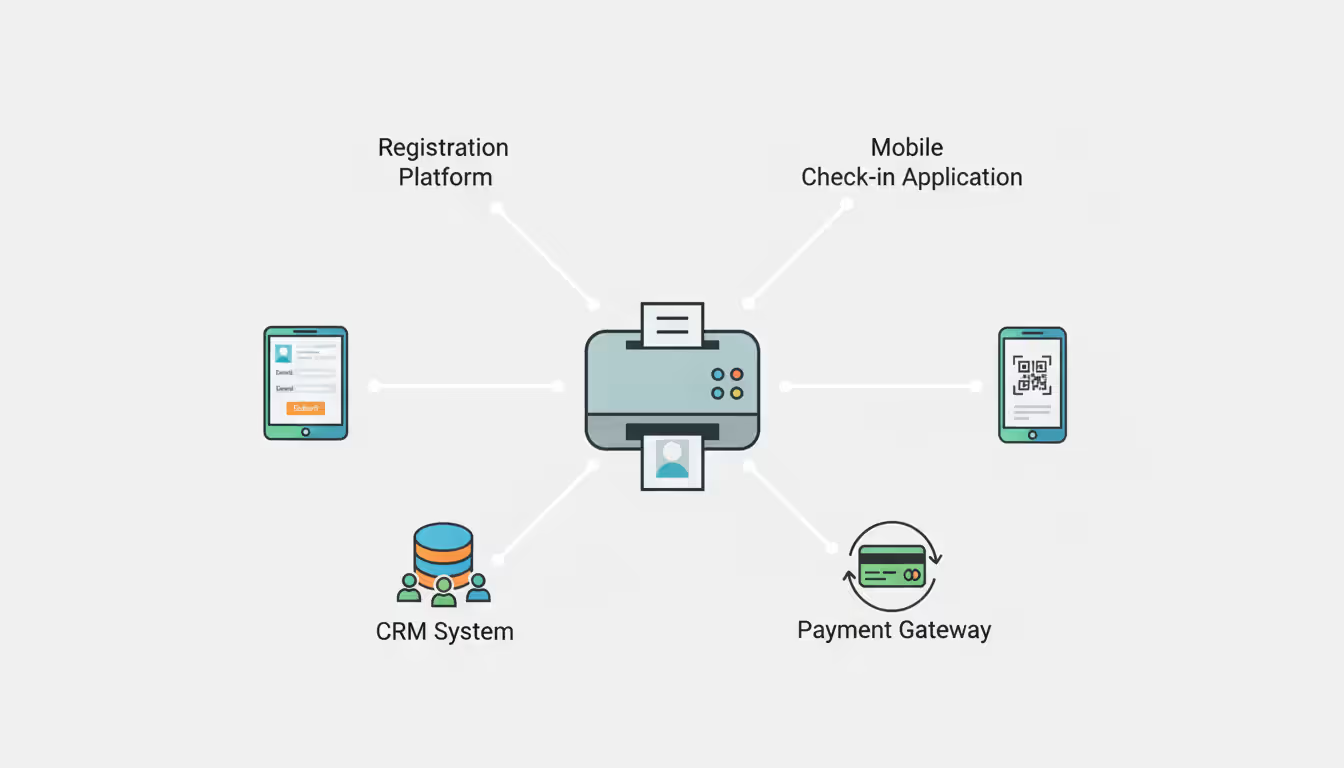
Everything starts with your attendee list. Most event badge systems connect straight to registration platforms—think Eventbrite, Cvent, or whatever you're using to sell tickets. Cloud-based tools sync automatically, so when someone registers at 2 AM, their badge info appears in your queue immediately. Desktop applications make you export a CSV file and upload it manually, which sounds annoying but works fine for events where registration closes days before the big day.
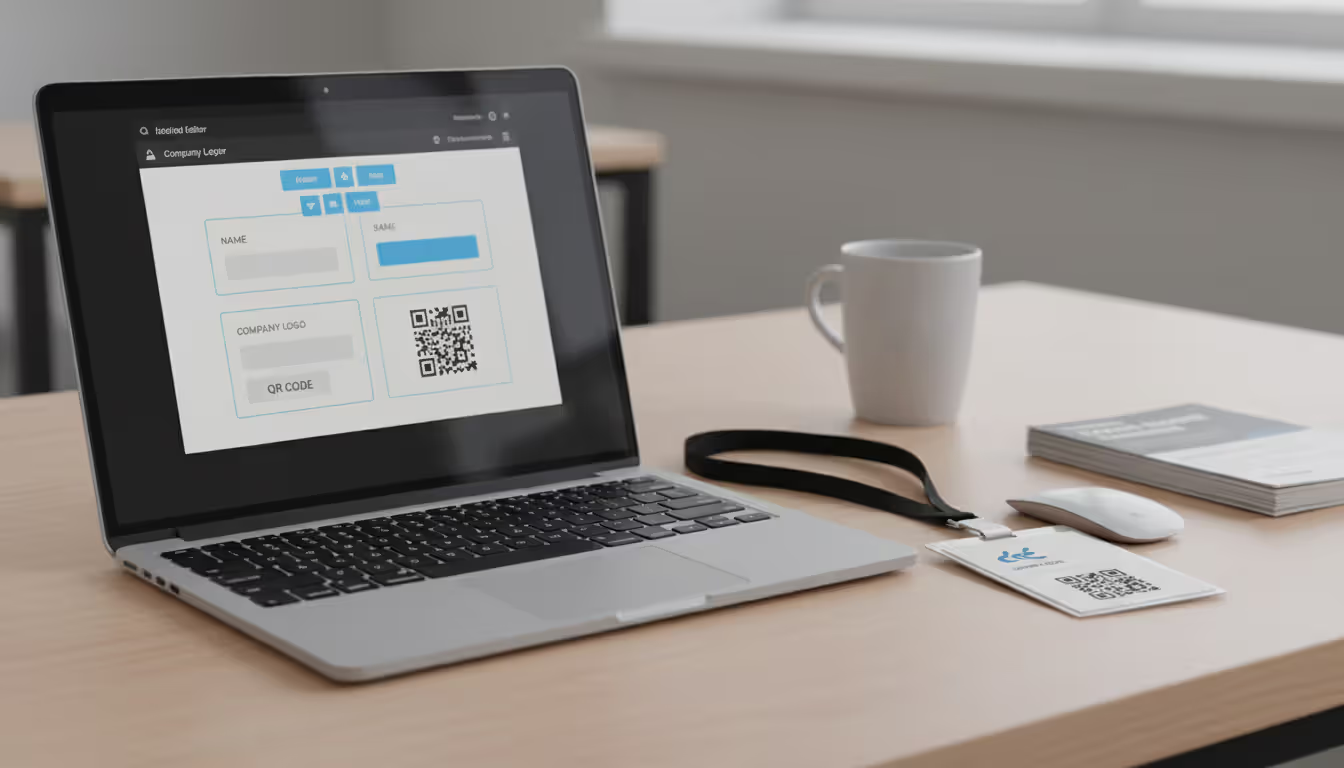
Once your data's loaded, you pick a badge template. Modern platforms give you drag-and-drop editors—no design degree required. Drop your logo here, position the name field there, add a QR code in the corner. The software connects your database columns (FirstName, LastName, Company) to spots on the template. One template handles hundreds of variations by changing what it shows based on attendee type. Sponsors get their logo printed on their badge, regular attendees don't. VIPs get gold backgrounds, everyone else gets silver.
Author: Sophie Langford;
Source: musiconmainstreet.com
When someone checks in, your staff searches the database by name or confirmation number, double-checks the preview on screen, then hits print. The badge pops out 10 seconds later. For huge events, many organizers print hundreds of badges overnight in one giant batch—just hit "print all" before you head home, come back to stacks of finished badges sorted alphabetically.
Cloud versus desktop—it's about tradeoffs. Cloud platforms need WiFi or cellular internet (which can be sketchy in convention center basements), but five people can print badges simultaneously from different laptops. You can finalize badge designs from your office three weeks before the event, your colleague can tweak them from their home in another state. Desktop software works offline, which matters when you absolutely cannot risk internet problems, but only one person can use it at a time unless you buy multiple licenses. Some government events or healthcare conferences can't use cloud solutions because privacy rules forbid storing attendee data on external servers.
Advanced setups encode smart badges while printing. The software writes access permissions to RFID chips embedded in the badge—all in the same 15-second print job. Walk up to the VIP lounge door, tap your badge, get in. Try to enter a session you didn't register for, get denied. It's slick when it works.
Key Features to Look For
Design and Customization Tools
You want template libraries stocked with ready-made layouts. Good platforms offer 20+ templates for conferences, 15+ for trade shows, another dozen for corporate events. Both portrait (vertical) and landscape (horizontal) orientations. Common sizes: 3×4 inches (standard conference badge), 4×6 inches (trade show with lots of info), 2.25×3.5 inches (credit-card-sized plastic credentials).
The design interface matters more than you'd expect. Alignment guides that snap elements into place save frustration. Pre-sized containers for headshots mean you're not manually cropping 500 photos. If you're working with a corporate brand that requires specific Pantone colors and custom fonts, you'll need platforms that import .ttf font files and handle precise color matching.
Variable data capabilities go beyond printing "Name: John Smith." Quality systems show different background colors based on ticket type—speakers get blue, attendees get green. Sponsor logos appear only on exhibitor badges. Meal preference icons (vegetarian, gluten-free, kosher) print in the corner so catering staff know who ordered what. Photo badges should match uploaded headshots to attendees automatically using email addresses or registration IDs—no manual sorting required.
Integration Capabilities
Direct connections to registration platforms eliminate the copy-paste nightmare. Cvent integration means badge data updates every five minutes automatically. Eventbrite sync pulls new registrations as they happen. Whova integration lets you print badges straight from the event app without exporting anything.
Check-in app compatibility extends your reach. Some platforms have companion mobile apps—scan the QR code from someone's confirmation email on your phone, badge prints instantly from a nearby wireless printer. No laptop required. Perfect for satellite registration desks or outdoor events where dragging computers around makes no sense.
Payment integration prevents awkward situations. The system should confirm payment cleared before releasing the badge. Nobody wants to hand someone a credential, then discover their credit card declined.
CRM connections help organizations running multiple events. If your platform syncs with Salesforce, it can pull attendance history—print "5-Year Member" on badges for loyal attendees, flag major donors for special treatment, note in the database who actually showed up versus who registered but stayed home.
Author: Sophie Langford;
Source: musiconmainstreet.com
Printing Hardware Compatibility
Your software means nothing if it won't talk to your printer. Verify compatibility before buying licenses—some platforms work exclusively with Zebra printers, others support Evolis and Fargo but nothing else. Most event-focused software supports the big three manufacturers since they dominate the market.
Updated drivers determine whether you spend 10 minutes getting set up or 3 hours troubleshooting connection errors. Established platforms maintain driver libraries for 40+ printer models. Newer startups might support only the latest hardware, meaning your perfectly functional 2019 printer won't work.
Dual-sided printing needs software managing front and back templates separately. Conference schedule on the back? Create a second template. Sponsor thank-yous on the reverse? Design that separately. The software sends both templates to the printer, which flips the card automatically.
Smart badge encoding requires specific hardware compatibility. Your software must communicate with the RFID encoder built into your printer. Some manufacturers use proprietary protocols, locking you into their software ecosystem. Open standards exist but aren't universal.
Security and Access Control
Attendee data deserves protection. Role-based permissions let you give your registration team print-only access while restricting design changes to the marketing director. Audit logs track every badge printed—who made it, when, for whom. Useful when someone claims they never received their VIP badge but logs show it printed three times.
Data encryption matters for cloud platforms. Look for SOC 2 compliance documentation. Desktop solutions should encrypt local databases and require passwords for access—you don't want badge data sitting unprotected on a laptop that gets stolen from your car.
Duplicate prevention stops fraud. Systems can flag when someone tries printing the same badge three times, require manager approval for reprints, or automatically void the old badge when issuing a replacement. Some print sequential numbers or timestamps creating an audit trail—badge #347 printed at 9:15 AM gets replaced by #892 printed at 2:30 PM when someone loses theirs.
Onsite vs. Pre-Printed Badge Options
The biggest decision you'll make: print badges at the event or order them pre-made weeks earlier? Both work. Neither's perfect. Your choice depends on event size, registration stability, and budget constraints.
Feature
Onsite Printing
Pre-Printed Badges
Cost per badge
$2–$8 (materials, labor, equipment depreciation all included)
200+ attendees with registration still open days before the event
Under 500 attendees with registrations locked in 2+ weeks early
Badge delivery speed
30–45 seconds from check-in to badge in hand
Instant grab-and-go from alphabetized bins
Onsite printing wins for events where registrations pour in until the morning of. Tech conferences often see 20% of total attendance register in the final 48 hours. Pre-printing that scenario means you're stuck with dozens of badges for people who never show up—money wasted on blank plastic and ribbons.
You can personalize onsite badges impossibly with pre-printed stock. Print each attendee's custom session schedule. Include their Twitter handle they added to their profile yesterday. Generate unique networking bingo cards that change daily. Update access levels in real-time when someone upgrades their ticket at the door.
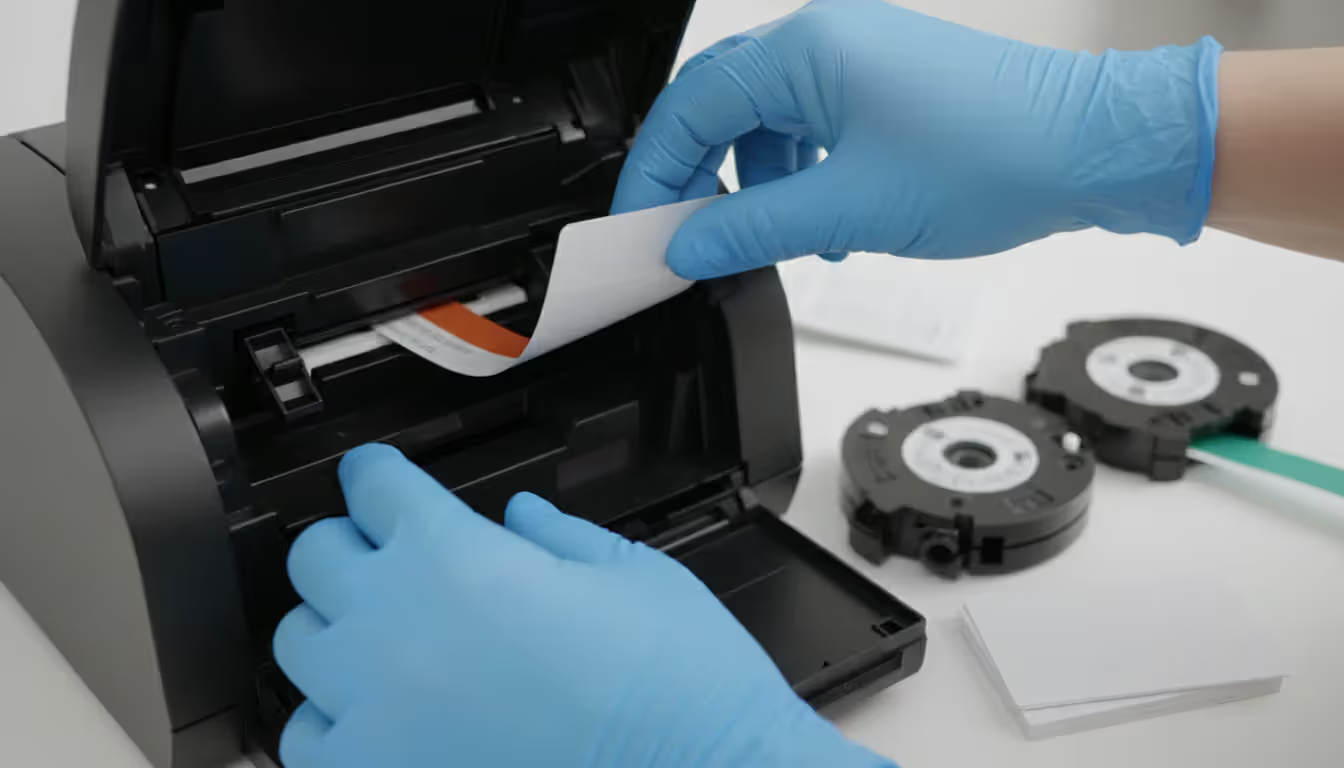
The equipment investment scares off smaller events. You need staff babysitting printers—clearing jams, swapping ribbon cartridges, managing badge stock inventory. Power outages kill your entire operation without backup generators. WiFi dies, your cloud-based system stops working. Printer malfunctions during peak check-in? You're handing out handwritten sticky notes while 200 people wait.
Pre-printed badges excel when your attendee list stabilizes weeks before the event. Association annual meetings where members register six months early benefit from lower costs and faster distribution. No technology to fail. No printers jamming. No network outages causing panic.
Budget predictability matters to finance departments. You get quoted $850 for 500 badges delivered, you pay $850 plus maybe $100 shipping. Done. Compare that to onsite printing where equipment rentals, technical staffing, excess badge stock, and "we ran out of ribbon" emergency orders create variable costs nobody budgeted for.
But inflexibility creates its own problems. Registration doesn't stop just because badges went to the printer. You'll need backup plans—generic "GUEST" badges with handwritten names, or a small onsite printer for late additions. Name changes, cancellations, access level upgrades? Tough luck, already printed.
Hybrid approaches split the difference: pre-print badges for the 75% who registered early, use onsite printing for late registrations and walk-ups. Balances cost savings with operational flexibility.
International attendee names break older systems. If your event draws global attendance, verify the software supports UTF-8 character encoding. Test print badges for names containing Chinese characters, Arabic script, Cyrillic letters, accented vowels. Some platforms strip non-English characters entirely, frustrating attendees who see their carefully-spelled name mangled into ASCII approximations.
Printer jams strike during peak check-in hours when 80 people are waiting in line. Ribbon jams cause 60% of stoppages—usually because someone installed the ribbon cartridge slightly wrong or used incompatible badge stock. Train every staff member on jam clearing. Keep three spare ribbon cartridges within arm's reach of each printer. Printhead failures are rare but catastrophic—printing stops completely until you replace the printhead, which takes 30–60 minutes even with spare parts ready.
Author: Sophie Langford;
Source: musiconmainstreet.com
Color matching disappoints teams expecting badges to perfectly match their branding. What looks perfect on your monitor prints noticeably different on plastic. Corporate brand colors with specific Pantone values rarely match without printer profiles and test prints. Get badge stock samples from your supplier, run 20 test badges, adjust colors until they match, then approve. Don't assume monitor colors transfer accurately.
Staff training takes longer than expected. Budget 45 minutes per person for basic operations—looking up attendees, previewing badges, managing the print queue, clearing simple jams. Complex events with multiple badge types, RFID encoding, or special handling rules need 90+ minutes plus cheat sheets posted at each workstation. People forget steps under pressure. Written procedures save everyone.
Badge stock compatibility bites first-time users. Not every plastic card works in every printer. Direct-to-card printers need specific PVC formulations. Retransfer printers handle wider material ranges but still have limits. Adhesive badge stock comes in hundreds of variations—some feed smoothly through your printer, others jam constantly. Order samples, test them in your actual printer, verify they work before ordering 1,000 badges.
Network problems sink cloud-based systems when venue WiFi collapses under load. Convention centers promise great WiFi, then 3,000 attendees connect simultaneously and speeds drop to unusable. Establish wired Ethernet connections for badge stations. Failing that, use mobile hotspots as backup. Or configure offline mode if your software supports it—some cloud platforms cache data locally for hours-long internet outages.
Photo badge workflows create bottlenecks. Attendees upload sideways selfies, blurry webcam shots, photos with three friends cropped incorrectly, pictures of their dog instead of themselves. Set clear requirements: minimum 400×600 pixels, headshot only, JPEG format, appropriate content. Assign someone to review and crop photos before the event, not during check-in when fixing one photo backs up the whole line.
Pricing Models and Cost Factors
Software vendors structure pricing three main ways, each benefiting different event profiles.
Subscription pricing charges monthly or annually regardless of how many events you run. Basic tiers start around $75 monthly—single user, limited badges per month, basic templates. Mid-tier subscriptions ($250–$400 monthly) unlock multi-user access, advanced design tools, integration with registration platforms. Enterprise plans ($1,000–$2,000+ monthly) provide unlimited everything—users, badges, custom development, dedicated support, white-label branding.
Works beautifully for organizations running frequent events. Monthly meetups, weekly training sessions, year-round conference schedules benefit from predictable costs and unlimited printing within subscription limits. Experiment freely with badge designs without worrying about overage charges. The model stings occasional users—paying $900 annually for software used twice wastes budget compared to alternatives.
Per-event licensing charges based on attendee count or event duration. Common structures: $0.75–$1.50 per attendee with $250 minimums, or flat event licenses ($400–$1,200) covering unlimited attendees for specific date ranges. Makes sense for occasional large conferences where annual subscriptions cost more than sporadic usage.
Author: Sophie Langford;
Source: musiconmainstreet.com
Watch pricing tiers carefully. Some platforms charge $400 for up to 500 attendees, then jump to $1,100 for 501–1,000 attendees. That $700 increase from adding one person creates perverse incentives to cap registration or game the system by splitting events artificially.
Perpetual licenses require upfront payment ($1,200–$3,500) for permanent software ownership. Annual maintenance contracts ($200–$600) typically cover updates and support. Appeals to organizations with stable long-term needs and IT infrastructure supporting local installations. Pay once, use forever (mostly).
Hidden costs accumulate faster than base pricing suggests. Integration add-ons carry separate charges—$300 annually per connection to registration platforms. Photo badges, RFID encoding, advanced reporting often require premium tier upgrades adding $200–$800 yearly.
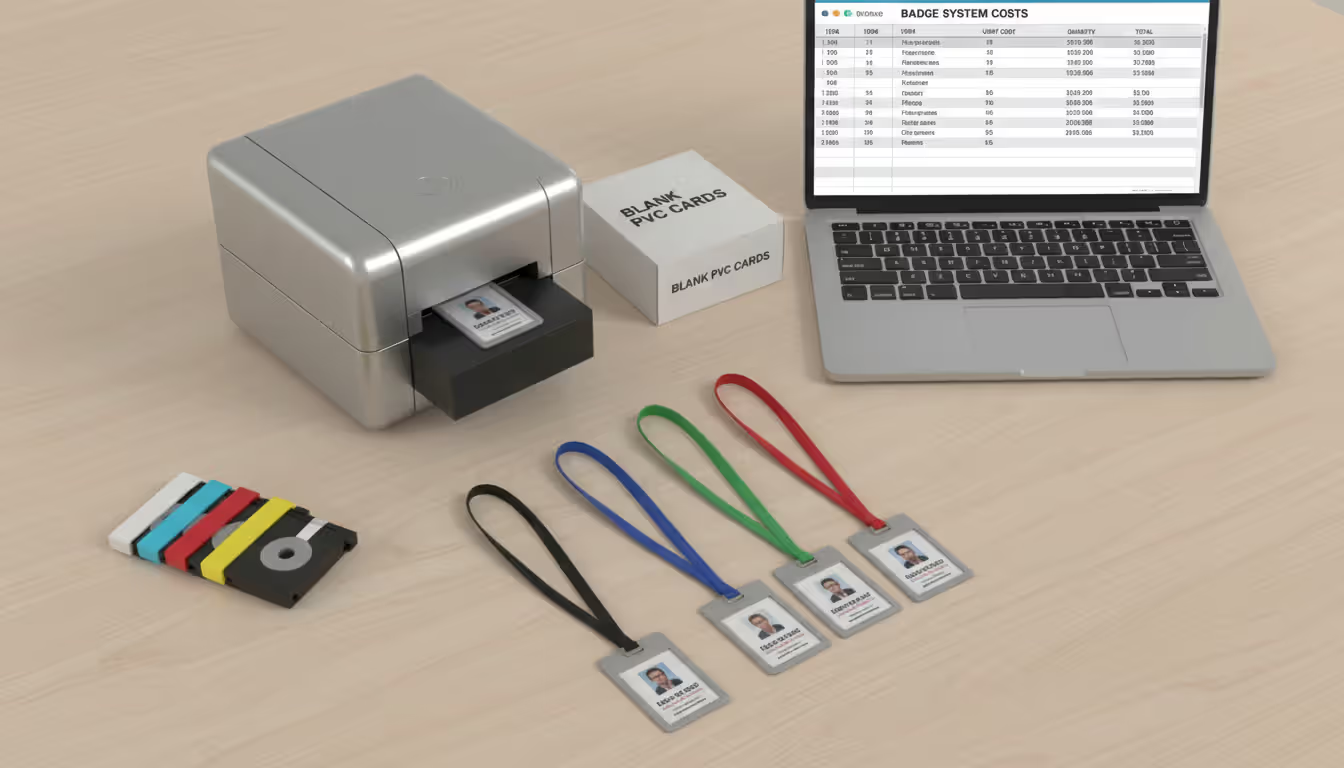
Hardware dwarfs software costs for new implementations. Entry-level direct-to-card printers start at $1,500. Dual-sided models with encoding reach $3,000–$5,000. Retransfer printers delivering photo-quality results cost $4,000–$8,000. Large events need backup printers—equipment failure without redundancy stops registration completely.
Badge materials vary wildly in cost. Basic PVC cards run $0.15–$0.40 each in quantities of 500+. Adhesive badges cost $0.05–$0.15 per badge for paper versions, $0.25–$0.60 for synthetic tear-resistant materials. Smart badges with RFID chips range from $1.50–$4.00 each depending on chip memory and read distance.
Printer consumables sneak up on budgets. Color ribbon cartridges cost $0.40–$0.80 per badge printed (monochrome ribbons drop to $0.10–$0.15 per badge). Cleaning kits ($50–$80) need replacement every 1,500 prints to prevent equipment damage and maintain quality. Nobody budgets for these initially, then panics when the ribbon runs out mid-event.
Professional services add up when vendors provide onsite support, custom template design, or integration development. Hourly rates run $150–$250 for technical specialists with minimum engagements of $500–$1,000. Some vendors bundle setup assistance into top-tier subscriptions. Others charge separately for everything.
The difference between smooth event check-in and frustrated attendees often comes down to badge printing reliability. We've seen conferences with 3,000 attendees achieve sub-two-minute check-in times because they invested in proper software training and backup equipment. The technology works beautifully when you plan for the inevitable printer jam or network hiccup
— Marcus Chen
FAQ
Can event badge software integrate with registration platforms?
Major registration systems—Cvent, Eventbrite, Whova, RegFox, Bizzabo—integrate with most professional badge platforms, though integration quality varies dramatically. Some offer real-time API connections syncing badge queues automatically as registrations arrive. Others require manual CSV exports and imports every few hours. "Supports integrations" often just means the software accepts CSV files, not true automated connections. Verify specific integration capabilities before purchasing—ask for demos showing actual registration platform connections, not theoretical compatibility. Enterprise platforms typically offer custom integration development for proprietary registration databases, costing $1,500–$5,000 depending on complexity.
How long does it take to print each badge onsite?
Direct-to-card printers produce single-sided badges in 7–12 seconds, dual-sided badges in 18–25 seconds. Retransfer printers need 30–45 seconds per badge because they print to film then transfer film to card—slower but delivers better photo quality. Add 8–10 seconds for RFID encoding when creating smart badges with access control features. Total check-in time per attendee runs 40–90 seconds including database lookup, information verification, printing, and attaching the badge to a lanyard. Overnight batch printing produces 600–800 badges per hour largely unattended, though someone should check every hour to clear jams and refill supplies.
Do I need design experience to create badge templates?
Basic badge creation requires zero design skills using modern platforms. Template libraries provide 30+ pre-designed layouts—upload your logo, adjust brand colors, done. Drag-and-drop interfaces position text fields and images without technical knowledge. Most registration coordinators handle simple templates after 20 minutes of tutorial watching. Complex custom designs—multiple layers, conditional formatting showing different content based on attendee type, precise Pantone color matching—benefit from basic design understanding or professional help. Many vendors offer template design services for $250–$800 if you lack in-house resources or need something beyond template library offerings.
Can the software handle multiple badge types for one event?
Professional platforms support unlimited badge variations within single events. Create separate templates for general attendees, speakers, exhibitors, sponsors, VIPs, staff, and press—assign appropriate templates based on registration category automatically. Advanced systems apply conditional logic—speakers with session assignments get speaker templates automatically, sponsor tier determines which logo prints on exhibitor badges, access level controls what RFID permissions encode into smart badges. Multi-badge capability becomes essential for complex conferences with 6+ attendee categories requiring different visual designs, access permissions, or printed information. Entry-level platforms sometimes limit you to 3–5 badge types per event.
What's the difference between direct-to-card and retransfer printers?
Direct-to-card printers apply dye ink straight onto plastic card surfaces quickly and cheaply. Equipment costs $1,500–$3,000, prints complete in 7–12 seconds, works great for standard PVC cards. Text and logos look sharp, but photographic images show visible dye patterns on close inspection. Struggles with uneven surfaces—smart cards with embedded chips create bumps that cause print defects. Retransfer printers print onto clear film first, then thermally bond that film to the card surface in a two-step process. Takes longer (30–45 seconds), costs more ($4,000–$8,000), but delivers edge-to-edge printing with photo-quality results. Handles diverse materials—plastic cards, key fobs, uneven smart cards with chips. Choose direct-to-card for budget-conscious events with standard requirements and text-heavy badges. Pick retransfer for premium events prioritizing visual quality, photo badges, or smart card technology.
Choosing event badge printing software means matching technical capabilities to operational reality. Systems handling 150-person training sessions differ completely from platforms managing 4,000-attendee trade shows with tiered access control.
Start with core requirements: How often do you run events? What's typical attendance? Which registration platform are you married to? Will you print badges onsite or order them pre-made? Organizations running events monthly benefit from subscription pricing despite higher total costs. Occasional hosts save money with per-event licensing that charges only when you're actually using the software.
Hardware compatibility constrains choices more than feature lists. Confirm your preferred platform supports printers you own or plan to buy. Cloud systems offer flexibility and simultaneous multi-user access but depend on reliable internet—risky in convention center basements notorious for terrible WiFi. Desktop solutions work offline but limit concurrent access unless you buy multiple licenses.
Budget realistically beyond software licensing. Equipment purchases, badge materials, ribbon cartridges, staff training, technical support—costs accumulate quickly. That $400 software license becomes a $3,500 implementation after accounting for everything needed to actually print badges.
Test ruthlessly before your event. Import sample data matching your real attendee records. Print test badges on actual stock, not printer paper. Train staff using realistic scenarios including printer jams, network outages, and angry attendees complaining about typos. Build backup procedures for equipment failures. The hour spent troubleshooting connectivity issues in your quiet office prevents the hour spent troubleshooting during peak check-in with 300 people forming an angry mob.
The best badge system disappears—attendees get professional credentials quickly, staff print confidently without calling tech support every 10 minutes, and you focus on running an excellent event instead of fighting with malfunctioning printers.
Venue management software automates reservations, scheduling, payments, and client communications through a centralized platform. Modern systems prevent double-bookings, reduce administrative time by 10-15 hours weekly, and increase booking conversion rates by 15-25% through real-time availability and instant quotes
Event scheduling software builds, organizes, and publishes event agendas and session timetables. This guide covers how it works, essential features like multi-track support and real-time updates, common use cases by event type, and how to choose the right platform for your needs
Discover how event planning templates organize tasks, timelines, and logistics for successful events. Compare template types, tools, and formats. Learn what to include, common mistakes to avoid, and how to build custom templates that improve with each use
Event organizer insurance protects planners from liability claims, cancellations, and property damage. This guide covers coverage types, how liability works, policy selection, risk management strategies, and common mistakes to avoid when insuring events of any size
The content on this website is provided for general informational and educational purposes only. It is intended to explain concepts related to event management software, ticketing systems, hybrid event platforms, and operational tools for event organisers.
All information on this website, including articles, guides, and examples, is presented for general educational purposes. Outcomes may vary depending on event size, technology choices, and organisational needs.
This website does not provide professional legal, financial, or software advice, and the information presented should not be used as a substitute for consultation with qualified event tech or IT professionals.
The website and its authors are not responsible for any errors or omissions, or for any outcomes resulting from decisions made based on the information provided on this website.