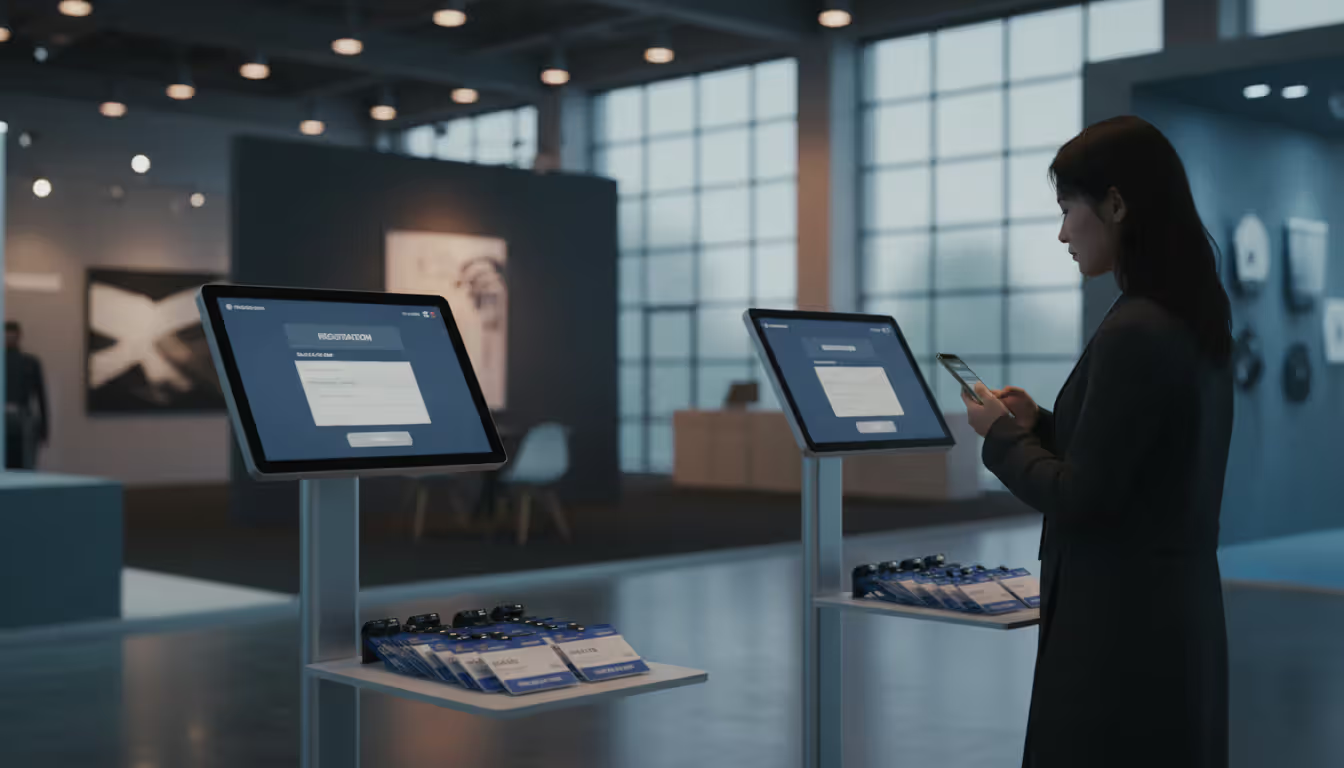
Modern conference venue entrance area with digital check-in stations, staff scanning QR codes on tablets, and short line of attendees in business attire
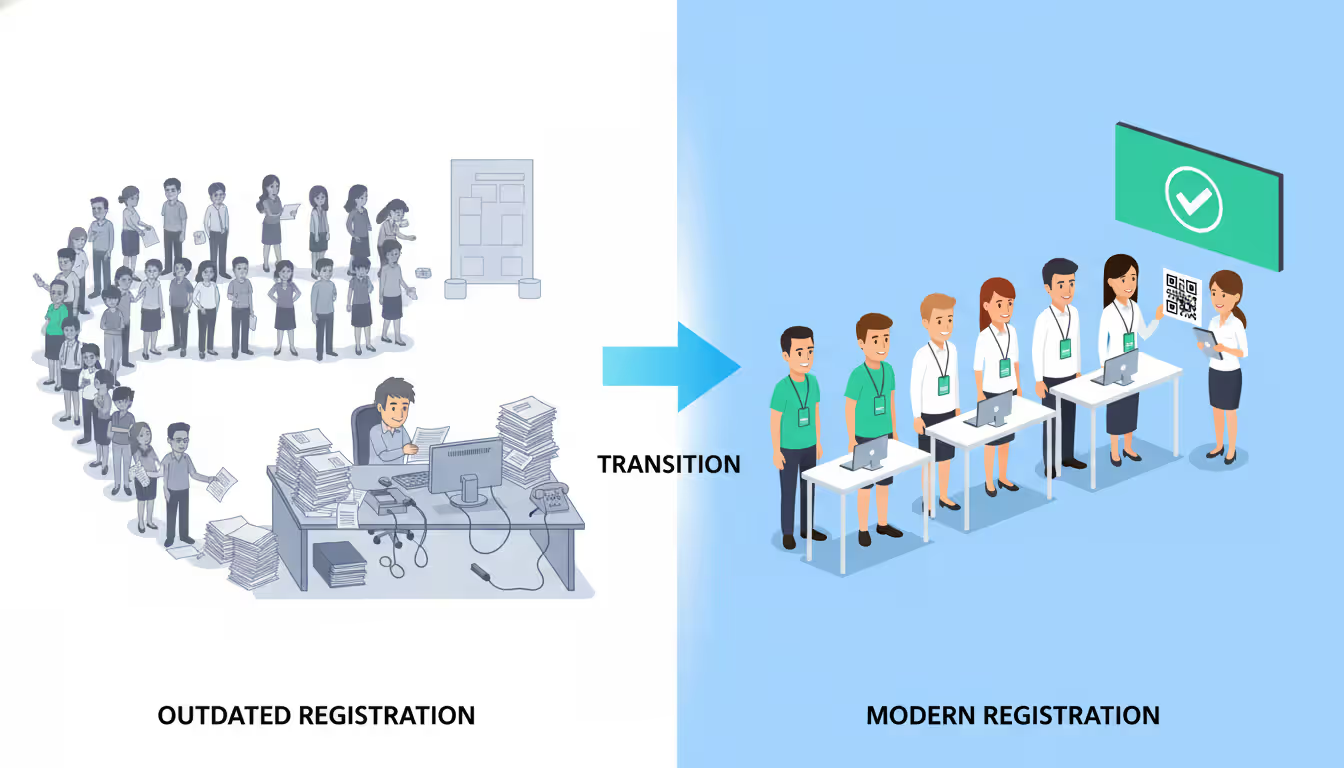
Long entry lines kill event momentum. I've watched attendees get visibly frustrated waiting 20 minutes just to pick up a badge—and that's before they've experienced any of the actual programming you spent months planning.
Paper check-in lists made sense when events had 30 people. At 300 or 3,000, you need digital systems. Event check in software replaces clipboards and spreadsheets with scanners and real-time databases. The result? Entry that takes seconds instead of minutes, with better record-keeping as a bonus.
Corporate conferences, music festivals, trade shows, nonprofit galas—they all face the same entry challenge. How do you verify credentials and get people through the door without creating chaos? The answer isn't hiring more volunteers. It's using technology designed specifically for this problem.
What Is Event Check-In Software and How Does It Work
Think of event check in software as a bouncer with a photographic memory and instant recall. It stores your entire guest list digitally and verifies each person in seconds.
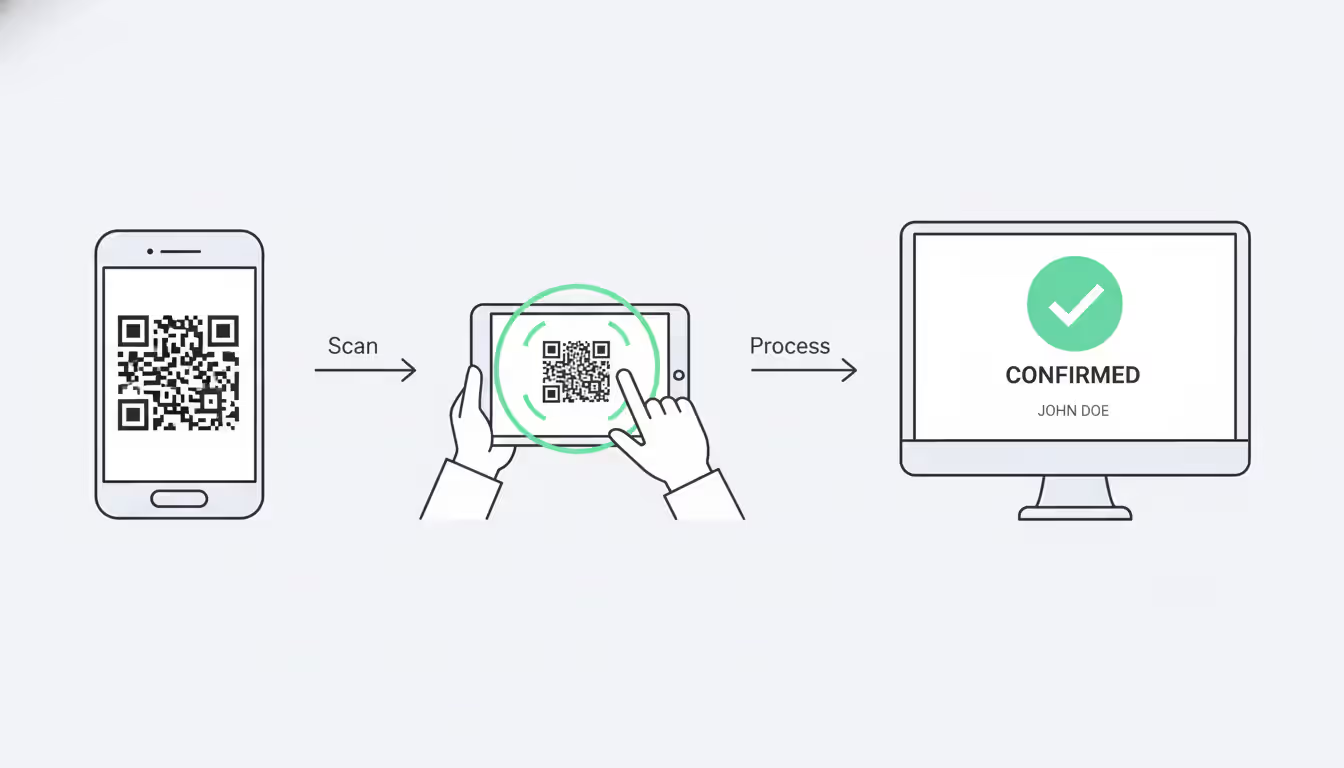
Here's what actually happens: Someone buys a ticket or registers for your free event. The system creates a QR code unique to that registration—think of it as a digital fingerprint. That code gets emailed to them, or you print it on a badge, or it lives in their mobile wallet.
Event day arrives. They show up with that QR code. Staff scan it using a phone, tablet, or dedicated scanner. The attendee check in software checks their database: "Is this code valid? Has it been used already? What access level does this person have?" All of that happens in under two seconds.
The tech breaks into three parts. First, a database holding everyone's registration details. Second, hardware that reads QR codes (usually just smartphones). Third, an interface showing staff whether to let someone in or stop them. Green means go, red means problem.
Internet connectivity helps but isn't always required. Better platforms download your complete guest list before the event. If WiFi dies mid-event, check-in continues using that cached data. Everything syncs up once you're back online.
Different ticket types live in the same system. VIP passes, general admission, vendor credentials, speaker access—the software knows who gets what. Scan a VIP code and it might trigger special badge printing. Scan a vendor code and it records different details. One system, multiple access levels.
Author: Chloe Winslow;
Source: musiconmainstreet.com
Key Features to Look for in Event Check-In Solutions
Shopping for check-in platforms means wading through dozens of options that sound identical until you actually try them. Here's what actually matters in practice.
Mobile compatibility isn't optional anymore. Staff need to walk around, not sit behind a desk. The best event check in app runs smoothly on both iPhones and Android devices. I've seen events open extra entry lanes in 60 seconds just by handing someone an iPad. Try doing that with a desktop computer.
QR code scanning works better than old-school barcodes because it tolerates damage. Crumpled printouts? Fine. Phone screen with a crack through the code? Still readable. The codes work from different angles too, so staff don't need perfect positioning.
Self-service kiosks let attendees handle their own check-in. Mount a tablet on a stand, add clear instructions, and step back. People scan their code, tap to confirm details, grab their badge—done in 20-30 seconds without staff involvement.
Contactless event check in started as a pandemic necessity but stuck around because it's genuinely faster. Attendees hold up their phone from a few feet away. Scanner reads it. No touching, no device handoff, no fumbling. Some systems use NFC for tap-and-go with Apple Wallet or Google Pay.
Real-time reporting shows what's happening right now, not what happened yesterday. Which entrance has the longest line? How many VIPs have arrived? What's the actual attendance versus registrations? You can make decisions based on current data rather than guessing.
Badge printing integration matters if you issue credentials on-site. The check-in software talks directly to thermal or inkjet printers. Verification completes, badge prints automatically with correct name, company, access level, even a photo if you collected one during registration.
Integration capabilities determine whether this tool plays nicely with your other systems. Can it pull data from your registration platform? Feed attendance info to your CRM? Sync with your event app? Or does it sit in isolation, forcing you to manually copy data between systems?
Offline functionality saves you when venue WiFi inevitably fails. Download your attendee list beforehand. Run check-in without any internet connection. Sync everything later. Events have failed because organizers assumed "of course there will be WiFi."
Types of Event Check-In Methods
Most successful events mix multiple approaches rather than committing to just one.
QR Code and Mobile Check-In
QR code event check in gives you maximum flexibility. Every attendee gets a unique code via email or your mobile app. Staff carry smartphones or tablets running your check-in software. At entry points, they scan codes as people arrive.
This scales from tiny to massive. A 50-person workshop uses one person with a phone. A 10,000-person conference deploys twenty scanning stations. Same software, wildly different scale.
Speed makes this method popular. Experienced scanners process 8-12 people per minute. The system catches problems instantly—duplicate tickets, wrong date, cancelled registration, already-used codes. Staff see green (approved) or red (denied) and make immediate decisions.
Mobile event check-in also means flexible venue layouts. You're not locked into specific entry points with power and network access. Need to open a side door because the main entrance is jammed? Hand someone a tablet and create a new check-in lane in under a minute.
The downside? You need trained staff. Someone has to hold the device, interpret results, handle exceptions, manage the crowd. Labor costs add up at large events.
Self-Service Kiosks
Event self check in stations eliminate the staff bottleneck. Attendees approach a kiosk, scan their code, and the system automatically verifies entry.
This works best at tech-friendly events with straightforward registrations. Corporate conferences, trade shows, and recurring community events see great results because attendees learn the process and blast through quickly.
The efficiency difference is real. A single kiosk processes 15-20 people per minute since there's no human interaction delay. Attendees control their own pace—scan and go.
However, kiosks need upfront hardware investment. Tablets, stands, maybe badge printers, protective cases. You also need someone nearby for exceptions. When a code won't scan or a registration shows an error, attendees need help.
Combine kiosks with staffed lanes for best results. Regular attendees zip through self-service. VIPs, speakers, or anyone with special needs gets personalized attention at a staffed desk.
Author: Chloe Winslow;
Source: musiconmainstreet.com
Staff-Assisted Entry Management
Traditional event onsite check in with dedicated staff still has its place. High-security events, galas with complex seating, or situations with lots of walk-up registrations benefit from human judgment.
Staff use tablets or laptops at registration desks. They search attendees by name or scan codes, then handle complications: collecting payments, upgrading tickets, printing replacement badges, answering questions.
This provides the highest service level but lowest throughput. One staff member might handle 4-6 attendees per minute when dealing with complex registrations.
Most events should use all three methods strategically: kiosks for pre-registered folks, mobile scanners for fast general admission lines, staffed desks for VIPs and anyone needing assistance.
Benefits of Using Check-In Software for Event Entry Management
Event gate management software creates measurable improvements you can actually quantify.
Processing speed jumps dramatically versus paper lists. Manually searching for a name takes 20-30 seconds per person. Digital scanning takes 3-5 seconds. At a 500-person event, that's the difference between 40 minutes of entry and 4 hours of chaos.
Wait time reduction directly affects how attendees feel about your event. Research shows perceived wait time feels 30% longer than actual time when lines don't move. Faster processing keeps things flowing, reducing frustration even if total wait time drops only moderately.
Data accuracy improves because you eliminate human error. Staff checking paper lists make mistakes—names get marked twice, checkmarks land on wrong lines, sheets go missing. Digital systems create definitive, timestamped records of exactly who showed up when.
Real-time visibility enables quick operational adjustments. You notice the west entrance processes 200 people hourly while the east entrance handles only 50. Redistribute staff immediately. You see the 2:00 PM workshop filling beyond capacity. Set up overflow seating before people arrive.
Security enhancement comes from blocking duplicate entries and verifying ticket authenticity. Event entry management systems flag fraudulent tickets instantly—something paper tickets can't do.
Post-event analytics inform future planning. Which registration categories had highest no-show rates? What time did most attendees arrive? How long did check-in actually take? Which entry points performed best?
Efficient check-in is the foundation of attendee satisfaction. We've measured this across hundreds of events—when check-in takes under two minutes, attendee satisfaction scores average 4.2 out of 5. When it exceeds five minutes, scores drop to 3.1. The technology investment pays for itself in reputation and repeat attendance
— Marcus Chen
Labor cost reduction happens because automated systems need fewer staff hours. A 1,000-person event might require ten people for three hours using paper lists—that's 30 labor hours. With scanning software? Four people for two hours. That's only 8 hours. You just saved 22 hours of labor per event.
Common Mistakes to Avoid When Choosing Check-In Software
Organizations make predictable mistakes when selecting an event checkin app. These mistakes only surface on event day, when fixing them is impossible.
Ignoring offline mode is the most dangerous oversight. Lots of venues have unreliable WiFi, especially when hundreds of phones connect simultaneously. If your software requires constant internet, you're one network hiccup away from complete failure. Always verify the platform downloads your attendee list and operates without network access.
Poor mobile optimization frustrates staff all day. Some platforms were built for desktops and later hacked together for mobile. The results are predictable: tiny buttons, awkward navigation, slow performance. Test the mobile interface thoroughly. Can staff see the screen in bright sunlight? Does the app respond instantly or lag between scans?
Lack of support availability becomes critical when problems strike. Your event runs Saturday morning. The vendor offers email support during business hours only. Guess what happens when issues occur? You're completely on your own. Confirm support is available during your actual event times.
No testing before event day sounds absurd but happens constantly. Organizations set up software, load their list, assume everything works. Event morning arrives and—surprise—QR codes don't scan properly, badge printers won't communicate with the software, or tablet batteries die in 45 minutes. Run a complete rehearsal at least three days out with real hardware, real volunteers as attendees, and real venue conditions.
Overlooking integration needs creates data silos and manual work. Your check-in system should feed data into your CRM so sales can follow up with prospects who attended. It should connect to marketing platforms for post-event emails sent only to people who actually showed. It should sync with your event app for instant check-in confirmation. Platforms operating in isolation force you to export, transform, and import data manually—time-consuming and error-prone.
Choosing based solely on price backfires regularly. The cheapest option usually lacks critical features, offers minimal support, or hides fees for necessary capabilities. Calculate total cost including staff training time, hardware requirements, and potential revenue loss from poor attendee experience.
Failing to consider scalability causes problems as events grow. A solution handling 100-person gatherings nicely might collapse under 1,000 attendees. Understand the platform's limits: maximum attendees, maximum concurrent check-ins, maximum scanning devices.
Author: Chloe Winslow;
Source: musiconmainstreet.com
How to Choose the Right Event Check-In App for Your Needs
Selecting the best event check in app means matching capabilities to your specific requirements, not chasing the most features.
Event size determines performance needs. Small events (under 200 people) succeed with simple mobile apps and basic QR scanning. Medium events (200-1,000 attendees) need robust offline mode, multiple device support, and real-time syncing. Large events (1,000+ attendees) require enterprise platforms with load balancing, advanced reporting, and dedicated support.
Venue characteristics influence hardware and connectivity requirements. Outdoor festivals need weatherproof equipment and offline functionality. Multi-building campuses need cloud syncing so staff see check-ins happening at other entrances. Single-room workshops might only need a tablet and portable printer.
Budget considerations extend beyond software subscription fees. Factor in hardware costs (tablets, scanners, printers, stands), staff training time, and potential revenue impact. A $500 software investment reducing check-in time by 30 minutes might generate $5,000 in additional bar sales because attendees spend less time waiting and more time at your event.
Feature priorities should align with attendee expectations and operational complexity. A black-tie gala needs elegant badge printing and VIP management. A music festival needs speed and volume capacity. A trade show needs lead capture integration and exhibitor access controls.
Vendor reputation matters more than marketing claims. Look for providers with proven track records in your event category. Check references, read user reviews on independent platforms, ask about their busiest clients. A vendor successfully managing 50,000-person conferences can definitely handle your 2,000-person event. The reverse isn't true.
Here's how popular platforms compare:
Platform
QR Support
Mobile App
Self-Service
Contactless
Pricing Model
Best Event Size
EventPro Check-In
Yes
iOS, Android
Yes
Yes
Per-event fee
100-5,000
Bizzabo Entry
Yes
iOS, Android
Yes
Yes
Annual subscription
500-10,000+
Whova Scan
Yes
iOS, Android
Limited
Yes
Per-attendee
50-2,000
Eventbrite Organizer
Yes
iOS, Android
No
Yes
Included with tickets
20-5,000
Cvent OnArrival
Yes
iOS, Android, Windows
Yes
Yes
Custom quote
1,000-50,000+
Trial periods provide the most reliable evaluation method. Most vendors offer free trials or demo events. Create a test event with 50-100 sample registrations mirroring your actual attendee types (VIPs, general admission, speakers, etc.). Run through complete check-in scenarios including exception handling. Time how long processes take. Note friction points.
Integration requirements should be documented before evaluating platforms. List every system needing to exchange data with your check-in software: registration platforms, CRMs, marketing automation, event apps, analytics tools. Confirm shortlisted options offer native integrations or robust APIs for custom connections.
Frequently Asked Questions About Event Check-In Software
How much does event check-in software cost?
Pricing varies widely based on event size and features needed. Simple mobile apps start around $50-150 per event for up to 500 attendees. Mid-tier platforms charge $200-800 per event or $100-300 monthly for unlimited events. Enterprise solutions for large conferences often use custom quote pricing starting at $2,000+ per event. Some registration platforms bundle basic check-in functionality at no extra cost. Hardware is separate: tablets run $200-500 each, portable badge printers cost $300-1,200, and QR scanners range from $50-300.
Do I need special hardware for mobile event check-in?
Modern check-in software runs on standard consumer devices. Any recent iPhone or Android smartphone (released within the past four years) has sufficient camera quality for reliable QR code scanning. Tablets offer larger screens that make staff's job easier during long shifts. Dedicated barcode scanners provide faster scanning and better ergonomics but aren't necessary for most events. Budget $200-500 per check-in station for tablets or plan to use staff members' personal phones. Add $300-1,200 per station if badge printing is required.
Can attendees check themselves in?
Yes, self-service check-in works well for many event types and demographics. Attendees scan their QR code at an unmanned kiosk, confirm their information on screen, and receive entry confirmation or a printed badge. Success depends on clear signage, intuitive software interfaces, and attendee comfort with technology. Corporate conferences and trade shows typically see 70-85% self-service adoption rates. Community events with diverse age groups might see 40-60% adoption. Always staff at least one traditional desk for attendees preferring assistance or encountering issues.
Is contactless check-in secure?
Contactless event check in maintains strong security when implemented properly. QR codes contain encrypted data that's difficult to forge without sophisticated tools. The software validates each code against the registration database and prevents duplicate scans. Security actually improves compared to paper tickets because the system creates an audit trail showing exactly when and where each code was scanned. For high-security events, add photo verification—the check-in screen displays the attendee's registration photo for staff comparison. Some platforms support biometric verification through fingerprint or facial recognition for maximum security.
What happens if the internet goes down during check-in?
Quality attendee check in software includes offline mode preventing internet outages from stopping your event. Before the event starts, the system downloads your complete attendee list to each device. During check-in, the software operates from this local database without requiring network connectivity. All check-ins get recorded locally and automatically sync to the cloud once internet access returns. The trade-off: devices can't see check-ins happening on other devices until they reconnect, so theoretically someone could check in at multiple entrances simultaneously. For high-security events, this risk requires contingency planning.
How long does it take to set up event check-in software?
Initial setup for a straightforward event takes 30-60 minutes. You'll create an account, import your attendee list (usually via CSV file), configure ticket types and access levels, and test the scanning process. First-time users should allocate 2-3 hours to familiarize themselves with all features and troubleshoot any issues. The software automatically generates QR codes for each attendee once you upload the list. Most platforms recommend completing setup and testing 24-48 hours before your event. Complex events with multiple ticket types, custom badge designs, and integration requirements might need a week of preparation.
Event check in software converts attendee entry from a logistical headache into a smooth, professional experience that sets a positive tone for everything that follows.
The right platform cuts wait times, improves data accuracy, and provides real-time visibility into event attendance—all while requiring fewer staff hours than manual processes. Small events benefit from simple mobile apps with basic QR scanning. Large conferences require enterprise platforms with offline functionality, self-service kiosks, and robust integration capabilities.
Success comes down to avoiding predictable mistakes. Test thoroughly before event day. Verify offline mode actually works. Confirm support is available during your event hours. Ensure the platform integrates with your existing systems. The technology investment pays dividends through improved attendee satisfaction, operational efficiency, and post-event insights informing future planning.
Start your evaluation by clearly defining requirements: event size, venue characteristics, budget constraints, must-have features. Request trials from multiple vendors. Run realistic test scenarios. Check references from organizations running similar events. The hour invested in proper selection prevents days of frustration and protects your event's reputation.
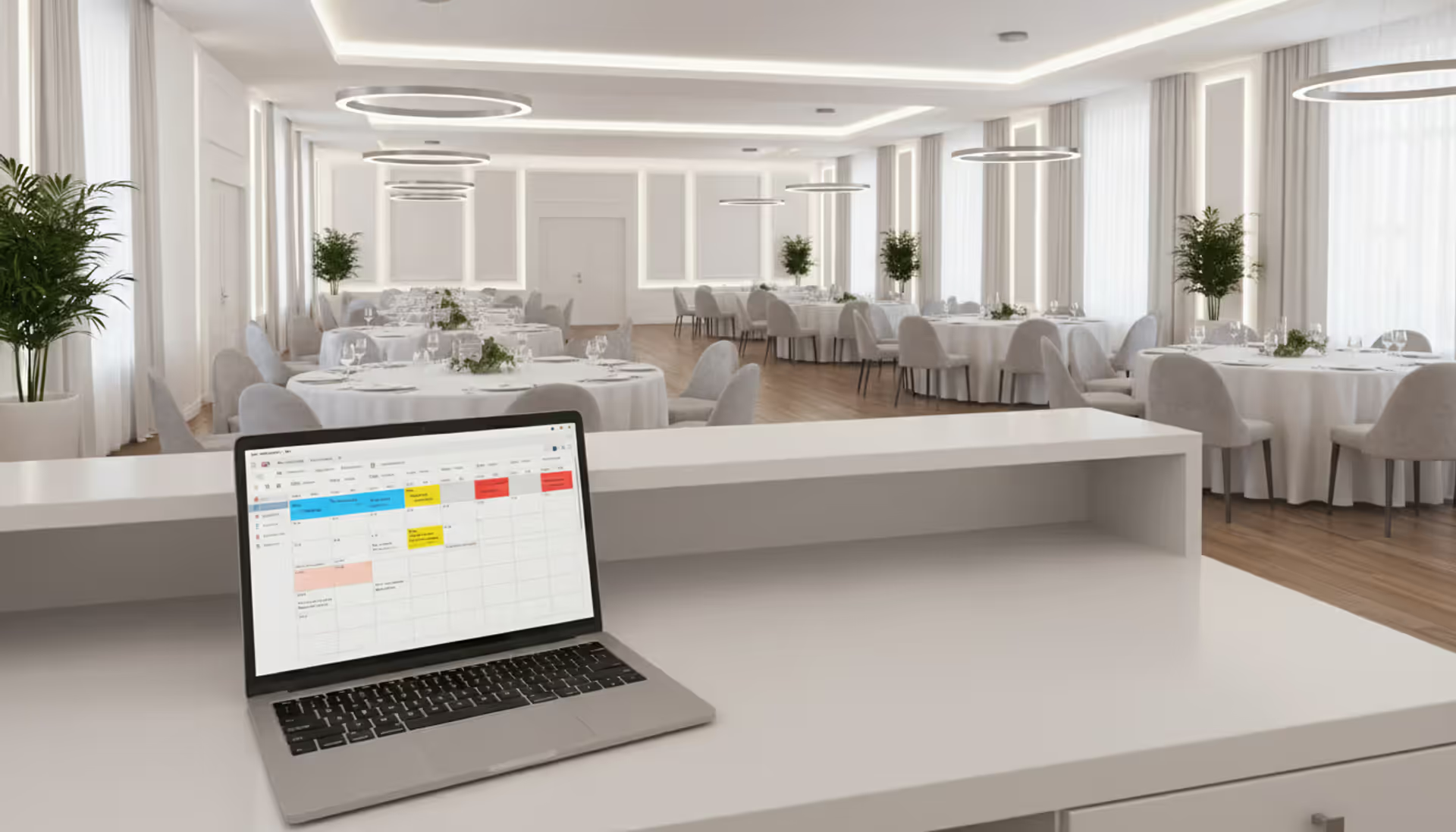
Venue management software automates reservations, scheduling, payments, and client communications through a centralized platform. Modern systems prevent double-bookings, reduce administrative time by 10-15 hours weekly, and increase booking conversion rates by 15-25% through real-time availability and instant quotes
Event scheduling software builds, organizes, and publishes event agendas and session timetables. This guide covers how it works, essential features like multi-track support and real-time updates, common use cases by event type, and how to choose the right platform for your needs
Discover how event planning templates organize tasks, timelines, and logistics for successful events. Compare template types, tools, and formats. Learn what to include, common mistakes to avoid, and how to build custom templates that improve with each use
Event organizer insurance protects planners from liability claims, cancellations, and property damage. This guide covers coverage types, how liability works, policy selection, risk management strategies, and common mistakes to avoid when insuring events of any size
The content on this website is provided for general informational and educational purposes only. It is intended to explain concepts related to event management software, ticketing systems, hybrid event platforms, and operational tools for event organisers.
All information on this website, including articles, guides, and examples, is presented for general educational purposes. Outcomes may vary depending on event size, technology choices, and organisational needs.
This website does not provide professional legal, financial, or software advice, and the information presented should not be used as a substitute for consultation with qualified event tech or IT professionals.
The website and its authors are not responsible for any errors or omissions, or for any outcomes resulting from decisions made based on the information provided on this website.