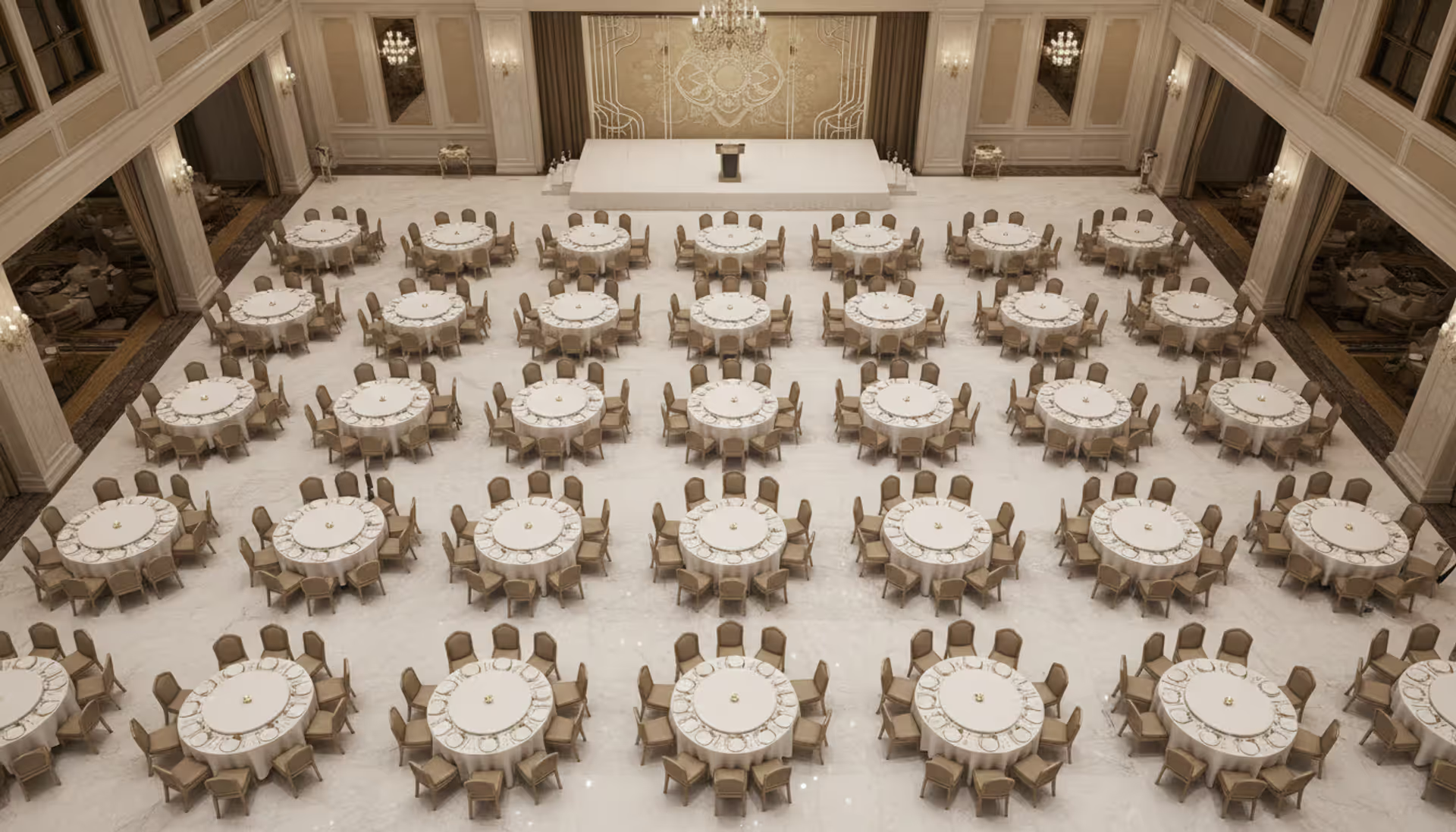
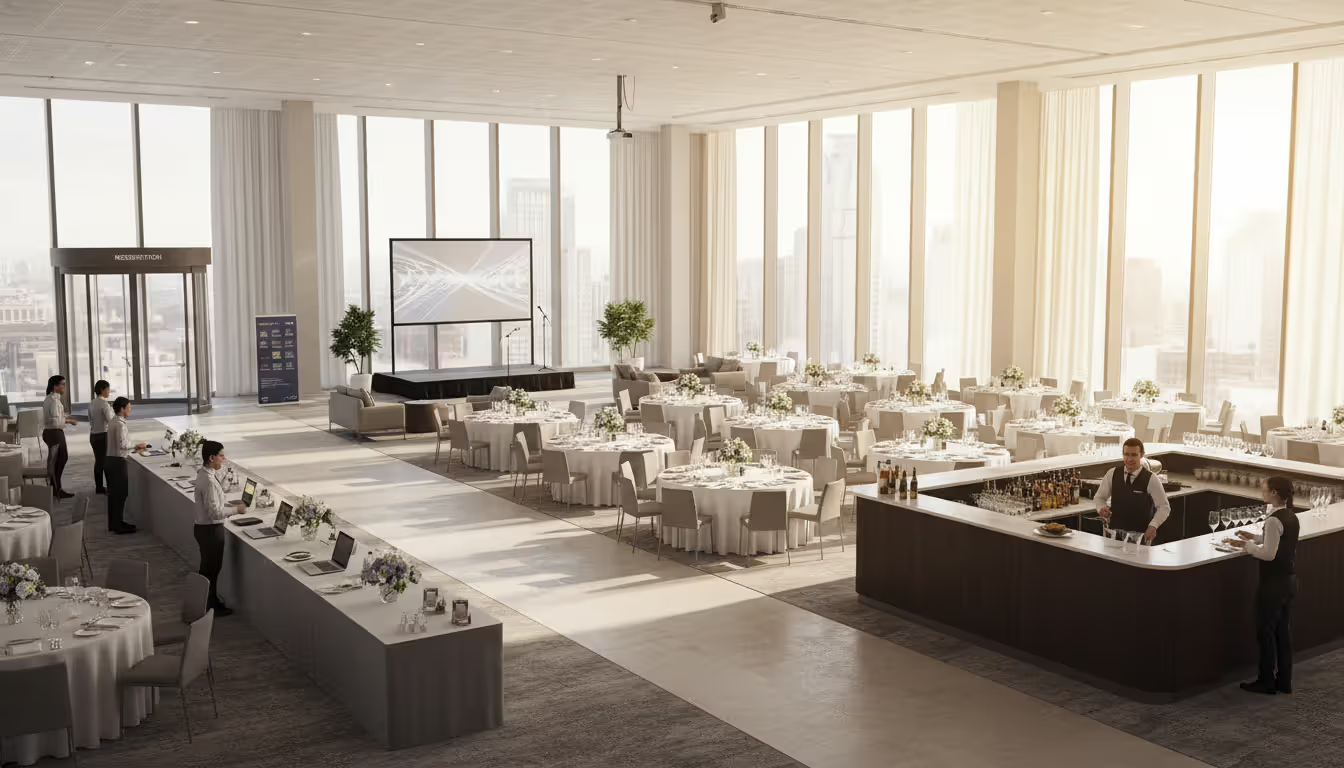
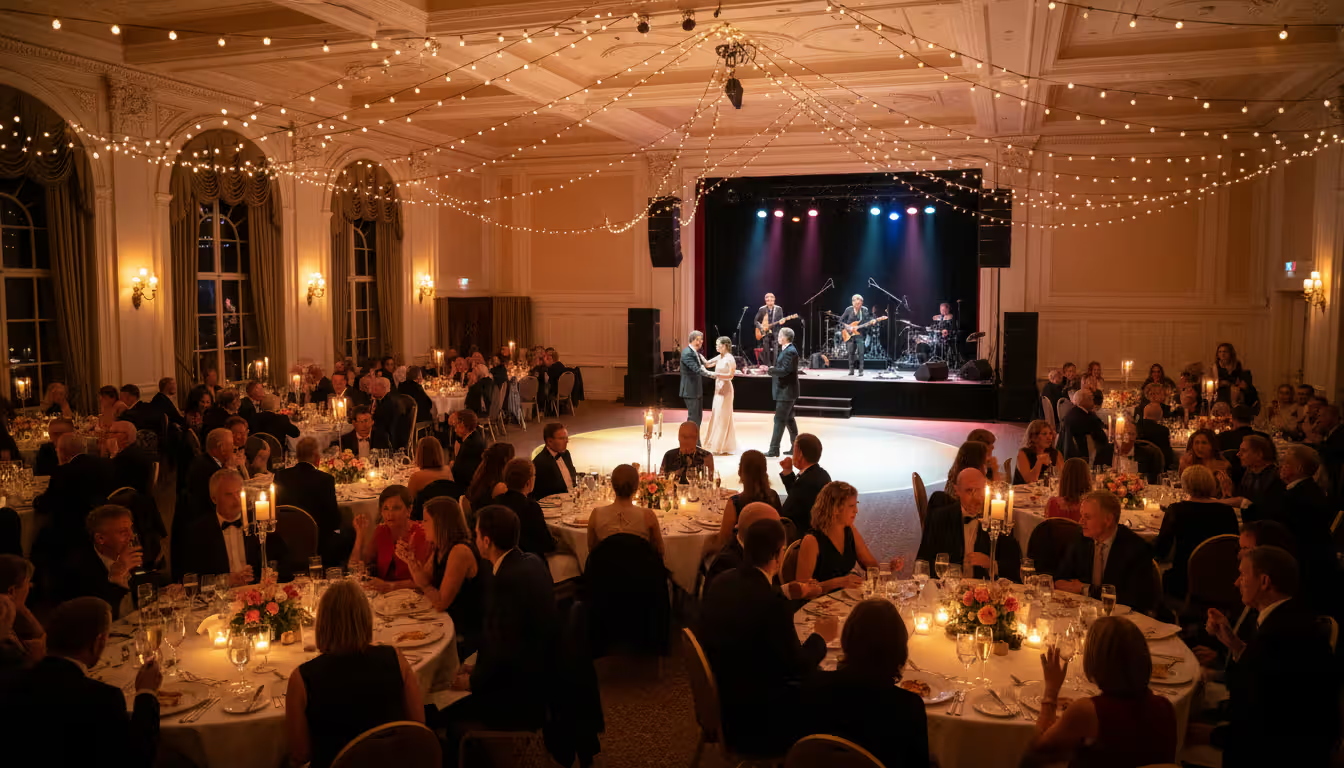
Planning an event without a floor plan is like building a house without blueprints. Whether you're organizing a corporate conference for 500 attendees or an intimate wedding reception, a well-designed floor plan determines how smoothly everything flows—from guest arrivals to the final toast.
The difference between a cramped, confusing event and a seamless gathering often comes down to advance planning. Getting your layout right affects everything: how quickly servers can move between tables, whether everyone can actually see the presentation, if emergency exits remain accessible, and whether guests naturally mingle or stand awkwardly in corners.
What Is an Event Floor Plan and Why It Matters
An event floor plan is a scaled diagram showing the physical arrangement of furniture, equipment, stages, service areas, and pathways within your venue. Think of it as your event's spatial blueprint—a bird's-eye view that maps where every table, chair, buffet station, and DJ booth belongs.
These diagrams matter because they solve problems before they happen. You'll discover that the eight-foot banquet tables you ordered won't fit with the dance floor you promised. You'll realize guests seated at table 12 can't see the screen. You'll notice the catering staff needs to walk through the dance floor to reach the kitchen—all while these issues exist only on paper, not in front of 200 confused guests.
The impact extends beyond logistics. A thoughtful event venue layout shapes attendee experience in subtle ways. Proper spacing between tables creates intimacy without crowding. Strategic placement of bars and food stations encourages circulation rather than bottlenecks. Clear pathways signal where people should move, reducing that awkward "where do I go?" hesitation.
Safety considerations add another layer of importance. Fire codes typically require specific aisle widths and unobstructed exit routes. ADA compliance mandates accessible pathways and seating areas. Venues may have load-bearing restrictions that limit where you can place heavy equipment. Your floor plan documents that you've addressed these requirements.
Different event types demand different planning approaches. Corporate conferences need clear sightlines to screens and stages, with space for networking during breaks. Weddings balance ceremonial focal points with dining and dancing areas. Trade shows require booth layouts that maximize exhibitor visibility while managing foot traffic. Galas need elegant table arrangements that facilitate conversation while accommodating entertainment and presentations.
A proper floor plan isn't just about fitting tables into a room.It's about creating an experience. I've seen beautiful venues turn chaotic because organizers skipped this step, and I've watched modest spaces transform into unforgettable events because someone took the time to map everything out
— Maria Chen
Key Elements of Effective Event Space Planning
Start with accurate venue dimensions. "Close enough" doesn't work when you're fitting 30 tables into a ballroom. Measure wall-to-wall distances, note any columns or architectural features that intrude into the space, and identify where doors, windows, and fixed elements sit. Ceiling height matters too—a seven-foot ceiling changes what you can do with staging and decor compared to a fifteen-foot ceiling.
Capacity calculations involve more than dividing square footage by number of guests. A seated dinner requires roughly 10-12 square feet per person when you account for tables, chairs, and service space. Theater-style seating needs about 6-7 square feet per person. Cocktail receptions can work with 5-6 square feet per person, though comfort improves with more room. These figures include circulation space, not just the furniture footprint.
Traffic flow determines whether your event feels organized or chaotic. Map the guest journey from entry to coat check to registration to the main space. Identify natural circulation patterns—people instinctively move in certain ways, and fighting these tendencies creates congestion. Position bars and food stations to draw people into different areas rather than clustering everything in one zone.
Entry and exit points need particular attention. Guests should enter into an obvious reception or orientation area, not directly into the main event space. Emergency exits must remain clear with minimum aisle widths (typically 44 inches for primary aisles, 36 inches for secondary). If your event includes multiple sessions or breaks, consider how hundreds of people will move simultaneously without gridlock.
Accessibility requirements aren't optional. Wheelchair-accessible pathways need at least 36 inches of clearance, preferably 48 inches. Reserve accessible seating with companion spaces in locations offering equivalent views and amenities. Ensure accessible routes connect all public areas—entrances, restrooms, dining areas, and stages.
Functional zones organize your event space planning into purpose-driven areas. A typical event might include:
Reception zone: Where guests arrive, check in, and get oriented
Main activity area: Dining tables, theater seating, or expo floor
Presentation zone: Stage, screen, or focal point for speakers/entertainment
Service areas: Bars, buffets, coffee stations, dessert tables
Networking spaces: Lounge furniture, high-top tables, or open areas
Support zones: Registration desk, coat check, restrooms, vendor staging
Furniture placement follows specific spacing standards. Round tables for eight (60-inch diameter) need about 10-11 feet of space including chairs and service clearance. Rectangular banquet tables (8-foot) require similar spacing. Leave 18-24 inches between chair backs when tables are adjacent. Theater-style rows should have 36-42 inches between rows for comfortable seating and egress.
Equipment needs often get overlooked until setup day. Will you need a stage? How large, and does the venue's load capacity support it? Where do screens and projectors go to maximize visibility? Does the sound system require speaker placement that affects table arrangement? Will photographers need clear sightlines? Does the band or DJ need space for equipment, plus access to power?
Author: Liam Crestwood;
Source: musiconmainstreet.com
How to Design Your Event Layout Step by Step
Measure Your Venue and Identify Constraints
Walk the venue with a measuring tape and notepad—or better yet, request the venue's CAD drawings if available. Record exact dimensions of the usable space, not just the overall room size. That 50-by-80-foot ballroom might have columns, built-in bars, or recessed areas that reduce functional space.
Document fixed elements that constrain your event layout design: permanent stages, columns, radiators, emergency exit doors, fire extinguishers, thermostats, light switches, and power outlets. Note ceiling-mounted fixtures like chandeliers or AV equipment that might interfere with tall centerpieces or projection screens.
Ask venue staff about restrictions. Many facilities prohibit blocking certain areas, limit where you can place food stations due to plumbing access, or restrict decorations near fire suppression systems. Some have noise ordinances affecting speaker placement. Understanding these constraints upfront prevents last-minute redesigns.
Choose the Right Seating Arrangement Style
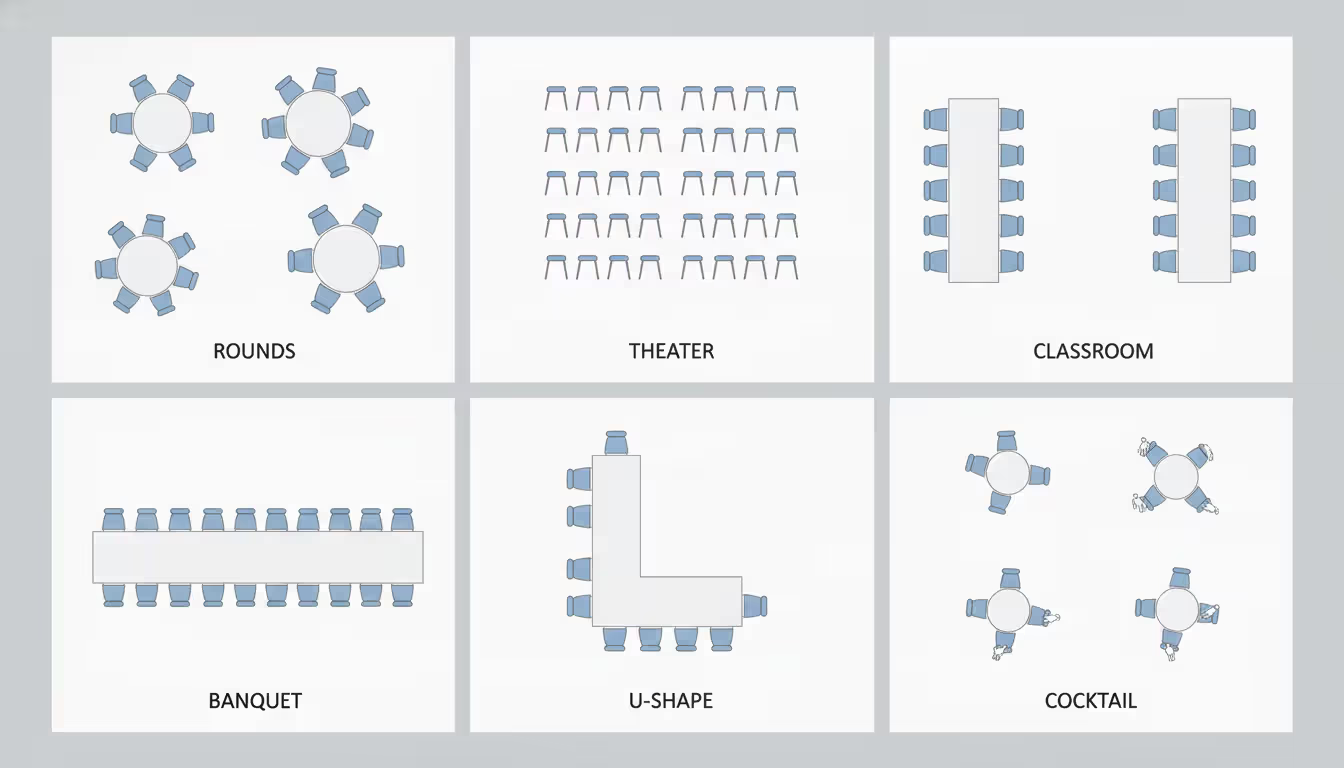
Your seating style fundamentally shapes the event experience and determines capacity. Common arrangements include:
Rounds: Standard for weddings and galas. Encourage conversation within tables but limit interaction between tables. Typically seat 8-10 guests per 60-inch table. Less space-efficient than other layouts but most comfortable for dining.
Theater: Maximize capacity for presentations and ceremonies. Rows of chairs facing a stage or screen. No dining surface, so only works for events without meals. Allows 15-20% more guests than rounds in the same space.
Classroom: Rows of rectangular tables with chairs on one side, all facing forward. Good for conferences with note-taking. Reduces capacity by about 40% compared to theater style but adds functionality.
Banquet: Long rectangular tables seating guests on both sides. Creates a communal feel, popular for casual events and farm-to-table dinners. More space-efficient than rounds but less intimate.
Hollow square/U-shape: Tables arranged in a square or U configuration with seating on the outside. Everyone faces the center, ideal for collaborative meetings or panel discussions. Limits capacity but maximizes engagement.
Cocktail: High-top tables scattered throughout with some lounge seating. Encourages mingling and movement. Highest capacity for the space but only suitable for reception-style events.
Author: Liam Crestwood;
Source: musiconmainstreet.com
Map Out Service Areas and Equipment Needs
Catering logistics require careful planning. Buffet lines need 8-10 feet of space including the serving table and guest queuing area. Position buffets to create natural flow—guests should move in one direction without backtracking. If you're using multiple buffet stations, mirror the offerings to reduce crowding.
Bar placement affects both service efficiency and guest behavior. Placing bars in opposite corners distributes crowds. Avoid positioning bars directly next to the dance floor or stage where noise complicates ordering. A standard bar setup needs about 8-10 feet including back bar and service area.
Technical requirements deserve their own layer on your table seating planner. Stage placement affects everything—guests need clear sightlines, speakers need access, and equipment requires power and network connections. Screen positioning depends on room shape and ambient light. Sound systems need strategic speaker placement for even coverage without feedback issues.
Don't forget vendor staging areas. Caterers need space to organize trays and supplies. Photographers need clear pathways for moving around. Bands require load-in access and equipment storage. Build these requirements into your plan rather than sacrificing guest space at the last minute.
Review and Test Your Layout
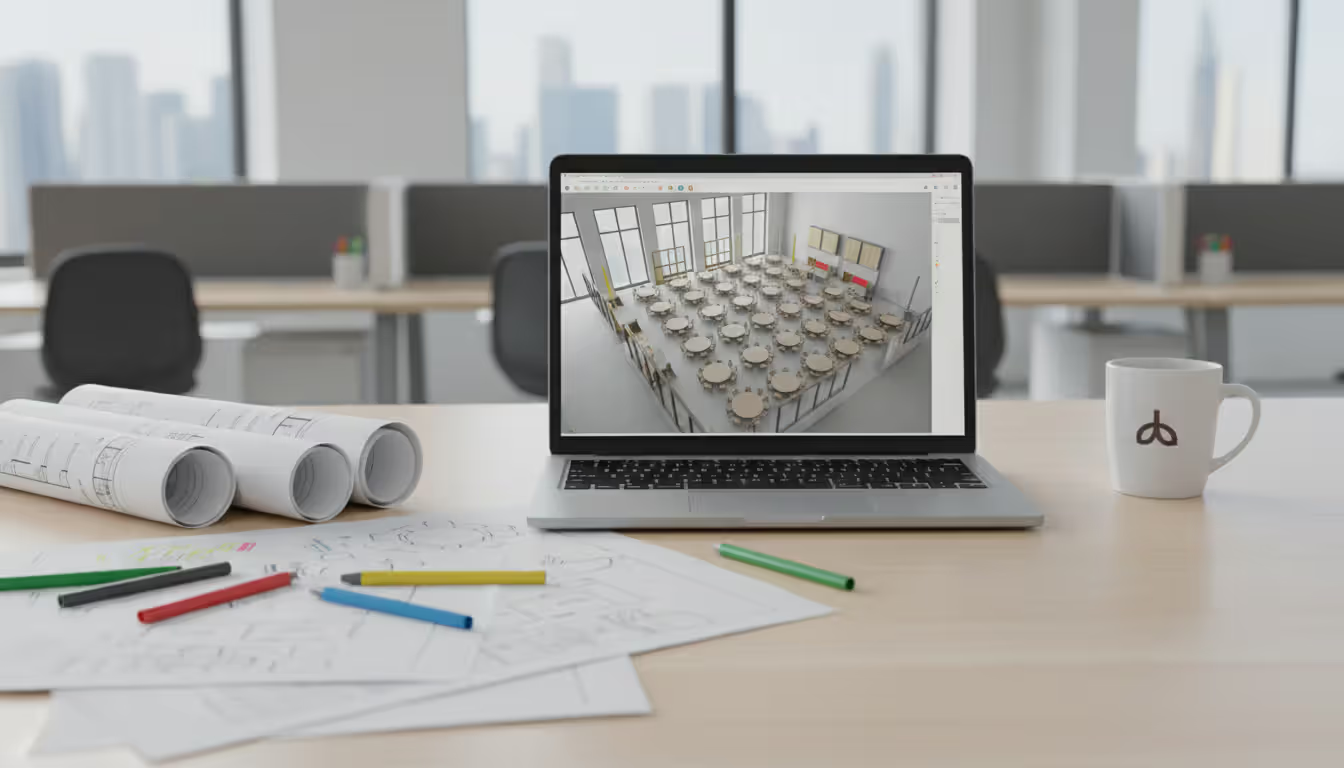
Create your plan using event floor plan software or even a simple sketch, then pressure-test it. Walk through guest scenarios: Where does someone entering the room naturally look? Can they easily find their table? Is the bar visible from the entrance? Can wheelchair users reach all areas?
Consider timing and transitions. If your event includes multiple segments—cocktails followed by dinner followed by dancing—does your layout accommodate these shifts? Will you need to move furniture between segments? Where will removed items go?
Share your plan with key stakeholders. The caterer might spot service issues you missed. The AV technician can identify technical problems. The venue manager knows if your layout violates facility rules. Getting input before finalizing prevents expensive day-of adjustments.
Event Floor Plan Software and Tools Comparison
Digital planning tools have largely replaced graph paper and pencil for event layout design, offering precision, visualization, and easy modifications. The question isn't whether to use software, but which tool fits your needs and budget.
Manual methods still have a place for very simple events. A quick sketch on graph paper works fine for arranging 10 tables in a straightforward room. Physical scale models using cardboard cutouts let you experiment with arrangements hands-on. But once you're managing complex layouts, multiple vendors, or detailed specifications, digital tools become essential.
Software
Pricing
Key Features
Best For
Learning Curve
Template Availability
AllSeated
Free-$200/mo
3D visualization, guest list integration, collaboration tools
AllSeated targets wedding and social event planners with strong 3D visualization. The free tier handles basic layouts, while paid plans add guest management and vendor collaboration. The interface feels intuitive—drag furniture from a library, snap to grid, and view in 3D. Template availability is excellent, with pre-designed layouts for common venue types.
Social Tables dominates the corporate and venue market. Its venue marketplace lets you search partnered locations with pre-loaded floor plans. Real-time collaboration means your team, caterer, and AV vendor can all view and comment on the same plan. Pricing runs higher, making it better suited for professional planners managing multiple events or venues hosting frequent bookings.
SmartDraw offers general diagramming capabilities including floor plans. It's less specialized than event-specific tools but more affordable and versatile. You can import CAD drawings, work offline, and create diagrams beyond just event layouts. The trade-off is fewer event-specific features like guest list management or catering calculations.
Lucidchart provides cloud-based diagramming with strong collaboration features. Multiple users can edit simultaneously, and it integrates with Google Workspace and Microsoft 365. Event-specific templates are limited, but the tool handles floor plan creation well. Good for teams already using Lucidchart for other purposes.
EventPro represents the high end—comprehensive event management software that includes floor planning as one component. It handles proposals, timelines, budgets, and logistics alongside venue layout. The learning curve is steeper and pricing higher, but professional planners managing numerous complex events benefit from the integrated approach.
Author: Liam Crestwood;
Source: musiconmainstreet.com
Event floor plan templates versus custom design depends on your situation. Templates work well when your venue matches a standard configuration and your event follows conventional formats. A hotel ballroom wedding with round tables fits templates perfectly. Custom design becomes necessary for unusual venues, unique event formats, or specific branding requirements. Most planners start with templates and customize as needed—it's faster than building from scratch while still accommodating your specific needs.
Common Event Floor Plan Mistakes to Avoid
Overcrowding ranks as the most frequent error. Organizers see empty space as wasted opportunity and keep adding tables until the room feels packed. The result: servers can't navigate, guests feel cramped, and the event atmosphere suffers. When in doubt, remove a table. The improved experience outweighs the lost capacity.
Insufficient spacing manifests in specific ways. Tables placed too close together trap guests in their seats—they can't leave without disrupting neighbors. Aisles narrower than 36 inches create bottlenecks and accessibility issues. Dance floors sized for 20 couples get planned for 100-guest weddings, leaving dancers elbow-to-elbow.
Ignoring ADA compliance and safety codes creates legal liability and practical problems. Wheelchair users should access the space without navigating obstacle courses. Accessible seating shouldn't be relegated to the worst sightlines. Emergency exit routes must remain clear, with proper signage and lighting. Fire codes specify maximum occupancy and aisle requirements—violating these endangers guests and risks venue penalties.
Poor sightlines frustrate attendees and waste presentation efforts. Columns that block screen views, tables positioned at extreme angles to the stage, or insufficient elevation for speakers in large rooms all diminish the experience. When planning, sit in various seat positions (physically or virtually) to verify everyone can see key focal points.
Audio coverage gets overlooked until speeches sound muffled at back tables. Sound doesn't distribute evenly—it reflects off walls, gets absorbed by drapes, and creates dead zones in oddly shaped rooms. Your event room layout software might not account for acoustics, so consult with AV professionals about speaker placement and whether your layout creates audio challenges.
Inadequate consideration for catering and vendor needs causes operational headaches. Buffet stations positioned far from kitchens mean food cools during transport. Bars without nearby storage force bartenders to leave stations unattended for supplies. Bands squeezed into corners can't set up properly. Build vendor requirements into your initial planning, not as an afterthought.
Failing to account for event progression creates awkward transitions. Cocktail hour in one space followed by dinner in another sounds elegant until you realize 150 people need to move simultaneously through a narrow doorway. Dancing after dinner requires clearing the dance floor—where will removed tables go? Plan for the entire event timeline, not just static moments.
Event Seating Chart Strategies by Event Type
Corporate events and conferences prioritize functionality and visibility. Theater-style seating works for keynotes and presentations, maximizing capacity while ensuring everyone faces forward. Classroom-style arrangements suit training sessions where attendees need work surfaces. For breakout sessions, rounds of 6-8 encourage discussion without becoming unwieldy.
Strategic table assignments at corporate events can facilitate networking. Mixing departments or companies promotes cross-pollination of ideas. Reserving front tables for VIPs while keeping middle sections for general attendees balances hierarchy with accessibility. Consider labeling tables clearly—numbers, company names, or topic themes—so attendees find seats quickly.
Weddings and social gatherings emphasize aesthetics and social dynamics. Round tables remain standard, creating intimate conversation groups while allowing elegant centerpieces. Table assignments require diplomacy—seating divorced parents, managing plus-ones, and grouping compatible personalities.
The head table or sweetheart table placement anchors the room. Position it where all guests have clear views but with enough space for toasts and cake cutting. Consider traffic flow for receiving lines, first dances, and bouquet tosses. If children attend, a dedicated kids' table near parents but slightly separate often works well.
Wedding event seating charts often benefit from a mix of assigned and open seating. Assign tables but not specific seats within tables, giving guests some choice while preventing the awkward "where do I sit?" scramble. Display seating assignments clearly at the entrance—alphabetical lists work better than table-by-table listings for large weddings.
Trade shows and exhibitions require entirely different event seating software considerations. Booth layouts balance exhibitor visibility with attendee flow. Grid patterns maximize booth count but can feel monotonous. Creating main aisles with varied booth sizes and orientations adds visual interest and directs traffic.
Corner and end-cap booths command premium pricing because they offer exposure from multiple angles. Position popular or large exhibitors strategically to draw attendees through the entire floor rather than clustering them in one area. Include seating areas, charging stations, and refreshment zones to encourage attendees to linger.
Registration and information desks should sit near entrances but not block traffic. Seminar or demo areas need acoustic separation from the main floor—sound bleeds between spaces more than planners expect. Loading docks and exhibitor access should be completely separate from attendee entrances.
Banquets and galas blend dining functionality with entertainment and program elements. Round tables remain standard, but their arrangement matters. Avoid long, narrow room setups that create "good" and "bad" sections. Instead, cluster tables around a central dance floor or stage, creating more equitable sightlines.
VIP and sponsor tables require careful placement. Front and center works for some events, but side positions near the stage can offer better sightlines without feeling like a fishbowl. If your gala includes auctions or presentations, ensure bidders can easily reach auction stations and everyone can see display screens.
Dance floor sizing deserves thought. A 12-by-12-foot floor feels cramped for events over 100 guests. Plan roughly 3-4 square feet of dance floor per guest, knowing not everyone dances simultaneously. Position the floor centrally to create energy, not tucked in a corner as an afterthought.
Author: Liam Crestwood;
Source: musiconmainstreet.com
Frequently Asked Questions About Event Floor Planning
What software is best for creating event floor plans?
The best software depends on your event type and planning needs. AllSeated excels for weddings and social events with its 3D visualization and guest management features, offering a robust free tier. Social Tables dominates corporate events and venues with real-time collaboration and venue marketplace access, though at higher price points. SmartDraw provides affordable, versatile diagramming for occasional planners who need flexibility beyond just events. Professional planners managing multiple complex events benefit from comprehensive platforms like EventPro that integrate floor planning with broader event management. Start with free trials to test interfaces—the "best" tool is the one you'll actually use consistently.
Do I need a floor plan for small events?
Even small events benefit from basic floor planning, though the formality scales with complexity. A 20-person meeting in a familiar conference room might need only a mental layout, but a 40-guest dinner party in a rented space deserves at least a sketch. Floor plans help you verify furniture fits, identify potential traffic issues, and communicate setup requirements to vendors or venue staff. The time invested—even 15 minutes with graph paper—prevents day-of surprises. For events under 30 people in simple spaces, a rough sketch suffices. Beyond that size or in unfamiliar venues, create a proper scaled plan.
How much space should I allow per person at an event?
Space requirements vary significantly by event format. Seated dinners need 10-12 square feet per person including tables, chairs, and service aisles—this accounts for a 60-inch round table seating eight guests plus clearance. Theater-style seating requires about 6-7 square feet per person with rows of chairs facing forward. Cocktail receptions can function with 5-6 square feet per person, though 7-8 square feet feels more comfortable. These figures represent total event space, not just the furniture footprint. Also factor in non-seating areas: stages, bars, buffets, and circulation space typically consume 20-30% of your total venue. When calculating capacity, err on the generous side—cramped events feel unsuccessful regardless of other details.
Can I create an event floor plan for free?
Yes, several options exist for free floor planning. AllSeated offers a capable free tier handling basic layouts with 3D visualization—sufficient for many weddings and social events. Lucidchart provides free accounts with diagram limits that accommodate simple floor plans. SmartDraw offers a free trial, though ongoing use requires subscription. For completely free analog methods, graph paper and a pencil work fine for straightforward layouts—use a scale like one square equals one foot. Free venue floor plan tools trade advanced features for accessibility, so they work well for simpler events but may frustrate planners needing detailed specifications, extensive template libraries, or collaboration features.
What's the difference between a floor plan and a seating chart?
A floor plan shows the physical layout of your entire event space—table positions, stage location, bars, buffets, dance floor, and traffic aisles. It's the spatial blueprint showing where everything goes. A seating chart assigns specific guests to specific tables or seats. You need the floor plan first to establish how many tables you have and where they're positioned, then create the seating chart to determine who sits where. Some event floor plan templates integrate both functions, letting you design the layout and assign guests in one tool. For small events, you might skip detailed seating charts and use open seating, but you still need a floor plan for furniture arrangement. Think of the floor plan as the architecture and the seating chart as the interior design.
How do I ensure my event layout meets safety requirements?
Start by consulting your venue about specific codes and restrictions—requirements vary by location, building type, and occupancy. Key safety considerations include maintaining clear emergency exit routes with minimum aisle widths (typically 44 inches for primary aisles, 36 inches for secondary), never blocking exit doors or fire extinguishers, and respecting maximum occupancy limits posted by the fire marshal. Ensure ADA-compliant accessible routes at least 36 inches wide connecting all public areas. If using candles or open flames, verify venue policies and maintain required clearances from fabrics and decor. For large events, consider consulting with a professional planner or the local fire marshal to review your layout. Document your compliance efforts—if questions arise, showing you planned for safety demonstrates due diligence.
A successful event floor plan balances competing demands: maximizing capacity while maintaining comfort, creating visual appeal while ensuring functionality, and accommodating your vision while respecting practical constraints. The planners who excel at this don't rely on magic—they measure carefully, plan thoroughly, and test their assumptions before setup day.
Technology has made professional-quality planning accessible to anyone organizing events. Tools that once required specialized training now offer intuitive interfaces and extensive templates. Whether you're using sophisticated event seating software or sketching on graph paper, the principles remain constant: understand your space, respect your guests' experience, and plan for the entire event timeline.
Start your next event with the floor plan, not as an afterthought once you've booked entertainment and ordered flowers. That simple shift in priority—treating the layout as foundational rather than supplementary—transforms how smoothly everything else falls into place. Your vendors will thank you for clear specifications. Your guests will enjoy the seamless flow. And you'll spend the event celebrating rather than solving spatial puzzles.
The best floor plans become invisible—guests don't notice the careful spacing or strategic bar placement. They simply feel comfortable, engaged, and able to focus on the event's purpose. That invisibility represents planning success.
Venue management software automates reservations, scheduling, payments, and client communications through a centralized platform. Modern systems prevent double-bookings, reduce administrative time by 10-15 hours weekly, and increase booking conversion rates by 15-25% through real-time availability and instant quotes
Event scheduling software builds, organizes, and publishes event agendas and session timetables. This guide covers how it works, essential features like multi-track support and real-time updates, common use cases by event type, and how to choose the right platform for your needs
Discover how event planning templates organize tasks, timelines, and logistics for successful events. Compare template types, tools, and formats. Learn what to include, common mistakes to avoid, and how to build custom templates that improve with each use
Event organizer insurance protects planners from liability claims, cancellations, and property damage. This guide covers coverage types, how liability works, policy selection, risk management strategies, and common mistakes to avoid when insuring events of any size
The content on this website is provided for general informational and educational purposes only. It is intended to explain concepts related to event management software, ticketing systems, hybrid event platforms, and operational tools for event organisers.
All information on this website, including articles, guides, and examples, is presented for general educational purposes. Outcomes may vary depending on event size, technology choices, and organisational needs.
This website does not provide professional legal, financial, or software advice, and the information presented should not be used as a substitute for consultation with qualified event tech or IT professionals.
The website and its authors are not responsible for any errors or omissions, or for any outcomes resulting from decisions made based on the information provided on this website.