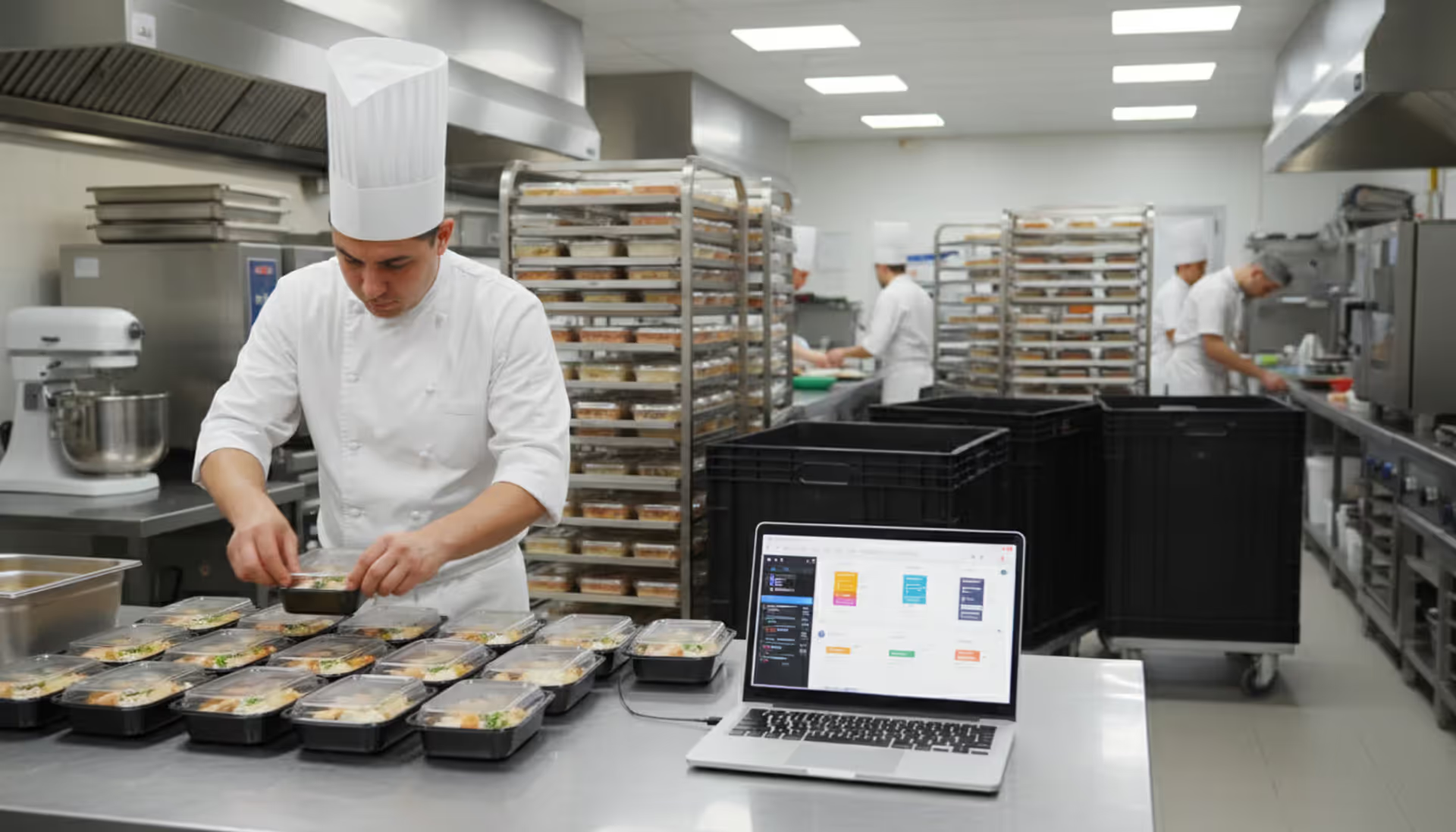
The phone rings while you're elbow-deep in prep for tomorrow's corporate breakfast. It's the bride from last month asking about your availability for her sister's wedding—same Saturday you've already penciled in two other events. Your assistant waves a printed email about a last-minute guest count change for Friday's gala. The refrigerator inventory sheet from this morning is already outdated because your supplier just called about a seafood shortage.
Welcome to catering without proper systems.
Dedicated technology platforms built specifically for catering operations flip this chaos into manageable workflows. Instead of piecing together client preferences from scattered email threads and sticky notes, you'll access complete event histories with dietary requirements, past menu selections, and venue specifications in seconds. The software won't eliminate demanding clients or supply chain headaches, but it will prevent you from showing up to the Riverside Ballroom with equipment meant for the Downtown Convention Center.
What Is Catering Event Management Software?
This technology category occupies unique territory between restaurant point-of-sale systems and standard event booking platforms. Restaurant software assumes customers arrive tonight for immediate service. Event platforms focus on venue scheduling and registration management. Neither addresses what caterers actually face: producing future meals for off-site locations while orchestrating ingredients, equipment, personnel, and client expectations spanning weeks or months.
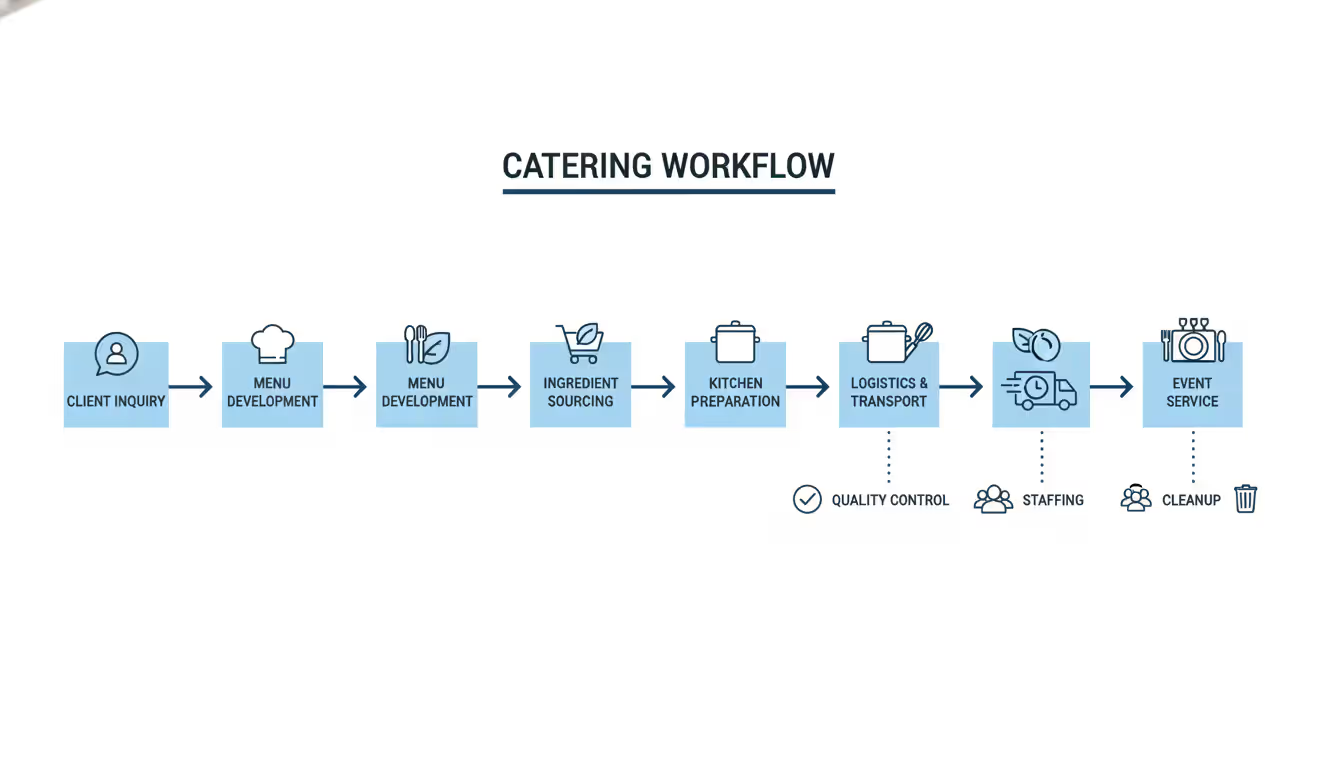
Catering event management software bridges these operational gaps. It connects your initial client inquiry straight through to final invoicing, managing every intermediate step: menu development, ingredient procurement, kitchen production schedules, equipment allocation, transportation logistics, staff assignments, and ongoing client updates.
Author: Sophie Langford;
Source: musiconmainstreet.com
The user base spans diverse hospitality segments. Independent caterers executing 2-10 weekly events. Hotel banquet departments coordinating convention season. Corporate dining services managing daily lunch programs. Country clubs hosting member functions each weekend. Wedding venues operating in-house food service. Event planning companies coordinating catering vendors without owning kitchens themselves.
The catering management system diverges fundamentally from restaurant requirements because the time horizon operates differently. Restaurants optimize for tonight's service flow. Caterers require simultaneous visibility into next month's confirmed bookings, next week's purchasing deadlines, and tomorrow's production timeline. You're managing wildly variable guest counts—anything from intimate dinners for 15 to fundraising galas for 1,500—coordinating with external venues you don't control, and planning transportation and setup logistics restaurants never encounter.
Event food management software also tackles specific complications: calculating salmon portions for an event three weeks away when the final headcount remains fluid, tracking which corporate clients consistently request low-sodium preparations, or remembering that the historic Oak Room venue lacks adequate refrigeration requiring modified cold appetizer timing.
Key Features to Look For
Not every platform addresses the same operational challenges. Here's what distinguishes genuinely helpful tools from those adding complexity without value.
Event Scheduling and Calendar Management
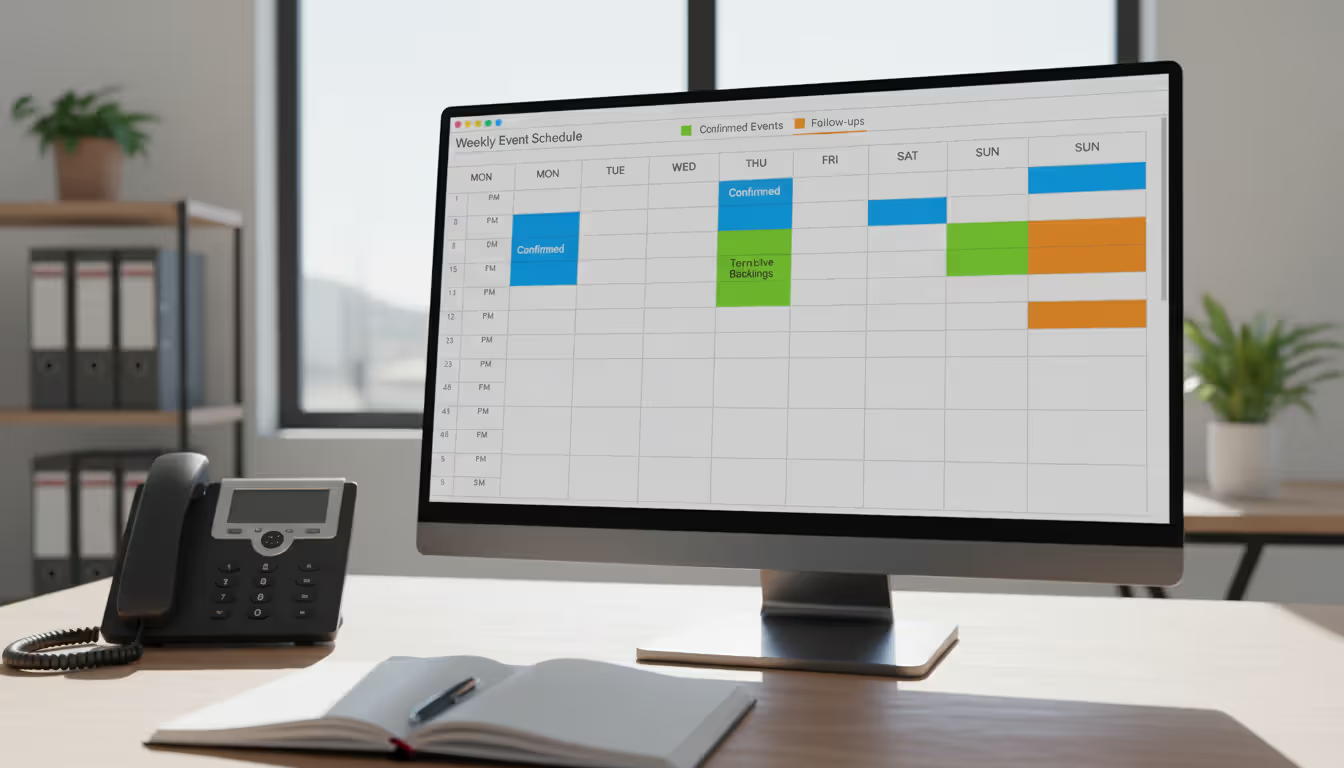
Remember accepting a Saturday booking, then discovering days later you'd already committed that same date to another client? That specific nightmare disappears when your catering event scheduling system actively prevents overlapping commitments rather than passively displaying them after the fact.
Effective calendars show more than event dates alone. They reveal prep days, equipment rental windows, delivery timeframes, and setup periods. When your Saturday evening gala requires Friday afternoon venue access for setup, the calendar blocks that entire window. Many caterers color-code by event category (weddings in blue, corporate in green) or service team assignments to immediately spot resource conflicts.
Superior systems incorporate your actual capacity constraints. Perhaps your kitchen handles three large events or seven smaller ones each weekend. The platform should alert you when inquiries approach these limits during the phone conversation, not after sending a signed contract.
Author: Sophie Langford;
Source: musiconmainstreet.com
Weather integration matters significantly for outdoor events. Advanced storm warnings for lawn receptions provide critical planning advantages.
Menu and Order Customization
Clients rarely request exactly what appears in your standard menu collections. They want the chicken without mushroom sauce, additional plant-based options, or custom appetizers featuring their organization's branding.
Robust hospitality event software lets you duplicate your Italian buffet menu template, substitute three dishes, modify portion sizes, and save everything under "Martinez Anniversary - Custom Italian" without reconstructing from scratch. Recipe scaling happens automatically—when the rehearsal dinner headcount increases from 40 to 52 guests, your ingredient calculations adjust without manual arithmetic.
Allergen tracking grows more critical annually. The system should flag which preparations contain tree nuts, wheat, dairy, or shellfish, then generate filtered reports showing safe options for specific restrictions. One regional caterer we interviewed tracks eight distinct allergen categories plus vegan and kosher requirements, enabling instant menu filtering when clients inquire about dietary accommodations.
Client and Vendor Communication Tools
How often have you spent 20 minutes searching email trying to remember whether the Thompson family wanted chocolate or vanilla cake? Email scatters essential details across countless threads, buried among spam and unrelated messages.
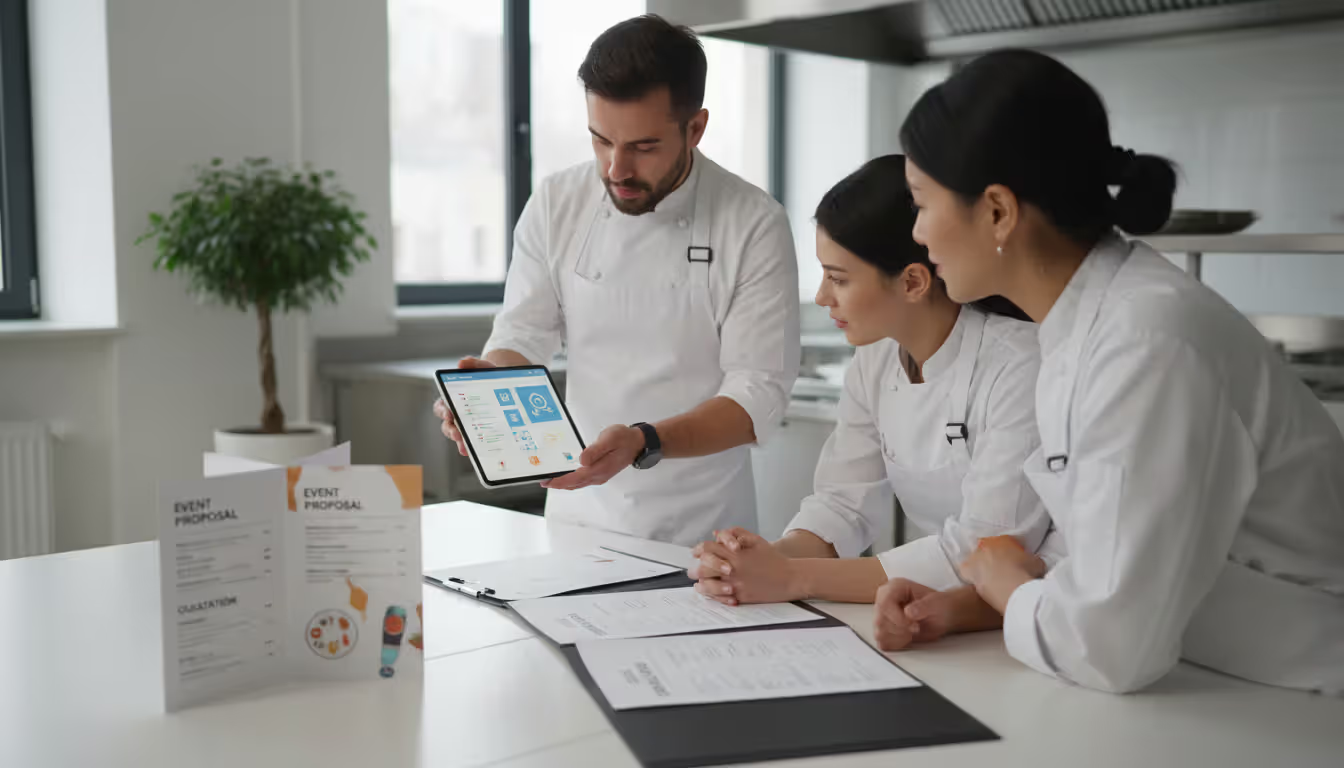
Event planner catering tools consolidate every client conversation, uploaded document, and decision within the event record itself. When you send proposals through the platform, it tracks when clients opened documents, which sections received attention, and when they approved terms—without playing phone tag.
Client portals enable customers to review menu options, submit updated headcounts, and upload seating arrangements on their own schedule rather than only during your business hours. Automated confirmations trigger when you receive deposits, finalize menus, or confirm delivery windows.
For vendor coordination, these same systems transmit purchase orders to regular suppliers and monitor who's confirmed orders, who hasn't responded, and which items are experiencing delays.
Feature
Independent Caterers (1-3 weekly events)
Regional Venues (5-15 weekly events)
Multi-Site Operations (20+ weekly events)
Calendar functionality
Single monthly view displaying bookings and open dates
Shared calendars incorporating equipment and personnel availability
Location-based dashboards with department-specific filtering
Menu libraries
Standard templates that allow client-specific modifications
Complete recipe costing including allergen flags and seasonal pricing
Dynamic pricing that adjusts based on current ingredient costs and location
Client messaging
Email integration combined with basic approval workflows
Automated workflow sequences including electronic signatures
Multi-channel platforms connecting CRM databases, email, text messaging, and customer portals
Inventory controls
Manual counts conducted before major events
Alert-triggered ordering when supplies drop below threshold levels
Real-time supplier integration with automated purchase requisitions
Reporting tools
Basic revenue summaries and booking counts
Per-event profitability analysis and cost breakdowns
Predictive analytics across locations with trend identification
How Catering Software Streamlines Event Planning
Managing a dozen simultaneous events through spreadsheets versus specialized software? The difference becomes painfully obvious around event five, when you discover you've been updating an outdated Excel version.
Consider proposal generation. The traditional approach: copy last month's quote document, manually update every line item price, retype menu descriptions, triple-check arithmetic, export to PDF format, hope you caught every change. With a catering event planner tool: select menu items from your existing database, the system applies current pricing automatically, client information populates from records, PDF generates in three minutes. Client requests changes? Adjust selections, regenerate instantly. Finished.
Calendar conflicts surface immediately rather than becoming unpleasant surprises. When someone inquires about May 14th and your kitchen has already reached maximum capacity for that date, you know during the initial phone conversation—not after sending a contract you'll awkwardly need to cancel.
Client details persist between events. You'll recall that the Thompson wedding requested reduced sodium, the technology company requires detailed invoices for their accounting department, and the annual gala planning committee loved those pancetta-wrapped dates so much they requested them again. These specifics live in searchable databases instead of someone's institutional memory or buried in four-year-old email archives.
Coordinating multiple simultaneous events becomes genuinely manageable when you view every weekend booking on unified screens, identify overlapping equipment requirements, and spot staffing shortfalls before your event director leaves Friday afternoon. Event management platform catering capabilities let you duplicate similar events (every third Thursday lunch delivery for Company X), apply templates to recurring patterns, and identify which prep tasks serve multiple upcoming bookings.
We encountered problems on roughly 40% of events before implementing specialized systems—incorrect guest counts reaching banquet orders, overlooked dietary accommodations, staff arriving an hour late because they received wrong addresses. Six months after deploying dedicated catering software, our error rate fell below 5%. Just the reduction in wasted food and service recovery expenses covered the annual subscription within four months
— Marcus Chen
Venue coordination improves when you distribute banquet event orders digitally, track location-specific requirements (insurance certificates, health department permits, parking instructions), and maintain operational notes about each venue's peculiarities. Does the Riverside Pavilion kitchen provide only warming capacity without full cooking capability? Does the historic mansion restrict equipment delivery to the service elevator before 2 PM? Catering software for events captures these operational nuances so your team arrives prepared instead of improvising solutions on-site.
Choosing the Right Platform for Your Business
Be realistic about what you genuinely need versus what sounds impressive during sales demonstrations. A solo caterer serving backyard graduations requires completely different capabilities than a convention center managing corporate conference season.
Business size influences every decision. Smaller operations benefit from intuitive interfaces and predictable flat-rate pricing structures. Growing caterers need multi-user access with permission controls—you want sales personnel viewing availability and pricing without capability to modify confirmed menus. Larger enterprises require sophisticated analytics, location-based access restrictions, and integration with existing financial infrastructure.
Event types matter more than most operators initially recognize. Wedding specialists need comprehensive client communication (brides expect frequent updates) and detailed timeline coordination. Corporate caterers need rapid proposal turnaround and streamlined modification capabilities. Recurring clients (like weekly executive lunches) need subscription-style management rather than one-off event handling.
Integration requirements frequently determine whether platforms fit your established workflows. Already using QuickBooks? You'll want automatic invoice synchronization rather than manual double-entry bookkeeping. Built your operation around a specific CRM? The catering management system needs seamless connection with that existing database. Many suppliers now offer electronic ordering—integration eliminates manual purchase order creation entirely.
Mobile access shifts from "convenient bonus" to "absolute necessity" once you're coordinating events beyond a single office location. Your event coordinator needs menu details while standing in a venue's prep kitchen. Delivery drivers require setup instructions and emergency contact information. Kitchen managers want to update production status without walking back to desktop computers. Cloud-based platforms with dedicated mobile applications provide superior experiences compared to desktop-only systems requiring VPN connections.
Pricing models vary dramatically across vendors. Per-user subscriptions suit operations with stable headcount but become expensive as teams grow. Flat monthly rates offer budget predictability though may include capabilities you'll never utilize. Transaction-based pricing (percentage of bookings or event revenue) scales with activity levels but feels punitive during peak seasons. One-time perpetual licenses avoid recurring fees but typically exclude regular updates and cloud-based features.
Consider scalability even when immediate growth isn't your primary goal. A system functioning beautifully at 50 annual events might buckle under 200. Will increased volume flow through the same interface, or does it require upgrading to an "enterprise" version with completely restructured workflows? Understanding limitations before loading three years of operational data prevents painful migration projects later.
Customer support quality reveals itself through trial periods and reference conversations. Can you reach knowledgeable humans when something breaks Friday before your largest event? Does the company provide training resources beyond "here's your login credentials"? How frequently do they release updates—and do those updates address real operational problems or just pile on features nobody requested?
Author: Sophie Langford;
Source: musiconmainstreet.com
Common Mistakes When Implementing Catering Software
The most expensive mistake? Selecting banquet management software based on feature quantity rather than genuine workflow compatibility. A platform advertising 47 distinct capabilities sounds impressive until you realize your team actively uses six while struggling through an unnecessarily complicated interface for routine tasks. Begin by identifying your three biggest operational pain points, then prioritize platforms solving those specific problems elegantly.
Skipping proper training guarantees you'll underutilize expensive software investments. Teams default to familiar methods—the trusted spreadsheet, the email archive, the physical wall calendar—unless they understand how new tools make their specific responsibilities easier. Allocate actual time for hands-on practice sessions using realistic scenarios, not just passive video watching. Role-specific training outperforms generic overviews because your sales team requires different knowledge than your kitchen manager requires.
Overlooking integration requirements creates data silos that defeat centralized software's entire purpose. When your accounting system can't communicate with your catering event planner tool, someone manually transfers invoice data between platforms. When your inventory platform won't import purchase orders, you're maintaining duplicate records unnecessarily. Map your complete operational workflow before purchasing anything, identifying every point where data currently transfers between systems.
Underestimating migration timelines leads to rushed implementations and data quality disasters. Transferring years of accumulated client records, menu databases, and vendor information requires more time than vendors typically suggest. Plan for a parallel period maintaining both legacy and new systems while verifying data accuracy before fully committing. Attempting complete weekend switchovers rarely proceeds as smoothly as hoped—usually you discover critical missing data Monday morning when events are imminent.
Excluding operational staff from selection breeds resistance and adoption problems. People actually using software daily—event coordinators, kitchen managers, sales personnel—notice practical limitations executives overlook during polished sales presentations. Include frontline users in product demonstrations and trial evaluations. Their feedback about which interfaces feel intuitive or which workflows seem cumbersome proves more valuable than feature comparison spreadsheets.
Selecting based purely on lowest price typically backfires within months. The cheapest option frequently lacks critical capabilities, offers minimal support resources, or conceals costs in transaction fees and add-on modules. The priciest platform may bundle enterprise features small operations will never employ. Focus on value—the relationship between investment and actual operational utility for your specific business.
Pricing and ROI Considerations
Catering management system pricing follows several common structures. Subscription models range from $50 to $500+ monthly depending on user quantities, feature sets, and event volumes. Entry-level plans typically restrict user counts, limit advanced capabilities like custom reporting dashboards, and may cap monthly bookings. Mid-tier plans ($150-300/month) generally serve small-to-medium caterers with complete feature access. Enterprise pricing often requires custom quotes based on locations, users, and integration complexity.
Per-user pricing adds $15-50 monthly per team member. This model suits small teams initially but expenses compound as you add staff. Some platforms charge per event instead—$5-25 per booking or 1-3% of event revenue. This structure aligns software costs with business activity but makes annual budgeting less predictable.
Author: Sophie Langford;
Source: musiconmainstreet.com
One-time perpetual licenses ($1,000-10,000) eliminate recurring fees but typically require separate payment for updates, support access, and cloud hosting capabilities. These systems increasingly feel dated compared to regularly updated subscription platforms.
Calculating return on investment should account for both obvious savings and hidden efficiency gains. Time savings prove easiest to quantify: if your event coordinator spends 10 hours weekly on manual tasks the software automates down to 2 hours, that represents 8 hours at their hourly compensation rate, multiplied across your entire team and annual operations.
Error reduction delivers measurable returns through prevented waste, avoided refunds, and eliminated rush fees for forgotten orders. Were you previously wasting $200 monthly on ingredient over-ordering from inaccurate projections? That equals $2,400 annually. Lost deposits from double-bookings? Expedited delivery fees fixing overlooked orders? Document those actual costs for comparison.
Increased booking capacity matters significantly for growing operations. Improved organization might enable you to confidently accept 20% more events without adding personnel—calculate that incremental revenue impact. Hospitality event software streamlining proposal generation might accelerate your response to inquiries by 50%, improving conversion rates from inquiry to signed agreement.
Enhanced cash flow results from automated invoicing and payment reminders. Currently chasing overdue payments for 30-60 days? Reducing collection time to 15-30 days through automated follow-ups and online payment options substantially improves working capital position.
Professional presentation value proves harder to quantify but influences client perception significantly. Polished digital proposals, automated confirmations, and organized communication patterns suggest operational competence that justifies premium pricing. Some caterers report professional systems helped them successfully move upmarket toward higher-value clients willing to compensate more for perceived reliability and attention to detail.
Frequently Asked Questions
How long does it take to implement catering event management software?
For small operations with straightforward requirements, expect functional implementation within 2-4 weeks. You'll invest several days entering menu databases, transferring client records, and loading vendor information, followed by another week training personnel and testing workflows with live bookings. Mid-size operations should allocate 1-2 months for complete deployment, including migrating data from legacy systems, configuring custom settings, and training departments sequentially. Enterprise rollouts often require 3-6 months when integrating with existing financial systems, migrating historical data spanning multiple years, and coordinating across numerous locations. Most operations run legacy and new systems simultaneously for at least two weeks before completely transitioning to the new platform.
Can catering software integrate with accounting tools?
Most contemporary platforms connect with widely-used accounting systems including QuickBooks, Xero, and Sage. Integration sophistication varies considerably—basic connections export invoices and payment records, while sophisticated integrations synchronize client data bidirectionally, track expenses per individual event, and update inventory valuations in real-time. Some platforms employ direct API connections for instantaneous syncing, while others depend on scheduled data exports requiring manual import procedures. Before committing to any purchase, verify your specific accounting software version receives support and inquire about integration fees, which range from included functionality to $50+ monthly for premium connections.
Is mobile access important for catering event management?
Mobile functionality transitions from "convenient feature" to "operational necessity" once you're coordinating events beyond a centralized office location. Event coordinators require setup diagrams while physically standing in venue kitchens. Delivery drivers need turn-by-turn directions and emergency contact information. Kitchen managers want to update production status without abandoning their stations to access desktop computers. Cloud-based platforms with purpose-built mobile applications deliver optimal experiences, though responsive web interfaces function adequately for occasional mobile usage. Verify whether mobile access incurs additional charges and whether offline functionality exists for venues with unreliable connectivity. Staff adoption rates improve dramatically when personnel can access critical information wherever they're physically working.
What's the difference between catering software and venue management software?
Venue management software emphasizes space booking, room configurations, and facility scheduling from the property owner's operational perspective. It monitors which ballrooms are reserved on which dates, manages rental fees and contracts, and coordinates facility resources like audiovisual equipment. Catering software centers on food production, menu development, and service logistics from the caterer's operational perspective—managing recipes, ingredients, kitchen production schedules, and off-site service execution. Some venues require both system types: venue software managing their physical spaces and catering software managing in-house food service operations. Integrated platforms exist specifically for venues with exclusive in-house catering, combining both functional sets within unified systems.
How do I train my team on new catering software?
Role-specific training sessions deliver far superior results compared to generic overviews attempting to cover everything for everyone. Train sales personnel on proposal generation and client communication features specifically. Train kitchen personnel on menu planning and inventory tools relevant to their work. Train event coordinators on scheduling capabilities and banquet event order creation. Schedule 2-3 hour hands-on sessions where staff practice realistic scenarios rather than passively watching demonstrations. Create quick-reference guides documenting common tasks specific to each departmental role. Designate "power users" within each department who receive extended training and can field colleagues' questions ongoing. Expect a learning adjustment period of 2-4 weeks where productivity may temporarily decline before improving beyond baseline. Avoid implementing unfamiliar software immediately before your busy season when personnel have minimal mental capacity for absorbing new processes.
Does catering software help with dietary restrictions and allergies?
Quality platforms incorporate allergen tracking that flags menu items containing common allergens including tree nuts, dairy products, gluten, shellfish, and eggs. You can tag individual recipes with relevant allergen information, then generate filtered reports displaying which dishes accommodate specific dietary requirements. Some systems track guest-level restrictions, recording individual requirements and automatically flagging potential conflicts when you assign meal selections. Advanced capabilities include automatic allergen warnings when clients select incompatible menu combinations and functionality to generate allergen identification cards for buffet-style service. This functionality reduces dangerous service mistakes while demonstrating professionalism to clients concerned about guest safety and legal liability. Seek systems that allow customizing allergen categories beyond standard regulatory lists, accommodating less common restrictions like nightshade sensitivities or FODMAP protocols.
Selecting catering event management software demands balancing immediate operational requirements against future growth trajectories. The platform streamlining your current operational chaos might not scale with your business expansion, while the enterprise system boasting every conceivable feature might overwhelm your compact team of three.
Begin by documenting your actual workflow—not the idealized version from your business plan, but the messy operational reality of how information currently flows through your organization. Where do critical details consistently disappear? Which routine tasks consume disproportionate time relative to their value? What recurring mistakes happen despite everyone's genuine best efforts? The appropriate software addresses these specific operational pain points rather than dazzling you with capabilities you'll never actually employ.
Trial periods offer invaluable operational insight that sales demonstrations fundamentally cannot provide. Load genuine client data, create actual proposals for real inquiries, and have your team perform daily tasks using the candidate platform. Friction points that seem trivial in demonstrations become major frustrations after the hundredth repetition. Pay close attention to which system your staff naturally gravitates toward versus which one they circumvent when possible.
Establish realistic expectations for both software expenses and implementation investment requirements. The platform subscription represents only partial total cost—factor in training hours, potential productivity declines during transition periods, and possible custom integration development work. Organizations rushing implementation to minimize transition time often spend subsequent months working around limitations they could have addressed through proper initial setup.
Remember that software addresses process inefficiencies but cannot remedy fundamental business challenges. A platform won't generate demand for your services, differentiate your cuisine quality, or compensate for substandard customer service. It will, however, enable you to deliver consistently excellent experiences at increasing scale, reduce expensive operational errors, and liberate time for strategic initiatives that genuinely grow your business.
The catering industry continues its evolution toward elevated client expectations, compressed margins, and increasingly complex dietary requirements. Managing these mounting demands with outdated tools becomes progressively more difficult each operational year. The question isn't whether to adopt specialized software platforms, but rather which solution aligns optimally with your specific operational model and growth trajectory.
Running athletic events with spreadsheets creates chaos. Sports event management software consolidates registration, scheduling, payments, and communication into unified platforms that reduce administrative burden and improve participant experience for organizations of all sizes
Planning successful nonprofit events requires more than spreadsheets. Modern event management software handles registration, payments, donor tracking, and reporting through unified platforms. This guide compares free vs paid options, essential features, and selection criteria for nonprofits
Picking the right platform to showcase your event can make the difference between a sold-out venue and empty seats. This guide walks through what matters when evaluating event website software, from must-have features to pricing structures, so you can build an event page that converts
Event planning software centralizes registration, ticketing, scheduling, and analytics into one platform. Learn how these tools work, which features matter most, and how to choose the right solution for corporate, social, or hybrid events
The content on this website is provided for general informational and educational purposes only. It is intended to explain concepts related to event management software, ticketing systems, hybrid event platforms, and operational tools for event organisers.
All information on this website, including articles, guides, and examples, is presented for general educational purposes. Outcomes may vary depending on event size, technology choices, and organisational needs.
This website does not provide professional legal, financial, or software advice, and the information presented should not be used as a substitute for consultation with qualified event tech or IT professionals.
The website and its authors are not responsible for any errors or omissions, or for any outcomes resulting from decisions made based on the information provided on this website.