When you run events using separate software from your CRM, you're probably copying registration lists into spreadsheets, manually updating contact records, and losing track of who actually showed up. Linking your event platform directly to Salesforce ends this chaos. Every registration, check-in, and session attended automatically updates the right CRM record. No copy-paste marathons. No mystery contacts. Just clean data flowing where it belongs.
Your sales team sees event participation right next to deal history. Marketing can prove which conferences actually generate pipeline. And you'll finally know whether that $50,000 trade show booth was worth it.
What Is Salesforce Event Management Integration
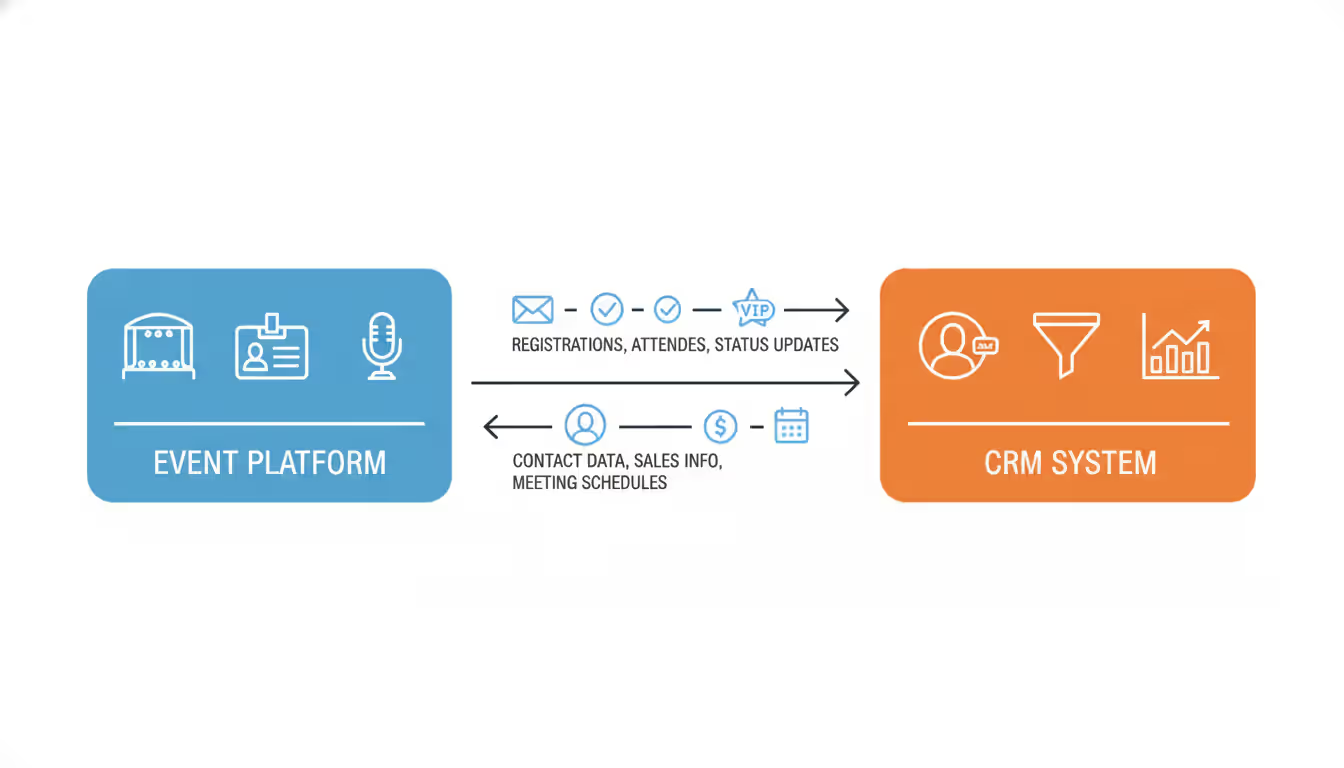
Think of this integration as a bridge between your event software—where people register, get tickets, and check in—and your Salesforce CRM, where you track all customer relationships. Someone signs up for your quarterly webinar through your event platform? That action immediately creates a new Lead in Salesforce (if they're brand new) or updates their existing Contact record (if you already know them).
Here's what makes it bidirectional: changes flow both ways. Mark someone as VIP in Salesforce, and your event platform can automatically upgrade their conference badge. Cancel a deal in Salesforce, and you might trigger a "sorry to see you go" discount for your next user summit.
You've got two main ways to build this bridge. Pre-built native connectors give you the easy button—usually point-and-click setup screens where you authenticate both systems and choose what to sync. Field mapping happens through dropdown menus: "Event platform's 'Full Name' goes into Salesforce 'Contact Name.'" Done in an afternoon, no coding required.
API integrations take more work but give you total control. Your developers write custom code that defines exactly what moves between systems, when it moves, and how it transforms along the way. Need to sync to a custom "Event_History__c" object you built? Want registrations to trigger a complex Apex workflow? API integration makes it possible.
Author: Ethan Marlowe;
Source: musiconmainstreet.com
Consider what happens when someone registers for your product demo. In real-time or near-real-time, Salesforce gets that registration. The lead score jumps 15 points. The territory rep gets a Slack notification (via a workflow you've set up). That contact automatically joins a drip campaign sending pre-demo prep materials. All before you've had your second coffee.
Salesforce event management capabilities out-of-the-box? Pretty limited, honestly. Standard campaigns let you mark people as "Member - Registered" or "Member - Attended," but you're missing the actual registration page, ticketing system, check-in app, and everything attendees interact with. That's why integration with specialized event platforms matters—you get purpose-built event tools working in harmony with your CRM, not trying to force Salesforce to be something it wasn't designed for.
Key Features of Event CRM Integration
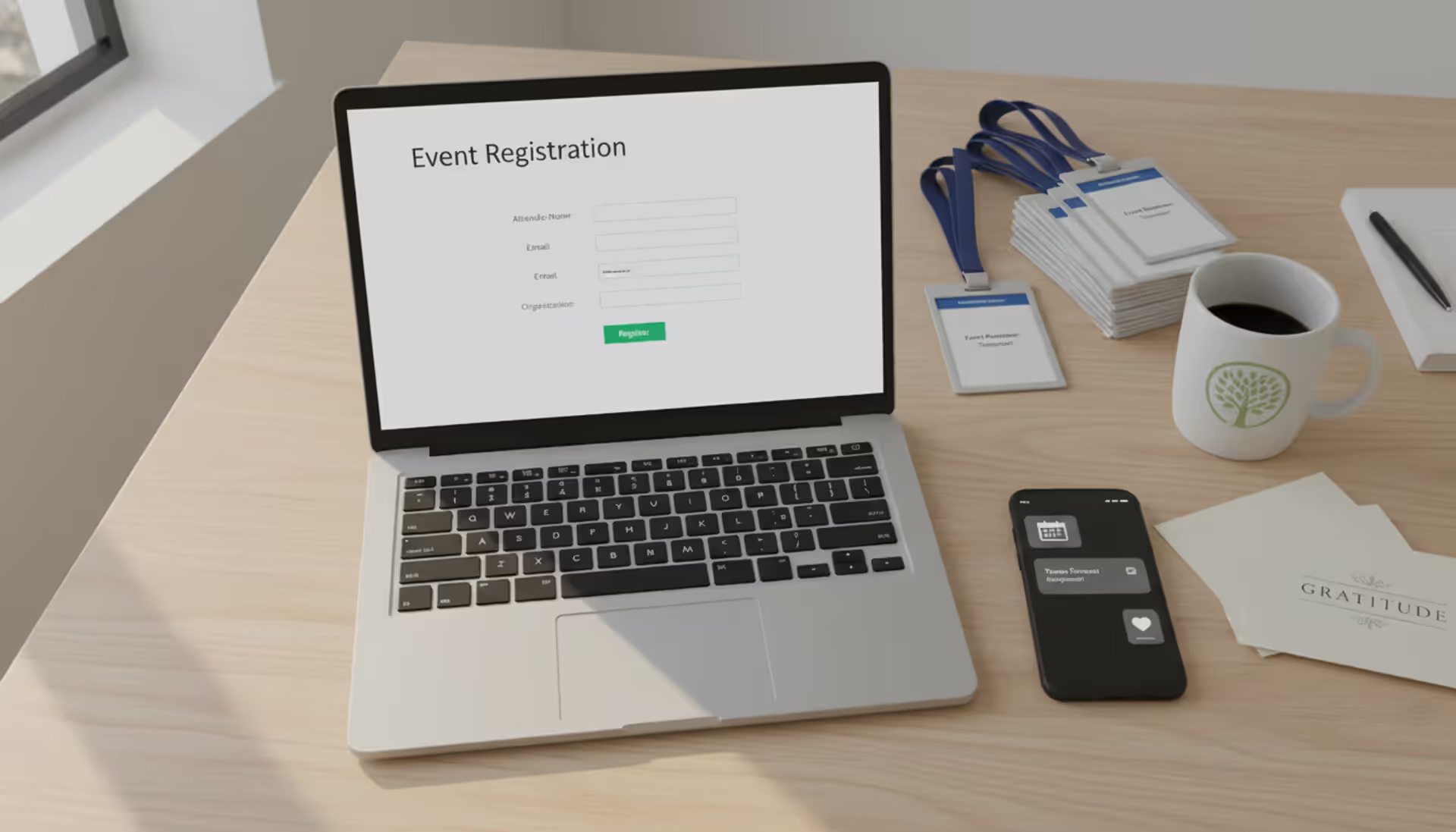
The moment someone fills out your registration form, your event registration crm sync kicks in. The system looks for an existing Salesforce record with that email address. Found one? Updates it with new info (maybe they changed companies since last year's event). No match? Creates a fresh Lead record. Either way, Salesforce now reflects their registration within seconds.
Author: Ethan Marlowe;
Source: musiconmainstreet.com
What if the registration form asks 47 questions? You decide what syncs. Company name, job title, industry? Sure, those update Salesforce. T-shirt size and dietary restrictions? Probably keep those in your event platform. Smart field mapping means relevant business data enriches your CRM while operational details stay where they're useful.
Throughout the event lifecycle, status updates keep flowing. Someone registers on Monday—Campaign Member record created with "Registered" status. They check in Thursday morning—status changes to "Attended." They skip the afternoon sessions—you can track that granularity too if you want. Multi-track conferences get interesting: you see exactly which breakout sessions each person chose. Did they attend "Advanced API Integration" and "Enterprise Security Features"? That tells you something about their technical sophistication and buying intent.
Event data management at this level powers surgical follow-up. Your SDR team gets a filtered list: "Attended keynote, visited our booth for 8+ minutes, downloaded the pricing guide, works at accounts over 500 employees." That's not a cold lead—that's someone to call immediately.
Marketing automation triggers make this data actionable. No-shows automatically get an email with the recording link. Someone who attended but didn't book a follow-up meeting? They enter a nurture track over the next two weeks. VIP attendees from your top 50 target accounts? Executive team gets a personal thank-you note, and account owners receive enriched notes about who attended from their accounts.
Custom field mapping handles your unique quirks. Maybe you track "Product_Interest__c" with values like "Analytics," "Automation," "Integration." Map session attendance to update that field—someone who attended three analytics sessions clearly has analytics interest. Or sync registration source to understand whether LinkedIn ads or partner promotions drove signups.
The game-changer was seeing event behavior alongside everything else. We discovered accounts sending four or five people to our user conference had 3x higher renewal rates. We spotted buying committee patterns—technical evaluator attends in April, economic buyer shows up in October. None of that was visible when event data lived in Cvent and never touched Salesforce
— Sarah Chen
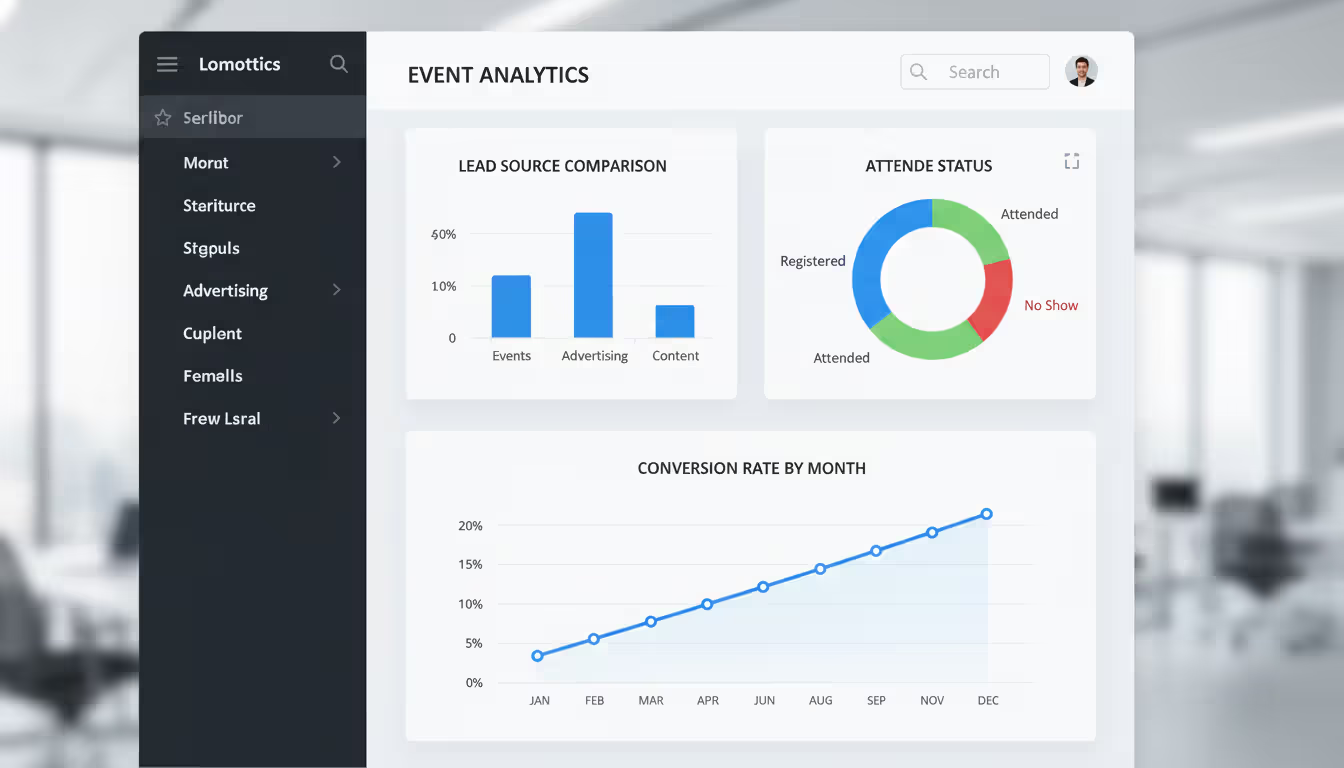
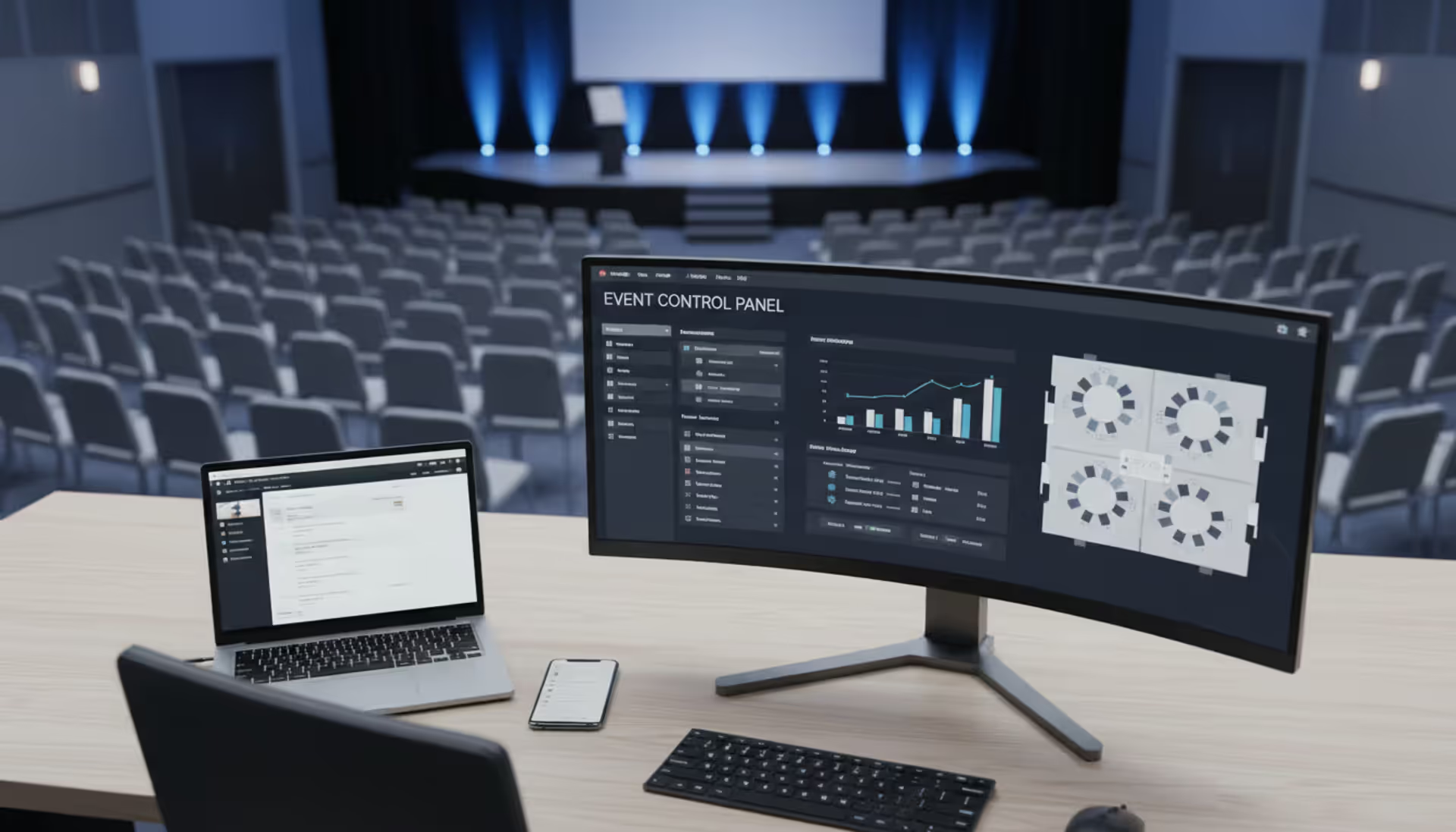
Reporting transforms when event marketing crm integration puts event metrics in standard Salesforce reports. Build a dashboard showing pipeline by lead source, and "Q2 Industry Summit" appears right next to "Google Ads" and "Content Downloads." Compare conversion rates: do webinar attendees close faster than whitepaper downloaders? Your Salesforce reports now answer that.
How to Connect Event Management Software to Salesforce
Before touching any settings, write down what you actually need. Which event data points matter for sales and marketing decisions? Where do they belong in Salesforce? What should trigger a sync—every registration instantly, or batched hourly?
Most teams need: contact info (obvious), registration timestamp (for lead response time), attendance confirmation (to prioritize follow-up), and maybe session choices (to gauge interest depth). You probably don't need every form field—skip the checkbox about "May we contact you about future events?" unless it feeds into your consent management process.
Native Integration vs API Connections
Native connectors are pre-built by your event platform vendor specifically for Salesforce. Look in Salesforce AppExchange or your event software's integrations page—you'll find something like "Salesforce Connector" with an Install button. Click through, authenticate your Salesforce org (using OAuth, not your password), select what to sync, map a dozen or so standard fields, test with a few records, and you're live. Half a day's work, tops.
What you get: registration data creates Leads or Campaign Members, attendance status updates automatically, basic field mapping between standard fields. What you don't get: syncing to custom objects you built, conditional logic (like "only sync registrations from paid ticket types"), or complex transformations ("combine Event_Name and Session_Title into a single Comments field").
Native connectors work great when your needs align with what the vendor anticipated. Syncing webinar registrations to Salesforce campaigns? Perfect use case. Trying to sync session attendance to a custom Event_Engagement__c object with 12 custom fields tracking interaction types? You'll hit limitations fast.
Event software api integration through custom development handles those edge cases. Your developers use Salesforce's REST API (modern, JSON-based, preferred for new integrations) or SOAP API (older, XML-based, still fully supported) to build exactly the integration you need. They write code that authenticates, queries your event platform's API for new registrations, transforms the data however you want, and creates or updates Salesforce records with precise field mappings.
This flexibility has costs. Development time: two to eight weeks depending on complexity. Ongoing maintenance: APIs evolve, authentication tokens expire, both platforms release updates that might break your custom code. You need someone who understands both systems' APIs, can handle error scenarios gracefully (what happens when Salesforce is down for maintenance?), and will monitor integration health long-term.
Middleware platforms split the difference. Event integration tools like Zapier, Workato, or MuleSoft provide visual workflow builders that connect to both systems without writing code from scratch. They have pre-built "recipes" or templates—"When someone registers in Eventbrite, create a Salesforce Lead"—that you customize. You get more flexibility than native connectors (conditional logic, multi-step workflows, connection to multiple systems) without building everything from zero.
Zapier costs $20-600/month depending on task volume. Workato starts around $10,000/year. MuleSoft runs enterprise pricing ($50,000+). Choose based on integration complexity and how many different systems you're connecting (middleware excels when you're integrating five or ten platforms, not just two).
Setting Up Your First Integration
Create a dedicated Salesforce integration user. Don't use your personal account or your CEO's admin account. Set up "Integration User - Events" with API enabled, permission to create/edit Leads, Contacts, and Campaign Members, but nothing more. When this user creates records, audit logs clearly show it came from the integration. When Sarah from marketing leaves, the integration keeps working.
Authentication should use OAuth 2.0, period. Your event platform will display a "Connect to Salesforce" screen, redirect you to Salesforce login, ask you to authorize access, then exchange secure tokens in the background. Those tokens can be revoked and rotated without password changes. Compare to the old approach—entering your Salesforce password directly into a third-party system—and you'll see why OAuth matters for security compliance.
Field mapping requires careful thought. Email as the matching key makes sense—it's unique and stable. First Name maps to FirstName. Company maps to... wait, in Salesforce that might be Account.Name for Contacts or Company for Leads. You decide based on whether you're creating Leads or Contacts. Job title seems straightforward until someone's registration form says "Chief Revenue Officer" and your Salesforce picklist only has "VP of Sales" and "Sales Director" as options. Data type mismatches (syncing a date to a text field) cause silent failures or data truncation you'll discover months later.
Test in sandbox first. Salesforce sandboxes are copies of your production org specifically for testing changes. Connect your integration to sandbox, register yourself for a fake test event, verify the Lead appears correctly, update that Lead's email in Salesforce and confirm it syncs back (if bidirectional), then register 50 fake attendees to test batch processing. Only after sandbox testing should you point the integration at production.
Campaign setup matters for event integrations. Create your "Q3 User Conference" campaign in Salesforce before enabling registration sync. Define campaign member statuses: "Invited," "Registered," "Waitlisted," "Attended," "No-Show." Set the default status to "Registered" so new members automatically get the right starting point. If you track campaign influence for ROI reporting, you'll want these campaigns properly configured from day one.
Popular Event Platforms That Integrate with Salesforce
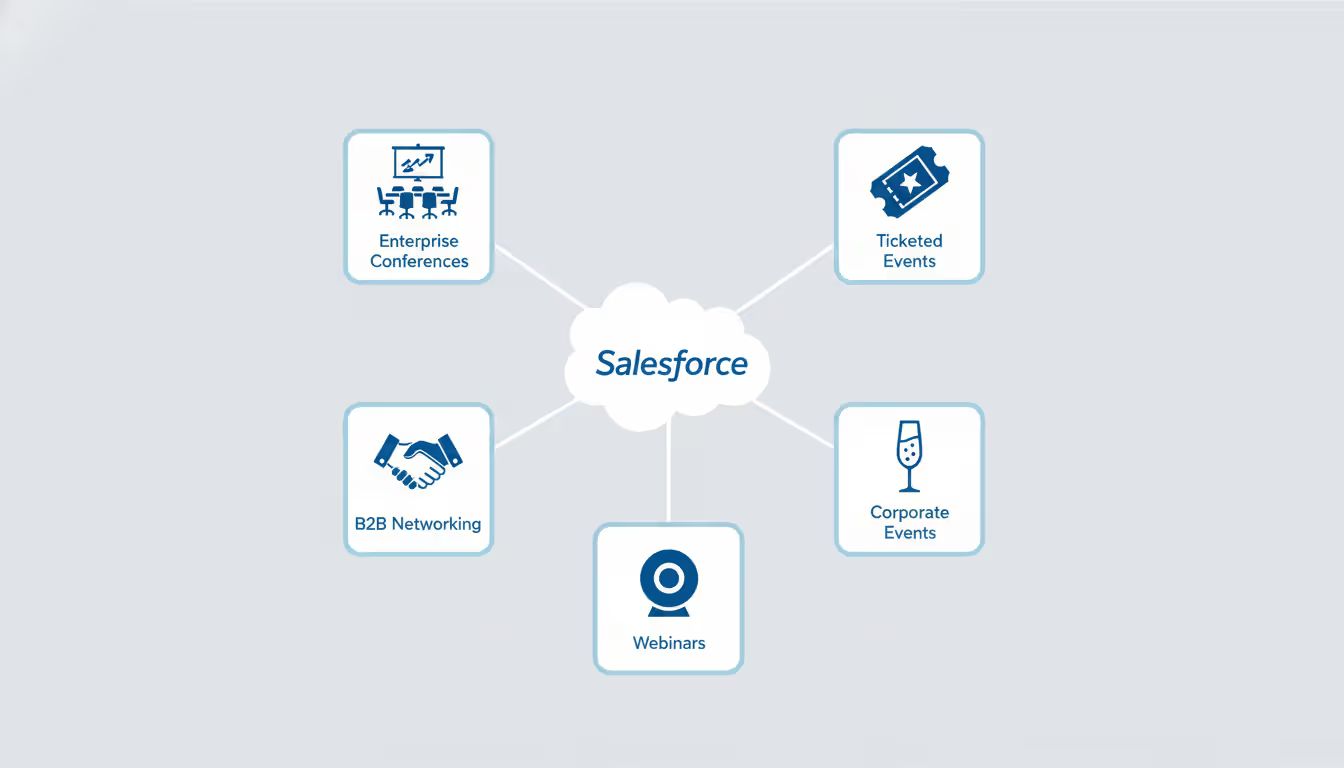
Different platforms excel at different event types and offer varying integration depth.
Cvent dominates the enterprise conference space for good reason—their Salesforce integration syncs an incredible amount of detail. Beyond basic registration, you get booth visit timestamps (how long did this prospect spend at your booth?), session-by-session attendance (which talks did they prioritize?), exhibitor appointment scheduling, and custom survey responses. Setup takes more time because you're mapping potentially dozens of fields, but the payoff is comprehensive visibility. If you're spending $200,000 on a trade show presence, you want that depth.
Eventbrite built their AppExchange connector for simplicity. Install takes maybe 30 minutes. You're syncing core data—who bought what ticket type, did they show up, when did they purchase. It won't sync which specific sessions they attended at your multi-track conference (Eventbrite isn't really built for complex agendas anyway), but for community events, fundraisers, or public workshops, that simplicity is a feature, not a bug.
Bizzabo focuses on engagement beyond attendance. Their integration sends a numerical engagement score based on how actively someone participated—app logins, messages sent to other attendees, business cards exchanged via the app, poll participation. Sales teams love this because it separates badge-scanners who wandered past your booth from genuinely engaged prospects who sought out your team. That event management software salesforce integration depth helps prioritize post-event outreach.
ON24 and similar webinar platforms sync behavioral signals particularly well. You don't just know someone attended your webinar—you know they watched 47 of 60 minutes, downloaded two resources, asked a question in chat, and clicked through to your pricing page. Those actions paint a picture of interest level that basic attendance can't match.
Author: Ethan Marlowe;
Source: musiconmainstreet.com
Event Data Management Best Practices
Duplicate records are the enemy. Before syncing your first event, configure Salesforce duplicate rules. Set a rule that blocks creating a new Lead if a Contact already exists with that email address. Consider fuzzy matching on company names—"International Business Machines Corporation" and "IBM" should trigger a duplicate warning even though they're not exact text matches.
Your event registration forms create duplicates if you're not careful. Someone registers with their personal Gmail account even though they're already in your CRM under their work email. Or they type "Acme Corp" in the company field when your Salesforce Account is named "Acme Corporation." Solutions: require corporate email domains for B2B events (block Gmail, Yahoo, etc. at registration), implement autocomplete on company fields that suggests existing Salesforce Account names, or use email verification that warns "we already have you on file as jennifer.smith@acme.com—is that you?"
Event data management segmentation gets powerful when you combine sources. Standard Salesforce report: "All Contacts who attended Q3 Summit AND work at Enterprise accounts (>1,000 employees) AND have no associated Opportunity in the last 12 months." That's a prioritized list of warm prospects from major companies who showed interest but aren't actively engaged with sales. You couldn't build that report if event data lived in a separate system.
Privacy compliance isn't optional anymore. GDPR requires explicit opt-in for marketing communications in EU countries. CCPA gives California residents the right to know what data you're collecting. When someone registers for your event, capture their consent status clearly—did they check "Yes, send me product updates" or not? Sync that field to Salesforce and honor it. Don't add a "no" to your monthly newsletter just because they attended a webinar. The fines aren't worth it (up to €20 million under GDPR), and neither is the reputation damage.
Sync frequency depends on urgency and API limits. Real-time syncing (registration triggers immediate Salesforce update) makes sense for high-value events where sales needs to call registrants the same day. But real-time burns through API calls quickly. Salesforce enforces daily API limits based on license type—Professional edition gets 1,000 calls per day, Enterprise gets 5,000, Unlimited gets 20,000. A real-time integration making API calls for every registration, update, and attendance check-in can hit those limits during large events.
Batch syncing (hourly or daily scheduled jobs) reduces API consumption. Instead of 1,000 separate API calls for 1,000 registrations, a batch job might make 10 calls to process all of them. The trade-off is latency—sales might not see new registrations for an hour or a day. For most events, hourly batches strike a good balance.
Archive old event data before it becomes clutter. Campaign Members from your 2019 conference still provide valuable historical context, but do they need to appear in every report and dashboard built today? Salesforce report performance degrades as data volume grows. Consider archiving campaigns older than 24 months to a data warehouse or exporting to external storage. You can always retrieve historical data when needed, but daily operations stay fast.
Common Integration Mistakes to Avoid
Field mapping errors compound over time. I've seen integrations mapping a checkbox field (true/false) to a text field (255 characters), which technically works but stores "true" or "false" as strings. Then someone builds a workflow using "Field equals TRUE" (boolean), which never matches because the field contains "true" (text string). Six months later, they discover 3,000 records with broken automation. Match data types exactly: picklist to picklist, date to date, number to number.
Character limits cause silent data loss. Your event platform allows 500 characters in the "Special Requests" field. You map it to a Salesforce text field that allows 255 characters. Registrants who write detailed dietary restriction explanations (character count: 380) get truncated at 255 characters mid-sentence. Nobody notices until a severe allergy isn't accommodated because the critical details got cut off. Verify target fields can hold the maximum source data before going live.
Over-syncing wastes resources and creates noise. Not every event platform field needs a corresponding Salesforce field. Meal preferences, t-shirt sizes, parking pass selections, accessibility requirements—these matter for event logistics but probably don't inform sales strategy. Keep them in your event platform. Sync data that changes how you sell or market: job title, company size, product interests, engagement signals. Every synced field is another field cluttering page layouts and another field to maintain.
Automation rule disasters happen when bulk imports trigger workflows designed for individual records. You've got an assignment rule that routes new Leads to territory reps based on state. Works great for normal lead flow (5-10 new leads per hour). Then you sync 2,000 conference registrations in a two-minute batch. Suddenly every rep in the Eastern territory gets 147 lead assignment notifications simultaneously. Email servers choke. Reps are furious. Avoid this by temporarily disabling assignment rules before bulk syncs, or adding criteria to those rules like "Lead Source does NOT contain 'Conference.'"
The terms crm ticketing software and salesforce ticketing system cause confusion because "ticketing" means different things. In event platforms, "tickets" are access passes—your conference registration ticket. In CRM, "tickets" are support cases—"Ticket #4782: Customer can't log in." These aren't interchangeable. Don't map event ticket types to Salesforce Cases. Cases track customer service issues requiring resolution. Event tickets belong as Campaign Members or custom Event_Registration__c objects. Keep these concepts separate.
Testing with tiny datasets hides performance problems. Your integration works fine with 10 test registrations. Then your annual conference draws 5,000 attendees, registration sync takes six hours, times out repeatedly, and hits Salesforce governor limits. Load test before going live: sync at least the maximum volume you expect for your biggest event. If your largest conference gets 3,000 attendees, test with 4,000 records to have headroom.
User training determines whether integrated data actually gets used. Technical success (data flowing correctly) means nothing if sales reps don't know the "Event History" related list exists on Contact records. Conduct training showing where event data appears, which reports to run for follow-up lists, and what engagement metrics mean. Create a quick reference guide: "Engagement Score 80+ = hot lead, call within 24 hours. Score 40-79 = warm lead, email nurture. Score <40 = attended but disengaged, low priority."
Author: Ethan Marlowe;
Source: musiconmainstreet.com
Measuring ROI from Event Integration
Campaign influence tracking shows how events contribute to deals. Enable Salesforce's campaign influence feature (Setup > Campaign Settings > Campaign Influence). When an opportunity closes, Salesforce looks at all campaign members associated with contacts on that opportunity. Attended your user conference in May? That campaign gets influence credit when the deal closes in August.
Attribution models determine how credit distributes. First-touch gives 100% credit to the campaign that created the lead. Last-touch credits whichever campaign happened right before opportunity creation. Even-split distributes credit equally across all campaigns. Position-based (U-shaped or W-shaped) weights the first and last touchpoints more heavily. Time-decay gives more credit to recent touchpoints.
Events typically perform better under models that recognize multiple touchpoints rather than single-attribution approaches. A prospect might discover you through paid search (first touch), attend a webinar (mid-funnel engagement), then request a demo (last touch before opportunity creation). Even-split or position-based models credit all three, while first-touch only credits the ad and ignores the webinar that actually educated and warmed the lead.
Conversion metrics at each funnel stage reveal event quality. Calculate what percentage of registrants become marketing-qualified leads (maybe 25% for public webinars, 60% for exclusive executive roundtables). What percentage of attendees convert to opportunities (10% industry average, but varies widely)? What's the win rate for opportunities that include event attendees versus those without event touchpoints (you might find event-influenced deals close at 35% versus 22% for non-event deals)?
Compare across event types to optimize your mix. Maybe in-person regional roadshows generate fewer total leads than webinars (200 attendees versus 800), but convert at triple the rate (30% versus 10% MQL conversion). The roadshow might deliver more qualified pipeline despite lower raw attendance. That insight shifts budget allocation.
Velocity analysis answers "do events accelerate deals?" Calculate average sales cycle length for opportunities where associated contacts attended events versus those with no event touchpoints. Pull this report: "Average Days to Close for Opportunities with Campaign Member on Account vs. Without." Many B2B companies find events shorten sales cycles by 15-40%—face-to-face relationship building and hands-on product experience compress the evaluation phase.
Engagement depth correlates with outcomes if your integration syncs granular behavior. Analyze session-level attendance: do attendees who participate in technical deep-dives convert at higher rates? Maybe you discover attendees of your "Enterprise Implementation Best Practices" session close at 45%, while "Industry Trends Keynote" attendees close at 18%. That informs future agendas—double down on technical content that attracts serious evaluators.
Cost per qualified lead benchmarking compares channels. Event costs are transparent: venue ($15,000), catering ($8,000), booth ($12,000), travel ($6,000), staff time (5 people × 3 days × $500/day = $7,500), total = $48,500. You generated 180 registrations, of which 95 became MQLs. Cost per MQL = $510. Compare to Google Ads ($85/MQL), content marketing ($42/MQL), partner referrals ($190/MQL). Events look expensive until you examine close rates—if event-sourced MQLs close at 2x the rate of content MQLs, the higher acquisition cost is justified.
Revenue attribution with multi-stage models is enabled by having all campaign touchpoints in Salesforce. Build a report showing Closed-Won revenue by influenced campaign. Sort descending. Your Q2 User Summit might show $1.2M in influenced revenue from $75K event spend—16x return. But verify the attribution window makes sense (counting influence from 18 months ago probably over-credits), and be honest about assisted versus primary attribution.
Executive dashboards surface event impact where it gets noticed. Build a Salesforce dashboard showing total pipeline from event campaigns (sum of opportunity amounts), revenue attributed using your chosen model, number of event-sourced opportunities by stage, and trending over time (are events generating more pipeline each quarter?). Pin this dashboard next to your other marketing channel dashboards so event performance is visible in every pipeline review.
FAQ
Does Salesforce include built-in event management features?
Salesforce Campaigns can track member status and represent event attendees, but you're missing the registration website, ticketing workflows, check-in applications, badge printing, attendee mobile apps, and everything participants actually interact with. Some Salesforce products (Pardot, Marketing Cloud) offer basic event registration forms, but even these benefit from specialized platforms for complex multi-day conferences or large-scale webinar programs. Think of Salesforce as the system of record for relationships and deals, not as your front-end event experience tool.
What's the typical cost for Salesforce event integration?
Native connectors from event platforms usually bundle Salesforce connectivity into mid-tier subscriptions—figure $200-$2,000 monthly depending on event volume and platform features. The sync itself doesn't cost extra beyond your event software subscription. Custom API integrations require developers, running $5,000-$25,000 for initial build based on complexity, plus ongoing maintenance (budget 10-20% annually). Middleware platforms charge $50-$600 monthly for simple scenarios (Zapier) or $10,000-$50,000+ annually for enterprise integration platforms (MuleSoft). Don't forget Salesforce API limits—high-volume events might push you toward pricier Salesforce editions with larger API allocations.
Can I measure event ROI through Salesforce after integrating?
Absolutely—that's half the point. Campaign influence features show how much pipeline and revenue trace back to event touchpoints. Build reports comparing opportunity close rates between event attendees and non-attendees. Calculate cost per opportunity by event type. Measure velocity changes for event-influenced deals versus others. The key requirement is proper campaign setup with costs entered, influence settings configured, and campaign members associated with opportunities. Custom reports then slice the data however you need: ROI by event, by region, by attendee segment, trending over time.
Which data typically syncs between event platforms and Salesforce?
Standard fields include contact details (name, email, company, job title), registration status, confirmation timestamp, ticket type or access level, and attendance confirmation. More advanced syncs capture session attendance for multi-track agendas, engagement scores based on app activity, survey responses, booth visit duration at trade shows, networking connections made through event apps, and custom question responses from registration forms. The exact fields available depend on your event platform's capabilities and your integration configuration. You control which fields actually sync—just because your platform can send 50 fields doesn't mean you should clutter Salesforce with all of them.
What's a realistic timeline for setting up event integration?
Native integrations with standard requirements take about 2-4 hours for configuration—authenticating both systems, mapping common fields like name and email, testing with sample data. More complex native setups involving custom fields, multiple object syncing, or workflow automations might need 1-2 full days. Custom API integrations require 2-8 weeks depending on requirements, developer availability, and how much unique business logic you're implementing. Add testing time regardless of approach—at least a week testing in sandbox before going live. Start integration setup minimum two weeks before your first event to allow proper testing with realistic data volumes.
Do you need a developer for event-Salesforce integration?
Native integrations from major platforms (Eventbrite, Cvent, Bizzabo, ON24) don't require developers for basic setup. Marketing ops professionals with Salesforce admin skills can handle authentication, field mapping, and standard configurations through point-and-click interfaces. You might want developer help for complex scenarios: syncing to custom objects, implementing conditional sync rules, or building Apex triggers that fire based on event data. Custom API integrations definitely need developer expertise in both Salesforce APIs and your event platform's API. Middleware tools reduce but don't eliminate the technical skill requirement—you still need someone who understands data mapping, error handling, and integration monitoring.
Linking event management software to Salesforce converts isolated marketing activities into measurable pipeline drivers with complete visibility into attendee journeys. The connection eliminates hours of manual data entry, enriches contact profiles with behavioral signals that sales can actually use, and powers sophisticated segmentation that marketing has been asking for.
Success starts with choosing an integration approach that matches your technical resources and business complexity. Map data fields carefully to maintain quality without creating clutter. Implement duplicate prevention and automation safeguards before problems emerge. Test thoroughly in sandbox environments before touching production data.
The technical integration is just infrastructure. Real value appears when sales reps actually check event history before calls, when marketers segment based on session attendance patterns, and when executives see event-influenced pipeline in board presentations. Start with clear objectives about which event signals matter most, test beyond toy datasets, and train teams to leverage the unified view you've created.
Your events generate valuable data about who's interested, how engaged they are, and what topics resonate. Salesforce integration ensures that intelligence informs every subsequent interaction instead of sitting unused in an export file somewhere.
Running athletic events with spreadsheets creates chaos. Sports event management software consolidates registration, scheduling, payments, and communication into unified platforms that reduce administrative burden and improve participant experience for organizations of all sizes
Planning successful nonprofit events requires more than spreadsheets. Modern event management software handles registration, payments, donor tracking, and reporting through unified platforms. This guide compares free vs paid options, essential features, and selection criteria for nonprofits
Picking the right platform to showcase your event can make the difference between a sold-out venue and empty seats. This guide walks through what matters when evaluating event website software, from must-have features to pricing structures, so you can build an event page that converts
Event planning software centralizes registration, ticketing, scheduling, and analytics into one platform. Learn how these tools work, which features matter most, and how to choose the right solution for corporate, social, or hybrid events
The content on this website is provided for general informational and educational purposes only. It is intended to explain concepts related to event management software, ticketing systems, hybrid event platforms, and operational tools for event organisers.
All information on this website, including articles, guides, and examples, is presented for general educational purposes. Outcomes may vary depending on event size, technology choices, and organisational needs.
This website does not provide professional legal, financial, or software advice, and the information presented should not be used as a substitute for consultation with qualified event tech or IT professionals.
The website and its authors are not responsible for any errors or omissions, or for any outcomes resulting from decisions made based on the information provided on this website.