Managing support requests through email threads and spreadsheets creates chaos. Teams lose track of who's working on what, customers repeat themselves across multiple channels, and urgent issues get buried under routine questions. A cloud based ticketing system solves these problems by centralizing all support interactions in one accessible platform.
What Is a Cloud Based Ticketing System
A cloud based ticketing system is software that tracks, organizes, and manages customer or employee support requests through a centralized platform hosted on remote servers. Instead of installing software on local computers, users access the system through web browsers or mobile apps, with all data stored in the cloud provider's infrastructure.
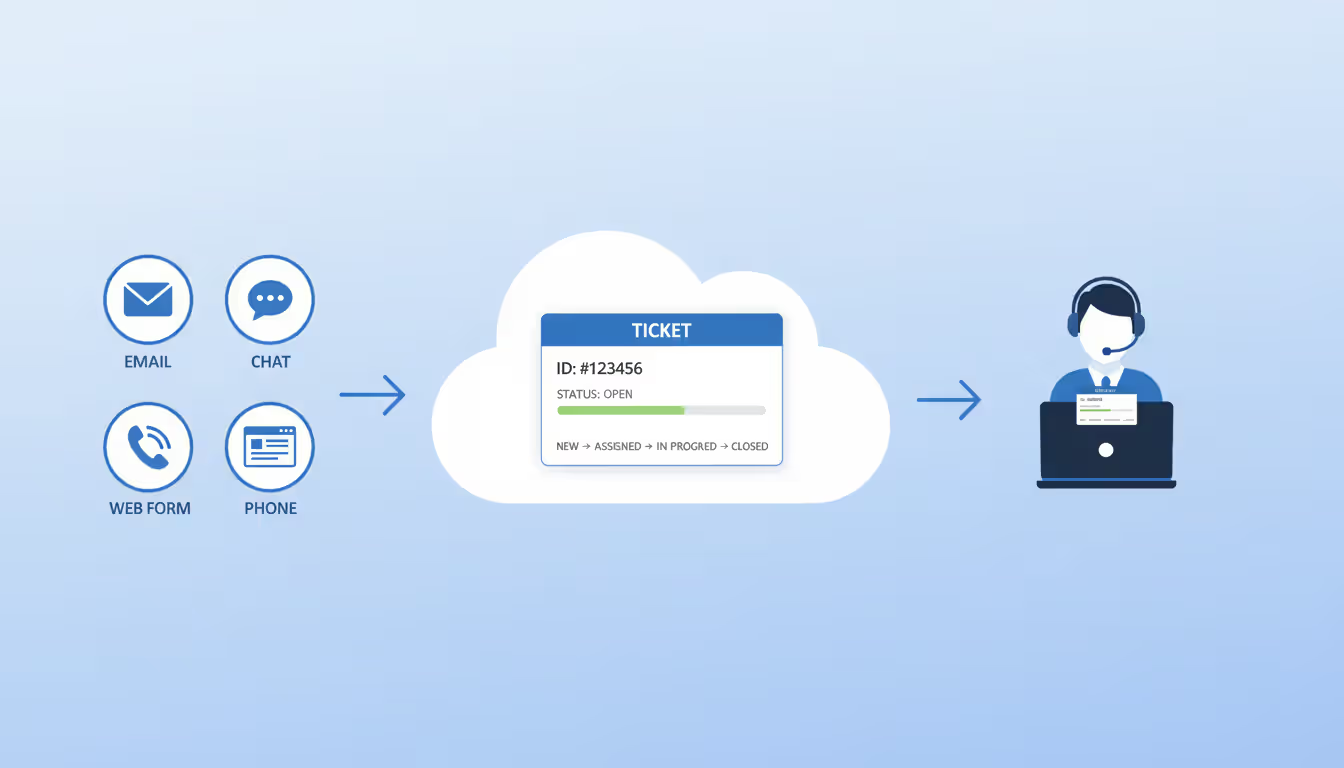
The core functionality revolves around converting support requests—whether from email, chat, phone, or web forms—into trackable tickets. Each ticket contains the requester's information, issue description, priority level, assigned agent, and a complete history of all interactions. This creates accountability and prevents requests from falling through the cracks.
A saas ticketing system operates on a subscription model where the vendor handles all technical infrastructure, security updates, and maintenance. You pay a monthly or annual fee per user or ticket volume, and the vendor ensures the system stays operational. This differs fundamentally from traditional software where you purchase a license upfront, install it on your servers, and manage everything yourself.
The most common use cases span IT support departments handling internal employee requests, help desks managing technical troubleshooting, and customer service teams responding to product questions or complaints. A healthcare organization might use one system to track equipment maintenance requests, while a software company uses another to manage bug reports and feature requests.
What separates modern cloud-based systems from simple email is automation. Rules can automatically assign tickets based on keywords, escalate unresolved issues after set timeframes, or route billing questions to finance and technical problems to engineering. This intelligence layer transforms reactive support into a structured workflow.
How Cloud Ticketing Software Works
Cloud ticketing software runs entirely on the vendor's servers, accessed through standard web browsers like Chrome, Firefox, or Safari. No installation is required—users simply navigate to a URL, log in with credentials, and start working. Most platforms also offer native mobile apps for iOS and Android, letting agents respond to tickets from smartphones or tablets during commutes or off-hours.
The ticket lifecycle begins when a customer or employee submits a request. This might happen through a self-service portal where they fill out a form, an email sent to a designated support address, a live chat conversation, or even a phone call that an agent manually logs. The system automatically creates a ticket record with a unique ID number.
Author: Sophie Langford;
Source: musiconmainstreet.com
Once created, the ticket enters a queue where it's either manually assigned to an agent or automatically routed based on predefined rules. An agent claims the ticket, investigates the issue, and responds to the requester. All communication—back-and-forth messages, internal notes between team members, attachments—gets appended to the ticket record, creating a complete audit trail.
As work progresses, agents update the ticket status: "new," "in progress," "waiting on customer," "escalated," or "resolved." The requester receives notifications at each stage, typically through email, reducing the "what's the status?" inquiries that clog support channels. When the issue is fully resolved, the agent closes the ticket, and many systems automatically send a satisfaction survey.
Integration capabilities distinguish basic systems from powerful ones. A quality online ticketing platform connects with CRM software to display customer purchase history, links to knowledge bases for quick article suggestions, syncs with Slack or Microsoft Teams for real-time agent notifications, and pushes data to analytics tools for performance reporting. APIs enable custom integrations with proprietary business systems.
The architecture behind this is straightforward: the vendor maintains server farms in multiple geographic locations, ensuring redundancy if one data center fails. They handle database backups, security patches, and capacity scaling as your ticket volume grows. You simply consume the service through your internet connection.
Cloud vs Self Hosted Ticketing Systems
The deployment model you choose affects costs, control, and responsibility for years to come. Understanding the trade-offs prevents expensive mistakes.
Key Differences in Deployment and Maintenance
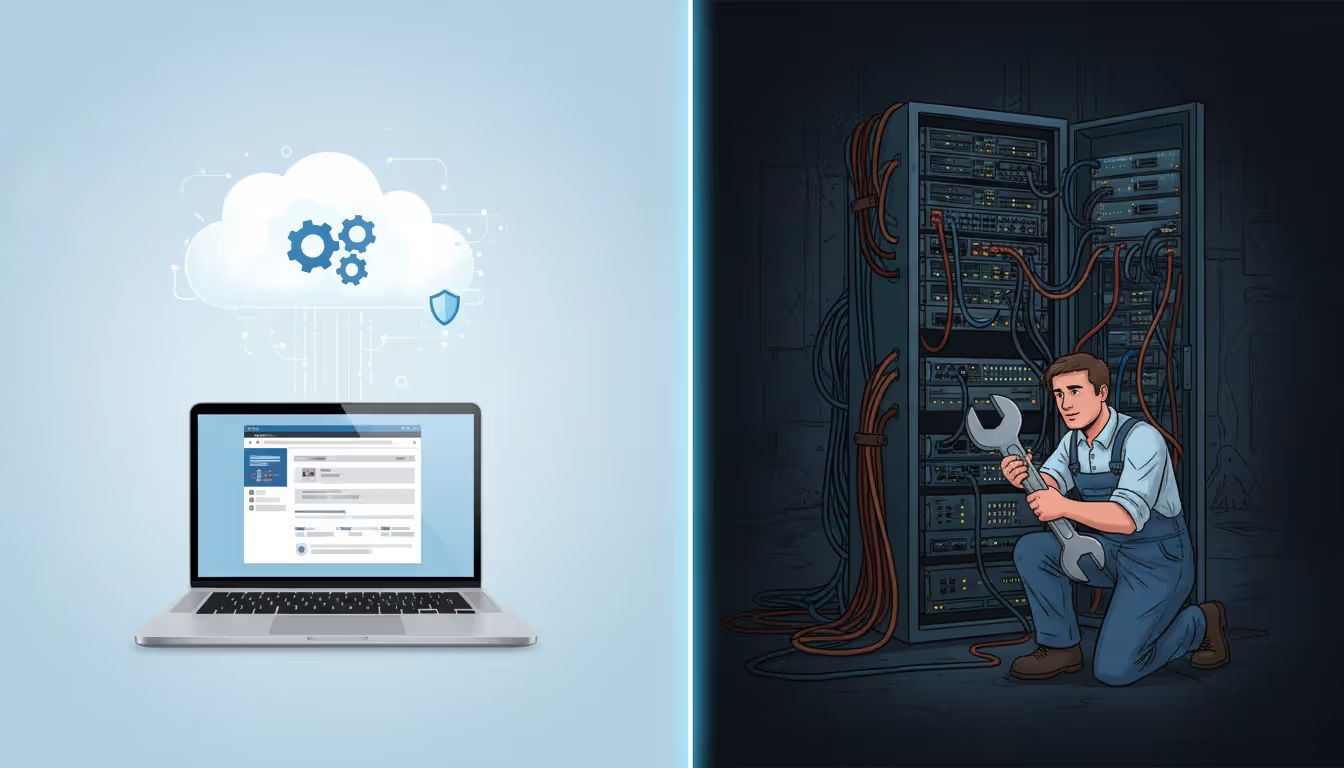
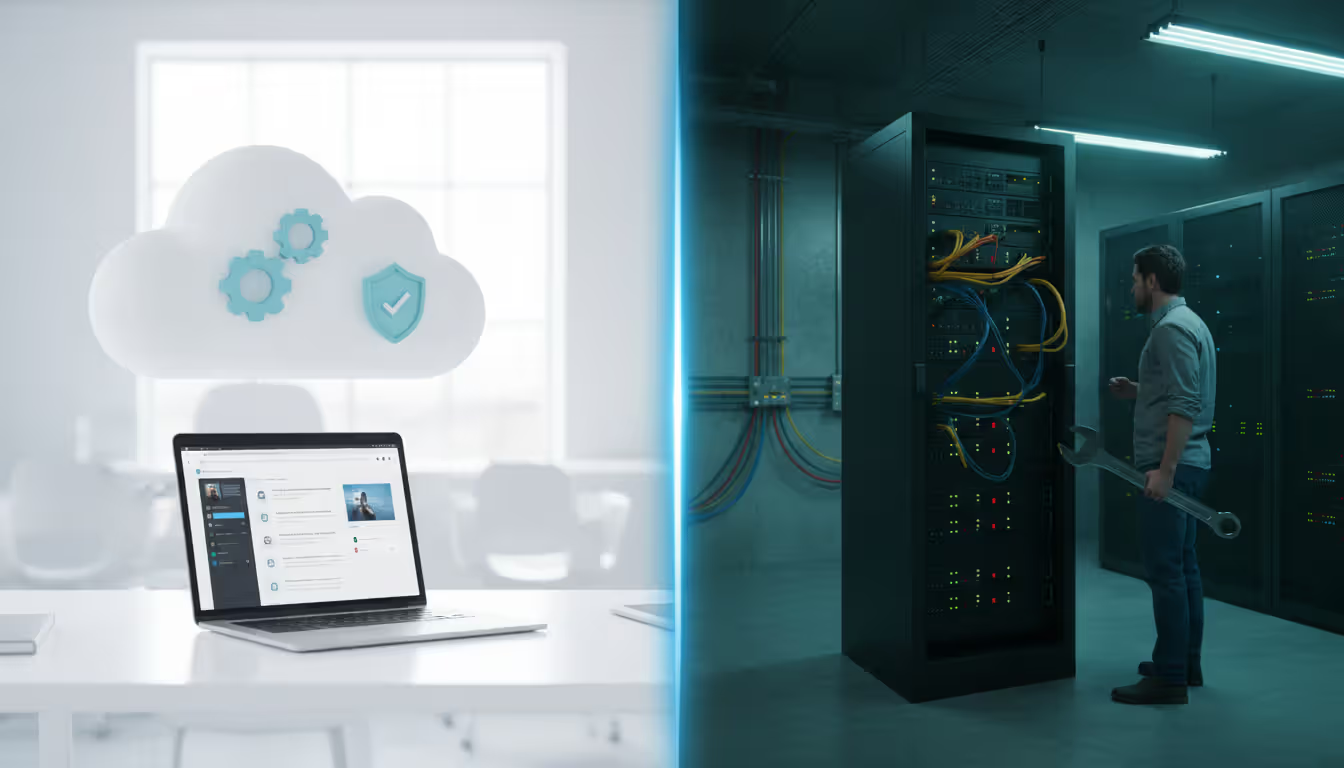
A cloud-based system goes live within hours. You sign up, configure basic settings like ticket categories and agent accounts, and start accepting requests the same day. The vendor manages server provisioning, load balancing, and database optimization. When something breaks, you contact their support team—it's their job to fix it.
A self hosted ticketing system requires you to provision servers, install the software, configure databases, set up backup systems, and establish security protocols before accepting a single ticket. You need IT staff with system administration skills, or you'll pay consultants for setup and ongoing maintenance. Every security patch, version upgrade, and performance optimization becomes your responsibility.
Author: Sophie Langford;
Source: musiconmainstreet.com
This maintenance burden compounds over time. Cloud vendors push updates automatically, often overnight with zero downtime. Your system always runs the latest version with new features and security fixes. Self-hosted deployments require manual updates—downloading new versions, testing them in staging environments, scheduling maintenance windows, and troubleshooting when updates break custom integrations.
Cost Comparison Over Time
Cloud systems charge predictable monthly or annual subscription fees, typically $15 to $100 per agent depending on features. A ten-person support team might pay $500 monthly or $6,000 annually. There's no upfront hardware investment, no server room cooling costs, no backup infrastructure expenses.
Self-hosted solutions appear cheaper initially—many open-source options are free to download. But you'll spend $5,000 to $20,000 on servers, another $2,000 to $10,000 for implementation consulting, and ongoing costs for electricity, cooling, and IT staff time. A conservative estimate puts annual maintenance at 20% of initial setup costs.
The break-even point depends on team size. For small teams under 20 agents, cloud systems almost always cost less over a five-year period. Large enterprises with hundreds of agents and existing IT infrastructure might find self-hosted solutions more economical after year three, but only if they accurately account for all indirect costs like staff time and opportunity costs.
Security and Control Considerations
Data control represents the primary argument for self-hosting. Your customer information, support histories, and internal communications stay on servers you physically control. For organizations handling sensitive medical records, financial data, or government information, this control satisfies compliance requirements and reduces third-party risk.
Cloud providers counter that their security teams and infrastructure exceed what most organizations can build internally. They employ full-time security specialists, achieve SOC 2 and ISO 27001 certifications, and invest millions in intrusion detection systems. A mid-sized company's IT department can't match that expertise or budget.
The practical reality: most data breaches result from human error, not infrastructure vulnerabilities. Weak passwords, phishing attacks, and misconfigured permissions cause more problems than the hosting model. A hosted ticketing system with strong access controls and security training often proves more secure than a self-hosted system managed by an overworked two-person IT team.
Feature
Cloud-Based
Self-Hosted
Initial Setup Cost
Low ($0-$500)
High ($7,000-$30,000)
Maintenance Responsibility
Vendor
Your IT team
Scalability
Automatic, instant
Manual server upgrades needed
Data Control
Stored on vendor servers
Stored on your infrastructure
Update Management
Automatic, included
Manual, requires testing
Accessibility
Anywhere with internet
VPN required for remote access
Security Management
Vendor's security team
Your responsibility
Benefits of Online Ticketing Platforms
Remote work transformed from occasional perk to standard practice between 2020 and 2026. An online ticketing system enables this shift for support teams. Agents in different time zones access the same ticket queue, providing 24-hour coverage without anyone working night shifts. A customer in New York submits a ticket at 5 PM, and an agent in Manila picks it up at 6 AM their time—8 PM in New York—providing a response within three hours.
This accessibility extends beyond geography. Agents working from home during sick days can handle urgent tickets from their laptops. Managers review team performance from coffee shops. Executives check customer satisfaction trends from their phones during airport layovers. The system exists wherever internet connections reach.
Cloud-based support systems have fundamentally changed how IT teams respond to incidents. The ability to access tickets from anywhere has reduced our mean time to resolution by 40%
— Marcus Chen
Automatic updates eliminate the "we're still on version 3.2" problem that plagues self-hosted software. The vendor continuously improves the platform, adding features like AI-powered ticket categorization, enhanced reporting dashboards, or new integration options. You benefit from these improvements automatically without project planning, testing cycles, or implementation costs.
Scalability happens transparently. Your support team grows from five to fifty agents? You add user licenses and the vendor allocates more server capacity behind the scenes. Ticket volume triples during a product launch? The infrastructure scales automatically to handle the load. You never worry about server capacity planning or database optimization.
The infrastructure cost reduction goes beyond eliminating servers. You don't need backup systems, disaster recovery sites, or redundant internet connections. The vendor builds all this into their service level agreement. Your IT team focuses on strategic initiatives rather than keeping the ticketing system operational.
Multi-channel support capabilities consolidate customer interactions that previously existed in silos. Email, live chat, phone calls, social media messages, and web form submissions all convert into tickets in one unified queue. Agents see complete customer histories regardless of which channel they used previously. A customer starts a conversation via chat, follows up by email, and calls for an update—the agent sees all three interactions in one ticket thread.
Types of Cloud Help Desk Solutions
The phrase "free cloud based ticketing system" attracts small businesses and startups watching every dollar. Several reputable vendors offer free tiers with limitations on agent count, ticket volume, or features. These work well for tiny teams handling under 100 tickets monthly, but most organizations outgrow them within a year.
Free systems typically restrict you to three agents, remove branding customization, limit integrations, or provide only email support. They serve as trial periods more than long-term solutions. The real question: will the paid tier of this free system meet your needs when you grow, or will you need to migrate to a different platform in eighteen months?
Paid cloud based it ticketing system options range from $15 per agent monthly for basic platforms to $150+ for enterprise solutions with advanced automation, AI features, and dedicated account management. Mid-tier options around $40 to $60 per agent offer the best value for most organizations—enough features to handle complex workflows without paying for capabilities you'll never use.
Author: Sophie Langford;
Source: musiconmainstreet.com
Industry-specific platforms optimize for particular use cases. IT service management platforms emphasize asset tracking, change management, and incident escalation procedures. Customer service platforms prioritize customer satisfaction scoring, knowledge base integration, and e-commerce system connections. Event ticketing platforms (a different category entirely) handle admission tickets for concerts and conferences—confusing terminology but completely different products.
Small business solutions prioritize simplicity and fast setup. You shouldn't need a consultant to configure basic ticket routing or create custom fields. The interface should be intuitive enough that agents become productive within hours, not days. These systems sacrifice some advanced features for ease of use.
Enterprise solutions add complexity for good reasons. They support multiple departments with separate ticket queues, complex approval workflows, advanced reporting with custom dashboards, and robust API access for custom integrations. They also include service level agreement tracking, escalation matrices, and audit logs for compliance requirements.
The right choice depends on your sophistication level. A ten-person marketing agency needs something vastly different than a 500-employee manufacturing company with separate IT, facilities, and HR support teams.
How to Choose a Hosted Ticketing System
Start with ticket volume projections. Count current monthly support requests across all channels, then add 30% for growth and previously untracked interactions. A team handling 200 tickets monthly has different needs than one managing 5,000. High-volume teams need robust automation to prevent agent burnout, while low-volume teams prioritize simplicity over advanced features.
Team size matters for pricing and collaboration features. Three agents can share a single queue and verbally coordinate who's working on what. Twenty agents need assignment rules, workload balancing, and internal communication tools. Calculate your per-agent budget by dividing your total support budget by agent count, then allocate 10% to 15% for software costs.
Required features separate nice-to-haves from deal-breakers. Make a three-column list: must-have features without which the system won't work, important features that significantly improve efficiency, and nice-to-have features you'd use occasionally. Must-haves might include email integration, mobile access, and basic reporting. Important features might include live chat, knowledge base integration, and custom fields. Nice-to-haves might include AI-powered suggestions or social media monitoring.
Author: Sophie Langford;
Source: musiconmainstreet.com
Integration requirements often get overlooked until after purchase. List every business system your support team touches: CRM platforms, billing systems, project management tools, communication apps, analytics dashboards. Verify the ticketing system offers native integrations or API access for each one. Custom integration development costs thousands of dollars and months of time—avoid that surprise.
Budget considerations extend beyond subscription fees. Factor in implementation time (how many hours will setup consume?), training requirements (do you need vendor training sessions or is documentation sufficient?), and integration costs (will you need developer time for custom connections?). A system with a $30 monthly per-agent fee might cost $50 per agent when you include all related expenses.
Pricing models vary significantly. Per-agent pricing charges for each person who logs into the system, regardless of how many tickets they handle. Per-ticket pricing charges based on volume, which works better for organizations with many occasional users. Tiered pricing offers different feature sets at different price points—ensure the tier you can afford includes your must-have features.
Migration and onboarding requirements determine how quickly you'll see value. Some vendors offer free migration services, importing your historical tickets, customer data, and knowledge base articles from your old system. Others provide only documentation and expect you to handle migration yourself. Ask about typical implementation timelines—simple systems deploy in a week, complex ones take months.
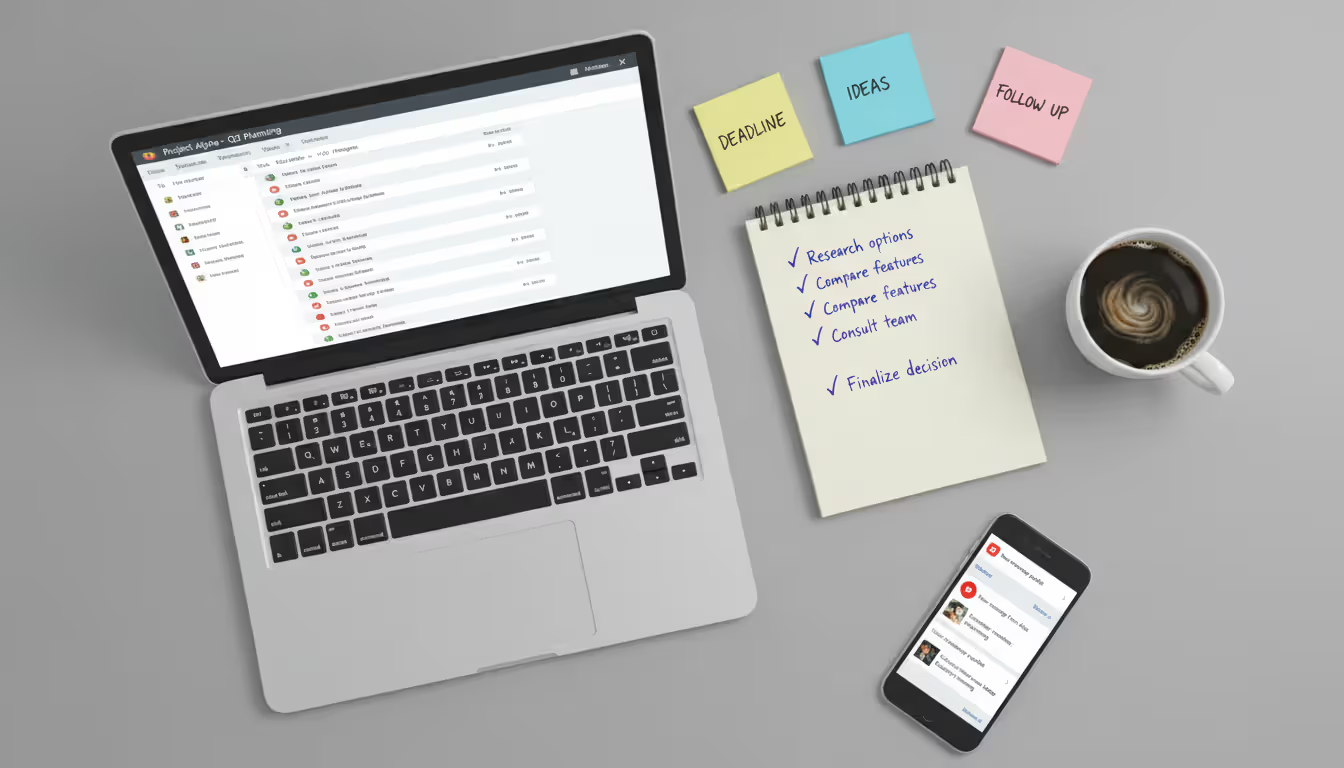
Request trials of your top three options. Actually use them for real support requests during the trial period, not just demo scenarios. Have your entire team test them and gather feedback. The system that looks perfect in a sales demo might have frustrating quirks that only emerge during daily use.
Frequently Asked Questions
Are cloud based ticketing systems secure?
Reputable cloud ticketing providers implement bank-level security including data encryption in transit and at rest, regular security audits, and compliance certifications like SOC 2 Type II and ISO 27001. They typically offer features like two-factor authentication, IP address restrictions, and detailed access logs. The security level depends more on the specific vendor than the cloud model itself. Review each vendor's security documentation and certifications, and ensure they align with your industry's compliance requirements.
How much does a cloud ticketing system cost?
Pricing ranges from free tiers with limited features to $150+ per agent monthly for enterprise platforms. Most small to medium businesses find suitable options between $25 and $60 per agent monthly. Total cost depends on agent count, required features, integration needs, and whether you need implementation assistance. A ten-person team typically spends $3,000 to $7,000 annually. Request detailed quotes including all fees—some vendors charge extra for API access, advanced reporting, or premium support.
Can I migrate from a self-hosted to a cloud based system?
Yes, migration is common and most cloud vendors provide tools or services to facilitate it. The complexity depends on your current system and data volume. Standard migrations involve exporting ticket histories, customer records, and knowledge base articles, then importing them into the new system. Plan for two to eight weeks depending on customization levels and data volume. Some vendors offer free migration assistance, while others charge professional services fees. Test thoroughly before decommissioning your old system.
Do cloud ticketing systems work offline?
Most cloud systems require internet connectivity to function since data resides on remote servers. However, many mobile apps offer limited offline capabilities—you can view previously loaded tickets and draft responses that sync when connectivity returns. This works for reviewing information during flights or in areas with poor cell service, but you can't access new tickets or see real-time updates without internet. If offline access is critical, consider hybrid solutions that cache data locally.
What integrations do cloud help desk platforms support?
Common integrations include email platforms (Gmail, Outlook), communication tools (Slack, Microsoft Teams), CRM systems (Salesforce, HubSpot), knowledge bases, live chat widgets, e-commerce platforms (Shopify, WooCommerce), and analytics tools. Enterprise platforms offer hundreds of pre-built integrations plus API access for custom connections. Verify specific integrations during vendor evaluation—"integrates with CRMs" might mean only one specific CRM product. Integration quality varies; some offer deep two-way sync while others provide only basic data transfer.
Is a free cloud based ticketing system suitable for business use?
Free systems work for very small teams (under five agents) with basic needs and low ticket volumes (under 100 monthly). They're excellent for startups validating product-market fit or small businesses just formalizing their support process. However, limitations on features, branding, integrations, and support often force upgrades within a year. Free tiers make sense as starting points with plans to upgrade as you grow, but established businesses should budget for paid systems that won't require disruptive migrations later.
Choosing a cloud based ticketing system represents a shift from reactive support chaos to structured, measurable customer service. The right platform centralizes communication, enables remote work, scales with your growth, and provides the data needed to continuously improve response times and customer satisfaction.
The deployment model matters less than matching system capabilities to your specific requirements. Small teams benefit from simple, affordable cloud solutions that deploy quickly and require minimal maintenance. Larger organizations need robust platforms with advanced automation, extensive integrations, and enterprise-grade security—still usually best delivered through cloud models unless specific compliance requirements dictate otherwise.
Focus on practical considerations: actual ticket volume, required integrations with existing business systems, team size and structure, and realistic budget including implementation costs. Trial the top contenders with real work scenarios before committing. The best system is the one your team will actually use consistently, not the one with the most impressive feature list.
The support experience you deliver directly impacts customer retention and revenue. Investing time to select the right ticketing system pays dividends for years through improved efficiency, better customer satisfaction, and support operations that scale smoothly as your business grows.
Running a small business means wearing multiple hats. When support requests pile up in email inboxes, Slack threads, and sticky notes, tracking who's handling what becomes impossible. A ticketing system transforms chaos into clarity by centralizing every request, assigning ownership, and creating workflows your team can follow
Choosing the wrong ticketing system costs thousands in lost productivity and expensive migrations. This comprehensive comparison evaluates leading platforms across features, pricing, and real-world use cases to help you select the right solution for IT support or customer service needs
A ticketing system converts requests into structured records called tickets, preventing customer questions and IT issues from falling through the cracks. Learn how ticketing platforms work, what features matter, and how to choose the right solution for your business needs
Managing support requests without breaking the budget is possible with open source ticketing systems. This guide compares popular platforms like osTicket, Zammad, and OTRS, covering essential features, implementation considerations, and hidden costs to help you choose the right solution
The content on this website is provided for general informational and educational purposes only. It is intended to explain concepts related to event management software, ticketing systems, hybrid event platforms, and operational tools for event organisers.
All information on this website, including articles, guides, and examples, is presented for general educational purposes. Outcomes may vary depending on event size, technology choices, and organisational needs.
This website does not provide professional legal, financial, or software advice, and the information presented should not be used as a substitute for consultation with qualified event tech or IT professionals.
The website and its authors are not responsible for any errors or omissions, or for any outcomes resulting from decisions made based on the information provided on this website.