Selling tickets used to mean printing stacks of paper, staffing a box office, and hoping attendees didn't lose their passes. Event ticketing software changed that equation entirely. These platforms automate everything from ticket creation to attendee check-in, giving organizers control over pricing, capacity, and customer data while reducing manual work.
Whether you're running a 200-person workshop or a 50,000-attendee music festival, the right ticketing system becomes your central nervous system for revenue, logistics, and audience insights.
What Is Event Ticketing Software?
Event ticketing software is a digital platform that handles the complete lifecycle of ticket sales—from creation and distribution to payment processing and attendee verification. Unlike manual methods that rely on spreadsheets, physical tickets, and cash boxes, these systems provide automated workflows, real-time inventory tracking, and integrated payment gateways.
The core difference: traditional ticketing requires you to manage multiple disconnected tools (a payment processor here, a spreadsheet there, maybe a scanner app for check-in). Event ticket software consolidates these functions into one interface. You create ticket types, set pricing rules, connect your payment account, and the platform handles transactions, sends confirmations, and tracks who's coming.
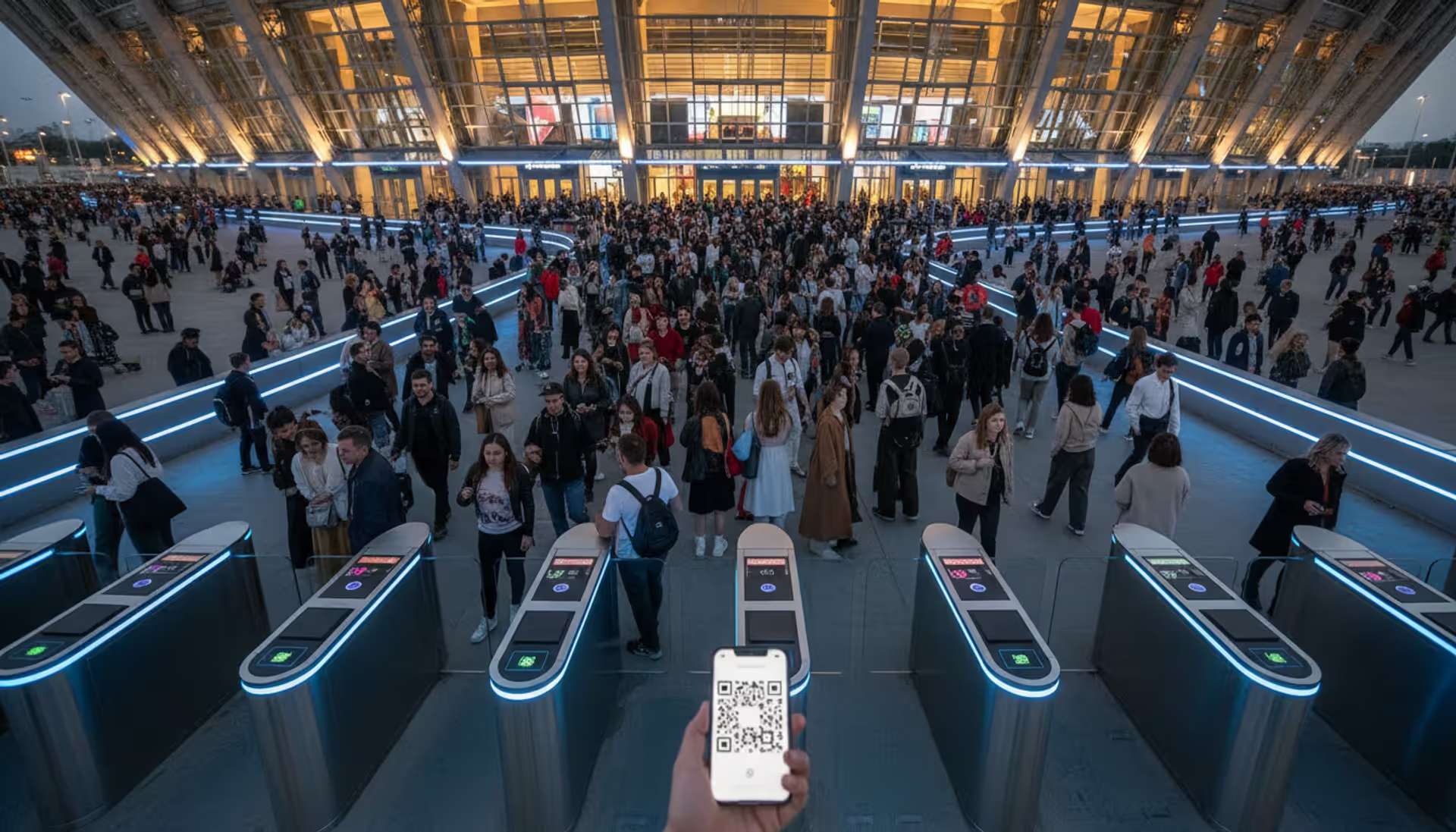
Modern event ticketing solutions operate in the cloud, meaning organizers can monitor sales from anywhere and attendees receive digital event tickets instantly via email or mobile app. This eliminates printing costs and the risk of counterfeit passes—each ticket carries a unique QR code or barcode that validates only once.
The technology has matured significantly. Early platforms simply processed transactions. Today's systems include dynamic pricing engines, waitlist management, group discount logic, and integration with CRM tools. Small nonprofits use the same fundamental technology as major concert promoters, though feature sets and pricing vary widely.
Author: Chloe Winslow;
Source: musiconmainstreet.com
How Event Ticketing Platforms Work
An event ticketing platform operates through interconnected modules that handle creation, sales, and verification. Understanding this workflow helps you evaluate which systems match your operational needs.
Ticket Creation and Customization
You start by defining your event parameters: date, venue capacity, ticket categories (general admission, VIP, early bird), and pricing. Most platforms let you set release schedules—early bird tickets sell from January through March at $50, then switch to regular pricing at $75. You can cap quantities per tier, create promo codes with usage limits, and add custom questions during checkout (meal preferences, T-shirt sizes, accessibility needs).
Customization extends to branding. Upload your logo, choose color schemes, and add event imagery so the purchase page matches your website. Some platforms generate customized event tickets as PDFs with your design, while others provide mobile wallet passes that display your branding on attendees' phones.
The system creates a unique inventory pool. When someone buys a ticket, the platform deducts from available capacity in real time, preventing overselling even if hundreds of people check out simultaneously.
Payment Processing and Distribution
Once a buyer selects tickets and enters information, the event ticketing platform connects to payment processors (Stripe, PayPal, Square, or proprietary gateways). The transaction happens in seconds: funds move from the buyer's account, the platform deducts its fee, and the remainder goes to your connected bank account—either immediately or on a scheduled payout cycle.
Immediately after payment confirmation, the system generates digital event tickets and sends them via email. These contain QR codes, order numbers, and event details. Many platforms also offer SMS delivery or integration with Apple Wallet and Google Pay, so tickets live directly in attendees' mobile wallets.
For organizers who need physical passes (some venues still require them for VIP or backstage access), platforms provide printable PDFs with the same validation codes. The key advantage: whether digital or printed, each ticket links to the buyer's record in your database.
Attendee Management and Check-In
On event day, your staff uses mobile apps or handheld scanners to validate tickets. Scanning the QR code instantly confirms validity, flags duplicates, and marks the ticket as used. The system updates in real time across all devices, so if someone tries entering twice with the same code, the second scan triggers an alert.
Behind the scenes, the platform aggregates attendee data: names, email addresses, purchase timestamps, ticket types. You can export lists for name badges, send targeted emails to VIP ticket holders, or analyze which marketing channels drove sales. Some systems track check-in rates by time slot, helping you staff entry points efficiently.
Advanced platforms integrate with access control hardware—turnstiles, RFID wristbands, or NFC readers—creating seamless entry experiences for large venues. The attendee taps a wristband, the gate opens, and the system logs entry without manual intervention.
Author: Chloe Winslow;
Source: musiconmainstreet.com
Key Features to Look For in Ticketing Software
Not all ticketing software for events offers the same capabilities. Prioritize these features based on your event's complexity and scale.
Payment processing flexibility: The platform should support major credit cards, digital wallets, and ideally alternative methods like ACH transfers for corporate buyers. Check whether it handles international currencies if you expect attendees from multiple countries. Some systems let you split payments or offer installment plans for expensive tickets.
Mobile-first design: Over 70% of ticket purchases in 2026 happen on smartphones. Your ticketing page must load quickly and display clearly on small screens. Mobile wallet integration (Apple Wallet, Google Pay) reduces friction—attendees don't need to dig through email to find their pass.
Real-time analytics: You need dashboards showing current sales velocity, revenue by ticket type, and conversion rates. The best platforms display this data visually and let you export reports for stakeholders. Look for traffic source tracking so you know whether Facebook ads or email campaigns drive more sales.
Integration ecosystem: Your ticketing system should connect with tools you already use. Common integrations include email marketing platforms (Mailchimp, Constant Contact), CRM systems (Salesforce, HubSpot), and accounting software (QuickBooks, Xero). API access lets developers build custom connections.
Customer support responsiveness: When your ticketing page crashes an hour before sales open, you need immediate help. Evaluate support channels (phone, chat, email) and availability (24/7 vs. business hours). Read reviews specifically mentioning support quality during crises.
Customization depth: Can you modify the checkout flow, add custom fields, or create complex discount rules? Basic platforms offer templates with limited tweaking. Enterprise solutions let you script conditional logic: "If buyer selects VIP ticket, automatically offer parking add-on."
Security and compliance: The platform must be PCI-DSS compliant for payment data and follow GDPR or CCPA rules for personal information. Look for fraud detection features like address verification and velocity checks that flag suspicious purchasing patterns.
Types of Event Ticketing Platforms by Use Case
Different events have different needs. A conference ticketing workflow doesn't match a nightclub's requirements. Here's how platforms specialize.
Festival and Multi-Day Event Platforms
A festival ticketing platform handles complexity that single-event tools can't manage. You're selling weekend passes, single-day tickets, VIP upgrades, camping add-ons, and shuttle services—all with different pricing tiers and capacity limits.
These systems support multi-session scheduling: attendees select which workshops or performances they'll attend within their pass type. The platform tracks capacity for individual sessions while managing overall festival attendance.
Expect robust access control features. RFID wristbands link to ticket records, allowing cashless payments at vendor booths and age verification at beer gardens. The system logs every tap, creating data trails for reconciliation and security.
Group management becomes critical at scale. Festival platforms let you create team accounts where multiple staff members handle different functions—one person manages artist guest lists, another oversees vendor credentials, a third monitors parking passes. Permissions control who can comp tickets or refund purchases.
Payment timelines differ too. Festival organizers often need funds months before the event to book talent and secure permits. Look for platforms offering immediate payouts rather than holding funds until after the event.
Venue-Specific Ticketing Solutions
Venue ticketing software optimizes for recurring events at a fixed location. Theaters, comedy clubs, concert halls, and sports arenas run shows weekly or nightly, requiring season passes, membership tiers, and reserved seating.
Seating charts become the central feature. You upload your venue's layout, assign seat numbers, and the platform displays an interactive map during checkout. Buyers click their preferred section, see available seats in real time, and select specific spots. The system locks those seats during checkout to prevent double-booking.
Season pass logic differs from single-event ticketing. Subscribers get automatic access to all shows in a series, with options to transfer or resell individual dates they can't attend. The platform manages these exchanges while maintaining your revenue and attendance tracking.
Membership integration matters for venues with loyalty programs. Your ticketing system should recognize members at checkout, apply discounts automatically, and track benefits usage (free drinks, early access, priority seating).
Recurring event templates save time. Set up a comedy show format once—ticket tiers, pricing, seating sections—then duplicate it for every Friday night. Change the performer name and show date; everything else stays consistent.
Author: Chloe Winslow;
Source: musiconmainstreet.com
General Event Ticketing Tools
For one-off events, workshops, networking sessions, or small conferences, you need an event ticketing platform that's quick to set up and easy to use without a steep learning curve.
These tools prioritize simplicity: create an event in minutes, share a link, start selling. They handle basic ticket types, simple discounts, and standard payment processing. You won't get RFID integration or complex seating charts, but you also won't spend days learning the interface.
Free tiers often exist for small events. Platforms make money on per-ticket fees, so they let you use the software at no upfront cost if you're selling under a certain volume. This works well for community organizations testing ticketing software before committing to paid plans.
Embedded widgets let you sell directly from your website. Copy a code snippet, paste it into your site, and the ticket form appears inline rather than redirecting to a third-party page. This maintains branding consistency and improves conversion rates.
General platforms typically offer lighter analytics and fewer integrations, but they excel at speed and accessibility. If you're organizing a fundraiser dinner or a workshop series, these tools provide exactly what you need without excess complexity.
How to Choose the Right Event Ticket Software
Selecting the best ticketing platform for events requires matching platform capabilities to your specific requirements. Use this framework to narrow options.
Start with event type and frequency. A venue running 200 shows annually needs different infrastructure than a nonprofit hosting one gala per year. Recurring events justify higher monthly fees for advanced features. One-off events favor per-ticket pricing with no subscription.
Calculate total cost of ownership. Don't just compare advertised rates. Add up per-ticket fees, payment processing charges (usually 2.9% + $0.30 per transaction), and any monthly subscriptions. If a platform charges $2 per ticket plus processing fees, and you sell 1,000 tickets at $50 each, your fees total around $3,500—7% of gross revenue. Compare this across platforms with different models.
Assess technical requirements. Do you have a developer who can implement API integrations, or do you need plug-and-play widgets? Can your team manage a complex dashboard, or do you need guided workflows? Match the platform's technical depth to your team's capabilities.
Test the buyer experience. Create a test event on shortlisted platforms and complete a purchase yourself. Time how long checkout takes. Try it on mobile. Abandon the cart and see if you receive a recovery email. The smoothest buyer experience wins—friction at checkout kills sales.
Evaluate scalability. If your event grows from 500 to 5,000 attendees, can the platform handle the spike? Check capacity limits, concurrent user support, and whether pricing tiers change as you scale. Some platforms charge exponentially more at higher volumes; others offer volume discounts.
Review contract terms. Look for vendor lock-in clauses. Can you export your attendee data if you switch platforms? Are you required to use their payment processor, or can you bring your own merchant account? What's the cancellation policy if you need to postpone your event?
Prioritize must-have features. List your non-negotiables (reserved seating, multilingual support, offline check-in) and filter platforms that lack them. Don't pay for enterprise features you'll never use, but don't compromise on essentials to save a few dollars.
Common Mistakes When Selecting a Ticketing Platform
Organizers often overlook these pitfalls until they're locked into a contract.
Ignoring hidden fees. The advertised $1.50 per ticket sounds reasonable until you discover it doesn't include payment processing (another 2.9%), or that refunds carry a $5 administrative charge. Read the complete fee schedule and model your costs using realistic sales projections.
Underestimating mobile importance. A platform with a clunky mobile experience will cost you sales. If your checkout page requires zooming and horizontal scrolling on a phone, expect 40-50% cart abandonment. Test rigorously on actual devices, not just desktop browser emulators.
Choosing based on features you don't need. Enterprise platforms showcase impressive capabilities—RFID, dynamic pricing algorithms, multi-currency support. If you're running a local 5K race, you're paying for complexity you won't use. Match features to actual requirements, not hypothetical future needs.
Overlooking reporting limitations. You discover post-event that the platform doesn't track which promo codes drove sales, or can't break down revenue by day. Define your reporting needs upfront and confirm the platform delivers those specific reports.
Author: Chloe Winslow;
Source: musiconmainstreet.com
Accepting poor customization. Your ticketing page is an extension of your brand. If the platform forces its logo prominently on your checkout page or doesn't let you modify colors and fonts, you're creating a disjointed experience. Attendees should feel like they're buying directly from you, not a third party.
Skipping integration testing. The platform claims it integrates with your email tool, but the connection only syncs names and emails—not ticket types or purchase amounts. Test critical integrations during a trial period to verify they work as expected.
Ignoring customer support quality. You assume support is similar across platforms. Then your event day arrives, check-in scanners malfunction, and you discover support is email-only with 24-hour response times. For time-sensitive events, prioritize platforms with phone or live chat support during your event hours.
Pricing Models for Event Ticketing Software
Event ticketing platforms use three primary pricing structures, each with distinct trade-offs.
Pricing Model
Cost Structure
Best For
Pros
Cons
Typical Fee Range
Per-Ticket Fee
Flat fee per ticket sold, sometimes plus percentage
One-off events, unpredictable attendance, small organizers
No upfront cost, scales with sales, easy to budget
Fees add up quickly for large events, eats into margins
$0.50–$3.00 per ticket + 2–5%
Monthly Subscription
Fixed monthly payment regardless of sales volume
Venues with frequent events, predictable revenue, high ticket volume
Unlimited tickets (usually), predictable costs, better margins at scale
Balances predictability with flexibility, lower per-ticket cost than pure per-ticket
More complex to calculate total cost, still have variable expenses
$25–$150/month + $0.25–$1.00 per ticket
Per-ticket pricing works when you're testing a new event or can't predict attendance. You pay only when you sell, eliminating risk. The downside: successful events generate substantial fees. Selling 5,000 tickets with a $2 fee means $10,000 in platform costs alone.
Monthly subscriptions benefit high-volume sellers. A venue selling 10,000 tickets monthly at $1 per ticket would pay $10,000 in fees under per-ticket pricing. A $300 monthly subscription saves $116,400 annually. The catch: you pay even in slow months, and some platforms cap ticket quantities or charge overage fees.
Hybrid models split the difference. You commit to a lower monthly fee (reducing risk) while paying smaller per-ticket charges (keeping costs variable). This suits organizations with moderate, consistent sales—think quarterly conferences or monthly networking events.
Beyond base fees, factor in payment processing. Most platforms add 2.5–3.5% plus $0.30 per transaction, regardless of pricing model. Some let you pass fees to buyers (they pay $52 for a $50 ticket), shifting costs while potentially reducing conversion rates.
The Impact of Platform Choice on Event Success
We switched ticketing platforms in early 2025 after our previous provider's mobile checkout drove a 35% abandonment rate. Within two months of implementing a mobile-optimized system with Apple Wallet integration, we saw abandonment drop to 12% and overall sales increase 18% across our member venues. The right ticketing software doesn't just process transactions—it directly impacts revenue and attendee satisfaction. A clunky system costs you money every single day
— Sarah Chen
This perspective highlights a critical truth: your ticketing platform isn't back-office infrastructure—it's customer-facing technology that shapes first impressions and buying decisions. Attendees judge your event partly on how smoothly they can purchase tickets. A confusing checkout process signals disorganization, while a seamless experience builds confidence.
The revenue impact extends beyond conversion rates. Better analytics reveal which marketing channels work, helping you allocate budgets effectively. Automated email confirmations with calendar integrations reduce no-shows. Smooth check-in processes prevent entry bottlenecks that frustrate attendees before your event even starts.
Frequently Asked Questions
What is the difference between event ticketing software and a registration platform?
Event ticketing software focuses on paid ticket sales with payment processing, inventory management, and revenue tracking. Registration platforms handle free event sign-ups, collecting attendee information without necessarily processing payments. Many modern tools combine both functions, but pure registration systems lack robust payment gateways and revenue analytics. If you're selling tickets, you need ticketing software; if you're managing RSVPs for a free event, registration platforms suffice.
Do I need different ticketing software for festivals vs. single-day events?
Not necessarily different software, but different feature sets. Festivals require multi-day pass logic, session scheduling, RFID integration, and complex access control. Single-day events need simpler workflows. Many platforms scale to both—you use basic features for simple events and activate advanced modules for festivals. Evaluate whether a platform supports your most complex event type; you can always use a subset of features for simpler occasions.
Can event ticketing platforms handle digital and physical tickets?
Yes, most platforms generate both formats. Digital tickets arrive via email or mobile wallet as QR codes. Physical tickets use the same codes printed on cardstock or wristbands. The validation system doesn't distinguish—it scans the code and checks it against the database. Some organizers issue digital tickets by default and print physical passes only for VIP or special access areas, reducing costs while maintaining flexibility.
How much does event ticketing software typically cost?
Costs range from free (for very small events with per-ticket fees) to several hundred dollars monthly for enterprise platforms. Per-ticket fees run $0.50–$3.00 plus 2.5–3.5% payment processing. Monthly subscriptions cost $50–$500 depending on features and volume limits. For a 1,000-person event with $50 tickets, expect $1,500–$3,500 in total platform and processing fees, or roughly 3–7% of gross revenue. Always calculate total cost including all fees, not just advertised base rates.
What are the most important integrations for ticketing software?
Email marketing platforms (Mailchimp, Constant Contact) for automated attendee communication. CRM systems (Salesforce, HubSpot) to track customer relationships beyond single purchases. Accounting software (QuickBooks, Xero) for revenue reconciliation. Marketing pixels (Facebook, Google Analytics) for campaign tracking. Payment processors beyond the default option, giving you flexibility. API access for custom integrations. Prioritize integrations with tools you already use—a platform that connects seamlessly with your existing stack saves hours of manual data transfer.
Can I customize event tickets with my branding?
Most platforms allow logo uploads, color customization, and custom text on tickets and checkout pages. Higher-tier plans often provide white-label options that remove the platform's branding entirely. PDF tickets typically offer more design control than mobile wallet passes, which follow Apple and Google's standardized formats with limited customization. If branding is critical, test the customization interface during a trial period and review sample tickets before committing. Some platforms market customization but actually offer only minor color tweaks.
Event ticketing software transforms how you sell access, manage attendees, and track revenue. The right platform matches your event type, scales with your growth, and provides seamless experiences for buyers and organizers alike. Per-ticket pricing suits occasional events, monthly subscriptions benefit high-volume venues, and hybrid models balance predictability with flexibility.
Prioritize mobile optimization, transparent pricing, and integrations with your existing tools. Avoid platforms with hidden fees, poor support, or limited customization. Test the buyer journey yourself—if checkout feels clunky to you, it will frustrate your attendees and cost you sales.
Whether you're managing a small workshop or a multi-day festival, ticketing software for events should simplify operations, not complicate them. Define your must-have features, calculate total costs honestly, and choose a platform that supports your event's success rather than just processing transactions. The difference between adequate and excellent ticketing software often shows up in your revenue reports and attendee feedback long before you realize the impact.
Running a small business means wearing multiple hats. When support requests pile up in email inboxes, Slack threads, and sticky notes, tracking who's handling what becomes impossible. A ticketing system transforms chaos into clarity by centralizing every request, assigning ownership, and creating workflows your team can follow
Choosing the wrong ticketing system costs thousands in lost productivity and expensive migrations. This comprehensive comparison evaluates leading platforms across features, pricing, and real-world use cases to help you select the right solution for IT support or customer service needs
A ticketing system converts requests into structured records called tickets, preventing customer questions and IT issues from falling through the cracks. Learn how ticketing platforms work, what features matter, and how to choose the right solution for your business needs
Managing support requests without breaking the budget is possible with open source ticketing systems. This guide compares popular platforms like osTicket, Zammad, and OTRS, covering essential features, implementation considerations, and hidden costs to help you choose the right solution
The content on this website is provided for general informational and educational purposes only. It is intended to explain concepts related to event management software, ticketing systems, hybrid event platforms, and operational tools for event organisers.
All information on this website, including articles, guides, and examples, is presented for general educational purposes. Outcomes may vary depending on event size, technology choices, and organisational needs.
This website does not provide professional legal, financial, or software advice, and the information presented should not be used as a substitute for consultation with qualified event tech or IT professionals.
The website and its authors are not responsible for any errors or omissions, or for any outcomes resulting from decisions made based on the information provided on this website.