Organizing a multi-session conference with hundreds of attendees, dozens of speakers, and parallel tracks demands more than spreadsheets and email chains. Conference management software centralizes registration, abstract submissions, scheduling, and communication in one platform, replacing fragmented workflows that lead to double-bookings, lost submissions, and frustrated participants.
This guide explains what conference management software does, which features matter most, and how to choose a platform that scales with your event complexity.
What Is Conference Management Software?
Conference management software is a specialized platform designed to handle the complete lifecycle of academic, professional, and scientific conferences—from call for papers through post-event surveys. Unlike general event management tools built for weddings, trade shows, or corporate parties, a conference management platform addresses unique needs: peer review workflows, multi-track scheduling, presenter credential management, and academic accreditation tracking.
Typical users include university departments running annual symposiums, professional associations hosting member conferences, research institutions organizing scientific meetings, and corporate training teams managing internal knowledge-sharing events. A medical association planning a three-day conference with 80 concurrent sessions, poster presentations, and continuing education credits needs functionality that a basic event ticketing system cannot provide.
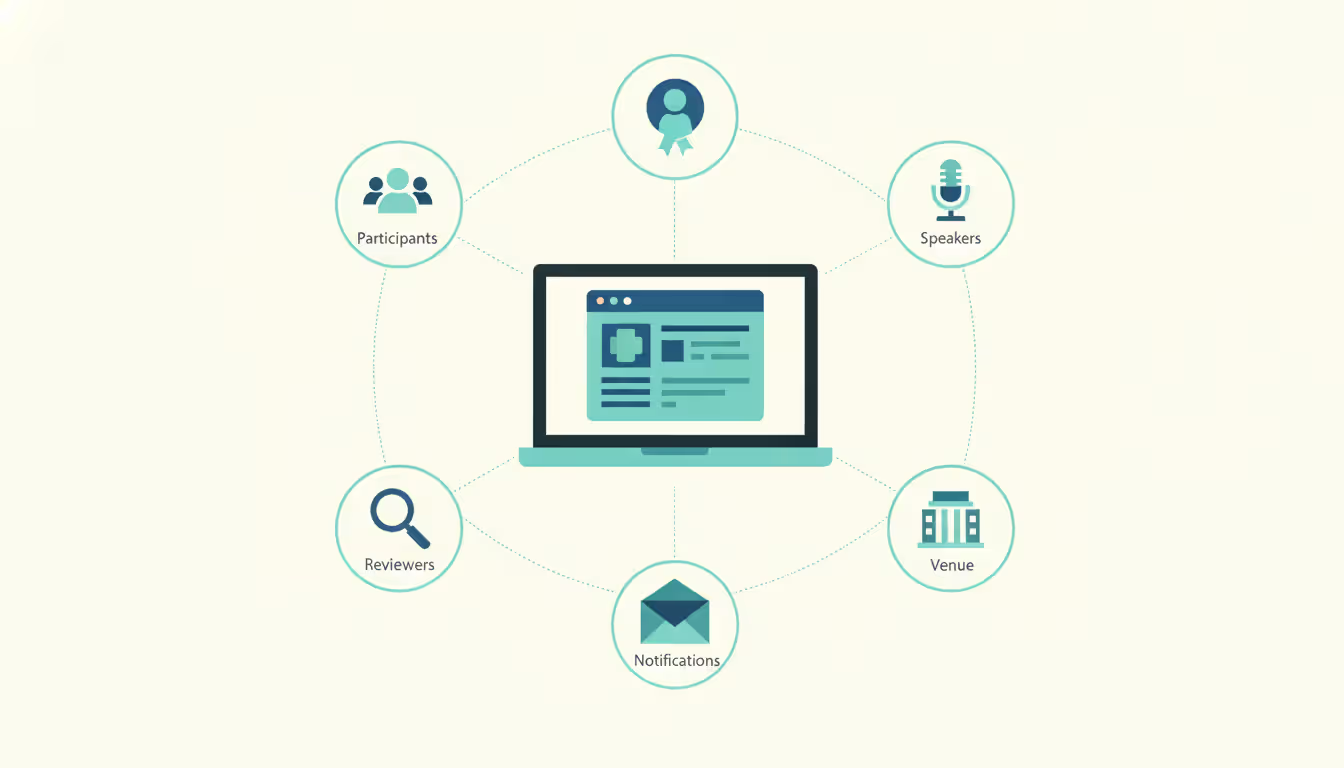
The conference event management system serves as a central database linking attendees, presenters, reviewers, session chairs, and sponsors. When a speaker updates their biography, that change propagates to the mobile app, printed program, and website simultaneously. When an attendee registers for a workshop that reaches capacity, the system automatically adds them to a waitlist and notifies them if a spot opens.
Core distinctions from general event software include abstract submission portals with customizable review criteria, conflict-of-interest management for peer reviewers, session builder tools that prevent speaker scheduling conflicts, and integration with academic databases like ORCID or institutional repositories. A fundraising gala needs ticketing and seating charts; a neuroscience conference needs blind peer review and poster board assignments.
Author: Sophie Langford;
Source: musiconmainstreet.com
Key Features to Look For
The feature set you need depends on conference scale and type, but certain capabilities separate robust conference planning software from basic registration tools.
Registration and Attendee Management
Conference registration software must handle complex pricing structures: early-bird rates, member discounts, student pricing, group registrations, day passes, and add-on workshops. A platform should support conditional logic—if someone selects "presenter," they see fields for co-authors and equipment requests; general attendees skip those screens.
Look for customizable registration forms that collect dietary restrictions, accessibility needs, session preferences, and networking interests without requiring custom development. The system should generate confirmation emails with calendar invitations, send payment receipts automatically, and allow attendees to modify their registrations up to a deadline you set.
Badge printing integration saves hours during check-in. The best systems let you design badge templates with QR codes for session scanning, print on-demand as people arrive, and flag VIP attendees or speakers with different badge colors. Self-service kiosks reduce registration desk bottlenecks at large events.
Waitlist automation prevents manual tracking. When someone cancels a sold-out workshop, the system emails the next person on the waitlist, gives them 24 hours to claim the spot, then moves to the next person if they decline.
Abstract and Paper Submission Tools
Abstract management software streamlines the call for papers process. Authors submit proposals through a portal with word limits, formatting requirements, and file upload fields for supporting documents. The system strips identifying information for blind review, assigns submissions to reviewers based on expertise keywords and conflict-of-interest rules, and tracks review scores through customizable rubrics.
Program committees need dashboards showing submission statistics by topic, acceptance rates, and reviewer workload distribution. Automated reminders nudge reviewers approaching deadlines. Bulk communication tools let you send acceptance letters, rejection notices, or revision requests with personalized merge fields.
After acceptance, the platform should collect final papers, copyright agreements, and presentation files. Integration with digital poster systems allows poster presenters to upload high-resolution PDFs that display on screens throughout the venue.
Version control prevents confusion when authors submit revisions. The system maintains a complete audit trail showing who uploaded which version when, useful if disputes arise about submission deadlines or content changes.
Scheduling and Session Planning
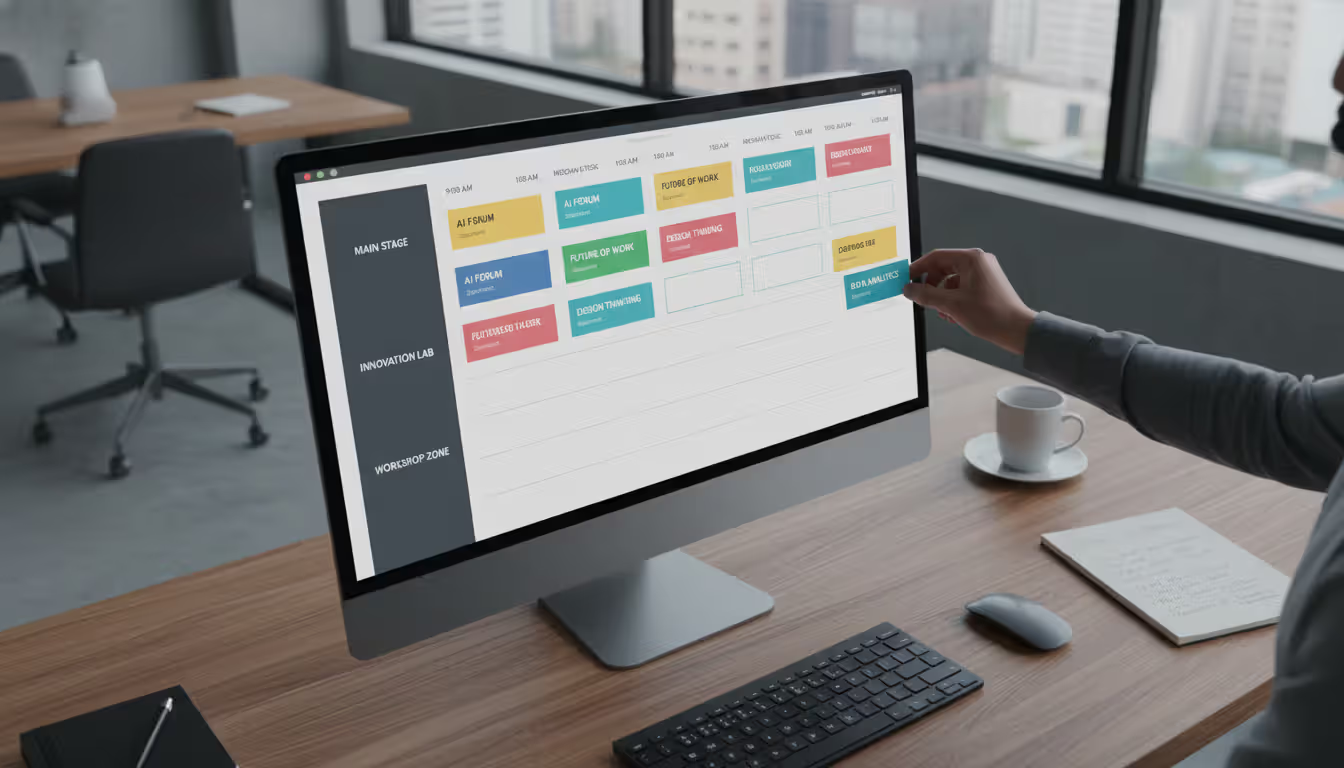
Conference scheduling software prevents the nightmare scenario where your keynote speaker is double-booked or two popular sessions run simultaneously. Drag-and-drop schedule builders show conflicts in real-time as you assign presentations to rooms and time slots.
The scheduler should account for room capacity, AV equipment requirements, setup time between sessions, and speaker availability. If Dr. Chen is presenting at 10 a.m., the system won't let you schedule her as a panelist at 10:30 in a different building.
Multi-track conferences need visual schedule grids showing all parallel sessions. Color-coding by topic helps attendees navigate complex programs. Personal schedule builders let attendees bookmark sessions; the system alerts them if their selections conflict or if a session changes rooms.
Mobile app integration pushes schedule updates instantly. When a speaker cancels and you rearrange the afternoon agenda, attendees get notifications before they walk to the wrong room. Live polling and Q&A features turn passive sessions into interactive discussions.
Session chair tools include speaker introduction templates, time-keeping alerts, and audience question queues. Post-session surveys collect feedback while the content is fresh, providing speakers with improvement suggestions and organizers with data for future planning.
Author: Sophie Langford;
Source: musiconmainstreet.com
How Conference Management Platforms Work
The typical workflow begins months before the event. Administrators configure the conference organizer software by setting up registration tiers, submission categories, review criteria, and schedule templates. You define user roles: who can review abstracts, who can edit the schedule, who sees financial reports.
Authors submit proposals during the call for papers window. The system assigns submissions to reviewers based on rules you define—perhaps three reviewers per abstract, no one from the same institution as the author, expertise match scores above a threshold. Reviewers log in to their dashboards, score submissions, and provide comments. The program committee sees aggregated scores and makes acceptance decisions.
Accepted presenters register for the conference, often at discounted rates. They upload final materials, specify AV needs, and indicate co-presenter details. Meanwhile, general attendees register, select workshops, and book hotel rooms through integrated booking engines that track room blocks.
As the event approaches, the platform generates the final program, exports data to mobile app providers, and creates attendee lists for check-in. During the conference, staff use tablets to scan badges, mark attendance for continuing education credits, and update room assignments if sessions move.
Post-event, the system distributes surveys, generates attendance reports, and exports presentation recordings to video hosting platforms. Financial reports show revenue by registration type, refund requests, and sponsor payments.
Cloud-based platforms dominate the market in 2026, offering automatic updates, scalable infrastructure that handles registration surges, and accessibility from any device. On-premise installations still exist for organizations with strict data residency requirements or limited internet connectivity at venue locations, but they require dedicated IT resources for maintenance and security patches.
Integration capabilities determine how well the conference management platform fits your existing technology stack. Look for APIs or native integrations with:
Email marketing platforms for promotional campaigns
CRM systems to track attendee engagement over multiple years
Accounting software for reconciling payments and generating invoices
Video conferencing tools for hybrid sessions
Learning management systems for continuing education credit tracking
Survey tools for detailed feedback collection
Single sign-on (SSO) integration with institutional identity providers simplifies access for university-hosted conferences. Attendees log in with their existing credentials rather than creating yet another account.
Types of Conferences That Benefit Most
Academic conference software excels at managing the peer review complexity of scholarly meetings. A history conference with 300 paper presentations across 15 thematic streams needs tools that general event platforms lack: citation formatting requirements, panel proposal workflows where one organizer submits multiple related papers, and integration with academic CV databases.
Scientific conference software adds specialized features for laboratory research presentations. Chemistry conferences need chemical structure rendering in abstracts. Clinical research meetings require IRB approval tracking and patient privacy compliance tools. Multi-institution collaborations benefit from co-author management that handles dozens of contributors per paper.
Professional symposium management software focuses on continuing education tracking and industry-specific accreditation. Medical conferences must document CME credits, track attendance at specific sessions, and generate certificates that meet state licensing board requirements. Legal education events need CLE hour tracking with jurisdiction-specific rules.
Multi-track corporate events—annual sales conferences, product launches with breakout sessions, internal training summits—benefit from enterprise features like single sign-on, custom branding that matches corporate identity guidelines, and integration with HR systems for automatic employee registration.
Hybrid and virtual conferences became standard rather than exceptional after 2020. Modern platforms support simultaneous in-person and remote attendance with features like virtual poster halls, networking lounges with video chat, and on-demand session recordings. The challenge is creating equitable experiences: remote attendees should access Q&A, networking, and exhibit halls, not just watch livestreams passively.
Small workshops and seminars with under 50 attendees might find full conference platforms overkill. A registration form and shared calendar suffice until you need abstract management or multi-track scheduling. Conversely, massive conventions with 5,000+ attendees and 200+ exhibitors need enterprise-grade infrastructure with dedicated account management and custom development resources.
Author: Sophie Langford;
Source: musiconmainstreet.com
Common Implementation Mistakes to Avoid
Choosing conference planning software without scalability planning creates problems when your event grows. A platform perfect for 200 attendees might collapse under the load of 2,000 registrations or lack features needed when you add a poster session. Ask vendors about upper limits on attendees, submissions, and concurrent users before committing.
Ignoring mobile access frustrates attendees who expect to manage their schedules on phones. In 2026, mobile-first design is non-negotiable. Test the registration process on smartphones; if it requires excessive zooming or horizontal scrolling, look elsewhere. Check whether the mobile app works offline—venue WiFi often fails during peak usage.
Underestimating training needs leads to underutilized features. Your team might use the conference organizer software for basic registration while ignoring powerful tools for session analytics or attendee networking. Budget time for vendor training sessions, create internal documentation with screenshots, and designate power users who can help colleagues.
Poor data migration planning causes chaos when switching platforms. Exporting attendee lists from your old system and importing to the new one sounds simple until you discover field mapping issues, duplicate records, or lost historical data. Start migration testing months before launch, not weeks. Maintain parallel systems during transition periods.
Not testing registration flows before going live guarantees embarrassing failures. Walk through the complete attendee journey: registration, payment, confirmation email, login, schedule building, and check-in. Test edge cases like international credit cards, group registrations with partial payments, and discount code combinations. Have colleagues unfamiliar with the system attempt registration while you watch for confusion points.
Overlooking accessibility compliance creates legal risks and excludes participants. Ensure the platform meets WCAG 2.1 AA standards: screen reader compatibility, keyboard navigation, sufficient color contrast, and alternative text for images. Test with actual assistive technologies, not just automated checkers.
Failing to establish clear data ownership agreements causes problems if you switch vendors. Who owns the attendee database? Can you export all data in usable formats? What happens to historical conference data if you cancel your subscription? Clarify these points in contracts before implementation.
Author: Sophie Langford;
Source: musiconmainstreet.com
Pricing Models and Cost Factors
Conference management software pricing varies dramatically based on event size, feature requirements, and vendor business models. Understanding common structures helps you budget accurately and avoid surprise fees.
Pros: No long-term commitment, pay only when hosting events. Cons: Higher per-event cost, limited access between events, setup work repeats each time.
Annual Subscription
$2,000–$25,000 per year
Organizations hosting multiple events annually, associations with recurring conferences
Pros: Predictable budgeting, year-round access to data and tools, often includes support. Cons: Pay even during inactive periods, may include features you don't need.
Tiered by Attendees
$0.50–$15 per registrant
Scalable pricing aligned with event size, growing conferences
Pros: Costs scale with revenue, affordable for small events. Cons: Unpredictable final cost, penalties if attendance exceeds estimates, complex calculations with multiple registration types.
Enterprise Custom
$50,000+ annually
Large institutions, conference series, complex multi-event programs
Pros: Unlimited events and attendees, dedicated support, custom development, white-label options. Cons: High upfront cost, long contract terms, overkill for simple events.
Base platform fees represent only part of total costs. Payment processing fees typically add 2–4% of registration revenue plus per-transaction charges. A conference collecting $100,000 in registration fees might pay $3,000–$4,000 in processing fees alone. Some vendors bundle processing into subscription costs; others pass fees directly to organizers or attendees.
Feature tiers affect pricing significantly. Basic plans include registration and email communication. Mid-tier plans add abstract management and basic scheduling. Premium tiers unlock advanced analytics, API access, custom branding removal, and dedicated account managers. A scientific conference needing peer review workflows pays more than a corporate training event requiring only registration.
Implementation and training services often cost extra. Vendors might charge $5,000–$20,000 for custom setup, data migration, staff training, and on-site support during your first event. These one-time costs pay off if they prevent implementation mistakes, but they surprise organizers who expected turnkey solutions.
Mobile app costs vary by approach. Some platforms include basic mobile web apps in subscription fees. Native iOS and Android apps with offline functionality, push notifications, and exhibitor features might cost $3,000–$10,000 per event or require premium subscription tiers.
Hidden costs include integrations with third-party tools. Connecting your conference event management system to Salesforce, Mailchimp, or Zoom might require paid API access or middleware services. Budget for these connections if they're essential to your workflow.
Volume discounts reward loyalty and scale. Organizations hosting multiple conferences annually negotiate better rates than one-off users. Multi-year contracts often include price locks protecting against annual increases.
Return on investment comes from time savings, reduced errors, and improved attendee satisfaction. An association spending 200 staff hours on manual registration processing, schedule creation, and abstract management might justify $10,000 in software costs if the platform reduces that to 50 hours. Fewer registration errors mean fewer refund requests and support tickets.
Conference management platforms have reduced our registration processing time by 60% while improving attendee satisfaction scores. The ability to offer personalized schedules and instant updates through mobile apps has transformed how participants experience our events. We've seen a 25% increase in early registrations since implementing our current system, which dramatically improves cash flow and planning accuracy
— Sarah Mitchell
FAQ
How long does it take to implement conference management software?
Implementation timelines range from two weeks for simple conferences using template configurations to six months for complex multi-event programs requiring custom development. A typical academic conference with registration, abstract management, and basic scheduling takes 6–8 weeks: two weeks for initial setup and configuration, two weeks for data migration and testing, two weeks for staff training and refinement, and a buffer period for troubleshooting. Rush implementations are possible but increase error risk. Start at least three months before opening registration to allow adequate testing time. Organizations switching platforms need longer timelines for data migration and workflow adjustment.
Can conference management software handle hybrid events?
Modern platforms treat hybrid functionality as standard rather than optional. Look for integrated video streaming, virtual poster halls, online networking lounges, and unified registration that lets attendees switch between in-person and virtual participation. The best systems provide equitable experiences: remote attendees access live Q&A, view presentations simultaneously with in-room audiences, and network through video chat rooms. Challenges remain in creating engagement parity—virtual attendees often feel like second-class participants if features cater primarily to physical attendance. Evaluate platforms by testing the virtual attendee experience, not just the organizer dashboard. Check whether session recordings become available automatically and how the system handles time zones for global audiences.
What integrations should I look for in a conference platform?
Essential integrations depend on your existing technology stack and event requirements. Email marketing platform connections (Mailchimp, Constant Contact) enable promotional campaigns using attendee data. CRM integrations (Salesforce, HubSpot) track engagement across multiple conferences and support long-term relationship building. Accounting software connections (QuickBooks, Xero) simplify financial reconciliation and reporting. Video conferencing integrations (Zoom, Microsoft Teams) power hybrid sessions without requiring attendees to juggle multiple platforms. Payment processor options (Stripe, PayPal, Authorize.net) provide flexibility for international transactions and preferred payment methods. Survey tool integrations (SurveyMonkey, Qualtrics) enable sophisticated feedback collection. Calendar integrations automatically add sessions to attendee calendars. Check whether integrations are native (built by the vendor) or through middleware like Zapier, which affects reliability and cost.
How do I measure ROI from conference management software?
Calculate ROI by comparing software costs against quantifiable savings and revenue improvements. Time savings represent the most direct benefit: multiply staff hours saved on registration processing, schedule creation, and communication by hourly labor costs. Error reduction saves money through fewer refund requests, comped registrations for frustrated attendees, and support tickets. Revenue improvements come from increased early registrations (better cash flow), higher overall attendance (easier registration process), and additional revenue streams like workshop add-ons that complex pricing structures enable. Attendee satisfaction improvements lead to higher return rates and positive word-of-mouth marketing. Track metrics like registration abandonment rates, support ticket volume, time from abstract submission to acceptance notification, and attendee satisfaction scores. A complete ROI analysis includes both hard costs (subscription fees, implementation, training) and soft benefits (staff stress reduction, professional program appearance, data insights for future planning).
Is my conference data secure with cloud-based platforms?
Reputable cloud platforms typically offer better security than self-managed systems, but verification is essential. Look for SOC 2 Type II compliance, which demonstrates audited security controls. GDPR compliance matters for international attendees, even if your organization is US-based. PCI DSS compliance is mandatory if the platform processes credit card payments. Ask about data encryption (both in transit and at rest), backup frequency and testing, disaster recovery procedures, and data center locations. Review data ownership clauses in contracts—you should retain full ownership and exportability of all conference data. Check whether the vendor allows third-party security audits and publishes transparency reports about data breaches or government requests. For highly sensitive conferences (classified research, proprietary corporate data), on-premise or private cloud deployments might be necessary despite higher costs.
What's the difference between conference and general event software?
Conference software includes specialized features absent from general event platforms: abstract submission and peer review workflows, multi-track scheduling with conflict detection, academic credential tracking, and continuing education credit management. General event software focuses on ticketing, seating charts, exhibitor management, and sponsor activation—features less critical for academic or professional conferences. Conference platforms handle complex registration scenarios common in scholarly meetings: member discounts, institutional group registrations, presenter fee waivers, and workshop add-ons. The user roles differ too; conference software accommodates reviewers, session chairs, and program committee members, while event software centers on attendees, exhibitors, and sponsors. Integration needs vary: conferences connect to academic databases and learning management systems, while general events integrate with event production tools and lead retrieval systems. Choose based on your primary needs—a medical conference with 100 paper presentations needs conference software; a product launch with 500 attendees and 50 exhibitors needs general event software.
The right conference management software transforms chaotic spreadsheet juggling into streamlined workflows that scale with event complexity. Start by mapping your specific requirements: abstract volume, track count, hybrid capabilities, integration needs, and budget constraints. Request demos focused on your use cases rather than generic feature tours. Test the registration process as an attendee would experience it.
Evaluate vendors on responsiveness and support quality, not just feature checklists. A platform with slightly fewer features but excellent support often outperforms a feature-rich system with unresponsive vendors. Check references from organizations running similar conferences—a platform perfect for corporate training events might frustrate academic conference organizers.
Plan implementation with realistic timelines and adequate training resources. The most powerful platform delivers poor results if your team doesn't understand how to use it effectively. Budget for both software costs and the staff time required for successful adoption.
Conference management technology continues evolving. Artificial intelligence now suggests optimal session schedules based on attendee preferences, networking algorithms match participants with similar research interests, and predictive analytics forecast attendance patterns. The platforms that succeed balance innovation with reliability, offering cutting-edge features without sacrificing the core functionality that makes conferences run smoothly.
Your conference deserves better than email chains and manual spreadsheets. The right platform exists for your event type, size, and budget—finding it requires understanding what you truly need versus what sounds impressive in sales presentations.
Selecting the right webinar platform impacts attendee experience, engagement rates, and ROI. This guide covers essential features, pricing models, use cases, and evaluation criteria to help you choose webinar software that aligns with your goals without overpaying for unused features
Virtual event production has evolved from emergency solution to strategic business tool. This comprehensive guide covers planning essentials, technical setup, engagement strategies, when to hire production companies, common mistakes to avoid, and the tools you need for successful virtual events that deliver measurable ROI
Managing trade shows requires coordinating exhibitors, attendees, and complex logistics. This guide breaks down trade show software categories, core features like lead capture and booth management, pricing models, and selection criteria to help event planners choose the right platform
The content on this website is provided for general informational and educational purposes only. It is intended to explain concepts related to event management software, ticketing systems, hybrid event platforms, and operational tools for event organisers.
All information on this website, including articles, guides, and examples, is presented for general educational purposes. Outcomes may vary depending on event size, technology choices, and organisational needs.
This website does not provide professional legal, financial, or software advice, and the information presented should not be used as a substitute for consultation with qualified event tech or IT professionals.
The website and its authors are not responsible for any errors or omissions, or for any outcomes resulting from decisions made based on the information provided on this website.