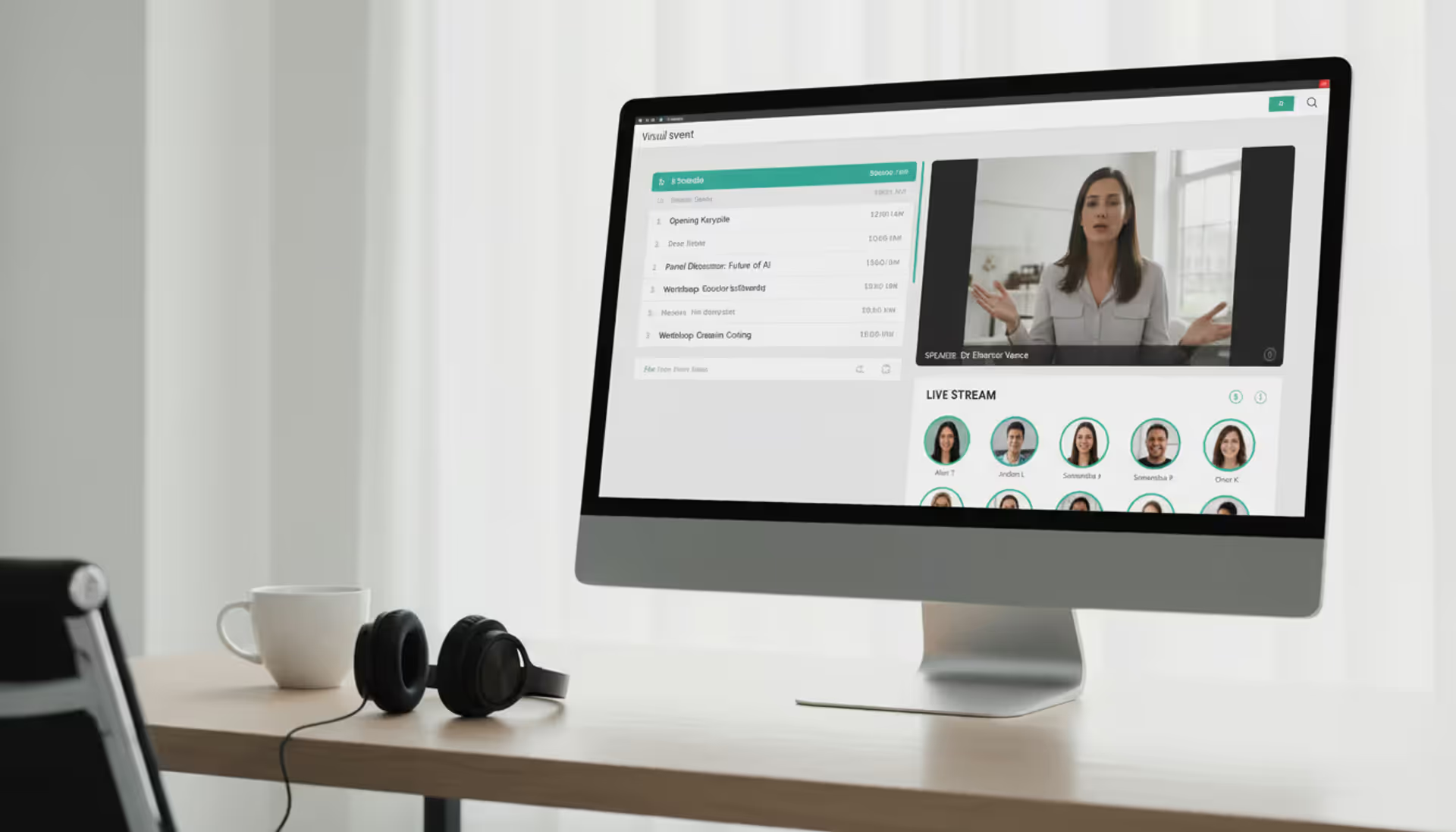
Organizing events has shifted dramatically over the past few years. What once required physical venues, printed materials, and face-to-face coordination now happens through browsers and apps. Online event management software powers this transformation, enabling organizers to build, promote, and execute events entirely through digital channels.
The right platform can mean the difference between a seamless virtual conference and a logistical nightmare. Understanding how these tools work, what features matter most, and where common pitfalls lie helps you choose software that actually serves your goals rather than creating new headaches.
What Is Online Event Management Software
Online event management software is a web-based platform that handles the planning, execution, and analysis of virtual or hybrid events. Unlike traditional event tools designed for in-person gatherings—think floor plan designers or venue booking systems—these platforms focus on digital delivery mechanisms: live streaming, virtual lobbies, chat rooms, and digital registration flows.
The core purpose centers on removing geographical barriers. A medical association can host a continuing education conference for 5,000 physicians across all 50 states without booking a convention center. A software company can run product demos for prospects in six countries simultaneously without coordinating travel budgets.
Web-based event management tools differ from their in-person counterparts in several fundamental ways. Traditional event software emphasizes physical logistics: catering headcounts, seating charts, badge printing. Internet-based event software prioritizes bandwidth optimization, browser compatibility, time zone management, and asynchronous content delivery. The shift isn't just about moving an existing process online—it requires rethinking how people connect, network, and consume information when they're not in the same room.
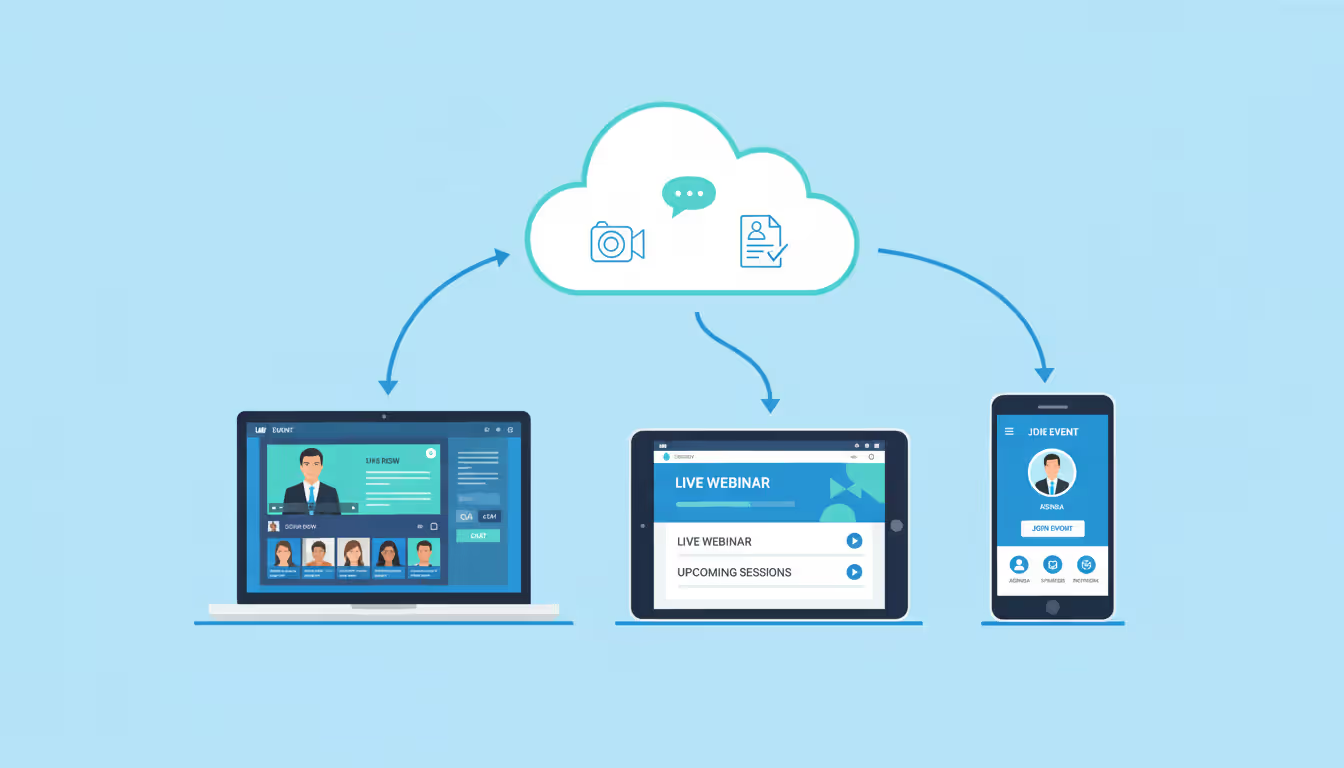
Most platforms operate on a SaaS model, meaning you access them through a web browser without installing software on individual machines. This cloud event management software approach offers automatic updates, easier collaboration among distributed teams, and the ability to scale capacity up or down based on attendance.
Author: Chloe Winslow;
Source: musiconmainstreet.com
How Online Event Platforms Work
The typical workflow starts with event creation. An organizer logs into the platform, sets basic parameters—event name, date, time zones, access permissions—and begins building out the event structure. For a multi-day conference, this might mean creating separate tracks, scheduling breakout sessions, and assigning speakers to time slots.
Next comes registration setup. The platform generates customizable registration pages where attendees provide information, select session preferences, and complete payment if required. This data flows into an attendee database that powers everything downstream: personalized agendas, networking suggestions, and post-event follow-up.
User roles determine who can do what. Event administrators have full access to settings, analytics, and content management. Speakers might access only their assigned sessions to upload slides or test audio. Attendees see the public-facing event experience: session listings, networking lounges, and on-demand content libraries.
Integration capabilities extend the platform's reach. An online event platform might sync registration data with your CRM system, push attendance metrics to marketing automation tools, or embed live streams into your company website. API access lets technical teams build custom workflows—automatically creating Slack channels for each breakout session, for instance, or triggering email sequences based on which sessions someone attended.
The event day itself follows a predictable pattern. Attendees log in through a unique link or portal, navigate to their chosen sessions, and interact through chat, polls, or Q&A features. Behind the scenes, the platform manages video delivery, monitors connection quality, and logs engagement data.
Post-event, the software shifts to analytics mode. Organizers review attendance patterns, engagement metrics, survey responses, and content performance. Many platforms automatically generate reports showing which sessions attracted the most viewers, where people dropped off, and how attendees rated different aspects of the experience.
Key Features to Look For
Not all online event software offers the same capabilities. The features that matter most depend on your event type, audience size, and technical requirements. That said, certain core functions appear across virtually every successful implementation.
Registration and Ticketing Capabilities
Registration forms the foundation of event data. Look for platforms that let you customize form fields beyond basic name and email—job title, company size, dietary preferences, session interests. Conditional logic helps here: if someone selects "I'm interested in advanced topics," show them an additional question about their experience level.
Ticketing should support multiple pricing tiers: early bird rates, group discounts, VIP packages with exclusive access. Some platforms handle payment processing directly; others integrate with Stripe, PayPal, or other payment gateways. Check whether the software calculates and collects sales tax based on attendee location—a requirement that catches many organizers off guard.
Automated confirmation emails, calendar invites, and reminder sequences reduce no-show rates. The best systems let you customize these messages per ticket type, so VIP attendees receive different pre-event information than general admission registrants.
Live Streaming and Video Conferencing
Virtual event management hinges on reliable video delivery. Native streaming capabilities—where the platform hosts and delivers video directly—offer tighter integration with other features like chat and polls. Third-party integrations with Zoom, Microsoft Teams, or WebEx provide familiar interfaces but may require attendees to switch between windows.
Consider whether you need simulive capabilities: pre-recorded content that plays at scheduled times with live chat and Q&A. This approach reduces technical risk for high-stakes presentations while maintaining the energy of real-time interaction.
Breakout room functionality matters for workshops, networking sessions, or small-group discussions. Check whether the platform randomly assigns attendees, lets them choose rooms based on interest, or allows organizers to pre-assign groups. The difference affects how spontaneous versus structured your networking feels.
Recording and on-demand access extend event value. Attendees in incompatible time zones can watch later; sponsors get extended exposure; you can repurpose content for lead generation. Verify whether recordings include chat transcripts, poll results, and other interactive elements or just the video stream.
Author: Chloe Winslow;
Source: musiconmainstreet.com
Analytics and Reporting Tools
Online conference management generates massive amounts of data. The question is whether your platform turns that data into actionable insights or just dumps spreadsheets on you.
Real-time dashboards during the event help you spot problems quickly: a session with unusually high drop-off rates might indicate technical issues or content mismatch. Post-event reports should break down attendance by session, track individual attendee journeys through your event, and measure engagement through metrics like chat messages sent, polls answered, and resources downloaded.
Integration with Google Analytics or similar tools adds another layer, showing how event traffic affects your website, where attendees go after sessions end, and which content drives the most conversions.
Look for exportable data in standard formats—CSV, Excel, JSON—so you can analyze it in your preferred tools or combine it with data from other sources. Automated report generation saves hours of manual work, especially for recurring events where you want to compare performance period over period.
Types of Events You Can Manage Online
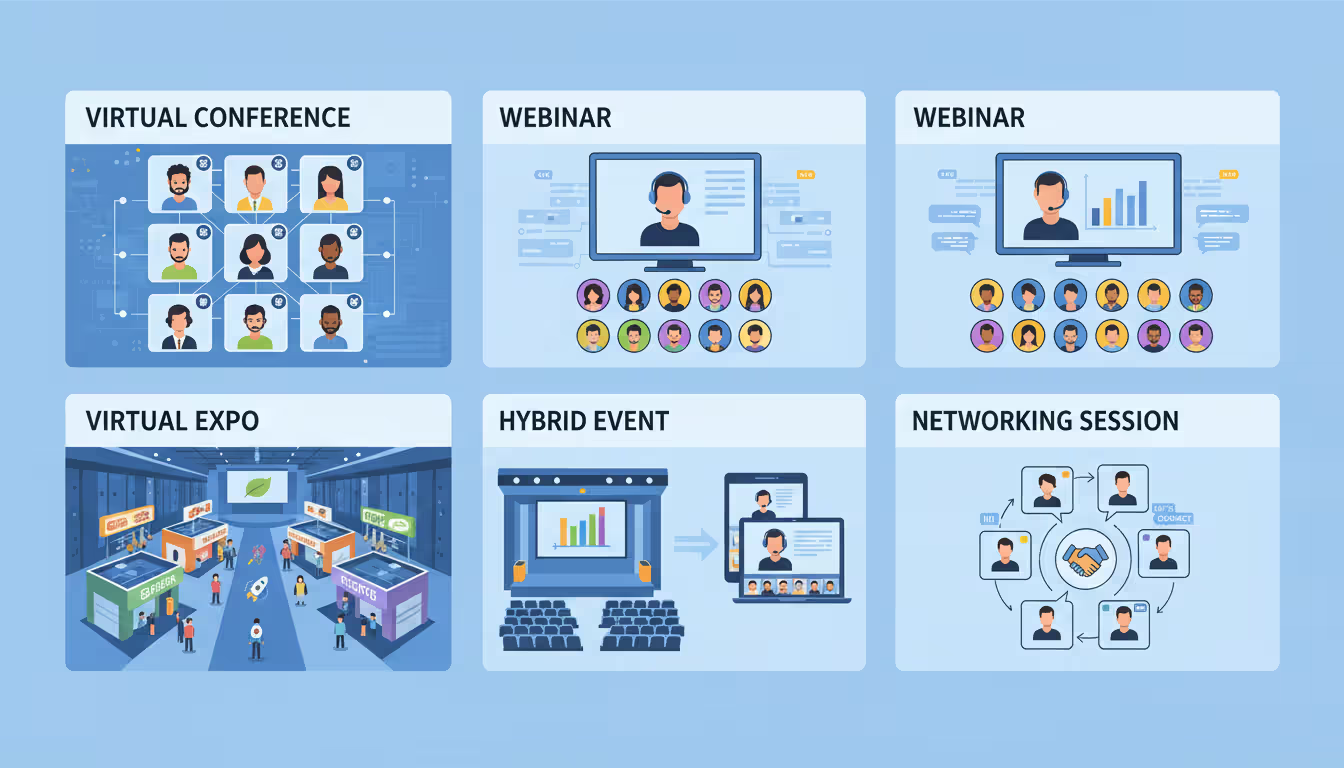
Remote event management software adapts to diverse formats, each with distinct requirements and best practices.
Virtual conferences typically span multiple days, feature dozens of sessions across parallel tracks, and attract hundreds or thousands of attendees. A medical association might run a three-day continuing education conference with 40 sessions, poster presentations, an exhibit hall with sponsor booths, and networking lounges organized by specialty. The platform needs robust scheduling tools, high concurrent user capacity, and features that help attendees navigate complex agendas.
Webinars focus on education or thought leadership, usually lasting 30-90 minutes with a small number of presenters and a larger audience. A SaaS company hosting weekly product demos needs easy-to-use presentation tools, strong Q&A functionality, and seamless handoff to sales teams for follow-up. The platform should make it simple to run a series, with templates that speed up setup for each new installment.
Hybrid events combine in-person and virtual attendance. A corporate annual meeting might host executives and board members in a physical location while streaming to employees worldwide. This format demands careful attention to experience parity—virtual attendees shouldn't feel like second-class participants. Features like virtual networking tables, digital exhibit booths, and interactive Q&A help bridge the gap.
Trade shows and exhibitions translate the exhibit hall experience online through virtual booths, product demos, and one-on-one meetings between attendees and exhibitors. A manufacturing industry expo might feature 100 exhibitor booths, each with downloadable product specs, video demos, and calendar booking for sales conversations. The platform needs strong lead capture tools, booth analytics for exhibitors, and intuitive navigation so attendees can browse offerings without getting lost.
Author: Chloe Winslow;
Source: musiconmainstreet.com
Networking events prioritize connections over content. A professional association's virtual happy hour or a startup community's founder meetup requires features like speed networking (rotating one-on-one video chats), interest-based matching, and casual spaces for unstructured conversation. Success metrics shift from session attendance to connections made and conversations initiated.
Comparing Top Event Management Platforms
Dozens of platforms compete in this space, each with different strengths, pricing models, and ideal use cases. The table below compares five leading options based on 2026 capabilities:
Platform Name
Best For
Key Features
Starting Price Range
Integration Support
Hopin
Large-scale virtual conferences
Multi-track scheduling, virtual expo hall, networking tables, mobile app
$99/month (up to 100 attendees)
Salesforce, HubSpot, Marketo, Slack, 1,000+ via Zapier
Eventbrite
Ticketed events with broad promotion
Registration/ticketing, email marketing, social sharing, on-site check-in
Free for free events; 3.7% + $1.79 per paid ticket
Mailchimp, Salesforce, Zoom, Facebook Pixel
Whova
Attendee engagement and networking
Agenda builder, attendee networking, live polling, community board
$3-5 per attendee (minimum $500)
Zoom, Salesforce, Eventbrite, custom API
Airmeet
Interactive webinars and workshops
Fluid spaces (lounge, session, backstage), social lounge, analytics
$149/month (up to 100 attendees)
Salesforce, HubSpot, Marketo, Slack, YouTube
vFairs
Virtual and hybrid trade shows
3D virtual venues, exhibitor booths, gamification, lead retrieval
These platforms represent different philosophies. Hopin and Airmeet emphasize immersive virtual environments with spatial metaphors—lobbies, stages, networking areas. Eventbrite prioritizes discovery and ticketing, helping events reach new audiences through its marketplace. Whova focuses on attendee experience and engagement tools. vFairs specializes in replicating physical trade show experiences digitally.
Pricing models vary significantly. Per-attendee pricing rewards smaller events but can become expensive at scale. Subscription models with attendee caps suit organizations running regular events. Custom enterprise pricing typically includes dedicated support, white-label options, and advanced security features.
The shift to online event management isn't temporary. Organizations have discovered that virtual and hybrid formats expand reach, reduce costs, and generate better data than purely physical events. The platforms that succeed long-term will be those that make digital experiences feel genuinely engaging rather than merely convenient
— Sarah Martinez
Common Mistakes When Choosing Event Software
Many organizations approach platform selection backward, focusing on surface-level features or price without considering how the tool fits their broader needs.
Ignoring scalability tops the list. A platform that works beautifully for 50-person webinars might collapse under the load of a 5,000-attendee conference. Check not just maximum capacity but how performance degrades as you approach limits. Does video quality drop? Do chat features lag? Can the registration system handle traffic spikes when tickets go on sale?
Overlooking integration needs creates data silos and manual work. If your marketing team lives in HubSpot, your sales team works in Salesforce, and your event platform doesn't talk to either, someone will spend hours copying data between systems. Map your critical integrations before evaluating platforms. Native integrations usually work more reliably than third-party connectors, though tools like Zapier can fill gaps.
Focusing only on price leads to false economies. A platform with a lower per-event cost but terrible user experience will cost you in attendee satisfaction, staff time troubleshooting issues, and missed opportunities from poor analytics. Calculate total cost of ownership: platform fees plus staff time for setup, support tickets, manual workarounds, and data cleanup.
Neglecting user experience on both sides—organizer and attendee—creates friction. Request demo accounts and actually build a test event. How many clicks to create a session? Can you bulk-import speaker bios? Does the attendee interface work on mobile devices? Send test invitations to colleagues and watch them try to register without guidance. Their confusion points are where your real attendees will struggle.
Underestimating support requirements becomes painful during live events. Check what support channels exist (email, phone, chat), their hours of operation, and response time commitments. For high-stakes events, dedicated support or a technical account manager can justify significant cost premiums.
Skipping the trial run means discovering limitations during your actual event. Most platforms offer free trials or demo accounts. Use them to build a complete mock event, test every feature you'll need, and run through scenarios: What happens if a speaker's audio fails? How do you handle last-minute schedule changes? Can you export attendee data in the format your CRM expects?
Author: Chloe Winslow;
Source: musiconmainstreet.com
Frequently Asked Questions
What is the difference between virtual and hybrid event management software?
Virtual event management software supports events that occur entirely online, with all attendees participating remotely. Hybrid event management accommodates both in-person and remote attendees simultaneously, requiring features like live streaming from physical venues, tools to engage both audience types, and often more complex AV setups. Some platforms specialize in one format; others handle both. If you plan to run hybrid events, verify the platform has tested hybrid-specific features rather than just claiming compatibility.
How much does online event management software typically cost?
Pricing spans an enormous range based on features, attendee count, and service level. Simple webinar platforms start around $50-100 monthly for up to 100 attendees. Mid-tier platforms for conferences and trade shows typically charge $2-8 per attendee with minimum event fees of $500-2,000. Enterprise platforms with white-label options, dedicated support, and unlimited customization often require custom quotes starting at $10,000+ annually. Factor in add-on costs: premium streaming quality, additional user accounts, advanced analytics, or integration setup fees.
Can online event platforms integrate with CRM systems?
Most established platforms offer integrations with major CRM systems like Salesforce, HubSpot, and Microsoft Dynamics. These integrations typically sync registration data, track event attendance as CRM activities, and enable automated follow-up workflows. The depth of integration varies—some platforms only do one-way data pushes, while others support bi-directional sync that updates both systems in real time. Check whether the integration requires a third-party connector (like Zapier), which may add cost and complexity, or is built natively into the platform.
Do I need technical skills to use web-based event management tools?
Most modern platforms target non-technical users, with drag-and-drop builders, template libraries, and guided setup wizards. You can typically create and run basic events—webinars, simple conferences—without coding or IT support. However, advanced customization (custom registration forms with complex logic, branded mobile apps, sophisticated integrations) may require technical skills or support from the platform's professional services team. Evaluate platforms based on your team's actual technical comfort level, not aspirational skills.
What security features should I look for in cloud event management software?
Priority security features include encrypted data transmission (SSL/TLS), secure authentication (single sign-on support, two-factor authentication), role-based access controls, and compliance certifications relevant to your industry (SOC 2, GDPR, HIPAA if handling health data). For paid or private events, verify the platform offers registration verification, unique access links, and the ability to remove disruptive attendees. Check where data is stored geographically—some organizations have regulatory requirements about data residency. Review the platform's privacy policy to understand how attendee data is used, stored, and potentially shared.
How do online event platforms handle attendee engagement?
Engagement tools vary by platform but commonly include live chat (public and private messages), Q&A modules with upvoting and moderation, live polls and surveys, gamification elements (points, leaderboards, challenges), networking features (attendee directories, one-on-one video chats, interest-based matching), and interactive elements like virtual whiteboards or breakout discussions. The most effective platforms integrate these tools directly into the event interface rather than requiring separate tabs or applications. Look for analytics that measure engagement—not just attendance, but active participation through questions asked, polls answered, and connections made.
Selecting online event management software requires balancing immediate needs against future growth, weighing feature richness against ease of use, and considering total cost beyond just platform fees. The best choice for a startup running monthly product webinars differs dramatically from what a professional association needs for its annual conference.
Start by defining your core requirements: event types you'll run, typical attendance numbers, must-have features, and integration needs. Use that framework to narrow options, then test finalists thoroughly with trial accounts and mock events. Pay particular attention to the attendee experience—your platform's interface becomes your event's face to the world.
The platforms discussed here represent solid options for different use cases, but the market continues evolving rapidly. New entrants appear regularly, and established players constantly add capabilities. What matters most isn't choosing the single "best" platform but finding the one that aligns with your specific goals, technical environment, and team capabilities. A platform that fits your needs well will fade into the background, letting you focus on what actually matters: creating valuable experiences for your attendees.
Selecting the right webinar platform impacts attendee experience, engagement rates, and ROI. This guide covers essential features, pricing models, use cases, and evaluation criteria to help you choose webinar software that aligns with your goals without overpaying for unused features
Virtual event production has evolved from emergency solution to strategic business tool. This comprehensive guide covers planning essentials, technical setup, engagement strategies, when to hire production companies, common mistakes to avoid, and the tools you need for successful virtual events that deliver measurable ROI
Managing trade shows requires coordinating exhibitors, attendees, and complex logistics. This guide breaks down trade show software categories, core features like lead capture and booth management, pricing models, and selection criteria to help event planners choose the right platform
The content on this website is provided for general informational and educational purposes only. It is intended to explain concepts related to event management software, ticketing systems, hybrid event platforms, and operational tools for event organisers.
All information on this website, including articles, guides, and examples, is presented for general educational purposes. Outcomes may vary depending on event size, technology choices, and organisational needs.
This website does not provide professional legal, financial, or software advice, and the information presented should not be used as a substitute for consultation with qualified event tech or IT professionals.
The website and its authors are not responsible for any errors or omissions, or for any outcomes resulting from decisions made based on the information provided on this website.